

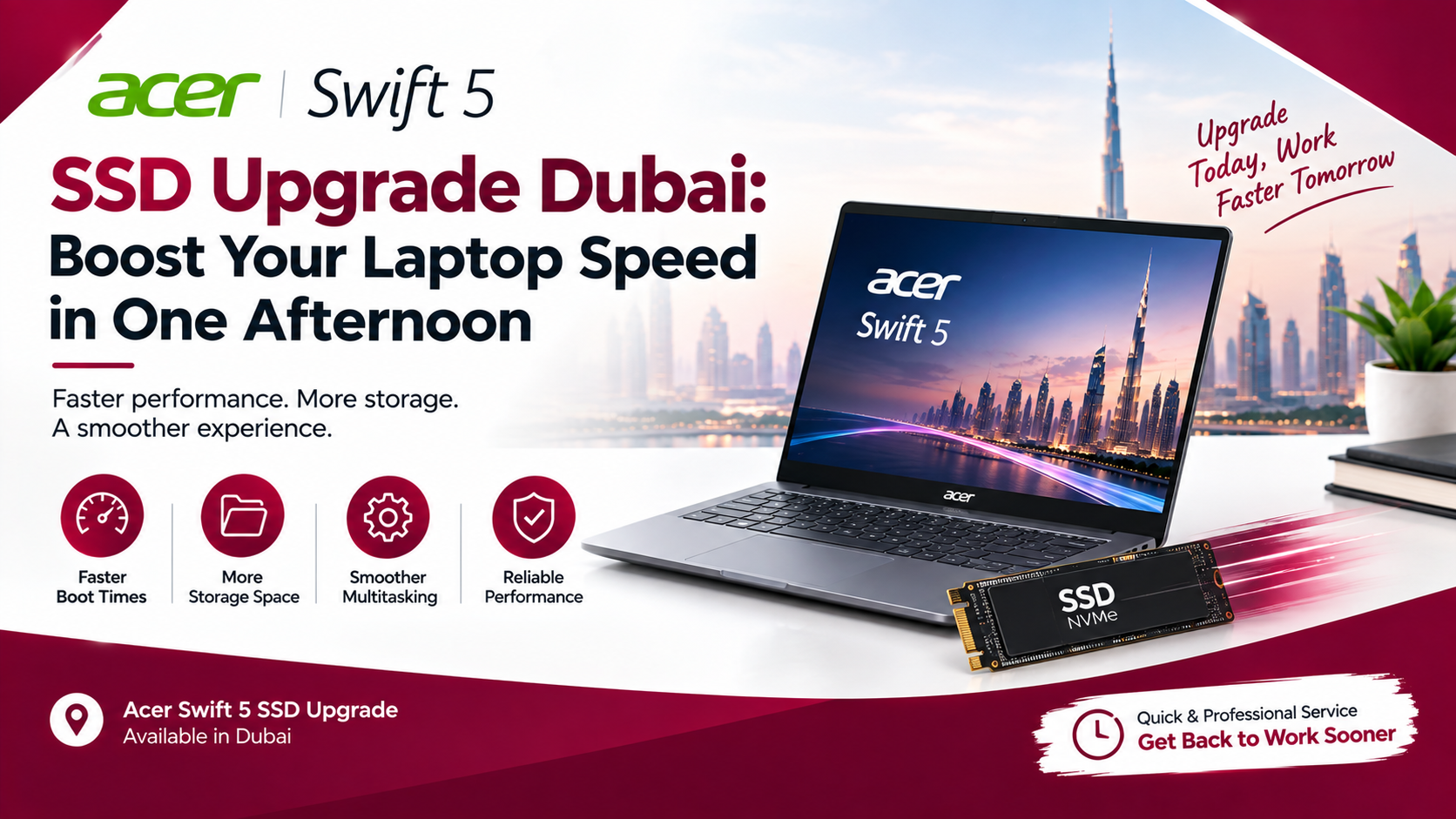
Does your Acer Swift 5 take forever to boot up, or does it pause awkwardly every time you open a browser with too many tabs? Before you start browsing new laptops out of frustration, take a breath. In most cases, the real problem isn’t the laptop itself, it’s the aging storage drive struggling to keep up with everything you’re asking it to do. An Acer Swift 5 SSD upgrade in Dubai can genuinely transform how the machine feels, often in less time than it takes to watch a movie. Let’s walk through why this works, what’s actually involved, and how to get it done right.
Why Your Acer Swift 5 Feels Slower Than It Used To
Laptops rarely slow down overnight. Instead, performance drops gradually as software updates pile on, background processes multiply, and your original storage drive quietly becomes the bottleneck holding everything else back.
The Hidden Bottleneck: Your Storage Drive
Every time you open an app, save a file, or boot up Windows, your laptop is constantly reading from and writing to its storage drive. If that drive is an older or lower-tier SSD, or worse, a traditional hard drive in an early Swift 5 configuration, it simply can’t move data fast enough to keep pace with your processor and RAM. Consequently, everything else in the system ends up waiting on storage, even when your CPU has plenty of power left to give.
Why the Acer Swift 5 Is a Great Candidate for This Fix
Acer built the Swift 5 around a single M.2 2280 PCIe NVMe slot, which makes storage one of the few genuinely upgradeable components inside this otherwise sealed, ultra-thin chassis. While RAM is typically soldered directly to the board and can’t be changed, the SSD absolutely can. That’s exactly why an Acer Swift 5 SSD upgrade delivers such a noticeable jump in real-world speed without requiring a full hardware overhaul.
Signs You Actually Need an SSD Upgrade
Before booking a repair slot, it helps to know exactly what you’re dealing with. Watch for a boot-up process that now takes well over a minute, noticeable lag when switching between multiple applications, long delays when launching programs you use daily, or a general sense that the laptop feels sluggish even right after a fresh restart. If several of these sound familiar, an Acer Swift 5 SSD upgrade is very likely the fix you’re looking for, rather than a sign you need an entirely new machine.
What Actually Happens During an Acer Swift 5 SSD Upgrade
Understanding the process makes the whole thing feel a lot less intimidating, and honestly, it’s more straightforward than most people expect.
Step One: Diagnosing Your Current Drive
A good technician starts by checking your existing SSD’s health, interface type, and available capacity. This matters because some early Swift 5 units shipped with SATA-based M.2 drives rather than faster PCIe NVMe ones, and confirming which type you have determines exactly which replacement will deliver the biggest improvement.
Step Two: Cloning or Reinstalling Your System
Next comes the part most people worry about unnecessarily: your data. Rather than wiping everything and starting over, technicians typically clone your existing drive directly onto the new one, preserving your files, installed programs, and settings exactly as they were. This single step is often what separates a smooth Acer Swift 5 SSD upgrade from a stressful, hours-long ordeal of reinstalling everything from scratch.
Step Three: Physical Installation
Since the Swift 5’s SSD lives behind a removable back panel, accessing it requires careful handling of small screws and delicate internal connectors packed tightly into that slim magnesium-aluminum chassis. The old drive comes out, the new one slots in, and everything gets reassembled and tested before the laptop goes back in your hands.
Step Four: Verifying Speed and Stability
Finally, a proper upgrade doesn’t just end at reassembly. Boot times get tested, read and write speeds get benchmarked, and the system gets checked for stability under normal use. This final verification step is what turns a rushed part swap into a genuinely reliable Acer Swift 5 SSD upgrade you won’t have to think about again for years.
How Much Faster Does It Actually Feel?
Numbers help, but the real difference shows up the moment you use the laptop again. Boot times that used to crawl past a minute often drop to under twenty seconds. Applications that used to hang while loading now open almost instantly, and multitasking across several programs stops feeling like a gamble. Because an SSD upgrade addresses the actual bottleneck rather than masking the symptoms, the improvement touches nearly everything you do on the laptop, not just one specific task.
SATA vs NVMe: Which Upgrade Path Makes Sense?
Not every SSD delivers the same jump in performance, so choosing the right one matters. A SATA-based M.2 drive tops out at speeds far below what PCIe NVMe drives can achieve, meaning that if your Swift 5 originally shipped with SATA storage, moving to NVMe unlocks a much bigger leap than simply swapping one SATA drive for another. On the other hand, if you already have an NVMe drive, upgrading to a newer, higher-capacity NVMe model still helps, though the speed difference will feel more modest. Either way, matching the right drive type to your specific Swift 5 model is what separates a good Acer Swift 5 SSD upgrade from a mediocre one.
A Reliable Place to Get It Done in Dubai
If you’d rather leave the screwdrivers and cloning software to someone else, Milaaj Mobile and Laptop Repair Al Barsha handles Acer Swift 5 SSD upgrades with a straightforward, no-nonsense approach. Pricing stays low and transparent, so you know exactly what you’re paying before any work begins. The turnaround is genuinely fast, with most upgrades completed within a single afternoon rather than stretching across days. Dropping off and collecting your laptop stays convenient too, with clear communication throughout so you’re never left wondering about status. On top of all that, only genuine, high-quality SSDs go into every upgrade, which matters enormously since a poor-quality drive can quietly undo all the speed gains you were hoping to get in the first place.
Is an SSD Upgrade Worth It Compared to Buying a New Laptop?
For most Swift 5 owners, the answer is a clear yes. A new laptop with comparable build quality and display can cost several times more than a storage upgrade, and if your current machine still meets your needs in every other way, replacing just the drive is the far more sensible route. An Acer Swift 5 SSD upgrade essentially buys your laptop several more years of relevant, responsive performance for a fraction of what a full replacement would cost.
How to Prepare Your Laptop Before the Upgrade
A little preparation makes the whole process even smoother. Back up anything critical to an external drive or cloud storage beforehand, just as a safety net in case anything unexpected comes up during cloning. It also helps to note down your Windows license details, though in most cases an Acer Swift 5 SSD upgrade preserves your activation automatically since the clone carries everything over intact. Finally, charge your laptop fully before dropping it off, since technicians often need to power it on multiple times throughout diagnosis, installation, and testing. None of this takes more than a few minutes, yet it helps the entire upgrade go without a single hiccup.
Frequently Asked Questions
How long does an Acer Swift 5 SSD upgrade take?
Most upgrades, including cloning your existing data, are completed within a single afternoon. Complex cases involving corrupted drives or unusual configurations may take a little longer, but same-day completion is the norm.
Will I lose my files during the upgrade?
Not if the technician clones your existing drive properly. Cloning transfers your operating system, installed applications, and personal files directly onto the new SSD, so everything remains exactly where you left it.
Can I upgrade the RAM at the same time as the SSD?
Unfortunately, most Acer Swift 5 models have RAM soldered directly to the motherboard, meaning it can’t be upgraded separately. The SSD remains the primary component you can realistically improve after purchase.
What size SSD should I choose for my Acer Swift 5?
This depends on how you use the laptop. If you mainly browse, work in documents, and stream media, 512GB is usually plenty. Heavier users working with large media files or extensive software libraries should consider 1TB or higher.
Is it safe to upgrade an older Swift 5 model?
Yes, as long as the correct drive interface is used. Older units may use SATA-based M.2 drives instead of NVMe, so confirming compatibility before purchasing a replacement drive avoids any installation issues.
An Acer Swift 5 SSD upgrade genuinely ranks among the most cost-effective ways to bring an aging laptop back to life. Instead of settling for slow boot times or replacing a perfectly good machine altogether, a single afternoon spent swapping the storage drive can make your Swift 5 feel faster than the day you bought it, and that’s a trade worth making.
Other Services:
- Need other laptop repairs? Check out Milaaj’s laptop repair services in Dubai.
- Overheating issues? Explore MacBook repair in Dubai for similar cooling solutions.
- Looking to upgrade? Learn about selling your used laptop in Dubai.
- Data loss concerns? Visit Milaaj’s data recovery services.
- For Apple users, check Apple trade-in options in Dubai.
📍 Visit Any Milaaj Branch in Dubai
🔹 Bur Dubai
Milaaj Mobile and Laptop Repair Dubai
📞 055 258 8477
🔗 Google Maps
🔹 Al Barsha
Milaaj Mobiles and Laptop Repair Al Barsha
📞 052 596 2846
🔗 Google Maps
🔹 Reef Mall (Salah Al Din)
Milaaj Service Center Reef Mall
📞 052 3405 814
📍 1st Floor, Shop 16, Deira
🔗 Google Maps
🔹 Al Nuaimiya
Milaaj Mobiles and Laptops Ajman
📞 055 788 9654
🔗 Google Maps
Shop Locations: Al Barsha | Bur Dubai | Reef Mall, Salah Al Din | Al Nuaimiya, Ajman
Email: support@milaaj.com
Operating Hours: Monday – Sunday


Leave a Reply