

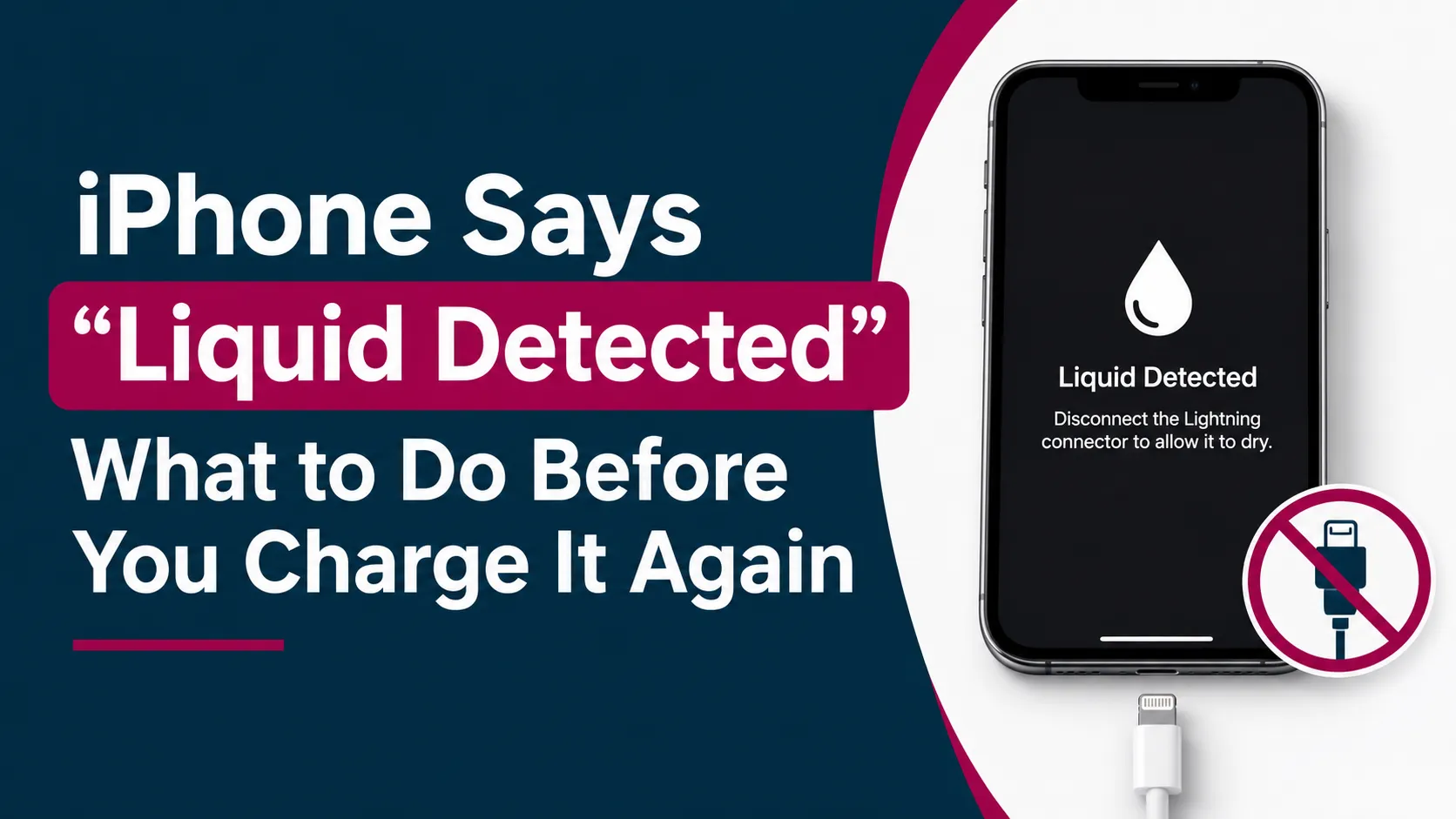
You step out of an air-conditioned mall into Dubai’s heat, plug your phone in at 4%, and the screen stops you with a warning. If your iPhone says liquid detected, your first instinct is probably to jab at the cable until it works. Don’t. What you do in the next few minutes decides whether this is a harmless false alarm or the start of a repair bill.
Here is exactly what the “liquid detected” alert means, what to do right now, and when it’s time to get the phone checked.
Quick Answer: What to Do When Your iPhone Says Liquid Detected
Unplug the cable, don’t charge, and let your iPhone dry. Tap it gently with the port facing down, leave it somewhere dry with airflow for at least 30 minutes, then try again. If the alert returns, keep drying for up to a day. Use Emergency Override only when you truly have no other option.
Key Takeaways
- The alert means your iPhone has sensed moisture in the charging port or on the cable, and it blocks charging to protect itself.
- The safest first move is to unplug everything and stop trying to charge.
- Heat, compressed air, cotton swabs and rice make things worse, not better.
- Emergency Override exists, but charging a wet port risks corrosion and damage.
- If the alert keeps appearing on a dry phone, get the charging port inspected before it turns into a bigger problem.
What Does “Liquid Detected” Mean on an iPhone?
It’s a safety feature. Your iPhone checks the charging connector, and if it senses liquid on the pins, it refuses to send power through. Power plus moisture can cause corrosion or a short circuit, and the block is there to prevent that.
The wording changes depending on your phone and what you plug in:
- Charging not available: you connected a Lightning charger and liquid was detected.
- Liquid Detected in Lightning Connector: a Lightning accessory is connected and liquid is detected.
- Liquid Detected in USB-C Connector: this appears with some USB-C to USB-A cables.
- Liquid Detected: you connected a USB-C accessory to a USB-C iPhone.
The feature works on iPhone XS, XS Max, XR and every iPhone released after them, including the newer USB-C models.
Why Does Your iPhone Say Liquid Detected in Dubai?
The honest answer is that it doesn’t always mean your phone went for a swim. In the UAE, the usual suspects are:
- Pool, beach and sweat exposure. A quick splash or a damp pocket after a gym session is enough.
- A wet cable or accessory. Moisture can sit under the cable’s pins, even if the phone itself is dry.
- Humid air and condensation. Moving between cold indoor air and hot, damp outdoor air can sometimes leave moisture where you can’t see it.
- Lint and dust. Fine dust and pocket fluff in the charging port can mimic moisture on the pins.
Not every case is the same, and it helps to know the difference between real liquid damage and humidity. For the full picture, read our guide on how humidity damage differs from real water damage.
What Should You Do When Your iPhone Says Liquid Detected?
When your iPhone says liquid detected, unplug the cable straight away and do not charge it. Tap the phone gently with the port facing down, then leave it somewhere dry with good airflow for at least 30 minutes. Try again afterwards. If the alert returns, keep drying for up to a day.
Here is the step-by-step version, based on Apple’s own guidance on liquid-detection alerts:
- Unplug the cable from your iPhone and from the power adapter or accessory.
- Tap your iPhone gently against your hand with the connector facing down, so loose liquid can drain out.
- Leave it in a dry place with airflow. A shelf near a fan or an open window works. Keep it out of the sun.
- Wait at least 30 minutes, then try a cable or accessory again.
- If the alert comes back, leave it to dry for up to a day. Full drying can take up to 24 hours, and you can retry now and then during that time.
What Should You Never Do When Your iPhone Shows a Liquid Detected Alert?
When a phone won’t charge, people reach for quick fixes. These are the ones to skip:
- Don’t use a hairdryer or any external heat. Heat can push moisture deeper and damage the battery.
- Don’t blast the port with compressed air. The pressure can force liquid further inside.
- Don’t poke the charging port with cotton swabs, tissue, paper towels or pins. You can leave fibres behind or bend the contacts.
- Don’t keep replugging the cable. Every attempt sends power into a port that may still be wet.
- Don’t bury it in rice. It’s the most popular myth, and grains and starchy dust can end up in the port. We explain the details in our guide on why rice doesn’t fix a wet iPhone.
Is It Safe to Use Emergency Override on an iPhone?
Short answer: it’s possible, but it isn’t the safe choice. When you reconnect the cable, the iPhone can offer an override that lets you charge anyway. Apple allows it for emergencies, but advises against charging a wet iPhone.
Think of it as a last resort. It may be defensible when:
- You genuinely need power, for example for a map, a ride or an important call.
- You can’t see any moisture, and the phone hasn’t been in water.
- You plan to dry the phone properly afterwards.
Skip it if the phone went into a pool, the sea or a spilled drink, or if it feels warm or the screen behaves oddly.
A better option is wireless charging. A Qi-certified wireless charger works as long as the back of your iPhone is dry, and it avoids the wet port completely. Keep in mind that Apple notes that water resistance isn’t permanent, and liquid damage isn’t covered by warranty. A phone that has taken a few splashes may be less protected than it was when it was new.
Why Does “Liquid Detected in Charging Port” Keep Appearing on a Dry iPhone?
If you’ve dried the phone for a day and the alert keeps coming back, the cause is often one of these:
- Residue or early corrosion on the pins. Salt water, sweat and sugary drinks leave deposits that conduct electricity.
- A damaged or dirty cable. Test with a different, known-good cable and adapter. If the alert appears with only one cable or accessory, that item is probably the problem.
- A worn or damaged charging port. Years of plugging in can loosen contacts.
Try Apple’s reset step: unplug the cable from the adapter, unplug the adapter from the wall if you can, and connect them again. If the alert appears every time you use official cables or accessories, Apple says the phone may need service.
This is the point to stop experimenting. Simple port cleaning is often far cheaper than a full repair, and a technician can give you an exact quote after a quick check. If you’re in Dubai, Sharjah or Ajman, our iPhone repair team in Dubai can inspect the charging port and tell you what’s actually going on.
Can Liquid Damage Cause Data Loss on Your iPhone?
Usually the port alert alone doesn’t touch your data. But liquid can reach other parts of the phone, and a phone that was wet can fail later.
Watch for these warning signs:
- The screen is dim, flickers or doesn’t respond to touch
- The phone restarts on its own or feels unusually warm
- The speaker sounds muffled
- The phone won’t turn on at all
If the phone still works, back it up now. Use iCloud over Wi-Fi, which doesn’t need the charging port, and don’t keep attempting to charge it. If it’s already dead or acting strangely, don’t power it on again and again. A professional data recovery service gives you the best chance of saving your photos, WhatsApp chats and work files.
Should You Repair a Water-Damaged iPhone or Trade It In?
Most “liquid detected” cases end with a dry phone and a normal charge. Repair makes sense when the phone is relatively new and the problem is just the port or a bit of corrosion.
It’s worth thinking about an upgrade when:
- The phone is several years old and has been wet more than once
- Problems keep stacking up, such as battery, screen and port together
- You were already planning to switch to a newer model
Even a phone with port trouble can still have trade-in value, so get a quote before you write it off. If it’s time to move on, you can sell your old iPhone and put the money toward your next one.
iPhone Liquid Detected Alert: Frequently Asked Questions
Is it safe to use Emergency Override when my iPhone says liquid detected?
It’s allowed in an emergency, but Apple advises against charging a wet iPhone. Charging a wet port can cause corrosion or a short circuit. If you must override, do it only when you can’t see any moisture, and dry the phone properly afterwards. A dry wireless charger is the safer alternative.
How long does an iPhone take to dry after a liquid detected alert?
Try again after at least 30 minutes in a dry spot with airflow. If the alert returns, give it up to a day. Full drying can take up to 24 hours. Keep it away from direct heat and the sun while it dries.
Why does my iPhone say liquid detected when the charging port is dry?
There may be moisture you can’t see, residue or corrosion on the pins, lint in the port, or a faulty cable. Test a different cable and try the unplug-and-reconnect reset. If the alert keeps showing with official cables, get the port inspected.
Can I charge my iPhone wirelessly if it says liquid detected?
Yes, as long as the back of your iPhone is dry. A Qi-certified wireless charger doesn’t use the charging port, so it avoids the wet connector. Keep drying the port in the meantime.
When should I take my iPhone to a repair shop for a liquid detected alert?
Go if the alert returns after a full day of drying, appears with every cable, or comes with a dim screen, odd touch behaviour, a muffled speaker or random restarts. Don’t wait for it to get worse. Early inspection can stop corrosion from spreading.
Don’t Charge Yet: Your Next Steps When Your iPhone Says Liquid Detected
When your iPhone says liquid detected, the best thing you can do is slow down. Unplug it, let it dry, skip the shortcuts, and use wireless charging if you’re desperate. Most of the time, patience is all it takes.
If the warning keeps coming back, or your phone is acting strangely, you don’t have to guess. This is exactly the kind of repair Milaaj handles every day, and a quick check can save you from a much bigger problem later. You’ve got this.


Leave a Reply