

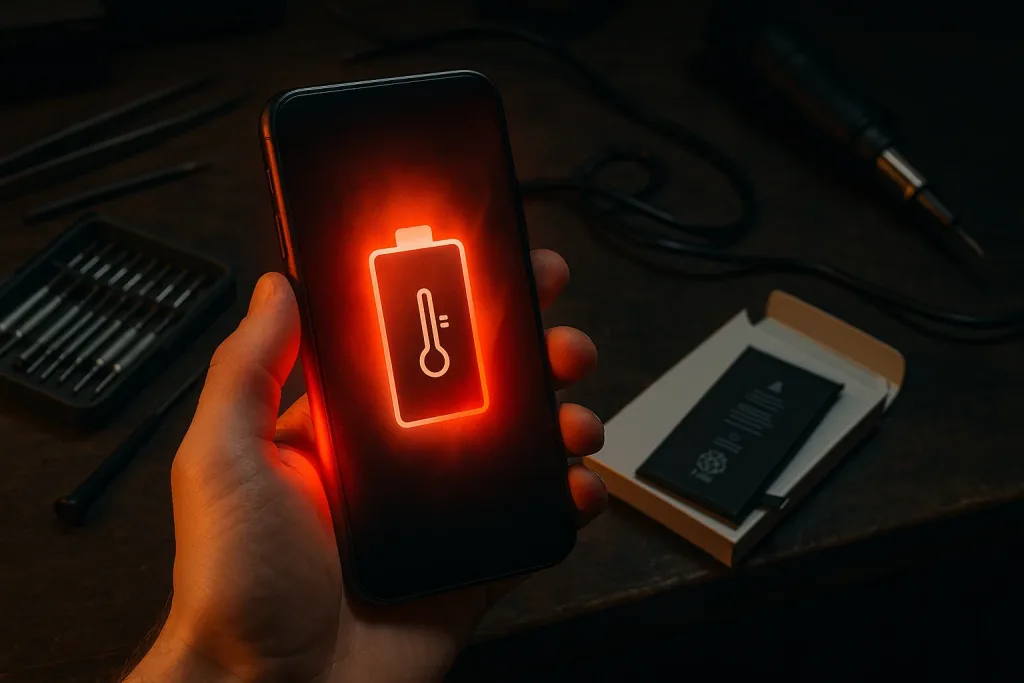
If your Honor smartphone feels unusually hot while charging, gaming, or even during normal use, you’re not alone. The Honor overheating issue has become quite common, especially in modern smartphones with high-performance processors and compact designs. Overheating can affect performance, battery life, and even long-term durability. However, the good news is that it can be diagnosed and fixed safely with the right approach.
In this detailed guide, we’ll explore the causes of the Honor overheating issue, how to diagnose it effectively, and step-by-step methods to fix it safely. Additionally, we’ll highlight when to seek professional help, such as from Milaaj Mobiles and Laptop Repair Al Barsha, a trusted name in smartphone servicing.
Understanding the Honor Overheating Issue
Before diving into solutions, it’s important to understand why your Honor phone overheats. The device naturally generates heat while performing heavy tasks such as gaming, streaming, or multitasking. However, when this heat becomes excessive, it indicates a Honor overheating issue that needs attention.
Overheating can cause:
- Sudden device shutdowns.
- Battery draining faster than usual.
- Screen flickering or dimming.
- Performance lag or throttling.
- Physical discomfort while holding the phone.
In most cases, the problem originates from software mismanagement, battery health deterioration, or environmental factors.
Common Causes Behind the Honor Overheating Problem
To fix the Honor overheating issue, you must first pinpoint its root cause. The reasons can vary from internal hardware malfunctions to simple user habits. Let’s look at the most frequent culprits:
1. Excessive Background Processes
Many users don’t realize that running too many apps simultaneously can trigger the Honor overheating problem. Social media, games, and video apps consume high CPU and GPU power, producing more heat than usual.
2. Faulty Charging Accessories
Using unofficial or damaged chargers and cables can lead to uneven power flow, causing your HONOR device to overheat during charging. Always stick to genuine or manufacturer-approved accessories.
3. Outdated Software
Software bugs or outdated firmware can affect how the phone manages its resources. Consequently, your device may heat up even during light use. Regular updates often include performance optimizations that reduce heat generation.
4. How High Temperatures Cause Honor Overheating
If you live in a hot climate, your phone may absorb heat from the surroundings. Continuous exposure to sunlight or using your phone in non-ventilated areas can worsen the Honor overheating issue.
5. Battery and Hardware Faults
Lastly, internal components like the battery, motherboard, or power IC may degrade over time. Faulty hardware can result in persistent overheating even after software fixes.
How to Diagnose the Honor Overheating Issue
Accurately diagnosing the Honor overheating issue is crucial before attempting any repairs. The following steps will help you identify what’s causing your phone to heat up:
1. Monitor Battery Temperature
You can check your phone’s temperature using built-in settings or third-party diagnostic apps. A safe operating temperature is usually below 40°C. If it consistently exceeds 45°C, that’s a clear sign of overheating.
2. Observe When the Heating Occurs
Notice whether your phone heats up during specific activities such as charging, gaming, or while idle. This timing gives valuable clues about whether it’s a software or hardware issue.
3. Run Safe Mode Test
Booting your HONOR device into Safe Mode temporarily disables third-party apps. If the overheating stops in this mode, an app is likely causing the problem.
4. Check Battery Health
If your phone has been in use for over a year, battery health might have declined. Poor battery efficiency often leads to excess heat generation.
5. Inspect Charging Port and Cables
A loose or corroded charging port can cause short circuits, which in turn trigger heating. Using damaged cables also worsens the issue.
By performing these checks, you can determine whether the Honor overheating issue is caused by hardware, software, or user behavior.
Practical Steps to Fix the Honor Overheating Issue
Once the cause is identified, you can begin applying solutions. Here are several safe and effective methods to fix the Honor overheating problem.
1. Close Background Apps and Services
First, close all apps running in the background. Disable auto-sync and unnecessary widgets to minimize CPU usage. This small step can noticeably reduce your phone’s temperature.
2. Update Software Regularly
Always keep your phone’s software up to date. Manufacturers often release patches to improve system performance and reduce overheating.
3. Avoid Heavy Use While Charging
Charging generates heat on its own, so avoid playing games or streaming videos during the process. Instead, allow the phone to rest and cool while it charges.
4. Use Original Chargers
Replace counterfeit or third-party chargers with genuine Honor accessories. Authentic chargers regulate current flow, preventing excess heat buildup.
5. Adjust Display Settings for honor Overheating Problems
Lower your brightness level and enable adaptive brightness. Also, turn off features like Always-On Display to reduce GPU load.
6. Manage Network Settings
If you’re in an area with poor signal, your phone works harder to maintain connectivity, causing it to heat up. Switch to Airplane Mode temporarily or use Wi-Fi calling when possible.
7. Factory Reset as a Last Resort
If the problem persists after all other fixes, a factory reset may clear corrupted files and restore thermal balance. Remember to back up your data before performing this step.
Advanced Hardware Diagnosis for Persistent Heating
Sometimes, even after software adjustments, the Honor overheating issue continues. This often points to hardware faults that require professional attention. Here’s how experts handle it:
Battery Inspection for Honor Overheating Problems
Technicians test the battery’s voltage and charging efficiency. A swollen or degraded battery must be replaced immediately to prevent further damage.
Thermal Paste Reapplication
If the internal thermal paste (used for cooling processors) dries up, heat can’t dissipate effectively. Reapplying it can significantly lower the device’s temperature.
Power IC Replacement for Overheating Problems
A faulty power IC (Integrated Circuit) often leads to continuous heating. Replacing this component restores efficient power distribution.
Cleaning the Motherboard
Dust, corrosion, or liquid residue inside the device can block heat flow. Professionals clean the board using ultrasonic technology to improve performance.
Preventive Tips to Avoid Honor Overheating Problems
To ensure your device stays cool and functions efficiently, follow these preventive steps:
- Keep Your Device Updated: Install regular system updates and app patches.
- Avoid Using While Charging: Let the phone rest during charging cycles.
- Use Quality Accessories: Always choose certified chargers and cables.
- Limit High-Performance Tasks: Avoid long gaming or streaming sessions without breaks.
- Clean Vents and Ports: Use a soft brush or air blower to prevent dust buildup.
- Monitor Battery Health: Replace your battery if it drains rapidly or swells.
- Avoid Direct Sunlight: Keep the device in a cool, ventilated environment.
When to Seek Professional Help for Overheating Problems
If your Honor overheating issue persists despite all troubleshooting, it’s time to consult a repair specialist. DIY solutions can only go so far, especially if internal components are affected.
At Milaaj, certified technicians use advanced diagnostic tools to pinpoint the root cause of overheating. Whether it’s a battery replacement, IC repair, or deep system clean, they ensure your phone returns to optimal performance safely and efficiently.
Honor overheating issue
Dealing with a Honor overheating issue can be frustrating, but with patience and the right steps, it’s manageable. From checking software glitches to inspecting hardware components, every measure helps protect your device’s longevity and safety.
Remember, overheating doesn’t just affect performance it can damage internal circuits and batteries over time. Therefore, addressing the Honor overheating issue early prevents further complications.
If you’re unsure about performing these fixes yourself, always seek professional repair support. Expert technicians can accurately diagnose and repair your device, ensuring it runs smoothly without the risk of permanent damage.
Other Services:
- Need other mobile phone repairs? Check out Milaaj’s mobile repair services in Dubai.
- Looking to upgrade? Learn about selling your used mobile in Dubai.
- Data loss concerns? Visit Milaaj’s data recovery services.
📍 Visit Any Milaaj Branch in Dubai
🔹 Bur Dubai
Milaaj Mobile and Laptop Repair Dubai
📞 055 258 8477
🔗 Google Maps
🔹 Al Barsha
Milaaj Mobiles and Laptop Repair Al Barsha
📞 052 596 2846
🔗 Google Maps
🔹 Al Barsha 3
Milaaj Mobiles and Gaming Store
📞 052 3405 814
🔗 Google Maps
🔹 Al Nuaimiya
Milaaj Mobiles and Laptops Ajman
📞 055 788 9654
🔗 Google Maps
Shop Locations: Al Barsha | Bur Dubai | Reef Mall, Salah Al Din | Al Nuaimiya, Ajman
Email: support@milaaj.com
Operating Hours: Monday – Sunday




Leave a Reply