

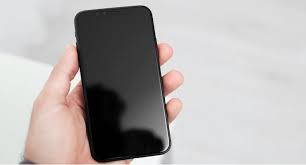
Few things are more confusing than when your iPhone 14 black screen but phone is on you can hear sounds, feel vibrations, or receive calls, but the display stays completely dark. This common issue can occur after an update, a drop, or even a power surge. Fortunately, with the right steps, you can often bring your iPhone back to life without replacing major parts.
In this complete troubleshooting guide, we’ll walk you through why your iPhone 14 screen is black but working, the possible causes, and practical fixes to help you wake it up again. And if all else fails, expert technicians at Milaaj Mobiles and Laptop Repair Al Barsha are here to restore your iPhone safely and effectively.
Understanding the iPhone 14 Black Screen but Phone Is On Issue
Before attempting any fixes, it’s important to understand what’s happening when your iPhone 14 black screen but phone is on. Essentially, the phone’s internal components are still functioning meaning the logic board, battery, and processors are working but the display or its connection has failed.
This situation usually indicates:
- A temporary software crash causing the display driver to freeze.
- A loose or damaged display connector after physical impact.
- Display or backlight circuit failure caused by liquid or heat damage.
Main Causes of iPhone 14 Black Screen but Phone Is On
To fix the issue effectively, let’s identify the root causes. Each cause has its own corresponding repair approach.
1. Software Crash Leading to iPhone 14 Black Screen but Phone Is On
Sometimes, system-level bugs or incomplete updates lead to display freezing. For instance, if your iPhone updated overnight and failed to reboot properly, the black screen could appear even though the device remains on.
2. Power Management or Battery Fault Causing iPhone 14 Display Failure
A failing battery or PMIC (Power Management IC) can interrupt power flow to the screen, resulting in iPhone 14 black screen but phone is on symptoms.
3. Backlight or Display Connector Issues Behind Black Screen on iPhone 14
If you dropped your phone recently, the backlight connector may have loosened. When this happens, the display receives no light though the rest of the system works perfectly.
4. Water Damage Triggering iPhone 14 Black Screen but Still On
Even minimal exposure to moisture can corrode internal connections. Over time, this corrosion leads to unstable backlight power or short circuits.
5. Logic Board Faults and iPhone 14 Screen Not Turning On
The display circuitry inside the logic board can get damaged due to heat, corrosion, or poor soldering. This is often confirmed only after professional diagnosis.
Step-by-Step Fixes for iPhone 14 Black Screen but Phone Is On
Now that you know the causes, let’s explore the display wake-up fixes that can revive your iPhone.
1. Force Restart Your iPhone
This should always be your first step. A forced reboot clears temporary glitches that could freeze the display.
How to do it:
- Quickly press and release the Volume Up button.
- Then, quickly press and release the Volume Down button.
- Finally, hold the Side button until you see the Apple logo.
If the screen lights up, the issue was likely software-related.
2. Connect to a Charger and Wait
Sometimes, your battery is too drained for the display to power on, even though the system background runs. Connect the iPhone to a certified Apple charger for at least 15–30 minutes, then attempt to turn it on again.
3. Use iTunes or Finder to Refresh iOS
If your iPhone still shows a black screen, try connecting it to your computer.
Steps:
- Open iTunes (on Windows) or Finder (on Mac).
- Connect your iPhone via cable.
- If the system detects your device, choose Update iPhone (not Restore).
Updating your software often resolves frozen display bugs without erasing data.
4. Boot into Recovery Mode
If your iPhone 14 black screen but phone is on continues, recovery mode can help reinstall essential firmware.
Steps:
- Force restart your iPhone but keep holding the side button after the Apple logo appears.
- Connect it to iTunes/Finder and select Restore.
However, this may erase your data, so proceed carefully.
5. Inspect for Backlight Damage
If your phone vibrates and receives calls but the display stays dim or dark, shine a flashlight at an angle onto the screen. If you can faintly see icons or text, your backlight circuit or connector may be damaged.
In such cases, professional repair is necessary.
6. Check for Overheating
Overheating can cause the display controller to shut down temporarily. Let your phone cool down completely before attempting to restart it again.
7. Seek Professional Repair
If none of these fixes help, your phone may have a damaged display connector, logic board, or backlight IC. This is where expert service comes in.
Professional Repair Options for iPhone 14 Black Screen but Phone Is On
At Milaaj, skilled technicians perform detailed diagnostics using advanced tools to identify exactly where the fault lies whether it’s on the display assembly, logic board, or backlight circuit. They also use genuine replacement parts to restore brightness and clarity without affecting Face ID or other functions.
Moreover, they ensure data safety during repairs, so your information remains intact.
Preventing Future iPhone 14 Black Screen Issues
Once your phone is fixed, prevention is key. Follow these steps to avoid similar problems:
- Keep your iPhone updated with the latest iOS versions.
- Avoid moisture and sudden temperature changes.
- Use only certified chargers and cables.
- Protect your phone from drops using durable cases.
- Schedule periodic maintenance to check for hardware wear.
When to Replace the Display vs. Repair It
Sometimes, the iPhone 14 black screen but phone is on can’t be fixed through minor repairs if the display assembly itself is damaged. In that case, a complete screen replacement might be required.
However, always perform a proper diagnosis first to avoid unnecessary costs.
Data Safety During Repairs
Before you hand over your iPhone for service, back up your data via iCloud or iTunes. If the device is inaccessible, technicians can often perform data recovery even from non-functional screens, provided the logic board remains intact.
FAQs About iPhone 14 Black Screen but Phone Is On
1. Why is my iPhone 14 screen black but still vibrating?
It likely means your display backlight or connector is damaged, while the internal system still works.
2. Can a software update cause the black screen issue?
Yes. Incomplete updates or firmware crashes can freeze the display temporarily.
3. Will replacing the display fix the problem?
In most cases, yes but only if diagnostics confirm the display is faulty and not the logic board.
4. Is data safe during black screen repairs?
Yes. Expert technicians can preserve your data during screen or logic board repairs.
5. How much does iPhone 14 black screen repair cost in Dubai?
Prices vary based on damage type, but authorized repair centers like Milaaj offer transparent and affordable options.
Conclusion
Dealing with an iPhone 14 black screen but phone is on can feel stressful, but with systematic troubleshooting and expert help, it’s almost always fixable. From simple force restarts to professional diagnostics, each step brings you closer to reviving your iPhone’s display.
For reliable, professional service and genuine repairs, Milaaj Mobiles and Laptop Repair Al Barsha is your trusted solution in Dubai ensuring your iPhone gets back to full brightness quickly and safely.
Other Services:
- Need other iPhone repairs? Check out Milaaj’s iPhone repair services in Dubai.
- Looking to upgrade? Learn about selling your used iPhone in Dubai.
- Data loss concerns? Visit Milaaj’s data recovery services.
- For Apple users, check Apple trade-in options in Dubai.
📍 Visit Any Milaaj Branch in Dubai
🔹 Bur Dubai
Milaaj Mobile and Laptop Repair Dubai
📞 055 258 8477
🔗 Google Maps
🔹 Al Barsha
Milaaj Mobiles and Laptop Repair Al Barsha
📞 052 596 2846
🔗 Google Maps
🔹 Al Barsha 3
Milaaj Mobiles and Gaming Store
📞 052 3405 814
🔗 Google Maps
🔹 Al Nuaimiya
Milaaj Mobiles and Laptops Ajman
📞 055 788 9654
🔗 Google Maps
Shop Locations: Al Barsha | Bur Dubai | Reef Mall, Salah Al Din | Al Nuaimiya, Ajman
Email: support@milaaj.com
Operating Hours: Monday – Sunday




Leave a Reply