

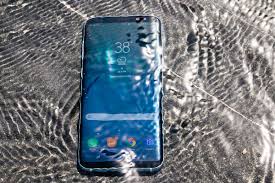
Most people assume that all moisture-related device issues fall under “water damage.” However, that isn’t true at all. In fact, there is a big difference between water damage vs. humidity damage, and understanding this distinction is essential for proper repair, prevention, and overall device safety. Although both problems involve moisture, they affect electronics in completely different ways. For example, water damage usually happens instantly such as when a phone is dropped into water whereas humidity damage develops slowly and silently over time. Therefore, knowing which type of moisture exposure your device has experienced can help you take the right steps to fix it and avoid long-term complications.
Even though they seem similar, the repair process, risk level, and long-term consequences vary greatly. Therefore, knowing the difference between water damage vs. humidity damage helps you determine when to seek professional repair, how to prevent moisture-related problems, and why hidden corrosion occurs even without direct water contact.
In this complete guide, we explain how both types of moisture affect electronics, the symptoms to watch for, and what technicians look for during diagnosis. Additionally, we cover why proper repair matters and when to visit experts like Milaaj Mobiles and Laptop Repair Al Barsha for accurate moisture detection and device restoration.
Why Understanding Water Damage vs. Humidity Damage Matters
Many users are surprised to learn that their device can fail even if it has never been dropped in water.
In fact, humidity alone can corrode internal circuits. Consequently, ignoring early signs leads to permanent failures, data loss, and expensive repairs.
Understanding water damage vs. humidity damage is important because:
- Each requires a different diagnostic approach
- Humidity problems are often hidden and gradual
- Water damage causes immediate short circuits
- Repairs depend on the type of moisture exposure
- Insurance or warranty conditions differ
- Prevention strategies are not the same
Ultimately, distinguishing between both types helps you take the right action at the right time.
Water Damage vs. Humidity Damage How They Occur
To fully understand water damage vs. humidity damage, you must first know how each type of moisture exposure happens. Only then can you identify the right repair steps and prevent long-term device issues.
Immediate Liquid Exposure – The Water Damage Side
Water damage occurs when a device comes in direct contact with:
- Dropped in water
- Rain or spills
- Juice, tea, coffee
- Saltwater exposure
- Washing machine accidents
- Sink or toilet drops
As a result, water immediately enters openings like ports, speakers, and seams. This leads to:
- Short circuits
- Sudden power failure
- Visible corrosion
- Rapid motherboard damage
Because it happens instantly, identifying water damage is usually easier than diagnosing humidity damage. However, its impact is often more severe.
Slow Moisture Absorption – The Humidity Side
Humidity damage is much slower and more subtle.
It occurs when your device is exposed to:
- High humidity environments
- Coastal climates
- Steam from bathrooms
- Keeping devices in damp bags
- Leaving electronics in cars overnight
- Sweaty pockets during workouts
Unlike water damage, humidity damage slowly corrodes internal metal components.
Therefore, it often goes unnoticed until major problems appear.
Key Differences in Symptoms
The symptoms between water damage vs. humidity damage can overlap, but their patterns differ significantly.
Typical Symptoms of Water Damage
When direct liquid exposure occurs, signs are usually immediate:
- Device won’t turn on
- Screen flickering
- Rapid overheating
- Liquid under the screen
- Speaker distortion
- Charging not working
- Buttons malfunction
- Fog inside camera lens
Additionally, the device may show triggered Liquid Contact Indicators (LCIs).
Typical Symptoms of Humidity Damage
Humidity damage progresses slowly, leading to subtle symptoms such as:
- Touch screen behaves erratically
- Corrosion around charging port
- Device shuts down randomly
- Face ID or fingerprint sensor failure
- Camera fogging on humid days
- Bluetooth/Wi-Fi instability
- Battery draining faster than usual
Humid environments gradually weaken circuits, causing unpredictable behavior over time.
Water Damage vs. Humidity Damage Inside the Device
Let’s compare what technicians find inside the hardware.
What Water Damage Looks Like Internally
Inside the device, technicians often see:
- Heavy corrosion on connectors
- Burn marks from short circuits
- Rapidly spreading oxidation
- Rust on metallic parts
- Damaged power rails
- Moisture trapped under chips
Because water damage is immediate, internal components show clear burnt or corroded areas.
What Humidity Damage Looks Like Internally
Humidity damage looks different:
- Thin, widespread corrosion
- White residue on solder points
- Oxidation around charging port
- Rust forming slowly on connectors
- Sticky mineral buildup
- Weakening motherboard joints
In many cases, the damage is not concentrated in one area but spread across the device.
How Technicians Diagnose the Problem
Technicians use different methods to distinguish water damage vs. humidity damage.
Diagnostic Tools for Water Damage Detection
To diagnose water damage, experts use:
- Thermal cameras
- Microscopes
- Short-circuit scanners
- Multimeters
- Ultrasonic maps
- LCI inspection
These tools reveal hot spots, burnt components, and sudden short circuits.
Diagnostic Tools for Humidity Damage Detection
Humidity damage requires more detailed inspection because corrosion is subtle.
Technicians use:
- High-resolution microscopes
- Moisture meters
- Capacitance scanners
- Surface residue analyzers
Because damage spreads slowly, identifying it requires careful observation and experience.
Water Damage vs. Humidity Damage Repair Methods
Different moisture sources require different repair strategies.
How Experts Repair Water Damage
Technicians typically perform:
- Deep ultrasonic cleaning
- Micro-soldering repairs
- Motherboard drying
- Component replacement
- Power IC repair
- Charging IC repair
Because water damage causes instant failures, urgent repair is necessary.
How Experts Repair Humidity Damage
For humidity damage, professionals perform:
- Corrosion treatment
- Cleaning around ports and connectors
- Reflowing weakened solder joints
- Replacing rusted components
- Preventive sealing
Meanwhile, humidity repairs focus on reversing slow damage and preventing future corrosion.
Water Damage vs. Humidity Damage Which Is Worse?
Both are harmful, but in different ways.
Water Damage is More Sudden and Severe
It destroys circuits quickly and can permanently kill the motherboard.
Humidity Damage is More Sneaky and Widespread
It causes long-term corrosion that slowly destroys components.
Therefore, choosing which is worse depends on the circumstances but both require timely professional repair.
Professional Repair at Milaaj
At Milaaj, certified technicians are trained to diagnose both water damage vs. humidity damage using advanced tools. Moreover, their expertise ensures accurate detection, faster solutions, and safer repair outcomes for every device.
Their services include:
- Deep corrosion removal
- Micro-soldering motherboard repairs
- Moisture detection
- Water-damage data recovery
- Humidity damage prevention
- Thermal scanning
- Component replacement
Additionally, their expertise ensures accurate diagnosis and long-lasting repair for all moisture-related issues.
Prevention Tips
After repair, prevention becomes essential.
Preventing Water Damage
- Use waterproof cases
- Avoid using devices near pools or sinks
- Keep drinks away from electronics
- Never charge a wet device
- Act immediately after exposure
Preventing Humidity Damage
- Do not use phones in hot showers
- Avoid storing devices in damp bags or pockets
- Use silica gel packets in storage areas
- Keep devices in climate-controlled environments
- Avoid leaving electronics in cars overnight
Conclusion
Understanding the difference between water damage vs. humidity damage is crucial for protecting your electronics. While water damage happens instantly, on the other hand, humidity damage builds up gradually over time, silently affecting internal components. Therefore, recognizing the signs early can help you prevent serious and costly repairs.
Therefore, recognizing early signs and seeking timely repair can prevent permanent failure. Whether your device suffered sudden liquid exposure or slow moisture corrosion, professional technicians can accurately diagnose and restore it. With the right care, you can keep your device safe, functional, and protected against both major threats.
Other Services:
- Need other iPhone repairs? Check out Milaaj’s iPhone repair services in Dubai.
- Looking to upgrade? Learn about selling your used iPhone in Dubai.
- Data loss concerns? Visit Milaaj’s data recovery services.
- For Apple users, check Apple trade-in options in Dubai.
📍 Visit Any Milaaj Branch in Dubai
🔹 Bur Dubai
Milaaj Mobile and Laptop Repair Dubai
📞 055 258 8477
🔗 Google Maps
🔹 Al Barsha
Milaaj Mobiles and Laptop Repair Al Barsha
📞 052 596 2846
🔗 Google Maps
🔹 Al Barsha 3
Milaaj Mobiles and Gaming Store
📞 052 3405 814
🔗 Google Maps
🔹 Al Nuaimiya
Milaaj Mobiles and Laptops Ajman
📞 055 788 9654
🔗 Google Maps
Shop Locations: Al Barsha | Bur Dubai | Reef Mall, Salah Al Din | Al Nuaimiya, Ajman
Email: support@milaaj.com
Operating Hours: Monday – Sunday




Leave a Reply