

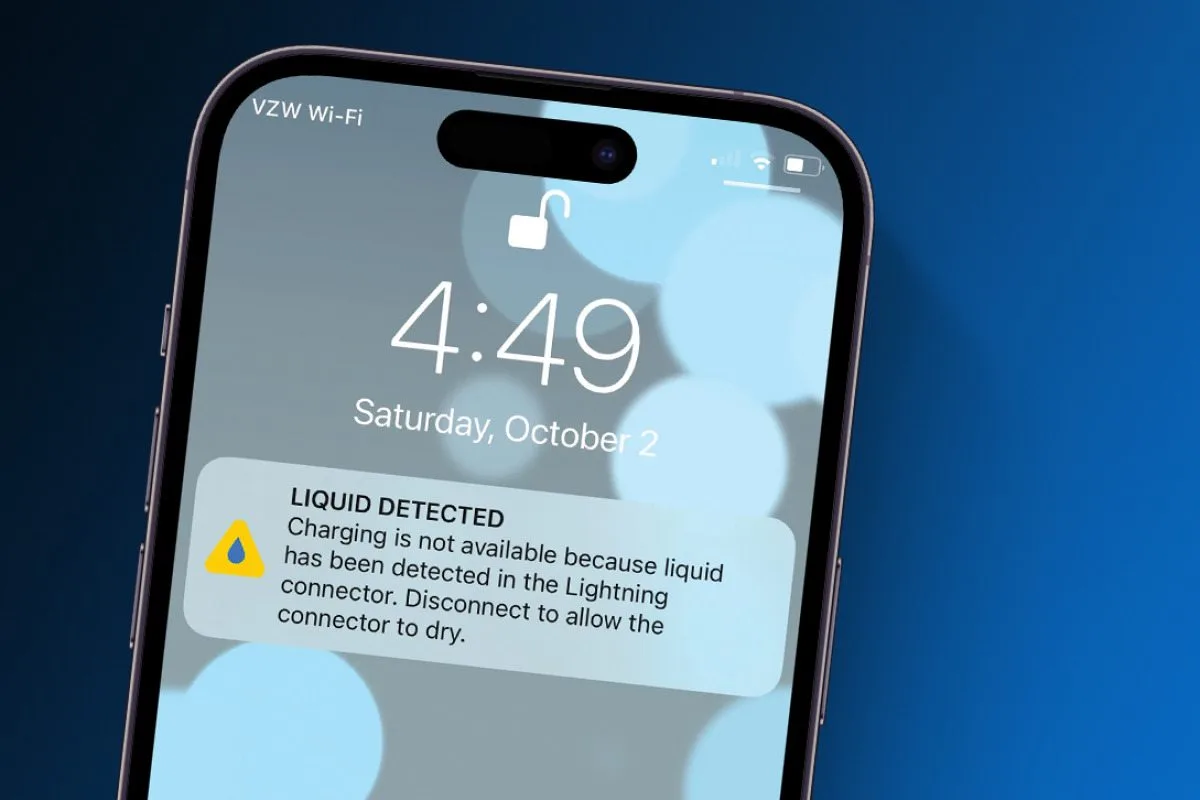
When your smartphone suddenly develops strange lines, color patches, or ghost touches, the first thought is often a software glitch. However, when these problems appear after exposure to water, humidity, or accidental spills, you may be dealing with something far more serious liquid damage under the screen. This issue is more common than most users realize, and because of this, it often progresses silently until the internal components have already been compromised.
Therefore, to help you understand the problem more clearly, this comprehensive guide will first explore the causes of liquid damage under the screen, then highlight the symptoms you must look out for, and finally explain the most effective repair methods used by professionals. Additionally, we will discuss preventive steps and explain when repairing the phone becomes absolutely essential. By the end, you’ll know exactly what to do if your device shows early signs of moisture damage.
What Exactly Is Liquid Damage Under the Screen?
Liquid damage under the screen occurs when water or moisture enters the phone’s display layers or internal components and begins affecting the LCD, OLED, or touch sensors. Even though modern devices claim to be “water-resistant,” small cracks, worn-out seals, or exposure to high humidity can still allow liquid to seep in.
Because water spreads quickly, the damage can escalate from mild discoloration to complete display failure. Understanding liquid damage under the screen early can save both time and money.
Causes of Liquid Damage Under the Screen
1. Accidental Water Exposure
The most common cause of liquid damage under the screen is dropping your phone into water. Whether it’s the sink, pool, rainwater, or a spilled drink, even quick exposure can push moisture inside the screen assembly.
2. High Humidity and Sweat for Liquid damage under the screen
Even if the device never falls into water, moisture can enter slowly through:
- Steamy bathrooms
- Sweat during workouts
- Humid climates
Over time, this moisture accumulates and leads to liquid damage under the screen.
3. Cracked Screen or Broken Seals
Even minor cracks create a direct path for liquid to enter the display layers. Similarly, older phones have weakened seals that can no longer block water efficiently.
4. Faulty Repairs or Poor-Quality Screen Replacements
Non-professional repairs may leave gaps or unsealed edges. As a result, moisture enters the display assembly easily and causes liquid damage under the screen.
5. Condensation Build-Up
Additionally, temperature changes like moving from air-conditioning to outdoor heat cause internal condensation. Over time, this invisible moisture becomes trapped and eventually leads to serious display problems.
Symptoms of Liquid Damage Under the Screen
Early detection of liquid damage under the screen increases the chances of saving your device. Here are the most common signs:
1. Discoloration or Water Stains
If you notice:
- green patches
- blue/purple blotches
- rainbow-like spots
these may be visual indicators of moisture trapped under the display.
2. Screen Flickering For Liquid damage under the screen
Water disrupts electrical pathways inside the screen, leading to:
- intermittent flickering
- brightness drops
- random dimming
This is one of the strongest signs of liquid damage under the screen.
3. Touchscreen Not Responding
Moisture interferes with capacitive touch sensors, leading to:
- ghost touches
- delayed or inaccurate responses
- complete touch failure
4. Horizontal or Vertical Lines
Electrical damage inside the display matrix can create colored lines across the screen. These lines typically get worse over time if liquid damage under the screen is not repaired.
5. Black Spots or Dead Zones
As liquid spreads internally, it kills pixels and creates black “ink” spots. This indicates advanced liquid damage under the screen, requiring immediate attention.
6. Device Overheating
Moisture causes short circuits that strain the motherboard. Overheating is one of the most dangerous symptoms and should not be ignored.
7. Fog or Moisture Under the Glass
This is the most obvious symptom. Fogging or tiny droplets under the display glass confirm that humidity has entered the screen layers.
Repair Methods for Liquid Damage Under the Screen
When dealing with liquid damage under the screen, repairing the device correctly is crucial. The internal electronics are extremely sensitive, so professional repair is recommended.
1. Professional Moisture Removal
Technicians use specialized tools like:
- Ultrasonic cleaning machines
- Industrial dehumidifying chambers
- Isopropyl alcohol baths
These remove moisture from delicate components without causing additional harm.
2. Display Assembly Replacement
If the LCD/OLED is damaged beyond repair, replacing the entire screen assembly becomes the best solution. This method also ensures the removal of all moisture trapped inside the display layers.
3. Motherboard Deep Cleaning
Because liquid damage often spreads beyond the screen, the technician must inspect and clean the motherboard. This may include:
- corrosion removal
- component re-soldering
- micro-level repairs
This step is critical for stopping further damage from spreading.
4. Connector and Flex Cable Repair
Water often damages the display connector pins or flex cables. If these parts are repaired or replaced early, the device can recover without needing a full display replacement.
5. Battery Safety Check
Liquid exposure often weakens the battery. For safety reasons, a technician will check for swelling or corrosion before reassembling the device
6. Software Calibration For Liquid damage under the screen
Finally, once repairs are complete, the technician may recalibrate the system to restore touch accuracy, brightness levels, and display responsiveness. As a result, your device functions more smoothly and regains optimal display performance.
DIY Fixes: What to Do – and What Not to Do For Liquid damage under the screen
Although many users try home remedies, it’s important to understand what works and what doesn’t.
What You Should Do
- Power off the phone immediately.
- Wipe away visible moisture.
- Remove the SIM tray to let humidity escape slowly.
- Keep the device upright never flat to prevent liquid spreading inside.
What You Should NEVER Do
- Do NOT use a hairdryer (this pushes moisture deeper).
- Do NOT shake the phone.
- Do NOT press on the screen (this spreads liquid around the display layers).
- Do NOT wait for it to “dry naturally.”
All these actions worsen liquid damage under the screen.
Why You Should Not Delay Repairs For Liquid damage under the screen
Ignoring the early symptoms of liquid damage under the screen can lead to:
- motherboard failure
- data loss
- worsening screen damage
- short circuits
- complete device failure
Therefore, the sooner you address the problem, the better the chances of saving your smartphone.
Cost of Repairing Liquid Damage Under the Screen
The repair cost varies depending on:
- type of display (LCD vs. OLED)
- severity of moisture intrusion
- additional motherboard damage
However, repairing early is always cheaper than replacing multiple components later.
How Professionals Prevent Future Liquid damage under the screen
Expert repair centers use industrial-grade sealing and smart repair methods, such as:
- reapplying waterproof adhesive
- replacing worn-out gasket seals
- advising on protective cases
- installing high-quality screen replacements
This adds long-term resistance against moisture and humidity.
When You Should Visit a Professional Repair Technician For Liquid damage under the screen
If your phone shows any signs of liquid damage under the screen, you should visit a trusted repair center immediately. Professional help ensures proper diagnosis using the right equipment.
A reliable service center like Milaaj mobiles and laptop repair Al Barsha can accurately determine whether the damage is only screen-deep or has also affected the motherboard.
How to Prevent Liquid Damage Under the Screen (Long-Term Tips)
1. Use a Waterproof Case
A case with IP-rated protection reduces the risk of accidental exposure.
2. Avoid Using Phone in the Bathroom
Steam causes long-term moisture buildup that eventually leads to liquid damage under the screen.
3. Never Use Phone with Wet Hands
Even small droplets can seep inside the speaker or charging port.
4. Keep the Phone Away from Pools and Beaches
Saltwater is extremely corrosive and damages components quickly.
5. Replace Cracked Screens Immediately
Even small cracks are entry points for liquid.
6. Use Original Parts for Repairs
Cheap screens lack proper seals, increasing the risk of internal moisture.
Final Thoughts: Liquid damage under the screen
Liquid damage under the screen is a serious issue that can permanently harm your smartphone’s display and internal components. Moreover, recognizing the symptoms early, avoiding harmful DIY techniques, and seeking professional repair immediately can prevent long-term and costly damage. In many cases, moisture trapped inside the display can worsen quickly if ignored. Whether the water exposure has caused discoloration, ghost touches, flickering, or full display failure, expert technicians have the tools and knowledge to diagnose the issue accurately and bring your device back to life. Ultimately, taking timely action ensures your smartphone remains functional and protected from further internal damage.
Other Services:
- Need other iPhone repairs? Check out Milaaj’s iPhone repair services in Dubai.
- Looking to upgrade? Learn about selling your used iPhone in Dubai.
- Data loss concerns? Visit Milaaj’s data recovery services.
- For Apple users, check Apple trade-in options in Dubai.
📍 Visit Any Milaaj Branch in Dubai
🔹 Bur Dubai
Milaaj Mobile and Laptop Repair Dubai
📞 055 258 8477
🔗 Google Maps
🔹 Al Barsha
Milaaj Mobiles and Laptop Repair Al Barsha
📞 052 596 2846
🔗 Google Maps
🔹 Al Barsha 3
Milaaj Mobiles and Gaming Store
📞 052 3405 814
🔗 Google Maps
🔹 Al Nuaimiya
Milaaj Mobiles and Laptops Ajman
📞 055 788 9654
🔗 Google Maps
Shop Locations: Al Barsha | Bur Dubai | Reef Mall, Salah Al Din | Al Nuaimiya, Ajman
Email: support@milaaj.com
Operating Hours: Monday – Sunday




Leave a Reply