

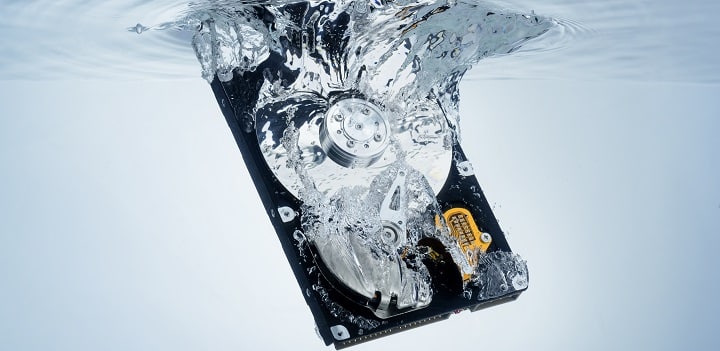
Water exposure is one of the most frightening situations for any smartphone, tablet, or laptop user. When water damage leads to data loss, panic often sets in especially if the device contains important photos, contacts, documents, or business data. Although modern devices are built with some resistance, water and moisture can still penetrate internal components and cause serious damage.
However, water damage leading to data loss does not always mean your information is gone forever. In fact, with the right actions and professional recovery methods, data can often be retrieved successfully. Therefore, understanding what to do immediately and what to avoid is critical.
In this comprehensive guide, we explain why water damage leads to data loss, the warning signs you should never ignore, and step-by-step recovery options that professionals use to save data safely and effectively.
How water damage leading to data loss
To understand water damage leading to data loss, it is important to know how moisture affects electronic devices. When water enters a device, it creates short circuits, corrodes metal components, and disrupts power flow. As a result, the device may shut down suddenly or stop responding altogether.
Moreover, water damage rarely affects only one component. Instead, it can impact multiple systems at once, including:
- Storage chips
- Power circuits
- Display connectors
- Logic board pathways
Therefore, even if the device appears to work initially, hidden corrosion may continue damaging internal parts over time.
Common Causes of water damage leading to data loss in Devices
Water damage does not always come from obvious accidents. In fact, many users experience water damage leading to data loss without realizing how it happened.
1. Accidental Drops in Water
Dropping a phone into water, sinks, toilets, or pools is the most common cause. Even a few seconds of exposure can be enough to cause internal damage.
2. Liquid Spills
Coffee, juice, or soft drink spills are equally dangerous. Because these liquids contain sugar and acids, they accelerate corrosion.
3. High Humidity and Condensation
Humidity damage develops slowly. For example, moving between air-conditioned rooms and hot outdoor environments causes condensation to form inside devices.
4. Rain and Sweat Exposure
Even small amounts of moisture entering through speakers or charging ports can lead to long-term damage.
Early Warning Signs of Water Damage Leading to Data Loss
Recognizing symptoms early improves recovery chances. Common signs include:
- Device not turning on
- Random restarts or shutdowns
- Touchscreen not responding
- Distorted display or lines on screen
- Device overheating
- Charging issues
If these symptoms appear after liquid exposure, water damage leading to data loss is likely already in progress.
What to Do Immediately After water damage leading to data loss
Your first actions play a crucial role in determining whether data recovery will succeed.
Step 1: Power Off the Device Immediately
Continuing to use a wet device increases short-circuit risks. Therefore, turn it off as soon as possible.
Step 2: Do Not Charge the Device
Charging forces electricity through wet components, which can permanently damage storage chips.
Step 3: Avoid DIY Drying Methods
Contrary to popular belief, placing devices in rice, using hair dryers, or exposing them to heat often causes more harm than good.
Step 4: Seek Professional Help Quickly
The faster a technician handles the device, the higher the success rate for data recovery.
Step-by-Step Recovery Options for Water-Damaged Devices
When water damage leads to data loss, professional recovery follows a structured and careful process.
Step 1: Professional Inspection and Diagnosis
Technicians first disassemble the device and inspect it under magnification. They identify corrosion, liquid residue, and damaged components. This step determines whether data recovery is possible without advanced extraction.
Step 2: Ultrasonic Cleaning Process
Ultrasonic cleaning removes corrosion and residue using specialized solutions and sound waves. This process is critical because it stops ongoing damage and restores electrical pathways.
Step 3: Board-Level Repair and Micro-Soldering
If water has damaged power lines or data connections, micro-soldering repairs restore communication between components. As a result, the device may temporarily power on, allowing data access.
Step 4: Temporary Power Restoration for Data Access
In some cases, technicians stabilize the device long enough to extract data directly. This method avoids deeper procedures and minimizes risk.
Step 5: NAND Chip Data Extraction (Advanced Cases)
When the device cannot be revived, NAND chip data extraction becomes necessary. This advanced process involves:
- Removing the storage chip
- Repairing chip connections
- Reading data using specialized programmers
Although complex, this method often succeeds even when the device is completely dead.
Why DIY Data Recovery Is Extremely Risky
Many users attempt DIY recovery methods found online. Unfortunately, these approaches often worsen water damage leading to data loss.
DIY risks include:
- Overheating storage chips
- Causing permanent encryption lock
- Breaking microscopic solder joints
- Destroying recoverable data
Therefore, professional recovery is always the safest choice.
How Repair Centers Ensure Data Safety
Professional repair centers follow strict protocols to protect your data:
- Controlled drying environments
- Static-free handling
- Clean-room micro-soldering
- Non-destructive recovery methods
As a result, data integrity remains intact throughout the recovery process.
Trusted Water Damage Data Recovery in Al Barsha
Milaaj specializes in handling cases where water damage leads to data loss. Using industry-grade diagnostic tools, ultrasonic cleaning systems, and advanced data extraction techniques, their technicians focus on recovering valuable data safely and efficiently.
Moreover, they handle:
- Smartphone and tablet water damage
- Logic board corrosion repair
- NAND chip data extraction
- Liquid-damaged laptop recovery
Their expertise significantly increases recovery success rates.
How Long Does Water Damage Data Recovery Take?
Recovery time depends on damage severity:
- Minor corrosion: 1–2 days
- Moderate board damage: 2–4 days
- Advanced NAND extraction: 3–7 days
However, early intervention always shortens recovery time.
Can All Data Be Recovered After water damage leading to data loss?
Although success rates are high, recovery depends on:
- How quickly the device was powered off
- Level of corrosion
- Storage chip condition
- Whether DIY attempts were made
Nevertheless, professional recovery often retrieves partial or full data even in severe cases.
Preventing Future water damage leading to data loss
Prevention is the best protection. Therefore:
- Use waterproof cases
- Avoid charging near liquids
- Keep devices away from humid environments
- Back up data regularly
These steps reduce the risk of water damage leading to data loss.
FAQs About water damage leading to data loss
1. Can water damage really cause data loss?
Yes, water damage can cause data loss by short-circuiting internal components, corroding storage connections, or preventing the device from powering on. However, the data often remains recoverable with professional recovery methods.
2. Should I turn on my device after water exposure?
No. Turning on a wet device increases the risk of short circuits and permanent damage. Instead, power it off immediately and seek professional help.
3. How quickly should I act after water damage?
The sooner you act, the better. Immediate professional inspection significantly increases the chances of successful data recovery after water damage.
4. Can data be recovered if the device no longer turns on?
Yes, even if the device will not turn on, professionals can recover data using advanced methods such as logic board repair or NAND chip data extraction.
5. Does putting a water-damaged device in rice help?
No. Rice does not remove internal moisture and often delays proper repair. In fact, it can reduce data recovery success by allowing corrosion to worsen.
Conclusion: water damage leading to data loss
Water damage leading to data loss is a serious issue, but it does not always result in permanent data loss. With the right immediate actions and professional recovery methods, valuable data can often be saved. From ultrasonic cleaning and board-level repair to advanced NAND chip extraction, step-by-step recovery options exist for even severe cases.
With expert care from Milaaj mobiles and laptop repair Al Barsha, damaged devices receive accurate diagnosis, safe recovery, and reliable results. Ultimately, acting fast and choosing professional recovery makes all the difference between losing data and getting it back safely.
Other Services:
- Need other iPhone repairs? Check out Milaaj’s iPhone repair services in Dubai.
- Looking to upgrade? Learn about selling your used iPhone in Dubai.
- Data loss concerns? Visit Milaaj’s data recovery services.
- For Apple users, check Apple trade-in options in Dubai.
📍 Visit Any Milaaj Branch in Dubai
🔹 Bur Dubai
Milaaj Mobile and Laptop Repair Dubai
📞 055 258 8477
🔗 Google Maps
🔹 Al Barsha
Milaaj Mobiles and Laptop Repair Al Barsha
📞 052 596 2846
🔗 Google Maps
🔹 Al Barsha 3
Milaaj Mobiles and Gaming Store
📞 052 3405 814
🔗 Google Maps
🔹 Al Nuaimiya
Milaaj Mobiles and Laptops Ajman
📞 055 788 9654
🔗 Google Maps
Shop Locations: Al Barsha | Bur Dubai | Reef Mall, Salah Al Din | Al Nuaimiya, Ajman
Email: support@milaaj.com
Operating Hours: Monday – Sunday




Leave a Reply