

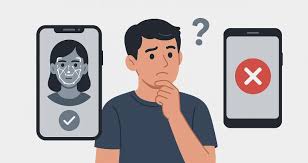
Samsung Galaxy S24 offers advanced facial recognition technology designed to deliver fast, secure, and seamless unlocking. However, despite its cutting-edge sensors and intelligent software, many users encounter a frustrating problem Samsung S24 Face ID not working as expected. In some cases, the phone fails to recognize the user’s face altogether, while in other situations, Face ID works inconsistently, unlocking only after multiple attempts. As a result, this issue can quickly disrupt daily phone use, affect productivity, and reduce confidence in the device’s security features.
Fortunately, this problem is more common than you might think, and it rarely means permanent damage. Although the issue may feel serious at first, Samsung S24 Face ID not working is often fixable with the right approach. In fact, many failures stem from software glitches, sensor obstructions, recent updates, or minor hardware issues that professional technicians can resolve efficiently. Therefore, understanding the root cause is the first and most important step toward a reliable solution.
With that in mind, this comprehensive guide explains why Face ID fails, which common mistakes users should avoid, and how professional repair solutions restore secure face recognition safely and effectively. By the end, you’ll know exactly how to protect your device, avoid unnecessary risks, and ensure your Samsung Galaxy S24 performs at its best again.
What Does “Samsung S24 Face ID Not Working” Mean?
When users say Samsung S24 Face ID not working, it usually refers to facial recognition failing to unlock the phone consistently or completely.
Common Face ID Failure Symptoms
- Face not recognized
- Unlock works only in bright light
- Slow or delayed face scan
- Face ID disabled automatically
- Error messages during setup
As a result, users are forced to rely on PINs or fingerprints.
Common Causes of Samsung S24 Face ID Not Working
Understanding the cause helps determine the right fix.
Main Reasons Face Recognition Fails
- Software bugs after updates
- Dirty or obstructed front camera
- Screen protector interference
- Facial appearance changes
- Hardware sensor damage
Moreover, multiple factors can combine to worsen the problem.
Samsung S24 Face ID Not Working After Software Update
Many complaints begin after system updates.
Why Updates Affect Face ID
- Security recalibration resets
- Camera permissions change
- AI recognition model updates
Therefore, Face ID may stop working until settings are adjusted.
Samsung S24 Face ID Not Working in Low Light
Face recognition depends heavily on lighting.
Why Lighting Matters
- Front camera needs clear visibility
- Shadows distort facial features
- Low light reduces accuracy
As a result, unlocking fails in dark environments.
Screen Protectors Causing Samsung S24 Face ID Not Working
Not all screen protectors are Face ID compatible.
How Screen Protectors Interfere
- Camera cutout misalignment
- Light distortion
- Low-quality glass reflection
Therefore, removing or replacing the protector often fixes the issue.
Dirty Camera Lens and Face ID Failure
A very common yet overlooked cause.
How Dirt Affects Face Recognition
- Smudges blur facial details
- Dust blocks camera sensors
- Oils reflect light incorrectly
However, gentle cleaning can restore performance instantly.
Samsung S24 Face ID Not Working Due to Facial Changes
Face ID adapts, but major changes can confuse it.
Changes That Affect Recognition
- Wearing glasses or masks
- Facial hair growth or shaving
- Swelling or injury
- Makeup changes
Therefore, re-registering Face ID helps restore accuracy.
When Software Fixes Do Not Work
Sometimes basic fixes fail.
Signs of Hardware-Related Issues
- Face ID setup fails completely
- Front camera not opening
- Phone was dropped or exposed to water
- Face ID worked previously but stopped suddenly
As a result, professional diagnosis becomes necessary.
Hardware Problems Causing Samsung S24 Face ID Not Working
Hardware damage often follows physical impact.
Common Hardware Causes
- Front camera damage
- Sensor misalignment
- Water or moisture exposure
- Internal connector issues
Moreover, these problems worsen if ignored.
Can Water Damage Cause Samsung S24 Face ID Not Working?
Yes, even minimal moisture can cause sensor failure.
How Water Affects Face ID Sensors
- Corrosion on camera circuits
- Fogging inside lens
- Short circuits in face recognition module
Therefore, quick professional cleaning is essential.
What NOT to Do When Samsung S24 Face ID Stops Working
Certain actions can cause permanent damage.
Mistakes to Avoid
- Forcing repeated scans
- Using alcohol on front camera
- Installing unknown “Face ID fix” apps
- Opening the phone without tools
As a result, recovery becomes more difficult.
Milaaj Mobile Repair – Expert Samsung S24 Face ID Solutions
Milaaj mobiles and laptop repair Al Barsha provides professional solutions when Samsung S24 Face ID not working affects daily use. Expert technicians diagnose both software and hardware causes accurately.
Why Choose Professional Samsung Repair?
- Low-price repair solutions
- Fast repairing speed
- Convenient walk-in service
- High-quality replacement parts
- Experienced technicians
Moreover, repairs are performed using professional diagnostic equipment.
Benefits of Professional Face ID Repair
Accurate Diagnosis
Experts identify the exact cause quickly.
Safe Software Repair
Settings and firmware issues are resolved without data loss.
High-Quality Hardware Replacement
Only tested, premium-grade parts are used.
Long-Term Reliability
Face ID performance remains stable after repair.
How Long Does Samsung S24 Face ID Repair Take?
Repair time depends on the issue.
Typical Repair Timelines
- Software reset or calibration: 30–60 minutes
- Camera cleaning or alignment: Same day
- Camera replacement: Few hours
Therefore, professional repair minimizes downtime.
Preventing Samsung S24 Face ID Issues in the Future
Prevention improves reliability.
Expert Prevention Tips
- Keep front camera clean
- Use Face ID-compatible screen protectors
- Avoid water exposure
- Update software carefully
- Use protective cases
As a result, Face ID works consistently.
Frequently Asked Questions
Is Samsung S24 Face ID not working a common issue?
Yes, especially after updates or physical impact.
Can Face ID be fixed without replacing parts?
Often yes, if caused by software or dirt.
Does Face ID failure affect data security?
No, security remains intact even when Face ID fails.
Final Thoughts: Samsung S24 Face ID Not Working Has Reliable Fixes
Experiencing Samsung S24 Face ID not working can be frustrating; however, it is rarely a permanent issue. In most cases, with proper troubleshooting, professional repair, and expert handling, technicians can restore Face ID quickly, safely, and affordably. Moreover, early diagnosis prevents minor sensor or software faults from turning into costly hardware damage, ensuring your device remains secure and fully functional.
In conclusion, instead of risking further damage through unreliable DIY solutions, choosing professional repair is the smartest and safest approach. Not only does expert service provide accurate diagnostics and high-quality parts, but it also guarantees convenience, faster turnaround times, and long-lasting results. Ultimately, professional repair restores your Samsung S24’s advanced facial recognition with confidence, allowing you to enjoy seamless unlocking, enhanced security, and peace of mind every day.
Other Services:
- Need other mobile phone repairs? Check out Milaaj’s mobile repair services in Dubai.
- Looking to upgrade? Learn about selling your used mobile in Dubai.
- Data loss concerns? Visit Milaaj’s data recovery services.
📍 Visit Any Milaaj Branch in Dubai
🔹 Bur Dubai
Milaaj Mobile and Laptop Repair Dubai
📞 055 258 8477
🔗 Google Maps
🔹 Al Barsha
Milaaj Mobiles and Laptop Repair Al Barsha
📞 052 596 2846
🔗 Google Maps
🔹 Al Barsha 3
Milaaj Mobiles and Gaming Store
📞 052 3405 814
🔗 Google Maps
🔹 Al Nuaimiya
Milaaj Mobiles and Laptops Ajman
📞 055 788 9654
🔗 Google Maps
Shop Locations: Al Barsha | Bur Dubai | Reef Mall, Salah Al Din | Al Nuaimiya, Ajman
Email: support@milaaj.com
Operating Hours: Monday – Sunday




Leave a Reply