

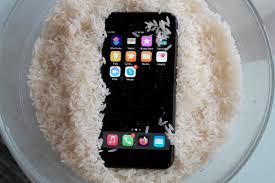
When a phone or laptop accidentally falls into water, most people panic and immediately reach for rice. For years, this home remedy has been passed around as a quick fix. However, why rice doesn’t fix water damage is something many users only realize after their device fails completely. Although rice may absorb some surface moisture, it does not solve the real problem hidden inside your device.
Therefore, understanding why rice doesn’t fix liquid damage and learning about real, professional solutions can save your device, your data, and your money. In this detailed guide, we explain the science behind water damage, the risks of rice, and the repair methods that actually work.
Why Rice Doesn’t Fix Water Damage in Modern Devices
At first glance, rice seems helpful because it absorbs moisture. However, electronics are far more complex than they appear. Water damage is not just about wet surfaces it’s about internal corrosion and electrical short circuits.
Rice Only Absorbs External Moisture
Rice cannot reach:
- Internal chips
- Logic boards
- Connectors
- Display layers
- Battery contacts
As a result, why rice doesn’t fix liquid damage becomes clear: the most dangerous moisture remains trapped inside the device.
Corrosion Continues Even in Rice
Even if a device appears dry, corrosion continues silently. Minerals in water react with metal components, slowly destroying circuits. Consequently, placing a device in rice delays professional repair and often makes damage worse.
Common Myths About Using Rice for Water Damage
Many users still believe rice is effective. However, these myths can be harmful.
1: Rice Dries the Device Completely
In reality, rice only removes surface humidity. Internal moisture remains untouched.
2: Rice Prevents Corrosion for Why Rice Doesn’t Fix Water Damage
Corrosion begins immediately after water exposure. Rice does not stop chemical reactions.
3: Rice Works for All Devices
Modern smartphones and laptops have sealed components. That is another reason why rice doesn’t fix liquid damage in today’s electronics.
What Really Happens Inside a Water-Damaged Device
To understand why rice doesn’t fix liquid damage, it helps to know what happens internally.
Short Circuits for Why Rice Doesn’t Fix Water Damage
Water conducts electricity. When current flows through moisture, it causes immediate or delayed short circuits.
Oxidation and Rust for Why Rice Doesn’t Fix Water Damage
Metal parts oxidize when exposed to liquid. Over time, this leads to permanent component failure.
Battery Damage for Why Rice Doesn’t Fix Water Damage
Lithium batteries react dangerously with water, leading to swelling, overheating, or complete failure.
Therefore, internal damage often worsens even while the device sits in rice.
Warning Signs That Rice Didn’t Work
Many users believe rice fixed the issue because the device turns on. However, symptoms often appear later.
Common Delayed Symptoms
- Random shutdowns
- Overheating
- Distorted sound
- Screen flickering
- Charging issues
- Wi-Fi or Bluetooth failure
These issues confirm why rice doesn’t fix liquid damage and why professional intervention is necessary.
Why Delaying Professional Repair Is Risky
Although rice seems harmless, it wastes valuable time. Water damage repair success depends heavily on early action.
Moisture Spreads Over Time for Why Rice Doesn’t Fix Water Damage
Water creeps under chips and connectors, spreading corrosion.
Repair Costs Increase for Why Rice Doesn’t Fix Water Damage
Minor corrosion is easier and cheaper to fix. Delayed repairs often require full component replacement.
Data Loss Risk Grows for Why Rice Doesn’t Fix Water Damage
Storage chips are sensitive. As corrosion spreads, data recovery becomes more difficult.
Therefore, knowing why rice doesn’t fix liquid damage can prevent irreversible loss.
Real Solutions That Actually Work
Instead of relying on myths, professional repair uses proven methods.
Immediate Power Disconnection for Why Rice Doesn’t Fix Water Damage
The first step is turning the device off to prevent short circuits.
Professional Disassembly for Why Rice Doesn’t Fix Water Damage
Technicians safely open the device to access internal components something rice cannot do.
Ultrasonic Cleaning for Why Rice Doesn’t Fix Water Damage
This advanced method removes corrosion at a microscopic level, restoring electrical pathways.
Component-Level Repair for Why Rice Doesn’t Fix Water Damage
Rather than replacing entire boards, professionals repair or replace only damaged parts.
These steps clearly show why rice doesn’t fix liquid damage and why expert solutions succeed.
Water Damage Repair for Phones vs Laptops
Different devices require different approaches.
Smartphones
- Logic board inspection
- Camera and Face ID protection
- Speaker and microphone restoration
Laptops
- Keyboard and trackpad cleaning
- Display connector repair
- Battery and motherboard treatment
In both cases, rice remains ineffective, reinforcing why rice doesn’t fix liquid damage.
Milaaj Mobile Repair: Professional Water Damage Solutions
When home remedies fail, professional repair makes the difference. Milaaj mobiles and laptop repair Al Barsha provides expert water damage repair using proven techniques.
Why Choose Professional Repair
- Low-price diagnostic transparency
- Speed repairing with fast turnaround
- Convenient service with expert handling
- High-quality replacement parts
- Component-level repair instead of full replacement
Their approach addresses the real reasons why rice doesn’t fix liquid damage and restores devices safely.
What to Do Immediately After Water Exposure
Knowing the right steps can significantly improve repair success.
Correct Immediate Actions
- Power off the device immediately
- Disconnect charging cables
- Do NOT use a hair dryer
- Do NOT place the device in rice
- Seek professional diagnosis quickly
These steps reduce damage and support effective repair.
How Long Does Professional Water Damage Repair Take?
Repair time depends on exposure severity.
- Minor exposure: Same day
- Moderate damage: 24–48 hours
- Severe corrosion: Several days
However, early action always shortens repair time.
Can Data Be Saved After Water Damage?
In many cases, yes. Professional repair prioritizes data protection.
Data Recovery Methods
- Controlled power testing
- Safe storage chip access
- Backup before major repairs
This is another reason why rice doesn’t fix liquid damage it offers no data protection.
Preventing Water Damage in the Future
Although accidents happen, prevention reduces risk.
Practical Tips
- Use waterproof cases
- Avoid charging near liquids
- Keep devices away from humid environments
- Act quickly after exposure
Preparedness minimizes damage and repair costs.
FAQs About Why Rice Doesn’t Fix Water Damage
1. Why doesn’t rice fix water damage in phones and laptops?
Rice doesn’t fix water damage because it only absorbs surface moisture and cannot remove water trapped inside circuits, chips, and connectors where corrosion begins.
2. Does putting a phone in rice remove internal moisture?
No, putting a phone in rice does not remove internal moisture. Water remains under components and continues to cause corrosion even while the device sits in rice.
3. Can rice prevent corrosion after water damage?
Rice cannot prevent corrosion. Once liquid contacts internal parts, oxidation starts immediately, which explains why rice doesn’t fix water damage.
4. Why does a device sometimes work after using rice and then fail later?
A device may turn on briefly after using rice, but hidden corrosion continues spreading, causing delayed failures days or weeks later.
5. Is rice safe to use for water-damaged laptops?
No, rice is not safe or effective for laptops. Larger internal components and batteries retain moisture, increasing the risk of permanent damage.
Final Conclusion: Why Rice Doesn’t Fix Water Damage
In conclusion, while rice is a popular myth, it is not a real solution. Why rice doesn’t fix water damage comes down to one simple fact: it cannot stop corrosion, repair circuits, or remove moisture from critical internal components. Instead, rice delays proper repair and increases the risk of permanent failure.
Real solutions involve professional diagnosis, advanced cleaning, quality parts, and expert handling. By choosing proven repair methods over home remedies, users protect their devices, data, and long-term performance. When water damage strikes, acting fast and choosing expert repair is the only solution that truly works.
Other Services:
- Need other iPhone repairs? Check out Milaaj’s iPhone repair services in Dubai.
- Looking to upgrade? Learn about selling your used iPhone in Dubai.
- Data loss concerns? Visit Milaaj’s data recovery services.
- For Apple users, check Apple trade-in options in Dubai.
📍 Visit Any Milaaj Branch in Dubai
🔹 Bur Dubai
Milaaj Mobile and Laptop Repair Dubai
📞 055 258 8477
🔗 Google Maps
🔹 Al Barsha
Milaaj Mobiles and Laptop Repair Al Barsha
📞 052 596 2846
🔗 Google Maps
🔹 Al Barsha 3
Milaaj Mobiles and Gaming Store
📞 052 3405 814
🔗 Google Maps
🔹 Al Nuaimiya
Milaaj Mobiles and Laptops Ajman
📞 055 788 9654
🔗 Google Maps
Shop Locations: Al Barsha | Bur Dubai | Reef Mall, Salah Al Din | Al Nuaimiya, Ajman
Email: support@milaaj.com
Operating Hours: Monday – Sunday




Leave a Reply