

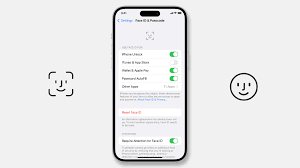
Apple’s Face ID technology is designed to offer fast, secure, and seamless unlocking. However, many users encounter a frustrating issue soon after setup or software updates iPhone 17 Face ID not working as expected. For example, failed face scans or repeated “Face ID unavailable” messages can suddenly appear. As a result, daily phone usage is interrupted, and overall convenience is reduced.
Fortunately, iPhone 17 Face ID not working is rarely a permanent problem. In most cases, the issue arises from software glitches, calibration errors, or minor hardware faults. Therefore, by understanding the common causes and taking the correct steps, Face ID functionality can be restored quickly and safely. In this comprehensive guide, we explain why Face ID fails, which mistakes to avoid, and how professional repair solutions deliver reliable, long-lasting results.
Why iPhone 17 Face ID Not Working Happens
Although Apple introduces improvements with every new model, Face ID remains a complex system that relies on multiple sensors working together. As a result, even small disruptions can cause Face ID failure.
Common Reasons Behind Face ID Failure
- Software bugs after iOS updates
- Face ID sensor misalignment
- Dirt or dust blocking the TrueDepth camera
- Water or moisture exposure
- Unauthorized screen replacement
- Internal hardware damage
Because Face ID depends on precision, iPhone 17 Face ID not working often indicates that one or more components are not functioning correctly.
Early Symptoms of iPhone 17 Face ID Not Working
Recognizing the warning signs early helps prevent further damage.
Common Signs to Watch For
- Face ID setup fails repeatedly
- “Face ID unavailable” message appears
- Phone unlocks inconsistently
- Face ID works only in certain lighting
- Face recognition suddenly stops after update
Therefore, when these symptoms appear, addressing iPhone 17 Face ID not working promptly is essential.
Software Issues That Cause iPhone 17 Face ID Not Working
In many cases, Face ID problems are software-related rather than hardware-based.
iOS Update Bugs for iPhone 17 Face ID Not Working
New updates can introduce temporary glitches. Consequently, Face ID services may stop responding until the system stabilizes.
Corrupted System Files
Incomplete updates or interrupted installations can corrupt Face ID configuration files, causing iPhone 17 Face ID not working unexpectedly.
Incorrect Face ID Settings
Sometimes, Face ID gets disabled for certain features, leading users to believe it has failed completely.
Fortunately, software-level problems are usually fixable without part replacement.
Environmental & User-Related Causes
Sometimes, the issue is not internal but environmental.
Obstructed Face ID Sensors
Dust, screen protectors, or thick cases can block sensors, resulting in iPhone 17 Face ID not working.
Lighting Conditions for iPhone 17 Face ID Not Working
Extreme low light or harsh sunlight can interfere with facial recognition accuracy.
Appearance Changes
Significant changes in appearance may confuse Face ID until it relearns your face.
Although these causes are simple, they are often overlooked.
Hardware Problems Behind iPhone 17 Face ID Not Working
If software and environmental checks fail, hardware may be the root cause.
Face ID Sensor Damage
The TrueDepth camera system includes infrared sensors, dot projectors, and flood illuminators. Damage to any of these components can disable Face ID.
Water or Moisture Exposure
Even slight moisture can affect Face ID modules, especially if corrosion develops internally.
Screen Replacement Issues for iPhone 17 Face ID Not Working
Non-original or poorly installed screens can misalign Face ID sensors, leading to iPhone 17 Face ID issue.
Hardware issues require professional diagnosis to avoid permanent damage.
What You Should Avoid Doing for iPhone 17 Face ID Not Working
When Face ID fails, some actions can worsen the situation.
Mistakes to Avoid
- Repeated forced resets
- Using third-party Face ID repair apps
- Attempting DIY sensor cleaning internally
- Resetting the phone without backup
Instead, controlled troubleshooting protects both data and hardware.
Professional Solutions for iPhone 17 Face ID Issues
Professional repair follows a structured and safe process.
Advanced Diagnostic Testing
Technicians use specialized tools to test Face ID sensors individually, identifying the exact fault.
Safe Software Recalibration
If the issue is software-based, Face ID can be recalibrated without data loss.
Component-Level Repair
Rather than replacing the entire phone, professionals repair or replace only the damaged Face ID components.
This approach ensures iPhone 17 Face ID issue is resolved accurately and affordably.
Milaaj Mobile Repair – Trusted Face ID Repair Solutions
When expert help is required, Milaaj mobiles and laptop repair Al Barsha provides reliable Face ID repair services using advanced diagnostics and precision tools.
Why Choose Professional Repair
- Low-price, transparent diagnosis
- Speed repairing with quick turnaround
- Convenient service and expert handling
- High-quality replacement parts
- Component-level repair for long-term reliability
Their approach ensures iPhone 17 Face ID issue is fixed safely and efficiently.
How Long Does Face ID Repair Take?
Repair time depends on the cause.
- Software recalibration: Same day
- Sensor realignment: 1–2 hours
- Hardware replacement: 24–48 hours
Early diagnosis always reduces repair time and cost.
Can Face ID Be Permanently Fixed?
Yes, in most cases. When repaired correctly, Face ID works like new.
Long-Term Repair Benefits
- Restored security features
- Smooth unlocking experience
- No recurring Face ID errors
- Preserved device value
Therefore, iPhone 17 Face ID issue does not mean permanent failure.
Preventing Face ID Problems in the Future
Although some issues are unavoidable, prevention helps reduce risk.
Practical Prevention Tips
- Use certified screen protectors
- Avoid liquid exposure
- Update iOS only when battery is sufficient
- Clean front sensors regularly
- Avoid unauthorized repairs
Following these steps minimizes the chances of iPhone 17 Face ID issue again.
FAQs About iPhone 17 Face ID Not Working
1. Why is my iPhone 17 Face ID not working?
iPhone 17 Face ID may not work due to software bugs, sensor blockage, water exposure, or internal hardware damage.
2. Can a software update cause Face ID to stop working?
Yes, iOS updates can temporarily disrupt Face ID due to bugs or corrupted system files.
3. Does screen replacement affect iPhone 17 Face ID?
Yes, non-original or poorly installed screens can misalign Face ID sensors and cause failure.
4. Can Face ID be repaired without losing data?
In most cases, professional Face ID repair can be done without data loss.
5. How long does iPhone 17 Face ID repair take?
Minor software fixes may take a few hours, while hardware repairs usually take 24–48 hours.
6. Is Face ID failure permanent?
No, most Face ID issues are repairable with proper diagnosis and professional repair.
Final Conclusion: iPhone 17 Face ID Not Working
In conclusion, dealing with iPhone 17 Face ID not working can be frustrating, but it is usually fixable. Whether the cause is software glitches, sensor blockage, or hardware damage, professional repair offers reliable and long-lasting solutions.
Instead of risking further damage with DIY attempts, choosing expert repair ensures convenience, safety, and quality results. With accurate diagnosis, premium parts, and skilled handling, Face ID functionality can be restored quickly allowing you to enjoy the full security and convenience of your iPhone 17 once again.
Other Services:
- Need other iPhone repairs? Check out Milaaj’s iPhone repair services in Dubai.
- Looking to upgrade? Learn about selling your used iPhone in Dubai.
- Data loss concerns? Visit Milaaj’s data recovery services.
- For Apple users, check Apple trade-in options in Dubai.
📍 Visit Any Milaaj Branch in Dubai
🔹 Bur Dubai
Milaaj Mobile and Laptop Repair Dubai
📞 055 258 8477
🔗 Google Maps
🔹 Al Barsha
Milaaj Mobiles and Laptop Repair Al Barsha
📞 052 596 2846
🔗 Google Maps
🔹 Al Barsha 3
Milaaj Mobiles and Gaming Store
📞 052 3405 814
🔗 Google Maps
🔹 Al Nuaimiya
Milaaj Mobiles and Laptops Ajman
📞 055 788 9654
🔗 Google Maps
Shop Locations: Al Barsha | Bur Dubai | Reef Mall, Salah Al Din | Al Nuaimiya, Ajman
Email: support@milaaj.com
Operating Hours: Monday – Sunday




Leave a Reply