

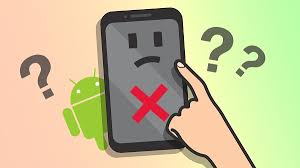
Android smartphones are designed to deliver smooth, responsive touch performance. However, many users suddenly face a frustrating issue where the Android touch screen not working properly disrupts daily tasks. Whether the screen becomes completely unresponsive, lags, or registers ghost touches, this problem can make even basic phone use difficult.
Fortunately, an Android touch screen not working issue is not always permanent. In fact, it often results from software glitches, temporary system overloads, or minor hardware damage. Therefore, understanding the real causes and choosing the right solutions is essential to restore full touch functionality safely and effectively.
In this detailed guide, we will explain why Android touch screens fail, what mistakes to avoid, and how professional repair ensures long-lasting results without unnecessary risks.
Common Reasons Why Android Touch Screen Is Not Working
First and foremost, identifying the root cause is crucial when dealing with an Android touch screen not working problem. While the symptoms may look similar, the underlying issues can vary significantly.
Software Glitches Causing Android Touch Screen Problems
In many cases, temporary software bugs are responsible. For example, system updates, corrupted apps, or background processes may overload the device. As a result, the Android touch screen may freeze or stop responding entirely.
Moreover, low storage space or outdated firmware can further slow touch responsiveness. Therefore, software optimization is often the first step toward recovery.
Physical Damage Affecting Android Touch Responsiveness
On the other hand, hardware damage is another major reason why an Android touch screen not working issue occurs. Drops, pressure, or water exposure can damage the digitizer beneath the screen.
Even if the display looks intact, internal touch components may fail. Consequently, touches may not register accurately or may stop working altogether.
Android Touch Screen Not Working After Update: What Went Wrong?
Interestingly, many users report that their Android touch screen not working after an update. While updates aim to improve performance, they sometimes introduce compatibility issues.
App Conflicts After Android Updates
After an update, older apps may not function properly. As a result, they can interfere with system touch drivers. Therefore, uninstalling recently updated or suspicious apps often helps resolve the issue.
Cache and System Errors Affecting Touch Screen
Additionally, system cache corruption can trigger touch delays or freezes. Clearing cache partitions frequently restores smooth touch performance without data loss.
Quick Fixes to Try When Android Touch Screen Is Not Working
Before assuming serious damage, it is wise to try basic troubleshooting steps. In many situations, these methods quickly resolve Android touch screen not working problems.
Restart and Safe Mode Testing
First, restarting the device refreshes system processes. If that doesn’t help, booting into Safe Mode can identify third-party app conflicts. If the touch works in Safe Mode, an installed app is likely the culprit.
Remove Screen Protectors and Cases
Surprisingly, thick or damaged screen protectors can block touch sensitivity. Therefore, removing them temporarily can help confirm whether they are causing the issue.
When Android Touch Screen Issues Indicate Hardware Failure
Unfortunately, not all touch issues are software-related. Sometimes, professional repair becomes unavoidable.
Digitizer Damage and Loose Connections
The digitizer is the component that detects touch input. If it is damaged or disconnected, the Android touch screen not working problem will persist despite software fixes.
Water Damage and Corrosion
Additionally, moisture can corrode internal connectors over time. Even minor exposure may lead to delayed touch response or complete failure later on.
Mistakes to Avoid When Android Touch Screen Stops Working
While frustration is natural, certain actions can worsen the problem.
- Avoid force-pressing the screen repeatedly
- Do not install random “touch repair” apps
- Never attempt DIY screen removal without tools
- Avoid charging with damaged cables during touch issues
Instead, choosing safe, structured solutions protects both your device and data.
How Experts Fix Android Touch Screen Not Working Issues
Professional technicians follow a systematic approach to resolve Android touch screen not working problems safely.
Professional Diagnostics and Calibration
Experts begin by testing the screen, digitizer, and motherboard connections. Moreover, they recalibrate touch sensors to ensure accuracy.
Screen and Digitizer Replacement When Needed
If damage is confirmed, high-quality replacement parts restore original responsiveness. Importantly, professional replacement prevents further issues like ghost touches or dead zones.
Why Choose Milaaj Mobiles and Laptop Repair Al Barsha
When DIY fixes fail, choosing a trusted service center makes all the difference. Milaaj mobiles and laptop repair Al Barsha offers expert solutions for Android touch screen issues with reliability and care.
Low-Price Android Touch Screen Repair
Firstly, affordability matters. Milaaj provides competitive pricing without compromising service quality, making professional repair accessible to everyone.
Fast and Convenient Service
Moreover, most Android touch screen repairs are completed quickly. As a result, users experience minimal downtime and maximum convenience.
High-Quality Replacement Parts
Importantly, only premium-quality parts are used to ensure long-lasting performance. This prevents recurring Android touch screen not working problems.
Safe Repairs Without Data Loss
Additionally, technicians follow data-safe procedures. Therefore, your photos, apps, and files remain protected throughout the repair process.
Preventing Android Touch Screen Problems in the Future
After fixing the issue, prevention becomes essential.
- Use certified chargers and accessories
- Install updates only from official sources
- Keep storage space optimized
- Use high-quality screen protectors
- Avoid moisture and extreme temperatures
By following these steps, you can significantly reduce the risk of future touch failures.
FAQs: Android Touch Screen Not Working
Why is my Android touch screen not responding?
An Android touch screen may stop responding due to software glitches, damaged digitizer, water exposure, or app conflicts.
Can Android touch screen issues be fixed without replacing the screen?
Yes. Many Android touch screen not working issues are software-related and can be fixed without hardware replacement.
Does restarting fix Android touch screen problems?
In some cases, yes. Restarting clears temporary system errors that may affect touch responsiveness.
How long does Android touch screen repair take?
Most professional repairs are completed within a few hours, depending on the damage level.
Will repairing my Android touch screen erase data?
No. Professional repair methods fix Android touch screen issues without affecting user data.
Final Thoughts
In conclusion, dealing with an Android touch screen not working issue can be stressful, but it is rarely unsolvable. While minor glitches respond well to basic troubleshooting, hardware-related problems require expert care.
Moreover, choosing professional repair ensures safety, speed, affordability, and long-term reliability. With the right approach and trusted support, your Android device can regain smooth, accurate touch performance without unnecessary risks or data loss.
Other Services:
- Need other mobile phone repairs? Check out Milaaj’s mobile repair services in Dubai.
- Looking to upgrade? Learn about selling your used mobile in Dubai.
- Data loss concerns? Visit Milaaj’s data recovery services.
📍 Visit Any Milaaj Branch in Dubai
🔹 Bur Dubai
Milaaj Mobile and Laptop Repair Dubai
📞 055 258 8477
🔗 Google Maps
🔹 Al Barsha
Milaaj Mobiles and Laptop Repair Al Barsha
📞 052 596 2846
🔗 Google Maps
🔹 Al Barsha 3
Milaaj Mobiles and Gaming Store
📞 052 3405 814
🔗 Google Maps
🔹 Al Nuaimiya
Milaaj Mobiles and Laptops Ajman
📞 055 788 9654
🔗 Google Maps
Shop Locations: Al Barsha | Bur Dubai | Reef Mall, Salah Al Din | Al Nuaimiya, Ajman
Email: support@milaaj.com
Operating Hours: Monday – Sunday




Leave a Reply