

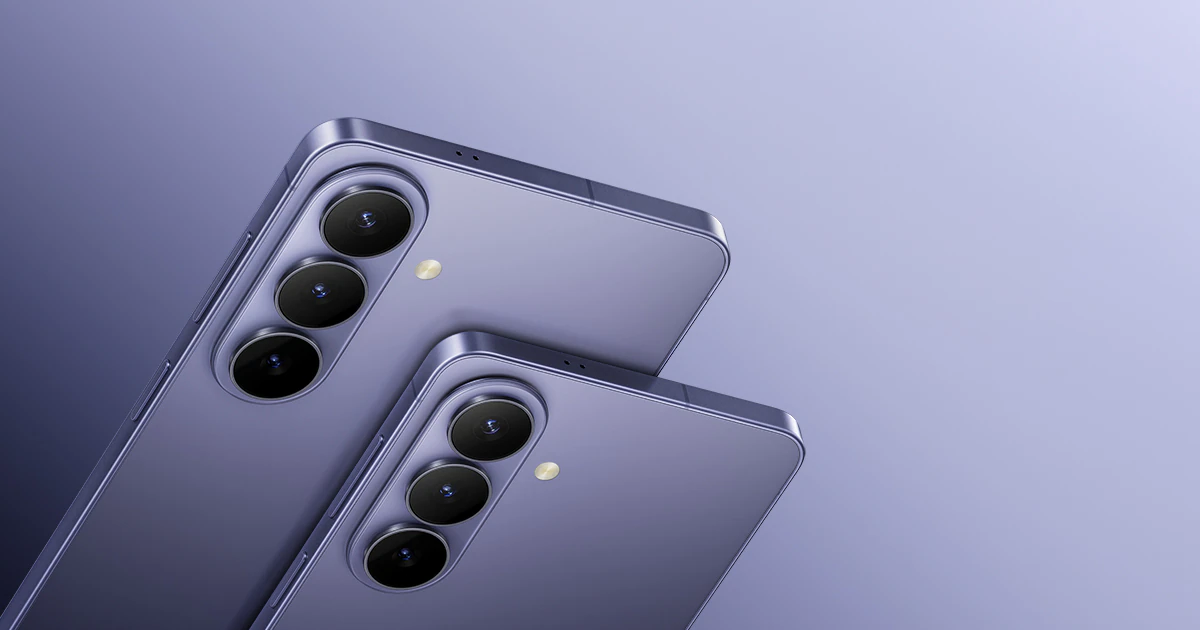
The release of the Samsung Galaxy S26 series on February 25, 2026, has shifted the smartphone landscape from reactive tools to proactive partners. If you have just unboxed your new S26, S26+, or the titan-spec S26 Ultra, you are likely searching for ways to fully leverage its powerful “Agentic AI” capabilities. At the center of this innovation, the Samsung S26 Now Brief Tutorial: How to Automate Your Morning Schedule introduces a smarter way to start your day. Instead of simply showing notifications, this feature works as a personalized command center. As a result, it prepares you for the day ahead even before you take your first sip of coffee.
Moreover, in the fast-paced environment of the UAE, where every minute matters, mastering the Now Brief feature can significantly reduce daily stress. For example, whether you are navigating traffic on Sheikh Zayed Road or preparing for an important board meeting in Downtown Dubai, your S26 can automatically organize useful information. In addition, it combines your health data, calendar events, and weather updates into a short, actionable briefing. Therefore, you can begin your day informed, organized, and ready to focus on what truly matters.
What is Samsung Now Brief? for Samsung S26 Now Brief Tutorial
Before we dive into the setup, let’s define what this tool actually does. Now Brief is an evolved version of the daily summary, powered by the Personal Data Engine (PDE). Unlike old-school widgets that just show the weather, Now Brief uses the S26’s NPU to analyze your lifestyle. It looks at your sleep quality via Health Assist, checks your Samsung Wallet for upcoming flight or event tickets, and cross-references your Calendar for scheduling conflicts.
By the time your alarm goes off, your phone has already built a “Morning Card” that tells you exactly what you need to know to win the day.
Step-by-Step: Setting Up Your Morning Automation
To get the most out of the Samsung S26 Now Brief Tutorial: How to Automate Your Morning Schedule, you need to tell the AI what matters most to you. Follow these steps to customize your briefing:
1. Accessing the Galaxy AI Menu for Samsung S26 Now Brief Tutorial
Open your Settings app and navigate to the Galaxy AI section. Samsung has consolidated all “Agentic AI” features here. Tap on Now Brief to enter the main configuration screen. Ensure the master toggle is switched to On.
2. Selecting Your “Content to Include” for Samsung S26 Now Brief Tutorial
This is the most critical step. Tap on Content to Include to see a list of available data streams. For an effective morning routine, we recommend enabling the following:
- Health and Wellness: This displays your sleep score and energy levels from the previous night.
- Events and Tasks: Shows your first three appointments and any overdue reminders.
- Weather and Environment: Provides the current temperature and “RealFeel” for your specific location.
- Wallet: Highlights any digital keys, boarding passes, or coupons expiring today.
3. Enabling “Expand Without Unlocking” for Samsung S26 Now Brief Tutorial
For ultimate convenience, toggle on Expand Now Brief Without Unlocking. This allows you to tap the Now Brief icon on your lock screen and see the full details without having to use your fingerprint or face ID perfect for when you’re still half-asleep.
Advanced Automation: Linking Now Brief to Modes & Routines
To truly master the Samsung S26 Now Brief Tutorial: How to Automate Your Morning Schedule, you should link it to your Sleep Mode.
- Go to Settings > Modes and Routines.
- Select your Sleep Mode (or create a “Morning” routine).
- Set a trigger for when your alarm is dismissed.
- Under “Actions,” select Show Now Brief.
Now, the moment you silence your alarm, your S26 will automatically present your briefing. No searching for apps, no scrolling through emails—just the facts you need to start your day.
Milaaj Mobile and Laptop Repair Al Barsha: Your S26 Support Team
The Galaxy S26 series is a marvel of engineering, but even the best AI can’t fix a shattered Privacy Display or a logic board damaged by a coffee spill during your morning routine. Milaaj mobile and laptop repair Al Barsha is your dedicated partner for keeping your 2026 flagship in peak condition.
Why Choose Milaaj for Your Galaxy S26?
- Speed Repairing: We know your S26 is your personal assistant. We offer express screen and battery replacements, often completed in under an hour, so your “Now Brief” is never interrupted.
- Low Price & Value: Official service centers in Dubai can be prohibitively expensive. We offer a low price for professional repairs, ensuring you get flagship service without the flagship markup.
- Premium Part Quality: The S26 Ultra’s display is unique. We use OEM-grade components to ensure that your Privacy Display and touch sensitivity remain perfectly calibrated.
- Convenience: Located in Al Barsha, we are easily accessible. If you’re too busy to visit, take advantage of our free pickup and delivery service across Dubai.
- Expert NPU Diagnostics: If your AI features feel sluggish or the device is overheating, our technicians can perform a deep diagnostic of the Snapdragon 8 Elite Gen 5 thermal systems.
FAQs About Samsung S26 Now Brief Tutorial
1. Does Now Brief require an internet connection?
Most of the Now Brief processing happens on-device using the Personal Data Engine. However, fetching weather updates, news summaries, or travel data from your Samsung Wallet does require a data connection (Wi-Fi or 5G).
2. Can I use Now Brief as a home screen widget?
Yes! Long-press on your home screen, select Widgets, and find the Now Brief category. You can choose a 2×2 or 4×2 layout that stays updated in real-time.
3. What time does the “Morning Brief” start?
By default, the morning briefing is active from 6:00 AM. However, if you have sleep tracking enabled via a Galaxy Watch or your phone, Now Brief will intelligently activate the moment it detects you have woken up.
4. Is my personal data safe with Now Brief?
Samsung uses KEEP (Knox Enhanced Encrypted Protection) to store your personal data index. You can choose in settings to keep all AI processing on-device only to ensure your schedule and health data never leave your phone.
5. Why is my Now Brief not showing my calendar events?
Ensure that your calendar is synced with the Samsung Calendar app. If you use third-party apps like Outlook or Google Calendar, make sure they are “Visible” within the main Samsung Calendar settings so the AI can read the data.
Summary: Samsung S26 Now Brief Tutorial
Taking the time to follow this Samsung S26 Now Brief Tutorial: How to Automate Your Morning Schedule will fundamentally change how you interact with your phone. Instead of being a source of distraction, your Galaxy S26 becomes a source of clarity. By automating your morning briefing, you regain those precious first few minutes of the day, allowing you to focus on your goals rather than your gadgets.
Remember, technology works best when it serves you. With the S26, the era of the “Passive Smartphone” is over. It’s time to embrace the proactive partner in your pocket.
Is your Galaxy S26 experiencing technical glitches or hardware damage? Contact Milaaj today for a professional fix and keep your morning routine on track!
Other Services:
- Need other mobile repairs? Check out Milaaj’s mobile repair services in Dubai.
- Looking to upgrade? Learn about selling your used laptop in Dubai.
- Data loss concerns? Visit Milaaj’s data recovery services.
📍 Visit Any Milaaj Branch in Dubai
🔹 Bur Dubai
Milaaj Mobile and Laptop Repair Dubai
📞 055 258 8477
🔗 Google Maps
🔹 Al Barsha
Milaaj Mobiles and Laptop Repair Al Barsha
📞 052 596 2846
🔗 Google Maps
🔹 Al Barsha 3
Milaaj Mobiles and Gaming Store
📞 052 3405 814
🔗 Google Maps
🔹 Al Nuaimiya
Milaaj Mobiles and Laptops Ajman
📞 055 788 9654
🔗 Google Maps
Shop Locations: Al Barsha | Bur Dubai | Reef Mall, Salah Al Din | Al Nuaimiya, Ajman
Email: support@milaaj.com
Operating Hours: Monday – Sunday




Leave a Reply