

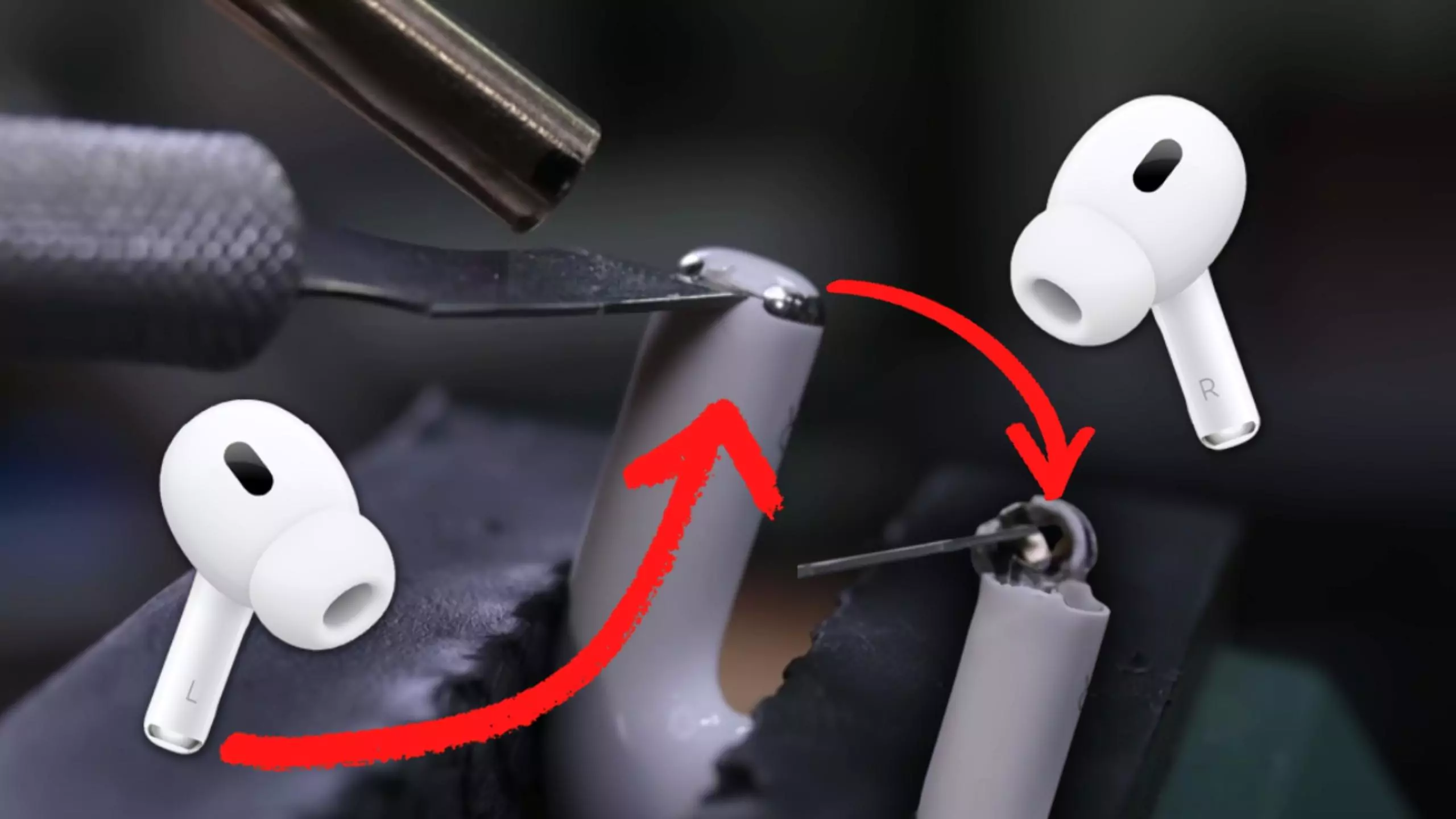
We have all been there. You are right in the middle of an important business call while walking through the vibrant streets of Dubai, or perhaps you are catching up with a friend over a coffee in Al Barsha, and they suddenly say those dreaded words: “I can barely hear you, you sound muffled.” You check your connection, you toggle your Bluetooth, but the problem persists. If you are asking, Is Your AirPods Microphone Muffled? Professional Deep Cleaning Secrets are exactly what you need to rescue your voice quality without spending hundreds on a brand-new pair.
In 2026, the AirPods Pro 2 and the newer AirPods 4 feature some of the most advanced beamforming microphones ever put into a consumer device. However, these microphones are incredibly tiny and sit behind microscopic acoustic meshes that are constantly exposed to the elements. Between the fine desert dust of the UAE and the natural oils from our skin, it is only a matter of time before that crystal-clear audio begins to sound like you are talking through a thick wool sweater. This guide reveals the professional techniques used to restore that “out-of-the-box” clarity at home.
Why Do AirPods Microphones Get Muffled?
Before we dive into the Is Your AirPods Microphone Muffled? Professional Deep Cleaning Secrets, we need to understand the enemy. Your AirPods actually house multiple microphones: one at the bottom of the stem for your voice, and several others behind the black meshes for Active Noise Cancellation (ANC) and Transparency Mode.
The “Dubai Dust” Factor
In a city like Dubai, fine particulate matter is everywhere. These microscopic grains of sand find their way into the tiny holes of the microphone grille. Once inside, they act like a physical barrier, preventing sound waves from reaching the sensor.
Earwax and Skin Oils
This is the most common culprit. Every time you adjust your AirPods or put them in your ears, a small amount of skin oil or earwax transfers to the mesh. Over months of use, this oil hardens into a “seal” that completely blocks the microphone. If your “Hey Siri” commands are failing, this is likely why.
Professional Deep Cleaning Secrets You Can Do at Home
If you’ve noticed your voice quality dipping, try these Is Your AirPods Microphone Muffled? Professional Deep Cleaning Secrets. We use active voice and careful movements here because these components are delicate.
1. The “Dry Brush” Technique for AirPods Microphone Muffled
Start with a completely dry, soft-bristled toothbrush (preferably a child’s toothbrush with fine bristles). Hold the AirPod with the microphone facing downward. Gently brush the mesh in a circular motion. By facing the mesh down, you ensure that any loosened debris falls out of the earbud rather than deeper into the microphone cavity.
2. The “Blue-Tack” Method for AirPods Microphone Muffled
Professional technicians often use a specialized acoustic adhesive, but you can use high-quality poster putty (like Blu-Tack). Take a small piece, warm it up in your hands until it is soft, and press it firmly but briefly against the microphone mesh. When you pull it away, it will lift the “gunk” out of the microscopic holes. Do not leave it on for too long, or it might get stuck in the mesh.
3. The 99% Isopropyl Alcohol “Vapor” Clean for AirPods Microphone Muffled
Never pour liquid into your AirPods. Instead, dampen a Q-tip with 99% Isopropyl Alcohol (anything lower contains too much water). Gently dab the mesh. The alcohol dissolves the hardened oils. Immediately follow up by using a clean, dry bulb blower (the kind used for camera lenses) to puff air into the mesh. This evaporates the alcohol and clears the dissolved debris simultaneously.
When Cleaning Isn’t Enough: Identifying Hardware Failure
Sometimes, the answer to Is Your AirPods Microphone Muffled? Professional Deep Cleaning Secrets isn’t about dirt—it’s about the hardware. In 2026, the H2 and H3 chips manage the digital signal processing (DSP) of your voice. If the software is glitching, your microphone might sound muffled even if it is physically clean.
Test the “Voice Memos” App for AirPods Microphone Muffled
To see if the issue is hardware or software, record a short clip in the Voice Memos app. If the recording sounds perfect there but muffled on calls, you likely have a software bug or a network issue. If it sounds muffled in the recording, the problem is definitely the physical microphone or the mesh.
Milaaj Mobile and Laptop Repair Al Barsha: The Audio Specialists
If you have tried every secret in the book and your callers still can’t hear you, the blockage might be internal, or the microphone membrane might be damaged. This is a surgical job that requires professional tools. Milaaj mobile and laptop repair Al Barsha has become the premier destination for residents who want to save their premium Apple gear rather than replace it.
Why Milaaj is the Trusted Choice:
- Low Price & Full Transparency: We provide a low price for professional ultrasonic cleaning and microphone module repairs. You will get a clear quote before we ever touch your device.
- Speed Repairing for Busy Lives: We know your AirPods are essential for your daily commute and work calls. We offer same-day “Wait & See” repairs in our Al Barsha facility, often fixing muffled mics in under 30 minutes.
- Ultimate Convenience: Don’t have time to drive through Dubai traffic? We offer free pickup and delivery throughout the city. We will collect your muffled AirPods, perform a professional deep clean or repair, and bring them back to you.
- Superior Part Quality: If we find that a microphone module is genuinely dead, we use only high-quality OEM parts to ensure your voice sounds exactly as Apple intended.
- Advanced Equipment: We use industrial-grade ultrasonic cleaners and specialized microscopic tools to clear blockages that are invisible to the naked eye.
Maintaining Your Microphone Clarity for AirPods Microphone Muffled
Mastering Is Your AirPods Microphone Muffled? Professional Deep Cleaning Secrets is great, but prevention is even better.
- The Weekly Wipe: Use a dry microfiber cloth to wipe the microphone stems every Friday. This prevents oil buildup from hardening.
- Case Hygiene: Clean the inside of your charging case. If the bottom of the case is dirty, it transfers that dirt directly onto the microphone every time you charge them.
- Avoid the Humidity: While the AirPods Pro are water-resistant, high humidity (like a steam room) can cause moisture to “trap” dust inside the mesh, making it much harder to clean later.
FAQs About AirPods Microphone Muffled
1. Can I use a needle to clean the microphone holes?
No! This is the most common way people destroy their AirPods. The acoustic mesh is thinner than a human hair. Poking it with a needle will puncture the mesh and likely damage the microphone diaphragm underneath.
2. Why does only one AirPod sound muffled?
This usually happens because we tend to handle one earbud more than the other, or we favor one side for single-ear calls. It is a sign that one side has more accumulated oil or dust than the other.
3. Does “Water Eject” work for microphones?
The “Water Eject” sound frequency is designed for the main speaker drivers, not the microphones. It will not help clear a muffled microphone.
4. Is the AirPods 4 microphone better than the Pro 2?
The AirPods 4 features improved wind-noise reduction, but both use similar mesh technology. They are both susceptible to the same “muffling” issues in dusty environments like the UAE.
5. Will a software reset fix a muffled mic?
Rarely. If the audio is “muffled,” it is almost always a physical blockage. However, a reset is always worth a try to rule out a DSP glitch.
Summary: AirPods Microphone Muffled
There is no reason to struggle through muffled calls or “what did you say?” moments. By applying these Is Your AirPods Microphone Muffled? Professional Deep Cleaning Secrets, you can take charge of your tech and keep your audio sounding professional. Whether it’s the toothbrush trick or the putty method, a little maintenance goes a long way.
However, if the “Dubai Dust” has truly won the battle, don’t give up on your favorite earbuds. Trust the experts who have the tools and the experience to handle the most delicate Apple hardware. Your voice deserves to be heard clearly, whether you’re in a boardroom or on a beach.
Are your AirPods still sounding muffled after a home clean? Contact Milaaj today for a professional deep clean and get your voice back to 100% clarity!
Other Services:
- Need other AirPods repairs? Check out Milaaj’s apple airpods repair services in Dubai.
- Looking to upgrade? Learn about selling your used device in Dubai.
- For Apple users, check Apple trade-in options in Dubai.
📍 Visit Any Milaaj Branch in Dubai
🔹 Bur Dubai
Milaaj Mobile and Laptop Repair Dubai
📞 055 258 8477
🔗 Google Maps
🔹 Al Barsha
Milaaj Mobiles and Laptop Repair Al Barsha
📞 052 596 2846
🔗 Google Maps
🔹 Al Barsha 3
Milaaj Mobiles and Gaming Store
📞 052 3405 814
🔗 Google Maps
🔹 Al Nuaimiya
Milaaj Mobiles and Laptops Ajman
📞 055 788 9654
🔗 Google Maps
Shop Locations: Al Barsha | Bur Dubai | Reef Mall, Salah Al Din | Al Nuaimiya, Ajman
Email: support@milaaj.com
Operating Hours: Monday – Sunday




Leave a Reply