

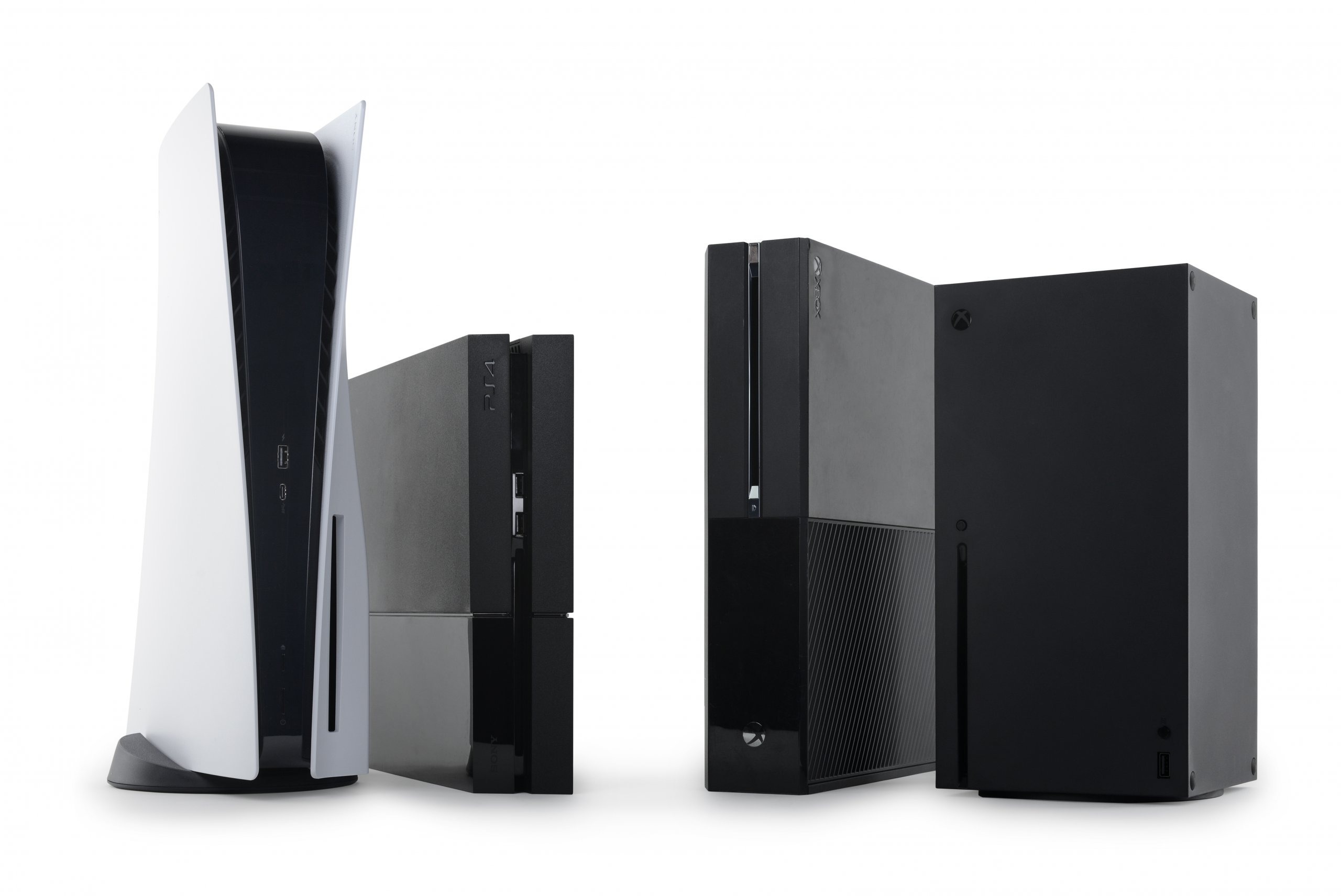
As the mercury begins to climb across the UAE, gamers in Dubai are preparing for the ultimate seasonal ritual: the summer gaming marathon. With outdoor temperatures often soaring, our consoles become our primary gateways to adventure. However, the PS5 and Xbox Series X are high-performance machines that generate significant heat, and in the dusty environment of the Middle East, they face a silent enemy thermal throttling. If you want to avoid the dreaded “Your PS5 is too hot” warning or a sudden Xbox shutdown in the middle of a raid, you need to take action now.
The transition from spring to summer is the perfect time to perform a deep-clean. Dust acts as an insulator, trapping heat inside your console’s sensitive APU (Accelerated Processing Unit) and clogging the cooling fins. In this guide, we will walk you through the critical cleaning steps before the summer gaming marathon to ensure your hardware stays as cool as your air conditioning.
Why Summer is Dangerous for Your Console for PS5 & Xbox Series X
In 2026, games are more demanding than ever, pushing the RDNA 3 architecture of these consoles to their limits. Heat is the natural byproduct of this power. While Sony and Microsoft designed these machines with massive fans and heatsinks, they didn’t necessarily design them for the fine desert dust of Al Barsha.
The Dust-Heat Feedback Loop
When dust settles on the intake vents, the fan has to spin faster to pull in the same amount of air. This creates more noise and consumes more power, which in turn generates more heat. Eventually, the liquid metal thermal interface on the PS5 or the high-grade thermal paste on the Xbox Series X can no longer transfer heat efficiently to the heatsink. This leads to dropped frame rates, graphical glitches, and eventually, hardware failure.
Understanding the Airflow Path
Before you start cleaning, you need to understand how your console breathes. The PS5 pulls air from the top and front, exhausting it through the entire rear. The Xbox Series X uses a “chimney” effect, pulling air from the bottom and pushing it out through the large top grille. Knowing these paths helps you target the most critical “clog points.”
Critical Cleaning Steps for the PS5
The PlayStation 5 is unique because it was designed with “dust catchers” specifically to help users maintain the device. Here are the critical cleaning steps before the summer gaming marathon for Sony fans.
1. Removing the Faceplates
One of the best features of the PS5 is the removable side panels. Gently lift the corner with the PlayStation logo and slide the panel toward the bottom of the console. This exposes the main cooling fan and the intake channels.
2. The Vacuum Ports
Sony included two triangular holes in the inner frame. These are designed to be vacuumed. Use a low-powered handheld vacuum to suck the dust out of these ports. This pulls debris directly from the heatsink area without you having to take the entire console apart.
3. Cleaning the Fan Blades
Over time, dust sticks to the leading edges of the fan blades, creating an uneven weight distribution that can cause a “whining” noise. Use a soft brush or a microfiber cloth to gently wipe each blade.
Pro Tip: Hold the fan still while cleaning; allowing it to spin freely while vacuuming or using compressed air can generate a small electrical current that could theoretically damage the motherboard.
Critical Cleaning Steps for the Xbox Series X
The Xbox Series X is a masterpiece of compact engineering, but its “tower” design means it can act like a vertical vacuum cleaner for your floor dust.
1. Clearing the Bottom Intake for PS5 & Xbox Series X
The small holes at the base of the Series X are the primary air intakes. Use a soft brush to clear away any visible lint or pet hair. If these are blocked, the “chimney” effect fails, and the internal components will bake in their own heat.
2. The Top Exhaust Grille for PS5 & Xbox Series X
The signature green-accented holes at the top are where the hot air leaves. Dust often settles here when the console is off. Use a vacuum or a can of compressed air (using short, controlled bursts) to ensure these holes are completely clear.
3. The Rear Ports for PS5 & Xbox Series X
Dust loves to settle in the HDMI and USB ports. Not only does this trap heat, but it can also cause connection issues. A quick blast of air into the rear IO shield ensures that the air being pushed out of the back isn’t being restricted by “dust bunnies.”
Improving Your Gaming Environment for PS5 & Xbox Series X
Cleaning the inside of the console is only half the battle. To survive the Dubai summer, you need to optimize where your console lives.
- The 6-Inch Rule: Ensure there is at least 6 inches of open space on all sides of your console. Never keep your PS5 or Xbox inside a closed cabinet while gaming.
- Avoid the Floor: Keeping your console on the floor especially on a carpet is an invitation for dust. Place it on a hard, elevated surface like a desk or a dedicated media stand.
- The Cool Air Factor: Position your console so that it can draw in cool air from your room’s AC. If your console is tucked behind a warm TV, it will only pull in pre-heated air, making the cooling system work twice as hard.
Milaaj Mobile and Laptop Repair Al Barsha: Your Console Recovery Experts
Sometimes, a simple surface clean isn’t enough. If your console is over two years old, or if you live in an especially dusty area of Al Barsha, dust may have packed itself deep inside the heatsink fins where a vacuum can’t reach. This is when you need a professional deep-clean. Milaaj mobile and laptop repair Al Barsha is the leading destination for gamers who take their hardware seriously.
Why Choose Milaaj for Your Console Maintenance:
- Low Price for Peace of Mind: We believe that preventative maintenance shouldn’t cost as much as a new console. We offer a low price for our “Summer Ready” deep-clean service, which includes full disassembly and internal dusting.
- Speed Repairing (Same-Day Service): We know you have a schedule to keep. Our speed repairing focus means you can drop your console off in the morning and have it back, running whisper-quiet, by the evening.
- Convenience in Al Barsha 1: Located in the Iridium Building, we are centrally located for all gamers in the area. If you’re busy leveling up, use our PS5 pickup and delivery service across Dubai.
- Unmatched Part Quality: If your fan is rattling or your HDMI port is loose, we use only Original Grade replacement parts. Our part quality ensures your console stays in factory-spec condition.
- Thermal Paste Upgrades: For the Xbox Series X, we can replace the factory thermal paste with high-end, enthusiast-grade compounds that can lower operating temperatures by several degrees perfect for the 45°C Dubai heat.
FAQs About PS5 & Xbox Series X
1. How often should I clean my PS5 or Xbox Series X?
In Dubai, we recommend a light surface cleaning every month and a professional deep-clean once a year, preferably right before the summer peak.
2. Is it safe to use compressed air on my console?
Yes, but use it sparingly. Short bursts are best. Never tip the can upside down, as it can spray liquid propellant onto your motherboard, which may cause damage.
3. Will cleaning my console void the warranty?
Taking off the PS5 faceplates or cleaning the external vents of the Xbox does not void your warranty. However, breaking the “Warranty Void if Removed” stickers to open the internal chassis will. If you’re under warranty, stick to external cleaning or visit a professional like Milaaj.
4. Why is my PS5 fan making a loud buzzing noise?
This is often “coil whine” or a piece of debris caught in the fan. A deep clean usually resolves these noises. If the noise persists, the fan bearings might be failing.
5. Can a dirty console cause my games to lag?
Absolutely. When the APU gets too hot, it automatically slows down (thermal throttling) to protect itself. This results in significant frame rate drops and stuttering during gameplay.
Summary: PS5 & Xbox Series X
The PS5 and Xbox Series X are incredible machines, but they aren’t invincible. Taking the critical cleaning steps before the summer gaming marathon is the best way to protect your investment and ensure your gaming sessions aren’t interrupted by a hardware failure. By maintaining clear airflow and ensuring your console is in a cool environment, you can enjoy the latest 2026 titles without worry.
Gaming is a passion, and your hardware is the bridge to those digital worlds. Treat it with the respect it deserves, and it will provide years of entertainment.
Is your console sounding like a jet engine, or have you seen a “Too Hot” warning on your screen? Contact Milaaj today for a professional “Summer Ready” deep-clean! We’ll make sure your gear stays cool so you can stay in the game.
Other Services:
- Need other iPhone repairs? Check out Milaaj’s apple watch repair services in Dubai.
- Looking to upgrade? Learn about selling your used device in Dubai.
- For Apple users, check Apple trade-in options in Dubai.
📍 Visit Any Milaaj Branch in Dubai
🔹 Bur Dubai
Milaaj Mobile and Laptop Repair Dubai
📞 055 258 8477
🔗 Google Maps
🔹 Al Barsha
Milaaj Mobiles and Laptop Repair Al Barsha
📞 052 596 2846
🔗 Google Maps
🔹 Al Barsha 3
Milaaj Mobiles and Gaming Store
📞 052 3405 814
🔗 Google Maps
🔹 Al Nuaimiya
Milaaj Mobiles and Laptops Ajman
📞 055 788 9654
🔗 Google Maps
Shop Locations: Al Barsha | Bur Dubai | Reef Mall, Salah Al Din | Al Nuaimiya, Ajman
Email: support@milaaj.com
Operating Hours: Monday – Sunday




Leave a Reply