

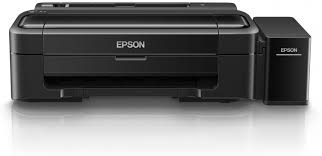
Living in Dubai comes with a unique set of challenges. Between the breathtaking skyscrapers and the endless desert sun, we also deal with intense humidity levels that can wreak havoc on our sensitive electronics. If you are an Epson EcoTank owner, you might have noticed something frustrating lately: your once-crisp documents are starting to look like a watercolor painting. If you are searching for printer repair solutions because your pages are smudging, the culprit is likely the air around you.
The EcoTank series is famous for its incredible ink efficiency and high-quality output, making it a favorite for home offices and businesses in Al Barsha. However, the very technology that makes it efficient the liquid ink system is also highly susceptible to environmental changes. In this guide, we will explore why moisture is the enemy of your printouts and how you can fix it before it ruins your next big presentation.
The Science of Ink and Humidity
To understand why your Epson EcoTank is acting up, we first need to look at how it puts ink on paper. Unlike laser printers that use dry toner and heat, the EcoTank uses a “cold” Piezoelectric print head that sprays liquid ink droplets onto the page.
How Moisture Affects Paper Fibers for Epson EcoTank Printer repair
Paper is “hygroscopic,” which means it naturally absorbs moisture from the air. During the peak humidity months in Dubai, the fibers in your printer paper swell. When the EcoTank’s water-based ink hits this damp paper, it cannot dry instantly. Instead, the ink spreads along the swollen fibers, leading to “bleeding” and smudging.
The Problem of “Ink Pooling” for Epson EcoTank Printer repair
In high-humidity environments, the air is already saturated with water. This prevents the liquid carrier in the ink from evaporating quickly. If the ink stays wet for too long on the surface of the page, the printer’s own internal rollers can pick up that wet ink and smear it across the rest of the document, creating those dreaded black streaks.
Common Symptoms of Humidity Damage
How do you know if the weather is to blame or if you actually need a mechanical printer repair? Look for these specific signs:
- Wavy Paper: If your paper looks warped or “wavy” before it even goes through the printer, it has already absorbed too much moisture.
- Vertical Black Lines: This often happens when the “pizza wheels” (the tiny exit rollers) pick up undried ink and track it down the page.
- Fuzzy Text: If your letters look blurry or have “spider legs” branching out, the ink is spreading too thin across damp fibers.
Steps to Stop the Smudge: DIY Solutions
Before you rush to a service center, there are several environmental tweaks you can make to stabilize your Epson EcoTank performance.
1. Control the Environment for Epson EcoTank Printer repair
The most effective way to protect your printer is to keep it in a temperature-controlled room. Ensure your AC is running consistently to act as a dehumidifier. Avoid placing your printer near open windows or in areas like kitchens where steam is common.
2. Store Your Paper Correctly for Epson EcoTank Printer repair
Never leave a large stack of paper in the printer tray for long periods. The exposed edges will soak up moisture like a sponge. Instead, keep your paper in its original plastic wrapper and only load what you need for your current print job.
3. Adjust Your Print Settings for Epson EcoTank Printer repair
Open your printer preferences on your computer and look for “Quality” settings. By switching from “Standard” to “High Quality,” the printer often slows down the movement of the page, giving the ink a split second longer to dry. Additionally, selecting “Thick Paper” in the settings can adjust the print head height to prevent it from physically touching damp, slightly swollen paper.
When DIY Isn’t Enough: Professional Printer Repair
Sometimes, the humidity causes more than just damp paper. It can lead to ink drying unevenly inside the print head or causing the internal rollers to become “sticky” with accumulated residue. If your Epson EcoTank continues to smudge even with fresh, dry paper, it is time for a professional intervention.
Milaaj Mobile and Laptop Repair Al Barsha: Your Printing Partners
When it comes to delicate inkjet technology, you need a technician who understands the specific needs of the Dubai climate. Milaaj mobile and laptop repair Al Barsha provides comprehensive servicing for the entire Epson EcoTank lineup.
- Low Price & Transparent Quotes: We provide an affordable, low price for professional print head cleaning and roller maintenance, ensuring you aren’t overpaying for basic maintenance.
- Speed Repairing: We know that a broken printer can stall your business. Our speed repairing service aims to get your EcoTank back in perfect working order, often within the same day.
- Convenience for Al Barsha Residents: Located conveniently in the Al Barsha area, we are your local experts. We also offer Printer pickup and delivery for printers, saving you the hassle of lugging heavy equipment through the heat.
- Part Quality & Original Ink: We prioritize part quality, using only genuine components and recommending original Epson inks to ensure your seals and nozzles don’t leak or clog due to inferior third-party products.
- Expert Diagnostics: Our team doesn’t just clean the surface; we perform deep-system flushes to remove any humidity-induced gunk from the internal ink lines.
FAQs About Epson EcoTank Printer repair
1. Is my printer broken if it smudges?
Not necessarily. In most Dubai cases, smudging is caused by damp paper or a dirty exit roller. However, if cleaning the rollers doesn’t help, the print head may be misaligned or leaking.
2. Can I use a hairdryer to dry the ink faster?
No! High heat can warp the paper further and potentially damage the plastic components inside the printer. It is better to use a fan for cool airflow or simply let the pages sit in an air-conditioned room.
3. How often should I run the “Power Cleaning” cycle?
Only use the “Power Cleaning” or “Head Cleaning” utility if you see gaps in your printouts. Running these cycles too often wastes a lot of ink and can fill up your maintenance box prematurely.
4. Does the type of paper matter for EcoTanks?
Yes. Using high-quality “inkjet-specific” paper is vital. These papers have a special coating that helps lock the liquid ink into the top layer of the paper, preventing it from soaking into the damp fibers.
5. Why does my printer smudge more in the summer?
During Dubai’s summer, the humidity levels spike significantly. Even with the AC on, the “dew point” changes, making it much harder for liquid-based inks to set properly on the page.
Summary: Epson EcoTank Printer repair
Your Epson EcoTank is a high-performance machine, but it isn’t immune to the intense Dubai climate. By managing your paper storage, controlling your indoor humidity, and adjusting your software settings, you can solve most smudging issues on your own.
However, if the streaks persist, don’t ignore them. Left untreated, a dirty printer can lead to permanent print head damage. Trust the experts who understand the local environment and the intricacies of inkjet technology.
Is your printer leaving messy streaks on your important documents? Don’t let a small smudge turn into a big headache. Contact Milaaj today for a professional printer repair and get back to crisp, clean printing!
Other Services:
- Need other iPhone repairs? Check out Milaaj’s apple watch repair services in Dubai.
- Looking to upgrade? Learn about selling your used device in Dubai.
- For Apple users, check Apple trade-in options in Dubai.
📍 Visit Any Milaaj Branch in Dubai
🔹 Bur Dubai
Milaaj Mobile and Laptop Repair Dubai
📞 055 258 8477
🔗 Google Maps
🔹 Al Barsha
Milaaj Mobiles and Laptop Repair Al Barsha
📞 052 596 2846
🔗 Google Maps
🔹 Al Barsha 3
Milaaj Mobiles and Gaming Store
📞 052 3405 814
🔗 Google Maps
🔹 Al Nuaimiya
Milaaj Mobiles and Laptops Ajman
📞 055 788 9654
🔗 Google Maps
Shop Locations: Al Barsha | Bur Dubai | Reef Mall, Salah Al Din | Al Nuaimiya, Ajman
Email: support@milaaj.com
Operating Hours: Monday – Sunday




Leave a Reply