

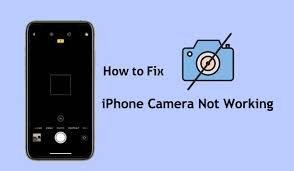
Apple iPhones are widely known for their advanced camera technology, delivering sharp photos, smooth videos, and professional-level imaging. However, many users eventually face a frustrating problem: iPhone camera not working as expected. Whether the camera app shows a black screen, freezes, crashes, or produces blurry images, this issue can significantly affect daily use.
Moreover, when your iPhone camera not working problem appears suddenly, it can feel alarming. Fortunately, in most cases, the issue is fixable with the right approach. Therefore, understanding the causes, avoiding common mistakes, and choosing proper repair solutions are essential. In this detailed guide, we explain why iPhone camera problems occur, how to troubleshoot safely, and when professional repair is the best choice.
Why Is My iPhone Camera Not Working Suddenly?
First and foremost, identifying why your iPhone camera not working issue started is crucial. Although the camera hardware is reliable, several internal and external factors can trigger failures.
Most importantly, camera problems rarely appear without reason. Therefore, analyzing recent changes such as updates, drops, or exposure to moisture can help pinpoint the root cause.
Common Reasons Behind iPhone Camera Not Working
iPhone Camera Not Working Due to Software Glitches
Often, temporary software bugs cause the iPhone camera not working issue. For example, iOS updates may contain minor glitches that affect camera permissions or system files. As a result, the camera app may crash or refuse to open.
iPhone Camera Not Working After iOS Update
Similarly, many users report iPhone camera not working after installing a new iOS version. Although updates aim to improve performance, compatibility issues sometimes interrupt camera functionality.
iPhone Camera Hardware Damage
On the other hand, physical damage is a major reason for camera failure. Even a minor drop can loosen internal connectors, leading to rear or front camera malfunction.
Water Damage Affecting iPhone Camera
Additionally, moisture exposure can silently damage camera sensors. Consequently, you may see foggy lenses, black screens, or distorted images.
Dust or Debris Inside the Camera Lens
Over time, dust accumulation may block the lens, making the iPhone camera not working properly or producing blurry results.
Symptoms That Indicate iPhone Camera Problems
Before attempting fixes, it helps to recognize common warning signs:
- Camera app opens but shows a black screen
- Front or rear camera not switching
- Camera app crashes repeatedly
- Blurry or shaky images
- Flash not syncing with the camera
Therefore, noticing these symptoms early can prevent further damage.
How to Fix iPhone Camera Not Working at Home (Safe Steps)
Although professional repair is sometimes required, basic troubleshooting can resolve minor issues.
Restart Your iPhone
Firstly, restarting clears temporary system errors. In many cases, a simple reboot restores camera functionality.
Check Camera Permissions
Next, go to Settings > Privacy > Camera and ensure the camera is enabled for required apps.
Close Background Apps
Meanwhile, too many apps running simultaneously may cause conflicts. Closing unused apps can help stabilize the camera.
Update iOS
Furthermore, installing the latest iOS update often resolves known bugs related to iPhone camera not working problems.
Reset Settings (Without Data Loss)
If the issue persists, resetting settings (not data) can fix configuration conflicts safely.
Advanced Troubleshooting for Persistent iPhone Camera Issues
If basic steps fail, advanced troubleshooting may be needed.
Clear Storage Space
Interestingly, low storage can cause camera malfunction. Therefore, freeing up space improves overall performance.
Test in Safe Mode
Testing the camera without third-party apps can help identify app-related conflicts.
Inspect the Camera Lens
Additionally, gently cleaning the lens with a microfiber cloth can improve clarity if dust is present.
When DIY Fixes Are Not Enough
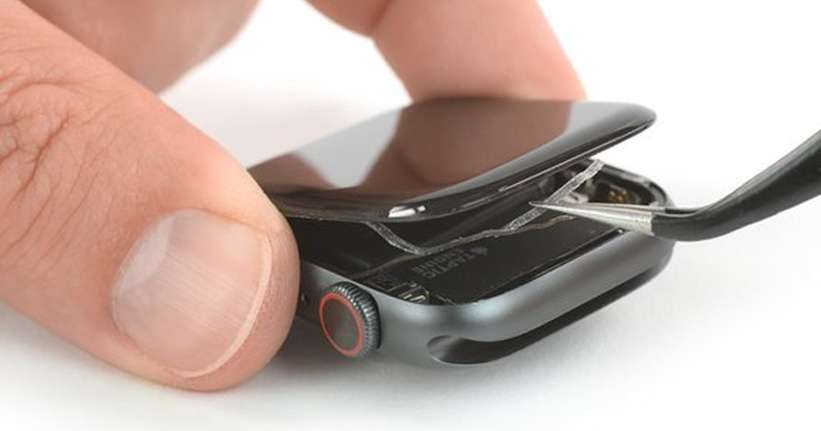
However, not all problems can be fixed at home. In fact, repeated camera failures often indicate internal hardware damage.
Attempting to open the phone yourself can worsen the problem. Therefore, professional repair is recommended when:
- The camera shows a permanent black screen
- The phone has been dropped or exposed to water
- Camera errors persist after software fixes
Professional iPhone Camera Repair: What Experts Do Differently
Professional technicians follow structured diagnostic methods:
- Hardware inspection using precision tools
- Camera module testing
- Connector and motherboard checks
- Replacement with high-quality compatible parts
As a result, expert repair ensures long-lasting results without risking user data.
Why Choose Milaaj Mobile Repair for iPhone Camera Issues
Expert iPhone Camera Repair in Al Barsha
At Milaaj mobiles and laptop repair Al Barsha, technicians specialize in resolving iPhone camera not working problems efficiently and safely.
Low-Price & Transparent Repairs
Moreover, affordable pricing ensures high-quality repair without unnecessary expenses.
Fast & Convenient Service
In addition, most camera repairs are completed the same day, saving valuable time.
High-Quality Replacement Parts
Only premium-grade camera components are used, ensuring clear images and durability.
Professional Handling & Safety
Most importantly, expert handling protects internal components and user data throughout the repair process.
Preventing Future iPhone Camera Problems
Prevention is always better than repair. Therefore, follow these tips:
- Use a protective case
- Avoid exposing your iPhone to moisture
- Keep software updated
- Clean the camera lens regularly
- Avoid low-quality third-party apps
By doing so, you can significantly reduce the chances of iPhone camera not working again.
FAQs – iPhone Camera Not Working
Why is my iPhone camera not working even after restarting?
If restarting doesn’t help, the issue may be related to software corruption or hardware damage.
Can an iOS update fix iPhone camera problems?
Yes, updates often fix bugs; however, some updates may initially cause issues that require professional attention.
Does water damage permanently affect the iPhone camera?
Not always. If repaired quickly, water-damaged cameras can often be restored.
Is it safe to replace an iPhone camera module?
Yes, but only when handled by trained professionals using quality parts.
How long does iPhone camera repair take?
Most repairs are completed within a few hours, depending on the model and damage severity.
Conclusion
In conclusion, facing an iPhone camera not working issue can be frustrating, but it is rarely permanent. With proper troubleshooting, timely action, and expert repair, camera functionality can be restored safely and effectively.
Instead of risking further damage with DIY attempts, choosing professional repair ensures convenience, affordability, and long-term performance. Ultimately, with expert support and quality parts, your iPhone camera can return to delivering the sharp, reliable results you expect.
Other Services:
- Need other iPhone repairs? Check out Milaaj’s iPhone repair services in Dubai.
- Looking to upgrade? Learn about selling your used iPhone in Dubai.
- Data loss concerns? Visit Milaaj’s data recovery services.
- For Apple users, check Apple trade-in options in Dubai.
📍 Visit Any Milaaj Branch in Dubai
🔹 Bur Dubai
Milaaj Mobile and Laptop Repair Dubai
📞 055 258 8477
🔗 Google Maps
🔹 Al Barsha
Milaaj Mobiles and Laptop Repair Al Barsha
📞 052 596 2846
🔗 Google Maps
🔹 Al Barsha 3
Milaaj Mobiles and Gaming Store
📞 052 3405 814
🔗 Google Maps
🔹 Al Nuaimiya
Milaaj Mobiles and Laptops Ajman
📞 055 788 9654
🔗 Google Maps
Shop Locations: Al Barsha | Bur Dubai | Reef Mall, Salah Al Din | Al Nuaimiya, Ajman
Email: support@milaaj.com
Operating Hours: Monday – Sunday
Leave a Reply