

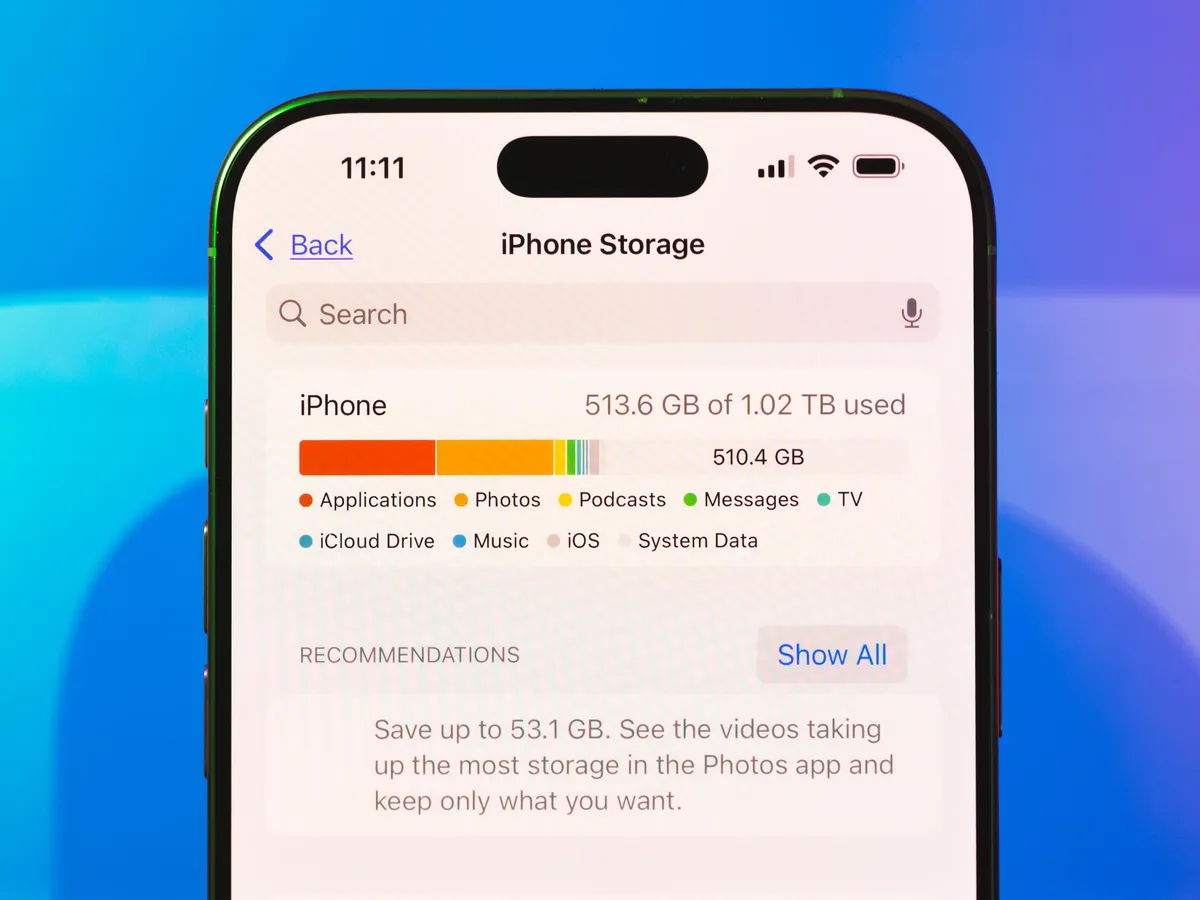
Apple iPhones are designed to deliver smooth performance, stunning camera quality, and powerful apps. However, many users frequently face a frustrating problem storage filling up faster than expected. If you often see alerts like “iPhone storage full” or “storage almost full,” you are not alone. Fortunately, learning the best iPhone storage management tips to avoid full storage can help you maintain performance and prevent constant interruptions.
Although Apple offers built-in storage tools, improper usage habits and hidden files often cause storage to run out quickly. Therefore, understanding how storage works and applying the right strategies is essential. In this complete guide, we explain why iPhone storage fills up, how to manage it effectively, and when professional help becomes the best solution.
Why iPhone Storage Fills Up So Quickly
Before applying solutions, it is important to understand the causes behind storage problems.
Common Reasons for iPhone Storage Running Out
Firstly, high-resolution photos and 4K videos consume large amounts of space. Secondly, apps store cache, logs, and temporary files that accumulate over time. Additionally, message attachments, downloads, and offline content silently fill storage.
Moreover, iOS system data expands after updates and backups. As a result, users often experience storage warnings without adding new files.
Hidden iOS System Data and Cache
Although system data is hidden for safety reasons, it can occupy several gigabytes. Consequently, even after deleting photos or apps, storage may still appear full.
Best iPhone Storage Management Tips to Avoid Full Storage
Applying the right habits consistently prevents recurring storage issues.
Check iPhone Storage Usage Regularly
Firstly, go to Settings > General > iPhone Storage. This section shows which apps and files consume the most space. Therefore, you can focus on the biggest storage users instead of deleting files randomly.
Delete Unused Apps and Games For iPhone Storage Management
Many users install apps they rarely use. Although each app seems small, together they occupy significant space. Therefore, removing unused apps is one of the best iPhone storage management tips to avoid full storage.
Additionally, enabling Offload Unused Apps automatically frees space while preserving app data.
Clear Cache and Temporary Files Safely
Cache files are one of the biggest reasons storage fills up unexpectedly.
Clear Safari and App Cache
Safari stores website data that grows over time. Therefore, clearing browser cache helps free storage instantly. Similarly, reinstalling heavy apps clears hidden cache safely.
Restart iPhone to Refresh Storage
Sometimes deleted files do not reflect immediately. Consequently, restarting the iPhone refreshes storage calculations and removes temporary system files.
Optimize Photos and Videos to Save Space
Photos and videos usually consume the largest share of iPhone storage.
Enable iCloud Photos and Optimize Storage
Apple allows full-resolution photos to be stored in iCloud while keeping smaller versions on the device. As a result, local storage usage drops significantly.
However, proper setup is crucial. Without optimization enabled, photos remain stored locally and continue filling space.
Delete Duplicate and Unnecessary Media
Screenshots, duplicate images, and unwanted videos often go unnoticed. Therefore, reviewing and deleting them regularly prevents storage overload.
Manage Messages, Attachments, and Downloads
Messages can silently consume storage.
Remove Old Message Attachments For iPhone Storage Management
Photos, videos, and documents shared in chats remain stored unless deleted. Consequently, clearing old attachments can free several gigabytes instantly.
Delete Old Files and Offline Content
Apps such as streaming platforms and Files store downloaded content. Therefore, removing unused offline files helps maintain storage balance.
Smart Apple Storage Settings You Should Enable
Apple provides useful storage tools that many users overlook.
Follow iOS Storage Recommendations
iOS suggests actions such as deleting large files or reviewing unused apps. Therefore, following these recommendations simplifies storage management.
Use Cloud Storage Strategically
Besides iCloud, cloud services like Google Drive help distribute data. As a result, internal storage remains available for system performance.
What to Do When iPhone Storage Is Still Full
Sometimes basic cleanup is not enough.
Why iPhone Storage Still Shows Full After Cleanup
This usually happens due to cached system data, “Recently Deleted” files, or iOS bugs. Consequently, storage may appear full even after deleting content.
When iOS Software Issues Cause Storage Errors
Failed updates or corrupted system files can cause incorrect storage reporting. Therefore, professional diagnostics may be required.
Professional iPhone Storage Optimization Solutions
When DIY methods fail, expert help ensures safe results.
Advanced Storage Cleanup Without Data Loss
Professionals use specialized tools to remove hidden cache and system junk. As a result, storage is freed without risking personal data.
System Optimization for Long-Term Performance
Beyond cleanup, experts optimize system settings and fix software issues. Consequently, recurring storage problems are prevented.
Why Choose Milaaj Mobile Repair for iPhone Storage Issues
For users seeking reliable assistance, Milaaj mobiles and laptop repair Al Barsha offers professional iPhone storage optimization with clear benefits:
- Low-price storage solutions
- Fast service with minimal downtime
- Convenient repair process
- High-quality tools and safe methods
- Skilled technicians experienced with Apple devices
Therefore, professional repair ensures storage issues are fixed correctly and safely.
How to Prevent iPhone Storage Problems in the Future
Prevention is always better than repeated cleanup.
Monitor Storage Usage Monthly
Checking storage once a month helps detect issues early. Consequently, small cleanups prevent major storage failures.
Adopt Smart Storage Habits for iPhone Storage Management
Using cloud storage, limiting unnecessary downloads, and managing apps wisely keeps storage healthy. As a result, your iPhone remains fast and reliable.
FAQs
1. Why does my iPhone storage get full so quickly?
iPhone storage fills up quickly due to large photos, videos, apps, cached data, and system files. Therefore, without proper iPhone storage management, users often see the iPhone storage full warning sooner than expected.
2. What are the best iPhone storage management tips to avoid full storage?
The best iPhone storage management tips to avoid full storage include deleting unused apps, enabling iCloud optimization, clearing Safari cache, removing old messages, and regularly reviewing storage usage in Settings.
3. How can I free up iPhone storage without deleting important data?
You can free up iPhone storage by offloading unused apps, optimizing photo storage with iCloud, deleting duplicate media, and clearing app cache. As a result, your device gains space without losing essential files.
4. Does clearing cache help when iPhone storage is full?
Yes, clearing cache can help when iPhone storage is full, especially for browsers and social media apps. Moreover, removing cached files improves performance and frees hidden storage space.
5. How often should I manage my iPhone storage?
Ideally, iPhone storage management should be done monthly. However, if you frequently download apps or record videos, reviewing storage weekly helps avoid full storage issues.
6. Can iCloud help prevent the iPhone storage full warning?
Absolutely. iCloud helps prevent the iPhone storage full warning by storing photos, videos, and backups online. Consequently, this reduces local storage usage and improves device efficiency.
Final Thoughts: iPhone Storage Management
In conclusion, storage issues are common but completely manageable. By consistently following the best iPhone storage management tips to avoid full storage, users can prevent the iPhone storage full warning, maintain smooth device performance, and reduce lag. Moreover, proper iPhone storage management helps avoid failed iOS updates, minimizes app crashes, and ensures enough space for photos and videos. As a result, using proven methods to free up iPhone storage not only improves daily usability but also helps extend the overall lifespan of the device.
Although basic cleanup works for many, persistent issues require expert care. Therefore, combining smart habits with professional support ensures your iPhone stays responsive, efficient, and stress-free for years to come.
Other Services:
- Need other iPhone repairs? Check out Milaaj’s iPhone repair services in Dubai.
- Looking to upgrade? Learn about selling your used iPhone in Dubai.
- Data loss concerns? Visit Milaaj’s data recovery services.
- For Apple users, check Apple trade-in options in Dubai.
📍 Visit Any Milaaj Branch in Dubai
🔹 Bur Dubai
Milaaj Mobile and Laptop Repair Dubai
📞 055 258 8477
🔗 Google Maps
🔹 Al Barsha
Milaaj Mobiles and Laptop Repair Al Barsha
📞 052 596 2846
🔗 Google Maps
🔹 Al Barsha 3
Milaaj Mobiles and Gaming Store
📞 052 3405 814
🔗 Google Maps
🔹 Al Nuaimiya
Milaaj Mobiles and Laptops Ajman
📞 055 788 9654
🔗 Google Maps
Shop Locations: Al Barsha | Bur Dubai | Reef Mall, Salah Al Din | Al Nuaimiya, Ajman
Email: support@milaaj.com
Operating Hours: Monday – Sunday




Leave a Reply