

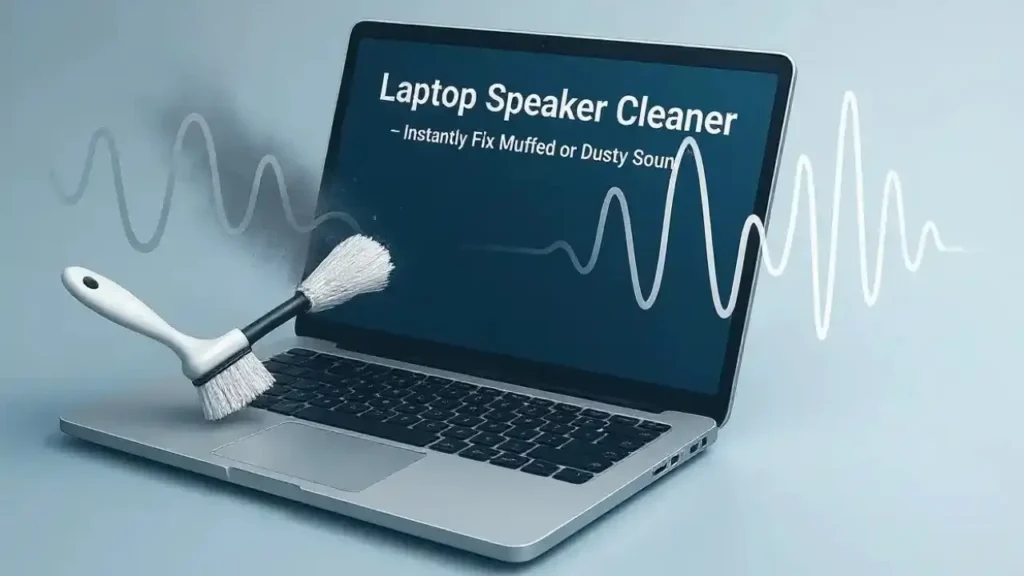
Clear and balanced audio plays a vital role in daily laptop use, whether you’re attending online meetings, watching movies, editing videos, or listening to music. However, many users notice that their laptop speakers gradually sound distorted, muffled, or unusually low. If this sounds familiar, you’re not alone. Fortunately, following the right laptop maintenance tips to improve sound quality can restore crisp audio and prevent long-term hardware issues.
Although laptops are designed to deliver decent sound out of the box, dust buildup, outdated drivers, software conflicts, and internal wear can significantly affect audio output over time. Therefore, understanding how to maintain both the software and hardware aspects of your laptop is essential. Most importantly, early maintenance can help you avoid expensive speaker or motherboard repairs later.
In this guide, we’ll explore practical and professional laptop maintenance tips to improve sound quality, explain common causes of audio problems, and highlight when expert repair becomes necessary.
Why Laptop maintenance tips to improve Sound Quality Degrades Over Time
Before applying fixes, it’s important to understand why laptop audio quality drops in the first place. Generally, sound issues develop gradually due to a combination of environmental and technical factors.
Common causes include:
- Dust and debris blocking speaker grills
- Moisture or humidity exposure
- Outdated or corrupted audio drivers
- Incorrect sound settings
- Loose internal speaker connections
- Physical wear of speakers
Therefore, applying consistent laptop maintenance tips to improve sound quality helps prevent these problems from worsening.
Clean Speaker Grills Regularly for Clear Audio
How Dust Affects Laptop Sound
First of all, dust is one of the biggest enemies of laptop speakers. Over time, dust particles clog the speaker grills, blocking sound waves and making audio appear dull or muffled.
Safe Cleaning Tips for Laptop maintenance tips to improve sound quality
To clean safely:
- Power off your laptop completely
- Use a soft brush or microfiber cloth
- Use compressed air at a distance
- Avoid sharp objects or liquids
As a result, sound becomes clearer and louder. Regular cleaning is one of the easiest laptop maintenance tips to improve sound quality.
Update and Maintain Audio Drivers
Why Drivers Matter
Audio drivers control how sound is processed and delivered. Therefore, outdated or corrupted drivers often cause distortion, crackling noises, or low volume.
Best Practices for Laptop maintenance tips to improve sound quality
- Check for driver updates regularly
- Install official manufacturer drivers
- Avoid third-party driver software
Consequently, updated drivers ensure stable and high-quality sound output.
Optimize Sound Settings for Better Audio
Adjust System Sound Enhancements
Many laptops include built-in audio enhancements. However, incorrect settings may reduce sound clarity instead of improving it.
To optimize:
- Enable audio enhancements carefully
- Adjust equalizer settings
- Disable unnecessary sound effects
- Select correct speaker output
Thus, tweaking these settings is another essential laptop maintenance tip to improve sound quality.
Keep Your Laptop Free from Malware and Software Conflicts
Software Issues and Sound Problems
Sometimes, the issue isn’t hardware at all. Malware, background apps, or corrupted system files can interfere with audio services.
To prevent this:
- Run regular antivirus scans
- Close unnecessary background apps
- Keep your operating system updated
As a result, your laptop maintains stable and consistent audio performance.
Prevent Overheating to Protect Internal Speakers
Heat and Audio Components
Excessive heat can damage internal components, including speakers and audio chips. Over time, this leads to permanent sound distortion.
To avoid overheating:
- Clean internal fans periodically
- Use your laptop on flat surfaces
- Avoid blocking ventilation
- Replace thermal paste when needed
Therefore, proper cooling is a critical laptop maintenance tip to improve sound quality.
Check External Ports and Audio Jacks
Why Ports Matter for Laptop maintenance tips to improve sound quality
If your laptop struggles to switch between speakers and headphones, the audio jack may be dirty or damaged.
Maintenance steps:
- Clean headphone jacks gently
- Avoid forcing connectors
- Test with different headphones
This ensures proper audio routing and prevents internal damage.
Protect Your Laptop from Moisture and Humidity
Hidden Damage Risks for Laptop maintenance tips to improve sound quality
Even minor moisture exposure can damage speaker membranes and audio circuits. Over time, this results in crackling sounds or complete audio failure.
To prevent moisture damage:
- Keep liquids away
- Avoid using laptops in humid environments
- Turn off immediately if exposed
Thus, moisture prevention is crucial for long-term sound quality.
Perform Regular System Laptop maintenance tips to improve sound quality
Why System Health Matters
Slow or overloaded systems can affect audio playback quality, especially during streaming or video calls.
Helpful steps include:
- Restart your laptop weekly
- Clear temporary files
- Optimize startup programs
As a result, your laptop processes audio more efficiently.
When DIY Maintenance Is Not Enough
Although these laptop maintenance tips to improve sound quality solve most issues, some problems require professional attention.
Seek expert help if you notice:
- No sound at all
- Persistent distortion
- Crackling even after cleaning
- Sound cutting in and out
- Water damage symptoms
At this stage, professional diagnosis prevents further damage.
Milaaj Mobile Repair Section – Professional Sound Repair Solutions
When sound issues go beyond basic maintenance, Milaaj mobiles and laptop repair Al Barsha offers reliable and professional solutions for laptop audio problems. Their expert technicians specialize in diagnosing and repairing speaker, sound card, and motherboard-related issues.
Why Choose Milaaj?
- Low-price repairs without hidden charges
- Fast servicing to reduce downtime
- High-quality replacement parts for clear, long-lasting sound
- Convenient walk-in support
- Advanced diagnostic tools for accurate fault detection
As a result, your laptop’s sound quality is restored safely and efficiently without compromising performance.
Use Quality Accessories for Better Audio Output
External Audio Devices for Laptop maintenance tips to improve sound quality
Using low-quality headphones or speakers can give the impression of poor laptop sound.
To avoid this:
- Use certified headphones
- Avoid damaged cables
- Check compatibility
This ensures accurate sound reproduction and prevents port damage.
Avoid Common Mistakes That Harm Laptop Audio
To maintain sound quality, avoid:
- Blowing air directly into speakers
- Using liquids for cleaning
- Ignoring overheating warnings
- Installing unofficial drivers
Instead, safe handling and regular maintenance make a significant difference.
Create Healthy Daily Usage Habits
Small habits improve sound quality over time:
- Lower volume before plugging devices
- Shut down properly
- Keep laptop clean
- Schedule professional checkups
Ultimately, these habits protect internal audio components.
FAQs about Laptop maintenance tips to improve sound quality
1. Why does my laptop sound quality get worse over time?
Dust buildup, outdated audio drivers, overheating, moisture exposure, and worn speakers commonly reduce sound quality.
2. Can cleaning my laptop really improve sound quality?
Yes. Cleaning speaker grills removes dust blockage, allowing sound to travel clearly and improving volume and clarity.
3. How often should I maintain my laptop speakers?
Light cleaning every 1–2 months and professional internal cleaning once a year is recommended.
4. Do software updates help laptop sound quality?
Yes. Updating audio drivers and the operating system can fix bugs and improve audio processing.
5. When should I seek professional laptop sound repair?
If sound distortion, crackling, or no audio persists after basic maintenance, professional repair is required.
Final Thoughts: Laptop maintenance tips to improve sound quality
In conclusion, following the right laptop maintenance tips to improve sound quality can dramatically enhance your listening experience and extend your device’s lifespan. From cleaning speaker grills and updating drivers to preventing overheating and moisture exposure, every step contributes to clearer and richer audio.
Although many sound issues can be fixed at home, ignoring early warning signs often leads to costly repairs. Therefore, acting early and seeking professional support when needed ensures reliable audio performance. With proper care and expert servicing, your laptop can continue delivering excellent sound quality for years to come.
Other Services:
- Need other laptop repairs? Check out Milaaj’s laptop repair services in Dubai.
- Looking to upgrade? Learn about selling your used laptop in Dubai.
- Data loss concerns? Visit Milaaj’s data recovery services.
📍 Visit Any Milaaj Branch in Dubai
🔹 Bur Dubai
Milaaj Mobile and Laptop Repair Dubai
📞 055 258 8477
🔗 Google Maps
🔹 Al Barsha
Milaaj Mobiles and Laptop Repair Al Barsha
📞 052 596 2846
🔗 Google Maps
🔹 Al Barsha 3
Milaaj Mobiles and Gaming Store
📞 052 3405 814
🔗 Google Maps
🔹 Al Nuaimiya
Milaaj Mobiles and Laptops Ajman
📞 055 788 9654
🔗 Google Maps
Shop Locations: Al Barsha | Bur Dubai | Reef Mall, Salah Al Din | Al Nuaimiya, Ajman
Email: support@milaaj.com
Operating Hours: Monday – Sunday
Leave a Reply