

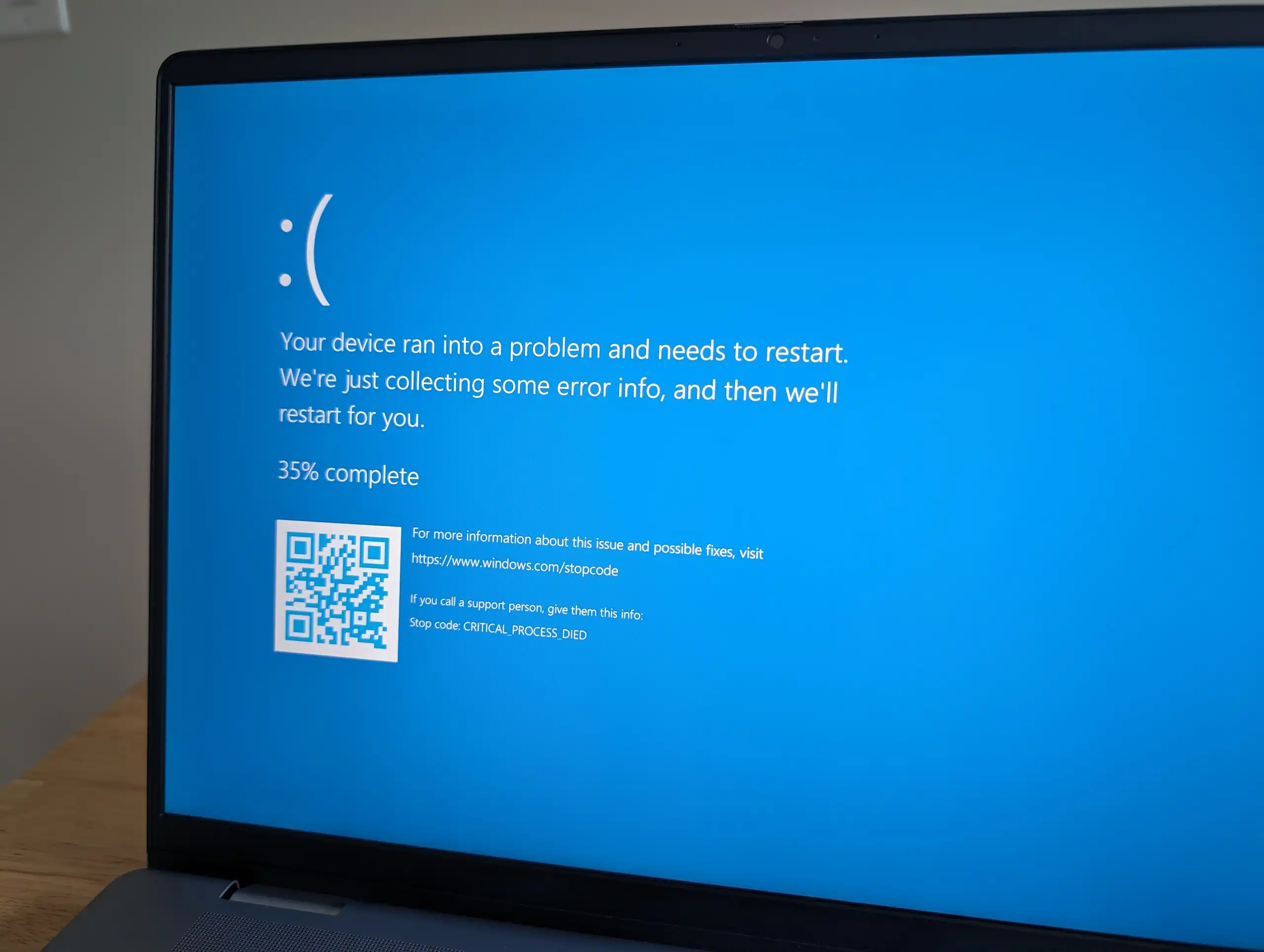
Software updates are designed to improve security, stability, and performance. However, many users experience serious problems immediately after updating their laptops. Laptop update errors can interrupt work, slow down performance, or even prevent the system from starting properly. From failed installations to freezing, crashes, and overheating, these issues can quickly become frustrating.
Fortunately, most laptop update errors are fixable when handled correctly. In this guide, we explain why update issues happen, what mistakes to avoid, and how proven repair solutions restore laptop performance safely and efficiently.
What Are Laptop Update Errors?
Laptop update errors occur when operating system updates fail to install correctly or cause system instability afterward. These problems can affect Windows laptops, macOS devices, and even Linux systems.
Common Signs of Laptop Update Problems
- Update stuck at a certain percentage
- Laptop restarting repeatedly
- Black screen after update
- Slow performance after update
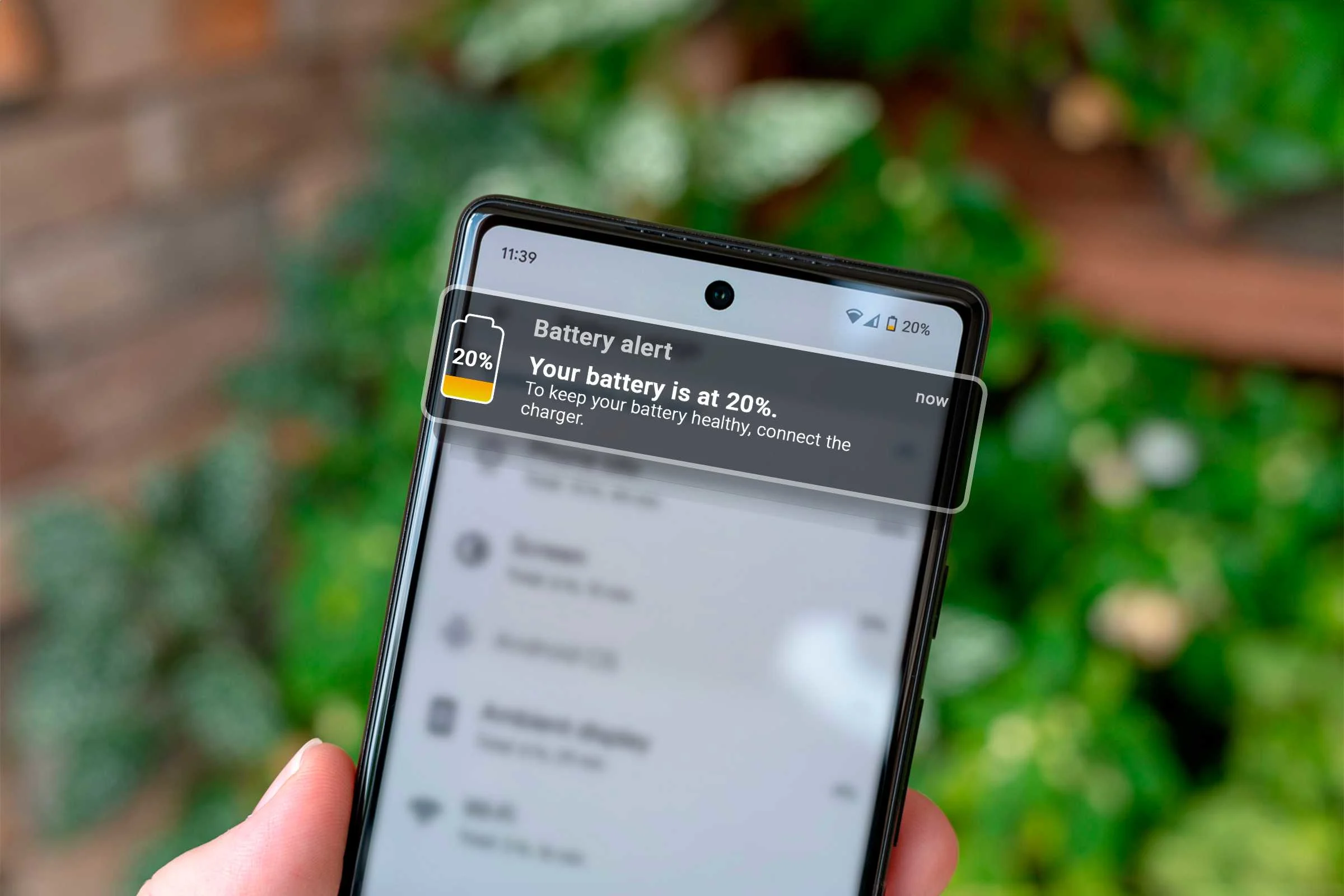
- Battery draining faster than usual
- Wi-Fi or Bluetooth not working
However, understanding the cause helps determine the right fix.
Why Laptop Update Errors Happen After Installation
Laptop updates interact deeply with hardware and software. As a result, even small issues can trigger errors.
Common Causes of Laptop Update Errors
- Interrupted updates due to power loss
- Insufficient storage space
- Corrupted system files
- Outdated drivers
- Hardware limitations on older laptops
Moreover, installing updates without preparation increases the risk of failure.
Laptop Update Errors During Installation Explained
Some problems appear before the update finishes.
Installation-Related Update Failures
- Update stuck or frozen
- Error codes during installation
- Endless “preparing update” screen
Therefore, stopping the update incorrectly can worsen system damage.
Laptop Update Errors That Affect Performance
Even when updates install successfully, performance issues may follow.
Performance Issues After Laptop Updates
- Sluggish boot times
- Apps freezing or crashing
- Overheating during normal use
- Increased fan noise
As a result, users often believe their laptop is failing when the issue lies in update conflicts.
Laptop Update Errors Causing Boot Loop or Black Screen
Some of the most serious laptop update issues prevent the system from starting.
Why Boot Issues Happen After Updates
- Corrupted boot files
- Driver conflicts
- Failed firmware updates
Fortunately, professional repair can often restore boot functionality without data loss.
What to Do First When Laptop Update Errors Appear
Your initial response plays a critical role.
Safe First Steps
- Restart the laptop once
- Disconnect external devices
- Check available storage
- Avoid forced shutdowns
Additionally, backing up data immediately protects against accidental loss.
What NOT to Do After Laptop Update Errors
Many users unintentionally cause permanent damage.
Common Mistakes to Avoid
- Factory resetting without backup
- Installing random “fix” software
- Ignoring overheating warnings
- Repeating failed updates continuously
Therefore, careful troubleshooting is essential.
Laptop Update Errors on Windows Laptops
Windows updates are a frequent cause of system issues.
Common Windows Laptop Update Problems
- Windows update stuck or failed
- Blue screen after update
- Driver incompatibility
- System file corruption
However, controlled repairs can stabilize the system.
Laptop Update Errors on macOS Devices
MacBooks are not immune to update problems.
macOS Update Issues on Laptops
- macOS installation stuck
- Wi-Fi or Bluetooth disabled
- External devices not detected
- Reduced battery performance
Moreover, older MacBooks face higher risks during major updates.
Real Fixes That Work for Laptop Update Errors
Not all fixes online are reliable. Below are proven solutions.
Professional Software Fixes
- System file repair
- Controlled OS reinstallation
- Driver conflict resolution
- Cache and update cleanup
These solutions restore stability without unnecessary data loss.
When Laptop Update Errors Are Hardware-Related
Updates can expose existing hardware weaknesses.
Hardware Issues Triggered by Updates
- Failing hard drives or SSDs
- Weak batteries under new OS load
- Overheating due to dust buildup
As a result, software fixes alone may not solve the issue.
Why DIY Laptop Update Fixes Often Fail
Searching for laptop update issues online leads many users to risky solutions.
Risks of DIY Fixes
- Permanent data loss
- Firmware corruption
- Hardware damage
- Reduced repair success later
Therefore, professional diagnosis is often safer and faster.
Milaaj Mobile Repair: Trusted Laptop Update Error Solutions
Milaaj mobiles and laptop repair Al Barsha provides expert solutions for laptop update issues, resolving installation failures and performance issues using professional tools and proven techniques.
Why Choose Professional Laptop Repair Services?
- Low-price repair solutions
- Speed repairing to minimize downtime
- Convenient service for home and business users
- High-quality parts for replacements
- Expert technicians trained in laptop diagnostics
Moreover, data protection remains a top priority.
Benefits of Professional Laptop Update Repair
Cost-Effective Solutions
Repairing update issues costs far less than replacing a laptop.
Fast Turnaround Time
Many issues are resolved within hours.
Device Safety
Professional handling prevents further damage.
Long-Term Performance
Laptops run smoother after proper repair.
How Long Should You Wait Before Fixing Laptop Update Errors?
Timing is critical when facing laptop update issues.
Recommended Timeline
- Immediately: Stop repeated restarts
- Within 24 hours: Seek diagnosis
- Delays: Increased data and hardware risk
Therefore, early intervention delivers better results.
How to Prevent Laptop Update Errors in the Future
Prevention saves time and money.
Expert Prevention Tips
- Back up data before updates
- Maintain sufficient storage space
- Keep drivers updated
- Avoid updates on low battery
- Clean laptop cooling systems regularly
As a result, update success rates improve significantly.
Frequently Asked Questions
Are laptop update errors common?
Yes, especially after major OS updates.
Can laptop update errors be fixed without data loss?
In most cases, yes, with professional repair.
Should I stop updating my laptop?
No, but updates should be done carefully.
Final Thoughts: Laptop Update Errors Have Reliable Fixes
Facing laptop update errors can be frustrating, but they are rarely permanent. With proper diagnosis, real fixes, and expert handling, laptops can return to full performance quickly and safely.
Instead of risking further damage with DIY solutions, professional laptop repair offers a reliable, affordable, and efficient way to resolve update-related issues. Therefore, choosing expert repair services remains the smartest decision.
Other Services:
- Need other laptop repairs? Check out Milaaj’s laptop repair services in Dubai.
- Looking to upgrade? Learn about selling your used laptop in Dubai.
- Data loss concerns? Visit Milaaj’s data recovery services.
📍 Visit Any Milaaj Branch in Dubai
🔹 Bur Dubai
Milaaj Mobile and Laptop Repair Dubai
📞 055 258 8477
🔗 Google Maps
🔹 Al Barsha
Milaaj Mobiles and Laptop Repair Al Barsha
📞 052 596 2846
🔗 Google Maps
🔹 Al Barsha 3
Milaaj Mobiles and Gaming Store
📞 052 3405 814
🔗 Google Maps
🔹 Al Nuaimiya
Milaaj Mobiles and Laptops Ajman
📞 055 788 9654
🔗 Google Maps
Shop Locations: Al Barsha | Bur Dubai | Reef Mall, Salah Al Din | Al Nuaimiya, Ajman
Email: support@milaaj.com
Operating Hours: Monday – Sunday

Leave a Reply