

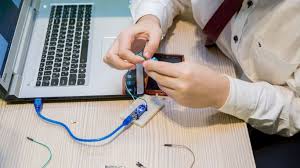
A damaged charging port can quickly turn your powerful MacBook into a useless device. If your laptop charges intermittently, disconnects easily, or refuses to power up altogether, the problem often lies with the charging port. MacBook charging port damaged issues are more common than many users realize, especially with daily wear and tear.
Fortunately, effective and safe repair solutions are available. Rather than risking further damage through guesswork, understanding the causes, symptoms, and professional repair options can save time, money, and frustration. Therefore, this detailed guide explains everything you need to know about MacBook charging port damage and the best repair solutions available today.
What Does a Damaged MacBook Charging Port Mean?
A MacBook charging port damaged condition occurs when the internal connector responsible for receiving power becomes loose, worn, dirty, or electrically faulty. As a result, power transfer becomes unstable or completely fails.
Common Signs of MacBook Charging Port Damage
- MacBook charges only at a certain angle
- Charger disconnects with slight movement
- “Not Charging” warning appears frequently
- Slow or inconsistent charging
- Visible debris or bent pins in the port
Because these symptoms often worsen gradually, many users ignore them until charging fails entirely.
Main Causes of MacBook Charging Port Damage
Understanding the root causes is essential. First and foremost, identifying the source of the problem helps prevent repeat damage after repair.
1. Daily Wear and Tear
Over time, repeated plugging and unplugging naturally wears down the charging port. Consequently, internal connectors loosen and lose proper contact.
2. Pulling the Cable Incorrectly
Yanking the charger out by the cable rather than the connector strains the port. Eventually, this leads to a loose or damaged MacBook charging port.
3. Dust, Debris, and Moisture
Moreover, lint and dust accumulation can block charging contacts. In humid environments, moisture corrosion further damages internal components.
4. Using Non-Original Chargers
Low-quality or incompatible chargers can send unstable power. As a result, the charging port overheats or sustains electrical damage.
Why You Shouldn’t Ignore a Damaged Charging Port
Although your MacBook may still charge occasionally, ignoring the issue is risky. Over time, a MacBook charging port damaged problem can:
- Damage the logic board
- Reduce battery lifespan
- Cause overheating
- Lead to complete power failure
Therefore, early repair is not only safer but also more cost-effective.
DIY Fixes vs Professional Repair: What’s Safer?
Many users attempt DIY fixes, such as cleaning the port with sharp tools or forcing the cable into place. However, these methods often cause more harm than good.
DIY Cleaning Risks
- Scratching internal pins
- Breaking delicate connectors
- Pushing debris deeper
While gentle cleaning with compressed air may help temporarily, it rarely solves deeper issues. Hence, professional repair remains the safest option.
Professional MacBook Charging Port Repair Solutions
When your MacBook charging port is damaged, professional technicians follow structured repair procedures to ensure long-term reliability.
1. Charging Port Inspection & Diagnostics
Firstly, technicians inspect the port using magnification tools to identify physical damage, debris, or electrical faults.
2. Precision Port Cleaning
If debris is the main issue, specialized tools are used to clean the port safely without damaging connectors.
3. Charging Port Repair or Replacement
If internal components are broken, the charging port is repaired or replaced using high-quality parts to restore stable charging.
4. Power & Battery Testing
Finally, the MacBook undergoes power-flow testing to ensure the issue is fully resolved.
USB-C Charging Port Damage on Newer MacBooks
Modern MacBooks use USB-C charging ports, which are compact but delicate. Unfortunately, this makes them more vulnerable to damage.
Common USB-C Charging Issues
- Port becomes loose
- Charging stops randomly
- One port works while others fail
Because USB-C ports are soldered to internal boards, expert handling is critical. Therefore, professional micro-soldering skills are often required.
MacBook Charging Port Repair Cost: What to Expect
Repair costs vary depending on damage severity and MacBook model. However, charging port repair is usually far more affordable than logic board replacement.
Factors affecting cost include:
- MacBook model
- USB-C vs MagSafe port
- Extent of internal damage
- Part quality used
Choosing the right repair center ensures fair pricing and long-term reliability.
Why Choose Professional Repair Over Replacement?
In many cases, users assume their MacBook needs replacement. However, repairing a MacBook charging port damaged issue is often faster and more economical.
Benefits of Repair
- Lower cost than replacement
- Faster turnaround time
- Preserves data and settings
- Environmentally friendly
Thus, repair is usually the smarter choice.
Milaaj Mobile Repair – Trusted MacBook Charging Port Repair in Al Barsha
When it comes to reliable solutions, Milaaj mobiles and laptop repair Al Barsha stands out for expert-level MacBook repairs.
Why Choose Milaaj Mobile Repair?
Low-Cost Repair Solutions
Affordable pricing without compromising quality ensures value for every customer.
Fast Turnaround Time
Most MacBook charging port repairs are completed within hours, minimizing downtime.
High-Quality Parts
Only premium-grade replacement parts are used to ensure durability and safety.
Skilled Technicians
Experienced technicians handle delicate MacBook components with precision and care.
Convenience & Transparency
Clear diagnostics, honest pricing, and customer-friendly service make repairs stress-free.
Therefore, if your MacBook charging port is damaged, Milaaj provides a dependable and professional solution.
How to Prevent Future Charging Port Damage
Once repaired, prevention becomes essential. Fortunately, small habits make a big difference.
Best Practices to Protect Your Charging Port
- Always unplug by holding the connector
- Avoid charging on soft surfaces
- Keep ports clean and dry
- Use certified chargers only
- Avoid excessive cable bending
By following these steps, you can significantly extend your MacBook’s lifespan.
When Should You Seek Immediate Repair?
You should seek professional help immediately if:
- The MacBook doesn’t charge at all
- Charging causes overheating
- The port feels loose or unstable
- You see sparks or burning smell
Delaying repair can cause irreversible internal damage.
FAQs About MacBook charging port damaged
Q1. How do I know if my MacBook charging port is damaged?
If your MacBook charges intermittently, disconnects easily, or shows “Not Charging,” the charging port may be damaged.
Q2. Can a damaged MacBook charging port be repaired?
Yes. In most cases, a damaged MacBook charging port can be professionally repaired or replaced without data loss.
Q3. Is it safe to keep using a damaged charging port?
No. Continuing to use a damaged charging port can harm the battery or logic board.
Q4. How long does MacBook charging port repair take?
Most professional repairs are completed within a few hours, depending on the model and damage level.
Q5. Is charging port repair cheaper than replacing a MacBook?
Yes. Charging port repair is far more affordable than replacing the entire MacBook.
Final Thoughts: Fix MacBook Charging Port Damage the Right Way
In conclusion, a MacBook charging port damaged issue should never be ignored. While temporary fixes may seem convenient, professional repair offers lasting safety and performance.
Moreover, expert services provide fast diagnostics, affordable solutions, and reliable results. With timely repair and proper care, your MacBook can regain stable charging and long-term reliability without unnecessary replacements.
Other Services:
- Need other Mac Book repairs? Check out Milaaj’s MacBook repair services in Dubai.
- Overheating issues? Explore MacBook repair in Dubai for similar cooling solutions.
- Looking to upgrade? Learn about selling your used laptop in Dubai.
- Data loss concerns? Visit Milaaj’s data recovery services.
- For Apple users, check Apple trade-in options in Dubai.
📍 Visit Any Milaaj Branch in Dubai
🔹 Bur Dubai
Milaaj Mobile and Laptop Repair Dubai
📞 055 258 8477
🔗 Google Maps
🔹 Al Barsha
Milaaj Mobiles and Laptop Repair Al Barsha
📞 052 596 2846
🔗 Google Maps
🔹 Al Barsha 3
Milaaj Mobiles and Gaming Store
📞 052 3405 814
🔗 Google Maps
🔹 Al Nuaimiya
Milaaj Mobiles and Laptops Ajman
📞 055 788 9654
🔗 Google Maps
Shop Locations: Al Barsha | Bur Dubai | Reef Mall, Salah Al Din | Al Nuaimiya, Ajman
Email: support@milaaj.com
Operating Hours: Monday – Sunday
Leave a Reply