

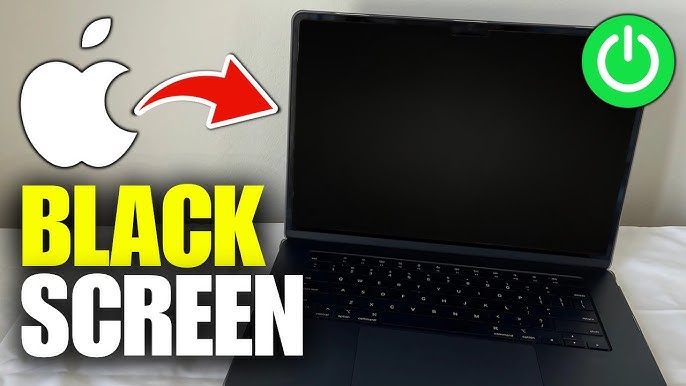
Is your MacBook screen black but device is on, even though you hear startup sounds or see the keyboard light up? This frustrating issue can appear suddenly and, therefore, leave users confused and worried about data loss. However, the good news is that many causes are fixable either at home or through professional repair.
In this in-depth guide, we’ll explain why your MacBook screen stays black while the Mac is running, what troubleshooting steps you should try first, and when expert repair is the safest option. Moreover, we’ll cover how professionals diagnose the issue accurately and restore your MacBook without unnecessary replacements.
Understanding the “MacBook Screen Black But Device Is On” Problem
When a MacBook screen is black but the device is on, it means the system is powered, but the display is not showing output. In many cases, the Mac is still functioning in the background. For example, you might hear notifications, startup chimes, or fan noise.
This issue can affect:
- MacBook Air
- MacBook Pro
- Intel and Apple Silicon (M1, M2, M3) models
Although the symptoms look similar, the underlying causes can differ widely.
Common Reasons Why MacBook Screen Is Black but Mac Is Running
Display Brightness Set Too Low
First of all, the simplest reason is often overlooked. Sometimes the brightness is accidentally turned all the way down, making the screen appear black even though it’s on.
Try this first:
Press F2 repeatedly or use the Touch Bar to increase brightness.
macOS Software or System Glitches
Secondly, temporary macOS bugs can cause the MacBook screen black but device is on issue, especially after:
- macOS updates
- App crashes
- Sleep or wake errors
As a result, the display driver may fail to load correctly.
External Display or Display Output Conflict
If your MacBook was previously connected to an external monitor, it may still be routing display output externally. Therefore, the built-in screen remains black.
Tip: Disconnect all external displays and restart your MacBook.
Backlight or Display Cable Failure
In many cases, the screen is actually working, but the backlight has failed. This is common in older MacBooks or those exposed to drops or pressure.
Sign: You can faintly see the desktop under strong light.
Logic Board or GPU Problems
If the MacBook screen is black but the device is on, a failing GPU or logic board component could be responsible. This issue is more common in:
- Older Intel MacBooks
- Units exposed to overheating or liquid damage
Battery, Power, or Charging Issues
Interestingly, unstable power delivery can cause the display to shut off while the Mac stays powered. Therefore, battery health should never be ignored.
Step-by-Step Fixes to Try Before Repair
Restart Your MacBook Properly
Firstly, perform a full restart:
- Hold the Power button for 10 seconds
- Wait a few seconds
- Turn it back on
Sometimes, this alone resolves the MacBook screen black but device is on issue.
Reset NVRAM / PRAM (Intel Macs)
This resets display and system settings:
- Shut down the Mac
- Power on and immediately press Option + Command + P + R
- Hold for 20 seconds
Reset SMC (Intel Macs)
SMC controls power and display behavior. Resetting it can help if the screen remains black.
Boot into Safe Mode
Booting into Safe Mode helps identify software conflicts:
- Intel: Hold Shift at startup
- Apple Silicon: Hold Power → Startup Options → Safe Mode
If the display works in Safe Mode, the issue is likely software-related.
When DIY Fixes Are Not Enough
Although basic steps help in some cases, professional repair becomes essential if:
- The screen stays black after resets
- There are visible lines, flickering, or no backlight
- Liquid exposure occurred
- The Mac overheats or restarts randomly
At this stage, continued DIY attempts may worsen the damage.
Professional Diagnosis for MacBook Black Screen Issues
Advanced Hardware Testing
Repair experts use diagnostic tools to test:
- Display panel
- Backlight circuits
- Display flex cables
- Logic board components
This ensures accurate identification of why the MacBook screen is black but device is on.
Component-Level Repair Instead of Replacement
Rather than replacing the entire screen or logic board, professionals often repair only the faulty component. As a result, costs are significantly reduced.
Data-Safe Repair Procedures
Importantly, expert technicians prioritize data safety, ensuring your files remain untouched during repair.
MacBook Screen Repair at Milaaj Mobile Repair Center
When dealing with a MacBook screen black but device is on problem, choosing the right repair center matters. Milaaj mobiles and laptop repair Al Barsha provides reliable, affordable, and professional MacBook repair solutions.
Why Choose Milaaj?
Low-Price Repair Options
Instead of costly replacements, Milaaj focuses on budget-friendly component repairs, helping customers save money.
Fast Turnaround Time
Most MacBook display issues are diagnosed the same day, and many repairs are completed quickly, minimizing downtime.
Convenience & Transparency
From easy drop-off to clear explanations, the repair process is smooth and stress-free.
High-Quality Parts
Only premium-grade replacement parts are used to ensure long-lasting performance and display clarity.
Skilled Apple Repair Experts
Technicians are experienced with MacBook Air and Pro models, including Apple Silicon devices.
Preventing MacBook Black Screen Issues in the Future
Although not all issues are preventable, these tips help reduce risk:
- Avoid closing the lid with objects on the keyboard
- Use surge protectors
- Keep liquids away from your MacBook
- Ensure proper ventilation to prevent overheating
- Update macOS regularly
As a result, your MacBook display stays reliable for years.
FAQs: MacBook screen black but device is on
Why is my MacBook screen black but the device is on?
This usually happens due to display settings, software glitches, backlight failure, or hardware issues like a faulty display cable or logic board.
Can a MacBook work with a black screen?
Yes. If the MacBook screen is black but the device is on, the system may still be running in the background. External display testing can confirm this.
How do I know if my MacBook backlight is broken?
If you can see faint images on the screen using a flashlight, the backlight is likely damaged.
Will resetting macOS fix a black screen?
Sometimes. If the cause is software-related, macOS reinstallation may help. However, hardware faults require professional repair.
Is data safe during MacBook screen repair?
Yes, reputable repair centers use data-safe procedures, ensuring your files remain intact.
How long does MacBook black screen repair take?
Minor issues can be fixed the same day, while complex logic board repairs may take longer.
Is it expensive to fix a MacBook black screen?
Costs vary depending on the cause. Component-level repairs are significantly cheaper than full screen replacements.
Final Thoughts: MacBook screen black but device is on
A MacBook screen black but device is on issue can feel alarming at first. However, with proper diagnosis and the right repair approach, it’s often completely fixable. While basic troubleshooting is worth trying, persistent problems should always be handled by professionals to avoid further damage.
If your MacBook display remains black despite the device being powered on, expert repair ensures fast recovery, cost savings, and peace of mind.
Other Services:
- Need other Mac Book repairs? Check out Milaaj’s MacBook repair services in Dubai.
- Overheating issues? Explore MacBook repair in Dubai for similar cooling solutions.
- Looking to upgrade? Learn about selling your used laptop in Dubai.
- Data loss concerns? Visit Milaaj’s data recovery services.
- For Apple users, check Apple trade-in options in Dubai.
📍 Visit Any Milaaj Branch in Dubai
🔹 Bur Dubai
Milaaj Mobile and Laptop Repair Dubai
📞 055 258 8477
🔗 Google Maps
🔹 Al Barsha
Milaaj Mobiles and Laptop Repair Al Barsha
📞 052 596 2846
🔗 Google Maps
🔹 Al Barsha 3
Milaaj Mobiles and Gaming Store
📞 052 3405 814
🔗 Google Maps
🔹 Al Nuaimiya
Milaaj Mobiles and Laptops Ajman
📞 055 788 9654
🔗 Google Maps
Shop Locations: Al Barsha | Bur Dubai | Reef Mall, Salah Al Din | Al Nuaimiya, Ajman
Email: support@milaaj.com
Operating Hours: Monday – Sunday



Leave a Reply