

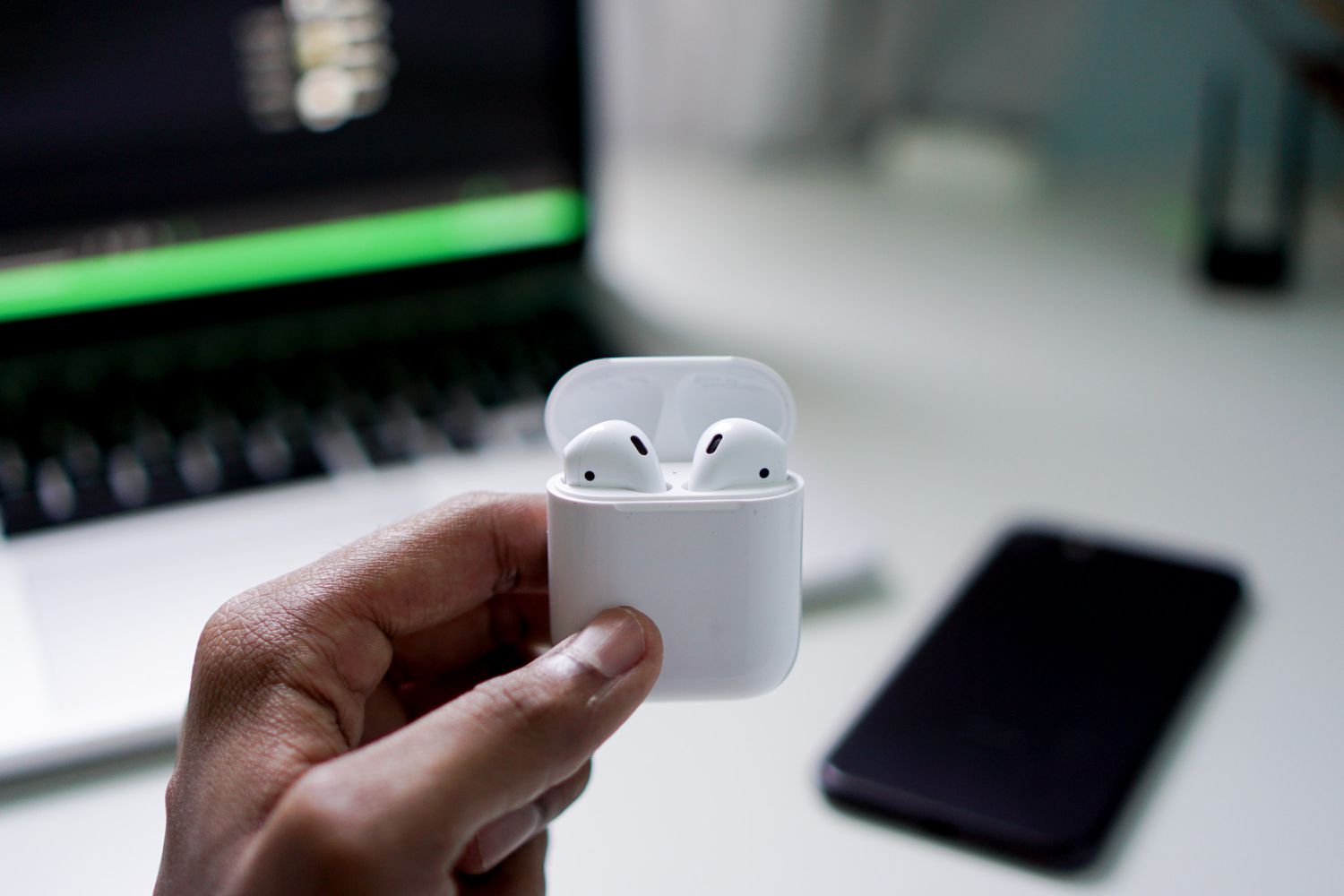
Apple AirPods are designed for convenience, portability, and daily use. However, despite their sleek design and advanced technology, they are highly vulnerable to moisture. If your water damaged Apple AirPods won’t turn on, the situation can be stressful especially when they suddenly stop responding after exposure to water, sweat, rain, or accidental spills.
Although Apple markets AirPods as water-resistant (on select models), they are not waterproof. Therefore, even a small amount of moisture can damage internal components. Most importantly, understanding what to do immediately and what to avoid can significantly improve the chances of repair.
Why Water Damaged Apple AirPods Won’t Turn On
When moisture enters AirPods, it affects delicate internal parts such as the battery, charging contacts, microphones, and logic circuits. As a result, the AirPods may stop powering on entirely.
Common Causes of Water Damage in AirPods
- Dropping AirPods in water
- Sweat during workouts
- Rain exposure
- Washing machine accidents
- High humidity environments
Consequently, even if the AirPods look dry on the outside, internal corrosion may already be forming.
Early Warning Signs of Water Damaged AirPods
Before AirPods completely stop working, there are usually subtle signs.
1. AirPods Not Charging Properly
If your AirPods stop charging or charge inconsistently, moisture may have damaged the charging contacts. Over time, corrosion prevents proper power flow.
2. One AirPod Works, the Other Doesn’t
Often, water damage affects one earbud more than the other. Therefore, uneven performance is a strong indicator of internal moisture.
3. Case Not Recognizing AirPods
If the charging case fails to detect the AirPods, water damage may have affected the connectors or internal circuitry.
Advanced Symptoms When AirPods Won’t Turn On
When the damage progresses, symptoms become more serious.
1. No Indicator Light on Charging Case
If the case shows no light even when plugged in, moisture may have short-circuited the power board.
2. AirPods Overheating
In some cases, internal shorts caused by water lead to overheating, which is dangerous and requires immediate attention.
3. AirPods Completely Dead
At this stage, water damaged Apple AirPods won’t turn on at all, even after charging for hours.
What to Do Immediately After Water Exposure
Quick action is critical.
Step 1: Remove AirPods From Water Immediately
First and foremost, take them out of water as fast as possible.
Step 2: Power Them Off
If they are still on, disconnect Bluetooth and stop usage. Continuing to use them can worsen damage.
Step 3: Dry the Exterior Gently
Use a soft, lint-free cloth. However, do not shake them aggressively.
What NOT to Do (Very Important)
Many DIY mistakes cause permanent damage.
Avoid These Common Errors
- Do not use a hair dryer
- Do not microwave
- Do not charge while wet
- Do not put in rice (ineffective for internal moisture)
Instead, allow proper drying or seek professional help.
Can You Fix Water Damaged Apple AirPods at Home?
In mild cases, limited moisture exposure may resolve after proper drying. However, once AirPods won’t turn on, internal damage is likely.
Basic Troubleshooting Steps
- Clean charging contacts carefully
- Try a different charging cable
- Reset AirPods via iPhone settings
- Charge for at least 30 minutes
Nevertheless, if these steps fail, professional repair is required.
How Professionals Repair Water Damaged Apple AirPods
When AirPods stop responding, technicians follow advanced procedures.
Ultrasonic Cleaning for Corrosion Removal
Ultrasonic cleaning removes corrosion from internal boards safely. As a result, power flow may be restored.
Battery Testing and Replacement
Water often damages tiny lithium batteries. Therefore, replacing faulty batteries is sometimes necessary.
Micro-Soldering and Circuit Repair
If corrosion damages circuit paths, micro-soldering repairs restore connectivity.
Why Charging Case Damage Matters
Many users focus only on the earbuds. However, the charging case is just as critical.
Case-Related Water Damage Symptoms
- No LED light
- AirPods not charging
- Case heating up
- Intermittent charging
In many situations, repairing or replacing the case solves the issue.
When Data and Firmware Are Affected
Although AirPods don’t store user data, firmware corruption can occur.
Firmware Recovery
Technicians re-establish stable firmware connections after repairing power circuits.
When Repair Is No Longer Possible
Unfortunately, in severe cases:
- Logic boards are irreparably corroded
- Batteries are swollen or leaking
- Multiple components are destroyed
At this point, replacement becomes the only option.
Professional Repair You Can Trust for Water damaged Apple AirPods won’t turn on
Milaaj mobiles and laptop repair Al Barsha provides advanced diagnostics and professional repair for water damaged Apple AirPods using industry-grade tools and expert repair techniques.
How to Prevent Water damaged Apple AirPods won’t turn on
Fortunately, prevention is easier than repair.
Prevention Tips
- Avoid wearing AirPods in heavy rain
- Dry them after workouts
- Store in a dry case
- Avoid steam and humidity
- Never charge when wet
By following these steps, you greatly reduce moisture risk.
FAQs: Water Damaged Apple AirPods Won’t Turn On
1. Why won’t my water damaged Apple AirPods turn on?
When AirPods are exposed to water, moisture can damage the battery, charging contacts, or internal circuits. As a result, power flow stops and the AirPods fail to turn on.
2. Can Apple AirPods be repaired after water damage?
Yes, in many cases. Professional repair methods like ultrasonic cleaning, battery replacement, and micro-soldering can restore water damaged Apple AirPods, especially when addressed early.
3. Should I charge AirPods after they get wet?
No. Charging AirPods while moisture is present can cause short circuits and worsen internal damage. It’s best to dry them completely and seek professional inspection.
4. How long should I wait before trying to use wet AirPods?
You should wait at least 24–48 hours after proper drying. However, if the AirPods still won’t turn on, professional repair is recommended.
5. Does putting AirPods in rice fix water damage?
No. Rice does not remove internal moisture and can leave dust inside the device. This method often delays proper repair and increases corrosion risk.
Final Thoughts: Water damaged Apple AirPods won’t turn on
In conclusion, when water damaged Apple AirPods won’t turn on, the problem is often internal and progressive. While minor exposure may not cause immediate failure, hidden corrosion can lead to complete power loss over time.
Therefore, acting quickly, avoiding harmful DIY methods, and seeking professional repair can make the difference between saving your AirPods and permanent damage. With the right repair approach, even severely affected AirPods can sometimes be restored.
Other Services:
- Need other iPhone repairs? Check out Milaaj’s apple airpods repair services in Dubai.
- Looking to upgrade? Learn about selling your used device in Dubai.
- For Apple users, check Apple trade-in options in Dubai.
📍 Visit Any Milaaj Branch in Dubai
🔹 Bur Dubai
Milaaj Mobile and Laptop Repair Dubai
📞 055 258 8477
🔗 Google Maps
🔹 Al Barsha
Milaaj Mobiles and Laptop Repair Al Barsha
📞 052 596 2846
🔗 Google Maps
🔹 Al Barsha 3
Milaaj Mobiles and Gaming Store
📞 052 3405 814
🔗 Google Maps
🔹 Al Nuaimiya
Milaaj Mobiles and Laptops Ajman
📞 055 788 9654
🔗 Google Maps
Shop Locations: Al Barsha | Bur Dubai | Reef Mall, Salah Al Din | Al Nuaimiya, Ajman
Email: support@milaaj.com
Operating Hours: Monday – Sunday
Leave a Reply