

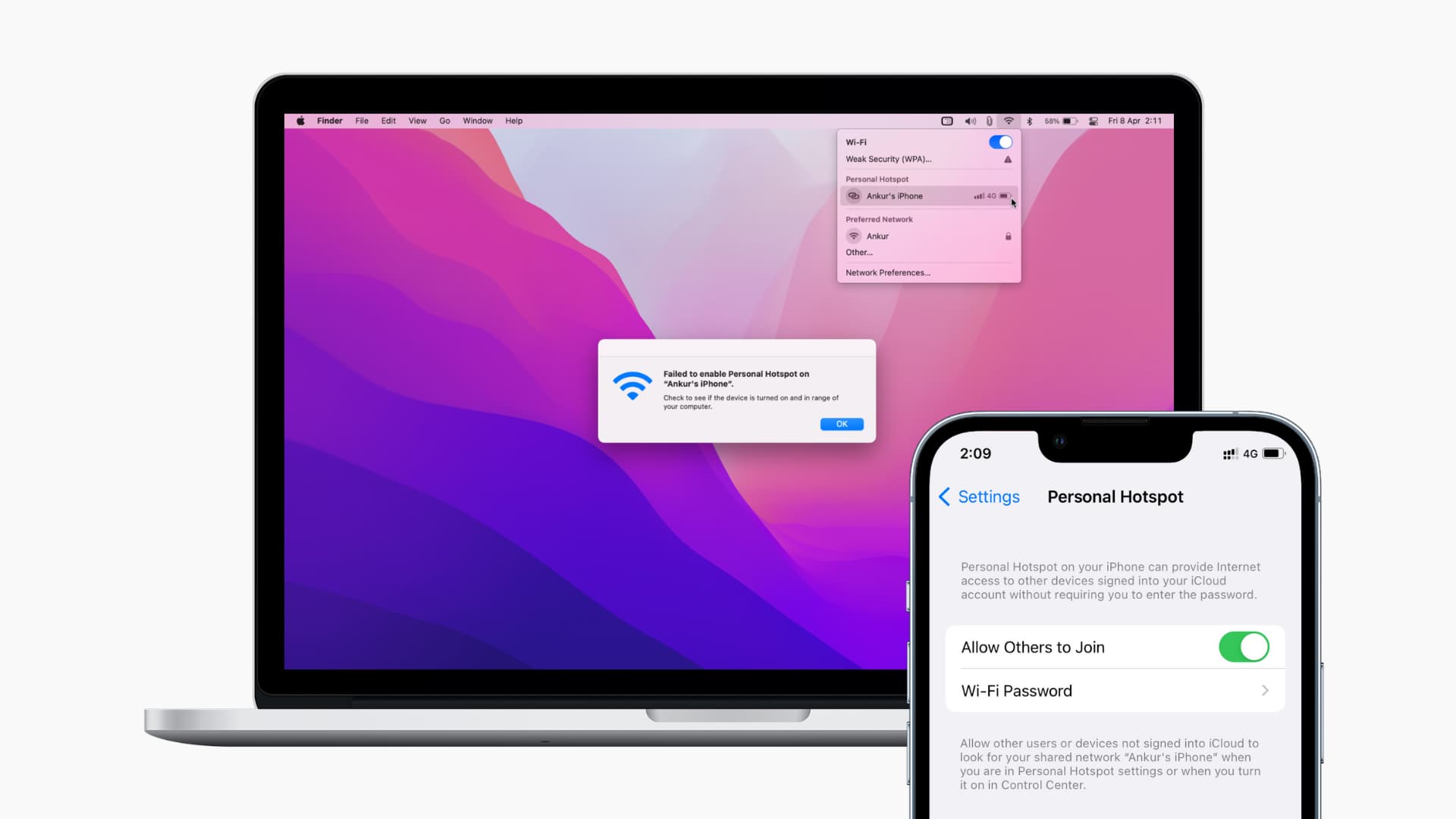
Apple updates are meant to improve performance and security; however, many users experience frustrating connectivity problems afterward. When Wi-Fi or Bluetooth is not working after an iOS update in MacBook, it can quickly disrupt work, meetings, and daily productivity. In some cases, users face unstable connections, while in other situations, there may be complete signal loss. As a result, these wireless issues are far more common than you might think.
Fortunately, professional repair solutions can restore your MacBook’s wireless functions safely and efficiently. In this guide, we’ll first explain why updates cause connectivity failures; then, we’ll highlight the steps you should avoid. Finally, we’ll show how expert repair shops diagnose and fix the problem, helping you get back to smooth and reliable connectivity without unnecessary delays.
Why Wi-Fi or Bluetooth Not Working After iOS Update in MacBook Happens
Before fixing the issue, it’s important to understand the root cause. In many cases, Wi-Fi or Bluetooth not working after iOS update in MacBook is linked to software-hardware conflicts introduced during the update.
Common Reasons MacBook Wireless Stops Working After Update
- Corrupted system preference files
- Incomplete or interrupted macOS update
- Driver compatibility issues
- Network configuration conflicts
- Underlying hardware weakness exposed by update
Moreover, updates stress system components, which can reveal hidden problems that weren’t noticeable before.
Signs Your MacBook Wi-Fi or Bluetooth Failed After Update
Identifying the symptoms helps technicians choose the right repair method.
Common Connectivity Issues After macOS or iOS Updates
- Wi-Fi icon missing or disabled
- Bluetooth unable to turn on
- Devices not pairing or disconnecting frequently
- Wi-Fi connected but no internet
- Bluetooth keyboard or mouse not detected
If Wi-Fi or Bluetooth not working after iOS update in MacBook, repeated restarts usually don’t solve the problem permanently.
Basic Checks When Wi-Fi or Bluetooth Stops Working After Update
Before seeking professional help, a few safe checks can be attempted.
Initial Troubleshooting Steps
- Restart the MacBook
- Toggle Wi-Fi and Bluetooth off and on
- Reset network settings
- Check for additional system updates
Sometimes, minor glitches resolve quickly. However, persistent problems indicate deeper system or hardware issues.
Why DIY Fixes Often Fail for MacBook Connectivity Problems
Many users try online fixes when Wi-Fi or Bluetooth not working after iOS update in MacBook, but not all solutions are safe.
Common DIY Mistakes to Avoid
- Deleting system files manually
- Installing unverified software tools
- Resetting macOS without backup
- Ignoring hardware diagnostics
As a result, these actions can worsen the issue or cause data loss.
How Repair Shops Diagnose Wi-Fi and Bluetooth Issues After Update
Professional repair shops follow a structured diagnostic approach.
Step-by-Step Expert Diagnosis for Wi-Fi or Bluetooth Not Working After iOS Update in MacBook
- macOS system log analysis
- Network preference integrity check
- Driver and firmware testing
- Antenna and wireless chip inspection
Therefore, technicians determine whether the issue is software-based or hardware-related before proceeding.
How Repair Shops Fix Wi-Fi or Bluetooth Not Working After iOS Update in MacBook
Once diagnosed, repair professionals apply targeted solutions.
macOS Wireless System Repair for Wi-Fi or Bluetooth Not Working After iOS Update in MacBook
Technicians rebuild corrupted network configurations safely. This restores Wi-Fi and Bluetooth without affecting user data.
Firmware and Driver Reconfiguration
Repair shops reconfigure or reinstall compatible drivers, ensuring smooth communication between macOS and wireless hardware.
Hardware-Related Causes After Apple Updates
In some cases, updates reveal existing hardware problems.
Common Hardware Issues Affecting Wireless Connectivity
- Faulty Wi-Fi or Bluetooth module
- Loose or damaged antenna cables
- Logic board micro-damage
- Power regulation issues
Although these issues existed before, the update process can trigger failure.
Why Wi-Fi or Bluetooth Not Working After iOS Update in MacBook Needs Professional Attention
Wireless connectivity is essential for modern MacBooks. When Wi-Fi or Bluetooth not working after iOS update, expert repair ensures a safe and lasting fix.
Benefits of Professional Repair Solutions
- Accurate problem identification
- Data-safe repair methods
- Advanced diagnostic tools
- Long-term performance stability
As a result, professional repairs prevent recurring connectivity issues.
Milaaj Mobile Repair – Trusted MacBook Wireless Repair Experts
Milaaj mobiles and laptop repair Al Barsha specializes in fixing MacBook Wi-Fi and Bluetooth issues caused by software updates and hardware faults.
Why Choose Professional MacBook Repair Services?
- Low-price repair solutions compared to replacements
- Speed repairing with minimal downtime
- Convenient service for home and business users
- High-quality parts used for replacements
- Expert technicians with Apple repair experience
Moreover, technicians prioritize restoring connectivity without unnecessary part changes.
Key Benefits of Repair Shop Wireless Restoration
Affordable Repair Cost
Professional repair costs far less than replacing a MacBook or logic board.
Fast Turnaround Time
Most Wi-Fi and Bluetooth issues are resolved within hours.
Convenience and Reliability
No trial-and-error troubleshooting just expert solutions.
Quality Parts and Long-Lasting Results
High-quality components ensure stable wireless performance.
Prevent Wi-Fi or Bluetooth Issues After Future Updates
Once Wi-Fi or Bluetooth not working after iOS update in MacBook is resolved, prevention becomes essential.
Expert Tips to Avoid Wireless Failures
- Keep sufficient storage space before updates
- Avoid interrupting macOS updates
- Maintain MacBook battery health
- Install updates recommended for your model
- Schedule regular system maintenance
Therefore, your MacBook remains stable and reliable.
When to Visit a Repair Shop Immediately
Seek professional help if:
- Wi-Fi or Bluetooth won’t turn on
- Wireless icon disappears
- External devices won’t connect
- Internet drops repeatedly
- System settings are unresponsive
Delaying repairs may worsen the issue.
FAQs About Wi-Fi or Bluetooth Not Working After iOS Update in MacBook
Can Wi-Fi or Bluetooth be fixed after an update?
Yes, most update-related wireless issues are repairable.
Will data be lost during repair?
No, professional repair methods prioritize data safety.
Is hardware replacement always required?
Not always many issues are software-based.
Final Thoughts: Wi-Fi or Bluetooth Not Working After iOS Update in MacBook
If Wi-Fi or Bluetooth not working after iOS update in MacBook, the problem can feel overwhelming. However, most connectivity issues are fixable with the right expertise. Professional repair shops use safe diagnostics, reliable repair methods, and quality parts to restore full wireless functionality.
Instead of risking data loss with DIY fixes, expert solutions save time, money, and frustration. Therefore, choosing professional repair is the smartest way to restore your MacBook’s performance and connectivity.
Other Services:
- Need other Mac Book repairs? Check out Milaaj’s MacBook repair services in Dubai.
- Overheating issues? Explore MacBook repair in Dubai for similar cooling solutions.
- Looking to upgrade? Learn about selling your used laptop in Dubai.
- Data loss concerns? Visit Milaaj’s data recovery services.
- For Apple users, check Apple trade-in options in Dubai.
📍 Visit Any Milaaj Branch in Dubai
🔹 Bur Dubai
Milaaj Mobile and Laptop Repair Dubai
📞 055 258 8477
🔗 Google Maps
🔹 Al Barsha
Milaaj Mobiles and Laptop Repair Al Barsha
📞 052 596 2846
🔗 Google Maps
🔹 Al Barsha 3
Milaaj Mobiles and Gaming Store
📞 052 3405 814
🔗 Google Maps
🔹 Al Nuaimiya
Milaaj Mobiles and Laptops Ajman
📞 055 788 9654
🔗 Google Maps
Shop Locations: Al Barsha | Bur Dubai | Reef Mall, Salah Al Din | Al Nuaimiya, Ajman
Email: support@milaaj.com
Operating Hours: Monday – Sunday

Leave a Reply