

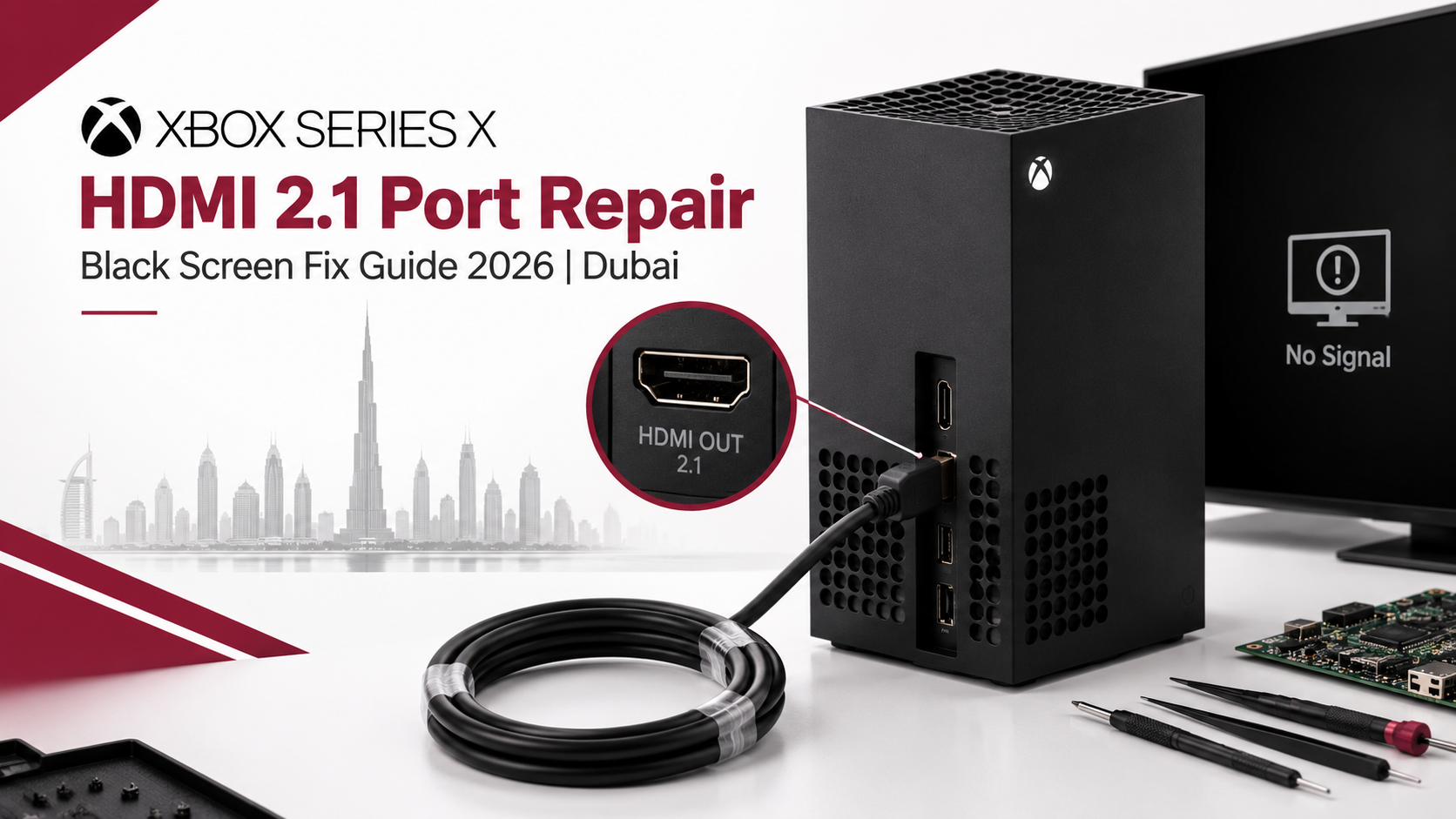
Quick Answer
A black screen on your Xbox Series X usually points to a damaged HDMI 2.1 port, a faulty cable, or in rare cases, a software glitch. Before booking a repair, test a different certified HDMI 2.1 cable and a different TV port first. If the screen still won’t display anything, the issue is most likely physical damage to the HDMI port itself, and professional Xbox Series X HDMI 2.1 port repair Dubai is almost always cheaper and faster than replacing the whole console.
Key Takeaways
- A black screen is often caused by bent pins, a cracked HDMI port, or internal motherboard damage, not a dead console.
- Always test with a new HDMI cable and a different TV port before assuming it’s a hardware fault.
- Flickering, “No Signal” messages, or a picture that only appears when you wiggle the cable all point to HDMI port failure.
- Since the HDMI port is soldered to the motherboard, DIY fixes are risky; professional desoldering and replacement is the safer route.
- Your saved game data and storage are completely unaffected by this repair.
- HDMI port repair typically takes a few hours to a day and costs significantly less than buying a new Xbox Series X.
Few things are more frustrating than turning on your Xbox Series X, hearing it power up perfectly fine, and then staring at a completely black screen with no picture at all. If this sounds familiar, you’re definitely not alone. This guide covers everything you need to know about Xbox Series X HDMI 2.1 port repair Dubai, including common causes, troubleshooting steps, and what a professional repair actually involves.
Understanding the HDMI 2.1 Port on Xbox Series X
The HDMI 2.1 port is responsible for transmitting both video and audio signals from your Xbox Series X to your television or monitor. Unlike older HDMI versions, HDMI 2.1 supports higher resolutions, faster refresh rates, and features like Variable Refresh Rate, which are essential for smooth 4K gaming. However, this also means the port itself contains more delicate internal pins, making it more susceptible to physical damage compared to older connector types.
Why Does the Xbox Series X Show a Black Screen?
Physical Damage to the HDMI Port
One of the most common reasons behind a black screen issue is physical damage inside the HDMI port itself. Bent pins, loose connections, or a cracked port housing can prevent your console from sending any signal to your display at all.
Loose or Faulty HDMI Cable
Sometimes, the issue isn’t the console itself but rather a damaged or low-quality HDMI cable. Therefore, before assuming it’s a hardware fault, it’s always worth testing with a different, high-quality HDMI 2.1 certified cable first.
Software or Firmware Glitches
Occasionally, a black screen results from a software glitch rather than physical damage. This can happen after a failed update or unexpected shutdown during a system process.
Overheating-Related Shutdowns
Additionally, if your console overheats frequently, it may trigger protective shutdowns that sometimes present themselves as a black screen rather than a clear error message.
Internal Motherboard Damage
In more serious cases, the HDMI port’s connection to the motherboard itself may be damaged, often caused by excessive force when plugging or unplugging cables repeatedly.
Signs You Need Professional HDMI Port Repair
No Signal Detected by TV or Monitor
If your television consistently shows “No Signal” even though the Xbox is clearly powered on, this strongly suggests an HDMI port issue.
Flickering or Intermittent Display
Sometimes, the screen flickers on and off randomly, which often indicates a loose internal connection within the HDMI port.
Visible Physical Damage
If you can see bent pins, a wobbly port, or visible cracks around the HDMI connector, professional repair becomes necessary rather than optional.
Display Works Only at Certain Angles
If moving or wiggling the HDMI cable temporarily restores the picture, this is a clear sign that the internal port connection is damaged and needs replacement.
Troubleshooting Steps Before Seeking Repair
Step 1: Try a Different HDMI Cable
First, always rule out a faulty cable by testing with a different, certified HDMI 2.1 cable, ideally one you know works with another device.
Step 2: Test a Different HDMI Port on Your TV
Next, plug your Xbox into a different HDMI port on your television to confirm whether the issue lies with your TV rather than the console itself.
Step 3: Perform a Power Cycle
Unplug your Xbox Series X completely for about two minutes, then plug it back in and power it on. This simple step occasionally resolves temporary software-related black screen issues.
Step 4: Boot Into Low-Resolution Mode
Press and hold the power button for about ten seconds to force shut down, then hold the pair button and eject button simultaneously while powering on. This forces the console into a low-resolution mode, which can help determine if it’s a display setting issue rather than hardware damage.
Step 5: Inspect the HDMI Port Visually
Carefully check the port for dust, debris, or visible pin damage using a flashlight. However, avoid inserting anything into the port yourself, as this can worsen the damage.
If none of these steps resolve the issue, it’s time to consider professional Xbox Series X HDMI 2.1 port repair Dubai services.
What Happens During Professional HDMI Port Repair
Step 1: Diagnostic Testing
First, a technician thoroughly tests your console using alternative cables, displays, and diagnostic tools to confirm the HDMI port is indeed the root cause of the black screen issue.
Step 2: Careful Disassembly
Next, the console is carefully opened to access the motherboard, since the HDMI port is soldered directly onto it, requiring precise handling throughout the process.
Step 3: Desoldering the Damaged Port
The damaged HDMI port is then carefully desoldered from the motherboard without affecting surrounding components, which requires specialized tools and genuine technical expertise.
Step 4: Installing a New HDMI Port
A new, compatible HDMI 2.1 port is then precisely soldered onto the motherboard, ensuring all connections align correctly for proper signal transmission.
Step 5: Testing and Quality Assurance
Finally, the console is reassembled and thoroughly tested across multiple displays and resolutions to confirm the black screen issue has been completely resolved.
Is HDMI Port Repair Worth It Compared to Buying a New Console?
Absolutely, in most cases. Since the rest of your Xbox Series X’s internal components typically remain unaffected by HDMI port damage, replacing just the port is significantly more cost-effective than purchasing an entirely new console. Therefore, unless your console has additional underlying issues, professional repair almost always makes more financial sense.
How to Prevent Future HDMI Port Damage
- Avoid repeatedly plugging and unplugging your HDMI cable unnecessarily.
- Use high-quality, certified HDMI 2.1 cables to reduce connector strain.
- Keep your console in a stable position where cables aren’t pulled or bent at awkward angles.
- Regularly clean dust from the port area using compressed air.
- Avoid placing heavy objects near cables connected to your console.
By following these simple precautions, you can significantly reduce the chances of needing HDMI port repair again in the future.
Why Choose Professional Repair Over DIY Attempts
While it might be tempting to attempt fixing bent pins yourself using tweezers or similar tools, this often causes more damage than good. Since the HDMI port is directly soldered to the motherboard, even a small mistake can lead to complete motherboard failure. Therefore, trusting experienced technicians ensures your console is repaired safely and correctly the first time.
A Quick Word From Milaaj Mobile and Laptop Repair Al Barsha
If you’re dealing with a black screen issue on your Xbox Series X, Milaaj Mobile and Laptop Repair Al Barsha offers reliable, professional repair services you can genuinely trust. While widely recognized for mobile and laptop repairs, their technical expertise extends seamlessly to gaming console repairs as well.
Here’s why customers across Al Barsha consistently choose Milaaj:
- Low Price: Transparent, budget-friendly pricing with absolutely no hidden charges.
- Speed Repairing: Fast turnaround times, so you’re not left without your console for days.
- Convenience: Simple walk-in service with flexible scheduling options.
- Part Quality: Only genuine, high-quality HDMI components are used for lasting durability.
- Skilled Technicians: Experienced professionals who handle delicate motherboard-level repairs with precision.
Whether it’s a black screen issue, a cracked phone display, or a slow laptop, Milaaj Mobile and Laptop Repair Al Barsha ensures every device receives expert-level care and attention.
Final Thoughts
At the end of the day, a black screen on your Xbox Series X doesn’t necessarily mean your console is beyond saving. Whether it’s a bent pin, a damaged internal connection, or worn-out soldering, professional repair can often restore your console to full working condition without the expense of buying a new one. So, if basic troubleshooting hasn’t resolved your issue, don’t hesitate to book a proper Xbox Series X HDMI 2.1 port repair Dubai service and get your gaming sessions back on track.
Frequently Asked Questions (FAQs)
1. Can a black screen on Xbox Series X be fixed without replacing the HDMI port?
Sometimes, yes, especially if the issue stems from a faulty cable or software glitch. However, physical port damage typically requires professional replacement.
2. How long does HDMI port repair usually take?
Most repairs can be completed within a few hours to a day, depending on part availability and console condition.
3. Will I lose my saved data during HDMI port repair?
No, since this repair focuses solely on the HDMI port and motherboard connection, your saved data and storage remain unaffected.
4. Is HDMI port repair risky for my console?
When performed by experienced technicians using proper tools, the risk is minimal. However, DIY attempts significantly increase the chance of further damage.
5. Does Xbox Series X warranty cover HDMI port damage?
This depends on whether the damage resulted from manufacturing defects or physical mishandling. It’s best to check your warranty terms before seeking third-party repair.
Other Services:
- Need other laptop repairs? Check out Milaaj’s laptop repair services in Dubai.
- Overheating issues? Explore MacBook repair in Dubai for similar cooling solutions.
- Looking to upgrade? Learn about selling your used laptop in Dubai.
- Data loss concerns? Visit Milaaj’s data recovery services.
- For Apple users, check Apple trade-in options in Dubai.
📍 Visit Any Milaaj Branch in Dubai
🔹 Bur Dubai
Milaaj Mobile and Laptop Repair Dubai
📞 055 258 8477
🔗 Google Maps
🔹 Al Barsha
Milaaj Mobiles and Laptop Repair Al Barsha
📞 052 596 2846
🔗 Google Maps
🔹 Reef Mall (Salah Al Din)
Milaaj Service Center Reef Mall
📞 052 3405 814
📍 1st Floor, Shop 16, Deira
🔗 Google Maps
🔹 Al Nuaimiya
Milaaj Mobiles and Laptops Ajman
📞 055 788 9654
🔗 Google Maps
Shop Locations: Al Barsha | Bur Dubai | Reef Mall, Salah Al Din | Al Nuaimiya, Ajman
Email: support@milaaj.com
Operating Hours: Monday – Sunday
Leave a Reply