

Quick Answer
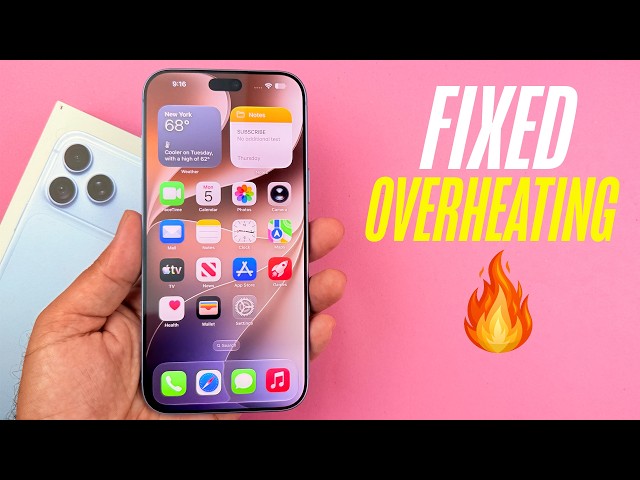
If your iPhone 18 Pro feels hot or loses battery fast, start with the simple causes. New phones run warm for the first few days while they restore apps and index photos, and Dubai’s heat makes everything worse. Update iOS and your apps, check Battery in Settings to see which apps drain power, turn off unneeded background activity, stay out of direct sun, and remove thick cases while charging. If the phone stays hot while idle or battery health drops quickly, book a professional check. These iPhone 18 Pro overheating and battery drain fixes cover both situations.
Key Takeaways
- Warmth and fast battery drain during the first 24 to 72 hours after setup or a big update is usually normal.
- Apple says iPhones work best in ambient temperatures between 0° and 35°C, and Dubai summers regularly exceed that outdoors.
- Heavy 5G use, navigation, gaming, and charging together create the most heat.
- Software updates often fix drain bugs, so install the latest iOS version and update your apps.
- Swelling, a burning smell, or a phone too hot to hold needs immediate professional attention.
- I haven’t found evidence of a widespread iPhone 18 Pro defect, so most cases trace back to software, habits, or environment.
You unbox your shiny iPhone 18 Pro, restore everything, and then notice something annoying. The back feels warm, and your battery percentage drops faster than you expected. Don’t panic. Most cases have simple causes you can fix in minutes. So, let’s walk through why it happens and share the iPhone 18 Pro overheating and battery drain fixes that actually work, especially for UAE users.
What Makes the iPhone 18 Pro Special, and Why It Still Gets Warm
The iPhone 18 Pro runs on Apple’s A20 Pro chip, built on a 2nm process. Apple also redesigned its vapor chamber cooling system, with a much larger surface area than last year’s model, so the phone handles sustained performance better. In addition, Apple rates the iPhone 18 Pro for up to 36 hours of video playback.
Still, no phone defies physics. Powerful chips generate heat, bright 120Hz displays use energy, and fast charging adds even more warmth. Therefore, some warmth is normal. The goal isn’t to eliminate heat completely. It’s to keep it from becoming excessive.
Why Your New iPhone Feels Hot Right After Setup
Restoring From a Backup
When you restore your data, the phone downloads apps, syncs iCloud, and rebuilds indexes. All that background work keeps the chip busy, which raises temperature and drains battery for a day or two.
Photos and Spotlight Indexing
After a restore, the iPhone analyzes your photo library and rebuilds search data. Large libraries take longer, so you’ll notice more heat and drain.
iOS 27 Background Tasks
Fresh iOS installs often trigger extra background activity. Features like Apple Intelligence and Siri AI can also prepare data in the background after setup.
Heavy First-Day Use
People tend to test a new phone hard, with long camera sessions, gaming, and 4K video. That naturally pushes temperatures up.
For most users, the heat and drain fade within a few days. If they don’t, keep reading.
Common Causes of Overheating and Battery Drain
Dubai’s Heat
Apple recommends using iPhones in ambient temperatures from 0° to 35°C. Outdoor summer temperatures in the UAE often exceed that, and a phone sitting on a car dashboard or beach towel heats up far beyond it.
5G and Weak Signal
When signal is weak, your phone boosts its radios to stay connected. That uses extra power and generates heat. This happens often in lifts, parking garages, and desert areas.
Navigation and CarPlay
GPS, a bright screen, mobile data, and wireless charging all running together make a perfect recipe for heat.
Gaming and Video Recording
High frame rates and long 4K clips stress the chip, display, and battery at the same time.
Charging While Using the Phone
Charging creates heat by itself. Adding games or video calls on top of that multiplies it.
Thick Cases
Heavy cases can trap heat, particularly during wireless charging or gaming.
Misbehaving Apps
A single buggy app can drain battery and keep the chip active in the background, so check which apps use the most power.
Outdated Software
Bugs sometimes slip into new iOS versions, and Apple usually patches them in follow-up updates.
Battery or Hardware Faults
Rarely, a defective battery or internal fault causes abnormal heat or drain. Those cases need professional diagnosis.
Step-by-Step Fixes for iPhone 18 Pro Overheating
Fix 1: Stop Using and Cool It Down
If your phone shows a temperature warning, stop using it. Move it out of the sun, take off the case, and let it cool naturally. Don’t put it in a fridge or freezer, because sudden temperature swings can cause condensation.
Fix 2: Remove the Case While Charging
Slip off thick cases, especially during wireless or fast charging. Better airflow helps the phone shed heat.
Fix 3: Update iOS and Your Apps
Go to Settings, General, Software Update and install any available update. Then update your apps in the App Store, because apps not optimized for the latest iOS can cause heat and drain.
Fix 4: Give the Phone Time After Restoring
Leave it plugged in on Wi-Fi overnight after a restore so background indexing finishes while you sleep.
Fix 5: Avoid Charging in Hot Places
Never charge in direct sunlight or in a hot car. Use shaded, cool spots whenever possible.
Fix 6: Turn On Low Power Mode Temporarily
Low Power Mode reduces background activity and some visual effects, which cuts heat and extends battery life.
Fix 7: Restart the Phone
A simple restart clears stuck processes. Do this if your iPhone feels warm while idle.
Step-by-Step Fixes for iPhone 18 Pro Battery Drain
Fix 1: Check Battery Usage by App
Open Settings, then Battery, and review the usage chart. If one app uses a surprising amount of power, update it, limit its permissions, or delete it.
Fix 2: Limit Background App Refresh
Go to Settings, General, Background App Refresh, and turn it off for apps that don’t need it.
Fix 3: Review Location Services
Under Settings, Privacy and Security, Location Services, change apps from Always to While Using the App wherever possible.
Fix 4: Adjust Display Settings
Lower the brightness, enable Auto-Brightness, and consider turning off Always-On Display if you want longer battery life. Reducing refresh-rate-heavy animations also helps.
Fix 5: Manage 5G Usage
If your signal is weak or you’re on Wi-Fi, switch to 5G Auto or LTE in Cellular settings. That saves power when 5G speed isn’t needed.
Fix 6: Turn Off Unneeded Notifications and Widgets
Constant notifications wake the screen and processor. Trim them to the essentials.
Fix 7: Check Battery Health
Go to Settings, Battery, Battery Health & Charging. A new iPhone should show strong maximum capacity. If it’s far lower than expected, contact Apple or a repair professional.
Fix 8: Reset All Settings
If the drain persists, back up first, then go to Settings, General, Transfer or Reset iPhone, Reset, and choose Reset All Settings. It keeps your data but clears system preferences that might cause problems.
Fix 9: Reinstall iOS as a Last Resort
If nothing works, back up and restore the phone through a computer, or erase and set it up fresh. Only restore essential data, because restoring everything may reintroduce a problem app or setting.
Habits That Protect Your iPhone in the UAE
- Keep it out of cars. Interior temperatures climb well beyond safe limits.
- Use shade outdoors. Don’t leave your phone on sun-exposed tables.
- Avoid charging and gaming together.
- Use a ventilated case if you game or charge often.
- Turn on Optimized Battery Charging to reduce time spent at 100 percent.
- Use certified chargers and cables. Poor-quality accessories create heat and risk.
- Watch for slow degradation and check battery health occasionally.
When Overheating or Drain Signals a Real Problem
Contact a professional promptly if you notice any of these:
- The phone gets hot even when idle with nothing running.
- The battery percentage drops very quickly, or the phone shuts down unexpectedly.
- Battery health falls much faster than normal.
- The back or screen bulges, which suggests a swollen battery.
- You smell burning or see smoke.
- The phone gets too hot to hold comfortably.
In those cases, stop charging, power the phone off, and don’t use it. If you hold AppleCare+ or other coverage, check it first.
A Quick Word From Milaaj Mobile and Laptop Repair Al Barsha
If your iPhone still runs hot or loses power fast after the fixes above, Milaaj Mobile and Laptop Repair Al Barsha can inspect it honestly and tell you whether you need a repair or just a settings change. Their team handles modern iPhones with care.
Here’s why customers across Al Barsha keep choosing Milaaj:
- Low Price: Transparent, budget-friendly pricing with no hidden charges.
- Speed Repairing: Fast turnaround, so you aren’t left without your phone for days.
- Convenience: Easy walk-in service and flexible scheduling that fits your day.
- Part Quality: Genuine or premium-grade parts for lasting performance and safe batteries.
- Skilled Technicians: Experienced professionals who diagnose heat and battery issues accurately and explain your options clearly.
Whether it’s a battery check, a cracked screen, or a slow laptop, Milaaj Mobile and Laptop Repair Al Barsha treats every device with expert care. You can learn more about their services on Milaaj’s website, or visit the Milaaj homepage to book a diagnosis.
Final Thoughts
At the end of the day, most heat and drain problems come from normal setup activity, Dubai’s climate, and everyday habits, not from a faulty phone. Update your software, check which apps drain power, protect your phone from heat, and give it a few days to settle. Follow these iPhone 18 Pro overheating and battery drain fixes, and you’ll likely see a big improvement. If you don’t, a quick professional check will tell you exactly what’s wrong.
Frequently Asked Questions (FAQs)
1. Is it normal for a new iPhone 18 Pro to get warm?
Yes, especially during the first few days while it restores data, indexes photos, and runs background tasks. Warmth should ease as the phone settles.
2. What temperature is too hot for an iPhone?
Apple recommends operating iPhones in ambient temperatures between 0° and 35°C. Anything beyond that, especially in direct sun, risks overheating warnings.
3. Why does my iPhone 18 Pro battery drain so fast?
Common causes include background app activity, weak signal, high brightness, location services, and post-update indexing. Check Settings, Battery to see which apps use the most power.
4. Can a thick case cause overheating?
Yes, thick or poorly ventilated cases can trap heat, particularly during wireless charging or gaming, so remove them when your phone feels hot.
5. When should I take my iPhone to a repair shop?
Go if the phone gets hot while idle, the battery drains abnormally fast, battery health drops quickly, the case bulges, or you notice a burning smell.
Other Services:
- Need other laptop repairs? Check out Milaaj’s iPhone repair services in Dubai.
- Overheating issues? Explore MacBook repair in Dubai for similar cooling solutions.
- Looking to upgrade? Learn about selling your used laptop in Dubai.
- Data loss concerns? Visit Milaaj’s data recovery services.
- For Apple users, check Apple trade-in options in Dubai.
📍 Visit Any Milaaj Branch in Dubai
🔹 Bur Dubai
Milaaj Mobile and Laptop Repair Dubai
📞 055 258 8477
🔗 Google Maps
🔹 Al Barsha
Milaaj Mobiles and Laptop Repair Al Barsha
📞 052 596 2846
🔗 Google Maps
🔹 Reef Mall (Salah Al Din)
Milaaj Service Center Reef Mall
📞 052 3405 814
📍 1st Floor, Shop 16, Deira
🔗 Google Maps
🔹 Al Nuaimiya
Milaaj Mobiles and Laptops Ajman
📞 055 788 9654
🔗 Google Maps
Shop Locations: Al Barsha | Bur Dubai | Reef Mall, Salah Al Din | Al Nuaimiya, Ajman
Email: support@milaaj.com
Operating Hours: Monday – Sunday


Leave a Reply