

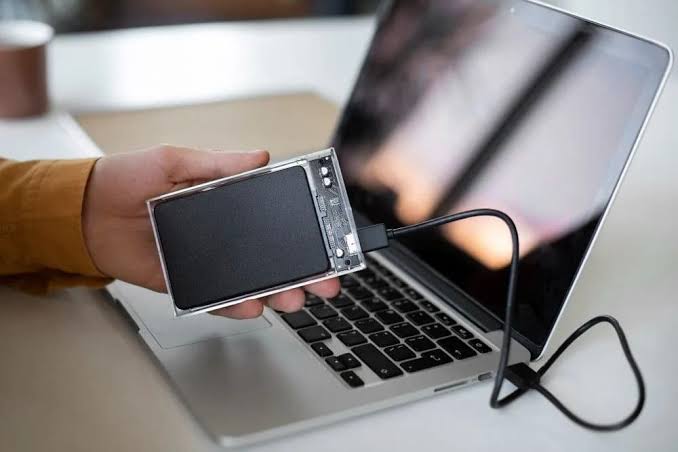
For many businesses, this situation can quickly become stressful. A failed server can interrupt daily operations, delay customer orders, affect productivity, and create concerns about losing important information permanently.
However, a failed storage system does not automatically mean that every file is gone. Depending on the cause of the failure, the RAID configuration, and the condition of the individual drives, recovering some or all of the data may still be possible.
This is where RAID server data recovery Dubai becomes important for businesses that depend on reliable access to their information.
In this guide, we explain why RAID systems fail, what you should do when business storage stops working, how professional recovery works, and how to reduce the risk of another costly data loss incident.
What Is RAID Server Storage, and Why Do Businesses Use It?
RAID stands for Redundant Array of Independent Disks. It combines multiple storage drives into a logical storage system to improve performance, provide redundancy, or achieve a combination of both.
Businesses often use RAID in file servers, database servers, network-attached storage (NAS), and other enterprise storage environments.
For example, an office might store financial records, employee documents, customer information, virtual machines, and shared project files on a RAID-equipped server. Employees can then access the information through the company’s network.
Different RAID configurations provide different levels of protection and performance.
Common RAID Levels Used in Business Servers
RAID 0: RAID 0 distributes data across multiple drives to improve performance and usable capacity. However, it provides no redundancy. If one member drive fails, the entire array can become inaccessible.
RAID 1: RAID 1 mirrors data across two or more drives. It can tolerate a drive failure under the appropriate configuration, but it does not protect against every type of data loss.
RAID 5: RAID 5 distributes data and parity information across at least three drives. It can generally tolerate one failed member drive, provided the array is otherwise healthy.
RAID 6: RAID 6 uses dual parity and can generally tolerate two failed member drives. Nevertheless, additional failures, unreadable sectors, or configuration problems can still threaten the data.
RAID 10: RAID 10 combines mirroring and striping. Its fault tolerance depends on which drives fail and whether the surviving mirror members remain available.
Although these configurations offer different advantages, RAID is not a substitute for an independent backup. Accidental deletion, ransomware, file corruption, controller failures, and other incidents can affect the entire storage system.
What Causes RAID Server Failure in Dubai?
A RAID failure can happen suddenly or develop over time. Understanding the possible cause helps technicians choose an appropriate recovery strategy.
1. Multiple Hard Drive or SSD Failures
Storage drives experience wear, electronic faults, firmware problems, and mechanical damage. When one drive fails, a RAID array may continue working in a degraded state. However, another failure can exceed the system’s redundancy.
For example, a RAID 5 array that loses a second member before a successful rebuild may become inaccessible. The result can be a serious problem if the server contains the only copy of important business files.
2. RAID Controller Failure
The RAID controller manages communication between the storage drives and the server. If it fails, the server may stop recognising the logical volume even when some or all member drives remain readable.
A controller fault does not necessarily mean the stored data has disappeared. However, replacing the controller or importing an array incorrectly can complicate recovery if the original configuration is not understood.
3. Failed or Interrupted RAID Rebuild
A rebuild normally reconstructs data onto a replacement drive after a member failure. Unfortunately, a rebuild can stall or fail if another drive develops read errors, the replacement drive is unsuitable, or the array contains additional faults.
Repeatedly restarting the rebuild may place further stress on already unstable drives and alter the array’s state.
Therefore, if a rebuild fails while important data remains inaccessible, stop and seek an appropriate recovery assessment before trying again.
4. Power Surges and Sudden Shutdowns
Unexpected power loss, unstable electricity, overheating, or a faulty power supply can interrupt storage operations. In some cases, the result is damaged metadata, controller problems, or file-system corruption.
Businesses should use suitable power protection and maintain their server hardware according to the manufacturer’s recommendations.
5. Human Error and Configuration Changes
Incorrect drive replacement, accidental initialisation, configuration changes, and unfamiliar troubleshooting commands can also cause RAID problems.
For example, selecting the wrong disk when recreating an array may overwrite information that recovery specialists need to reconstruct the original layout.
Signs Your Business Needs RAID Server Data Recovery
Recognising a failure early can help you avoid unnecessary risks.
Watch for these warning signs:
- The server reports a degraded, offline, or failed RAID array.
- The operating system cannot access the expected logical volume.
- The RAID controller reports missing or foreign drives.
- The server repeatedly crashes or fails to boot.
- A rebuild becomes stuck or repeatedly restarts.
- Files, databases, or virtual machines become inaccessible.
- The NAS or storage enclosure displays repeated drive errors.
- The server detects the wrong storage capacity or reports an unallocated volume.
If you notice these symptoms, avoid assuming that a simple reboot will solve the problem. Repeated restarts and unplanned configuration changes can make a complicated failure more difficult to assess.
Professional RAID server data recovery Dubai services can help determine whether the problem involves failed hardware, damaged metadata, logical corruption, or multiple issues occurring together.
What Should You Do When RAID Storage Fails Completely?
Your first actions matter because they can preserve the remaining recovery options.
Step 1: Stop Unnecessary Write Operations
If the array is offline or contains irreplaceable data, avoid writing new information to it. Do not initialise, format, recreate, or force-import the array simply to make it appear online.
If the system is still operating but reporting a degraded array, do not automatically start a rebuild without assessing the risks. Follow your incident-response procedures and obtain specialist advice.
Step 2: Preserve the Drive Order
Record which drive occupies each bay before anyone removes or disconnects the drives. Photograph the enclosure, drive labels, controller messages, and visible error indicators.
The original drive order and configuration can help technicians reconstruct the array correctly.
Do not rearrange the drives or replace several members at random.
Step 3: Document the Failure
Record the RAID level, server model, controller type, number of drives, operating system, and any error messages you can access safely.
Also, note what happened immediately before the failure. A power outage, unusual noise, failed rebuild, or recent hardware replacement may provide useful diagnostic information.
Step 4: Avoid Unverified Recovery Software
Consumer recovery tools may not understand the complete RAID layout, especially when several member drives have failed or the controller cannot assemble the array.
Avoid running repair utilities that write changes to the original storage. A specialist can determine whether protected drive imaging and virtual reconstruction are appropriate.
Step 5: Arrange a Professional Assessment
A qualified technician can assess the individual drives, controller, array metadata, and file-system condition. The next steps should depend on the evidence rather than assumptions about which component has failed.
How Does Professional RAID Server Data Recovery Work?
Professional recovery involves more than replacing a damaged drive. Technicians must understand how the data was distributed across the original array and identify which components remain readable.
Initial Diagnosis and Assessment
The process begins with information about the failure, the server configuration, and any previous troubleshooting attempts. Technicians assess the likely cause and explain the available recovery options.
A good assessment should also identify the data that matters most, such as databases, accounting files, customer records, or virtual machines.
Drive Testing and Data Imaging
Where appropriate, specialists create protected sector-by-sector images of the member drives. Imaging helps preserve the available source data before reconstruction attempts begin.
If a drive has physical or mechanical problems, it may require specialised handling before reliable imaging is possible.
RAID Reconstruction
Technicians analyse the array’s configuration, including drive order, stripe size, offsets, parity layout, and relevant metadata.
They can then attempt to reconstruct the logical storage system using appropriate recovery tools and protected copies. The correct method depends on the RAID level, controller, and condition of the individual members.
File Extraction and Verification
After reconstructing the accessible data, technicians extract files to separate destination storage. They then check important folders and files to determine whether the recovered information is usable.
For business systems, verification may include checking databases, documents, application files, and virtual-machine data.
Recovery results depend on the condition of the drives and the changes made before assessment. No responsible provider can guarantee that every file will be recovered in every case.
RAID Server Data Recovery Dubai: How to Reduce Business Downtime
When a business loses access to its server, every hour can matter. However, rushing into an unplanned repair may create additional problems.
Start by identifying which applications and files are essential for operations. This helps the recovery team prioritise important information where technically possible.
Next, check whether a recent, independent backup is available. If it is, restoring the affected services from a verified backup may be faster than recovering the entire failed array.
If no usable backup exists, preserve the original storage and seek a recovery assessment.
Businesses should also review their disaster-recovery plans after the incident. Regular backup testing, monitoring drive health, maintaining spare hardware where appropriate, and documenting RAID configurations can help reduce the impact of future failures.
Most importantly, remember that RAID redundancy and data backup serve different purposes. RAID can help maintain availability after certain drive failures, while independent backups provide another recovery path after deletion, corruption, ransomware, or wider hardware incidents.
Professional RAID and Server Recovery Support in Al Barsha, Dubai
When business storage fails, companies need clear communication, practical options, and a recovery plan that reflects the importance of their data.
Milaaj mobile and laptop repair Al Barsha provides data recovery support for RAID arrays, NAS storage, server drives, and other storage devices. The appropriate recovery approach depends on the failure type, the number of affected drives, and the condition of the stored data.
Affordable Pricing and Transparent Assessment
Recovery costs vary according to the RAID configuration, the number of failed drives, the severity of hardware damage, and the complexity of reconstruction.
Before approving any work, request a clear quotation that explains the assessment, likely recovery stages, potential additional costs, and expected deliverables. A lower price is useful, but it should not come at the expense of careful handling or clear communication.
Speedy Recovery and Reduced Downtime
Businesses often need important files as quickly as possible. An experienced technician can assess the situation, explain the next steps, and identify priority data for recovery where feasible.
Straightforward logical issues may require less work than multiple physical drive failures. Therefore, avoid relying on a fixed turnaround time until the system has been assessed.
Convenient Service and Communication
Convenient collection arrangements, where available, can reduce the effort involved in transporting bulky server equipment. Clear communication also helps business owners and IT teams understand what is happening without unnecessary technical confusion.
Before handing over storage hardware, confirm how the equipment will be handled and how recovered data will be returned securely.
Suitable Parts and Professional Handling
If a recovery requires hardware repair, ask about the replacement parts, their suitability, and any applicable warranty. Not every RAID failure requires new parts; sometimes the issue involves configuration, controller compatibility, or logical corruption.
The priority should be to preserve the original data and select an appropriate recovery method rather than replace components unnecessarily.
For service information and contact options, visit the official Milaaj website.
Frequently Asked Questions About RAID Server Data Recovery Dubai
1. Can data be recovered from a completely failed RAID server?
Yes, recovery may still be possible. The outcome depends on the RAID level, the number of failed drives, physical damage, and whether the original data or metadata has been overwritten.
2. How much does RAID server data recovery cost in Dubai?
The cost depends on the number of drives, RAID configuration, hardware condition, and complexity of the failure. Request an assessment and written quotation rather than relying on a single fixed price for every case.
3. Should I rebuild my RAID array after a drive fails?
Not automatically. A rebuild may be appropriate for a healthy, properly diagnosed array, but it can be risky when other drives are unstable or the configuration is uncertain. If the data is critical and no backup exists, seek specialist advice first.
4. Can RAID 5 data be recovered if two drives fail?
Recovery may be possible, depending on the condition of the surviving drives, the failed members, and the available array information. RAID 5 normally tolerates one member failure, so a second failure requires a more specialised assessment.
5. Is RAID server data recovery possible after controller failure?
Yes, in some cases. If the member drives remain readable, specialists may be able to reconstruct the array using the original configuration and suitable recovery tools. The exact approach depends on the controller and array metadata.
6. How long does RAID data recovery take?
Simple logical problems may be resolved relatively quickly, while physical drive failures and complex multi-drive reconstruction can take considerably longer. The recovery provider should give a realistic estimate after examining the system.
7. Does RAID protect my business from ransomware?
No. RAID is not a substitute for an independent backup. Ransomware can encrypt files across an accessible array, which is why businesses need protected backups and a tested recovery plan.
8. What information should I provide to a recovery technician?
Share the server model, RAID level if known, number and type of drives, error messages, failure history, and details of any attempted rebuilds or repairs. Also identify the most important data and any security or confidentiality requirements.
Final Thoughts
A failed business server can disrupt operations, affect customers, and create serious concerns about losing valuable information. Nevertheless, a RAID failure does not always mean that the data is permanently lost.
The most important step is to preserve the original storage and avoid unplanned rebuilds, formatting, or configuration changes that could make recovery harder.
With a careful assessment, suitable drive handling, and a structured recovery process, technicians may be able to reconstruct the array and retrieve important business files.
If your company is dealing with a storage failure, approach the situation methodically. Protect the remaining data, confirm whether a verified backup exists, and choose a recovery plan based on the actual condition of the system.
Reliable RAID server data recovery Dubai support can help your business understand its options, make informed decisions, and work towards restoring access to critical information.
Other Services:
- Need other laptop repairs? Check out Milaaj’s laptop repair services in Dubai.
- Overheating issues? Explore MacBook repair in Dubai for similar cooling solutions.
- Looking to upgrade? Learn about selling your used laptop in Dubai.
- Data loss concerns? Visit Milaaj’s data recovery services.
- For Apple users, check Apple trade-in options in Dubai.
📍 Visit Any Milaaj Branch in Dubai
🔹 Bur Dubai
Milaaj Mobile and Laptop Repair Dubai
📞 055 258 8477
🔗 Google Maps
🔹 Al Barsha
Milaaj Mobiles and Laptop Repair Al Barsha
📞 052 596 2846
🔗 Google Maps
🔹 Reef Mall (Salah Al Din)
Milaaj Service Center Reef Mall
📞 052 3405 814
📍 1st Floor, Shop 16, Deira
🔗 Google Maps
🔹 Al Nuaimiya
Milaaj Mobiles and Laptops Ajman
📞 055 788 9654
🔗 Google Maps
Shop Locations: Al Barsha | Bur Dubai | Reef Mall, Salah Al Din | Al Nuaimiya, Ajman
Email: support@milaaj.com
Operating Hours: Monday – Sunday

Leave a Reply