

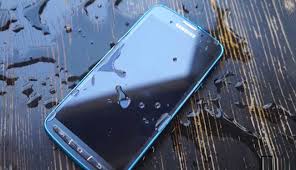
Dropping an Android phone in water can instantly trigger panic, especially when important photos, contacts, messages, and work files are at risk. Although water damage often looks catastrophic, Android data recovery after water damage is far more successful today than most users realize. With advanced tools and professional techniques, experts can retrieve valuable data even when the phone no longer turns on.
Therefore, understanding Android data recovery after water damage and knowing what experts do differently can help you act correctly and avoid permanent data loss. This guide explains why water damage causes data loss, what mistakes to avoid, how professionals recover data, and when expert repair becomes essential.
Why Water Damage Is So Dangerous for Android Phones
Water does not simply “dry out” harmlessly. Instead, it creates multiple layers of damage inside your device.
How Water Affects Internal Components
- Short circuits form immediately after exposure
- Corrosion slowly spreads across the motherboard
- Power circuits and charging ICs fail
- Storage chips become unstable
- Connectors and solder joints weaken
As a result, even if your phone works briefly, data loss may occur later. This is why Android data recovery after water damage depends heavily on fast and professional intervention.
Common Signs You Need Android Data Recovery After Water Damage
Although some symptoms appear instantly, others develop over time. Therefore, never ignore these warning signs:
- Phone does not turn on or charge
- Screen remains black or flickers
- Device overheats unexpectedly
- Random restarts or boot loops
- No sound, camera failure, or touch issues
Most importantly, the longer you wait, the lower the chances of successful Android data recovery after water damage.
Why DIY Methods Often Fail
Many users attempt home remedies first. However, these approaches frequently cause irreversible damage.
Popular Mistakes to Avoid
- Charging the phone while wet
- Using rice or silica gel as a solution
- Powering on repeatedly to “check”
- Applying heat from hair dryers
- Installing unverified recovery software
Therefore, DIY fixes often worsen corrosion and overwrite recoverable data. Professional Android data recovery after water damage focuses on preservation first, not experimentation.
What Experts Do Differently During Android Data Recovery
Unlike basic repair attempts, experts follow a strict, step-by-step recovery process designed to protect data.
Step 1: Immediate Power Isolation
First, technicians disconnect the battery to stop electrical flow. This step prevents further short circuits and halts corrosion.
Step 2: Professional Internal Cleaning
Next, experts perform ultrasonic or chemical cleaning to remove moisture and corrosion. This process cleans areas invisible to the naked eye.
As a result, storage components remain stable for data access.
Step 3: Controlled Drying and Inspection
Instead of air drying, professionals use controlled heat chambers. Meanwhile, they inspect:
- Motherboard traces
- Power ICs
- Storage chips
- Connector integrity
This careful process significantly improves Android data recovery after water damage success rates.
Step 4: Temporary Power Restoration
If the phone cannot boot normally, experts inject controlled power directly into the motherboard. Therefore, they bypass damaged charging circuits to access data safely.
Step 5: Advanced NAND Chip Data Extraction
When the phone remains dead, Android data recovery after water damage relies on NAND chip extraction.
NAND Recovery Includes:
- Micro-soldering storage chips
- Reading encrypted data with specialized tools
- Rebuilding file systems
- Extracting photos, videos, contacts, and app data
Even in severe cases, this method retrieves data when the device itself cannot be repaired.
Android Data Recovery After Water Damage vs. Normal Repair
It’s important to understand the difference.
- Repair focuses on restoring phone functionality
- Data recovery prioritizes extracting files safely
Therefore, even if a phone is beyond repair, Android data recovery after water damage may still succeed.
How Timing Affects Data Recovery Success
Timing plays a critical role.
Early Action Benefits
- Less corrosion buildup
- Higher chance of powering the phone temporarily
- Better storage chip condition
On the other hand, delayed repair allows corrosion to spread, reducing recovery success.
Can Data Be Recovered from Completely Dead Android Phones?
Yes often.
Even if your Android phone:
- Shows no signs of life
- Was submerged for hours
- Has severe motherboard damage
Experts can still perform Android data recovery after water damage by extracting data directly from the storage chip.
Security and Privacy During Data Recovery
Modern Android devices use encryption. However, professional recovery tools allow authorized, secure access without compromising privacy.
Importantly, reputable recovery services follow strict data protection protocols to prevent leaks or corruption.
Professional Tools Used in Android Data Recovery
Experts rely on:
- Microsoldering stations
- Cleanroom environments
- Chip readers and programmers
- Encrypted data reconstruction software
As a result, professional Android data recovery after water damage achieves far better results than consumer tools.
Why Professional Recovery Is Worth It
Although professional recovery may seem costly, it actually saves data that is often irreplaceable.
Benefits of Expert Android Data Recovery
- Non-destructive techniques
- Higher success rates
- Safe handling of encrypted data
- Faster recovery timelines
Most importantly, it prevents permanent data loss.
Android Data Recovery Services at Milaaj
At Milaaj mobiles and laptop repair Al Barsha, technicians specialize in Android data recovery after water damage using advanced diagnostic tools and board-level repair techniques. Moreover, the service focuses on:
- Low pricing without compromising results
- Fast turnaround for urgent data recovery
- Convenient service with expert guidance
- High-quality parts and professional equipment
As a result, customers receive reliable recovery solutions with transparency and care.
How Long Does Android Data Recovery After Water Damage Take?
Recovery time depends on damage severity:
- Minor exposure: 1–2 days
- Moderate corrosion: 2–4 days
- NAND chip recovery: 3–6 days
However, early diagnosis always speeds up the process.
Can All Data Be Recovered?
Although most data can be retrieved, success depends on:
- Storage chip condition
- Encryption integrity
- Overwrite status
- Physical damage severity
Nevertheless, Android data recovery after water damage remains highly successful when handled professionally.
Preventing Data Loss After Water Exposure
Although accidents happen, prevention reduces risk.
Best Practices
- Power off immediately after water exposure
- Never charge a wet phone
- Avoid DIY drying methods
- Seek professional inspection early
- Maintain regular cloud backups
Therefore, even if damage occurs, recovery becomes easier.
FAQs About Android data recovery after water damage
Q1: Can data be recovered from a water-damaged Android phone?
Yes, Android data recovery after water damage is often successful when performed by experts using advanced tools.
Q2: How long does Android data recovery after water damage take?
Recovery usually takes between 1 and 6 days, depending on damage severity.
Q3: Does water damage permanently destroy Android data?
Not always. If the storage chip remains intact, professionals can recover data even from dead phones.
Q4: Is it safe to charge an Android phone after water damage?
No. Charging can cause short circuits and reduce data recovery success.
Q5: Can data be recovered if the Android phone won’t turn on?
Yes. NAND chip extraction allows data recovery even when the phone is completely dead.
Q6: What makes professional recovery better than DIY methods?
Experts use non-destructive techniques, cleanroom tools, and encrypted data extraction for higher success rates.
Final Thoughts: Android data recovery after water damage
Water damage doesn’t have to mean permanent data loss. Thanks to Android data recovery after water damage, experts can retrieve valuable information even from phones that no longer turn on. From professional cleaning to NAND chip extraction, advanced recovery techniques continue to evolve offering hope when devices seem beyond repair.
Most importantly, act quickly, avoid risky DIY fixes, and trust experienced professionals. With the right approach, your data can often be saved even after severe water damage.
Other Services:
- Need other mobile phone repairs? Check out Milaaj’s mobile repair services in Dubai.
- Looking to upgrade? Learn about selling your used mobile in Dubai.
- Data loss concerns? Visit Milaaj’s data recovery services.
📍 Visit Any Milaaj Branch in Dubai
🔹 Bur Dubai
Milaaj Mobile and Laptop Repair Dubai
📞 055 258 8477
🔗 Google Maps
🔹 Al Barsha
Milaaj Mobiles and Laptop Repair Al Barsha
📞 052 596 2846
🔗 Google Maps
🔹 Al Barsha 3
Milaaj Mobiles and Gaming Store
📞 052 3405 814
🔗 Google Maps
🔹 Al Nuaimiya
Milaaj Mobiles and Laptops Ajman
📞 055 788 9654
🔗 Google Maps
Shop Locations: Al Barsha | Bur Dubai | Reef Mall, Salah Al Din | Al Nuaimiya, Ajman
Email: support@milaaj.com
Operating Hours: Monday – Sunday




Leave a Reply