

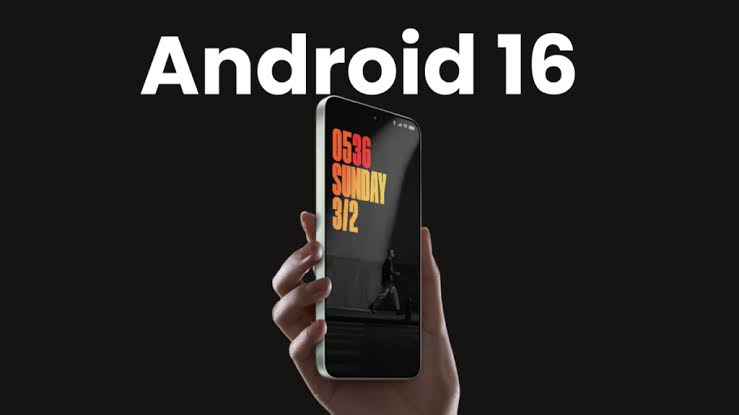
Software updates are designed to improve smartphone performance, strengthen security, and introduce exciting new features. However, major operating system updates can occasionally bring unexpected problems. Recently, many users have started discussing Android 16 touchscreen ghosting, particularly on Samsung and Xiaomi devices.
For affected users, the experience can be frustrating. Your phone suddenly starts opening apps on its own, scrolling without input, typing random characters, or registering touches that never happened. As a result, everyday tasks become difficult, and the device may feel almost impossible to use.
Many smartphone owners in Dubai have reported touchscreen issues shortly after updating to Android 16. While not every case is directly caused by the update itself, the timing has raised concerns among Samsung and Xiaomi users alike. Therefore, understanding what touchscreen ghosting is, why it happens, and how to fix it is more important than ever.
In this guide, we’ll explore the causes of Android 16 touchscreen ghosting, how software updates can affect touch performance, troubleshooting methods, and when professional repair becomes necessary.
What Is Touchscreen Ghosting?
Touchscreen ghosting occurs when a smartphone registers touches that the user never made.
Common symptoms include:
- Random app openings
- Unexpected scrolling
- Automatic typing
- False touch inputs
- Screen jumping
- Phantom gestures
- Unresponsive touch areas
Consequently, normal device operation becomes frustrating and unreliable.
In severe cases, users may struggle to unlock the phone or use essential applications.
Therefore, identifying the underlying cause is crucial.
Why Are Samsung and Xiaomi Users Reporting More Problems After Android 16?
Major Android updates affect numerous system components simultaneously.
These include:
- Touchscreen drivers
- Display software
- Input management systems
- Power optimization features
- Device firmware
- User interface components
As a result, compatibility issues occasionally emerge after installation.
While Android 16 introduces several performance improvements, some users have reported symptoms consistent with Android 16 touchscreen ghosting shortly after updating.
Consequently, many are seeking solutions before assuming hardware failure.
Common Signs of Android 16 Touchscreen Ghosting
Random Screen Activity
One of the most obvious symptoms is the device acting independently.
For example:
- Apps launch unexpectedly
- Menus open automatically
- Notifications are dismissed without input
Therefore, users often suspect malware when the real issue lies elsewhere.
Phantom Typing
Many users notice text appearing while using messaging apps or search bars.
As a result, communication becomes difficult.
Uncontrolled Scrolling
The screen may scroll up or down without user interaction.
Consequently, browsing websites or social media becomes frustrating.
Delayed Touch Response
In some cases, ghosting is accompanied by touch lag.
Therefore, the device may feel inconsistent and unpredictable.
Multi-Touch Errors
The phone may incorrectly detect multiple touch points simultaneously.
As a result, gestures and zoom functions may stop working properly.
How Software Updates Can Trigger Touchscreen Problems
Driver Compatibility Issues
Touchscreen functionality depends heavily on software drivers.
When Android 16 updates these drivers, compatibility problems may occasionally arise.
Consequently, some devices experience touch irregularities.
Firmware Conflicts
Samsung and Xiaomi devices often use customized Android interfaces.
These include:
- Samsung One UI
- Xiaomi HyperOS
Therefore, firmware interactions can sometimes create unexpected behavior after major updates.
Corrupted Installation Files
An incomplete or corrupted update may affect touchscreen performance.
As a result, devices can exhibit symptoms similar to hardware failure.
Cache Conflicts
Old system cache files may conflict with new software environments.
Consequently, touchscreen responsiveness can suffer after updating.
Which Samsung and Xiaomi Models Are Most Likely to Experience Issues?
Reports of Android 16 touchscreen ghosting can potentially affect a variety of models.
Examples include:
Samsung Devices
- Samsung Galaxy S26 Ultra
- Samsung Galaxy S25 Ultra
- Samsung Galaxy Z Fold series
- Samsung Galaxy Z Flip series
- Samsung Galaxy A series
Xiaomi Devices
- Xiaomi 16 Ultra
- Xiaomi 15 Ultra
- Redmi Note series
- POCO devices
- Xiaomi Mix Fold models
However, not every device experiences problems.
Therefore, individual device conditions also play a role.
Hardware Problems That Can Mimic Software Ghosting
Not every touchscreen issue is caused by Android 16.
In many situations, existing hardware faults become noticeable after an update.
Screen Damage
Even minor cracks can affect touch performance.
Consequently, damaged displays may begin showing ghost touches.
Moisture Exposure
Water damage can interfere with touch-sensitive layers.
As a result, phantom inputs may occur.
Battery Swelling
A swollen battery can place pressure on the display assembly.
Therefore, touch irregularities sometimes develop.
Loose Internal Connectors
Impacts or drops may affect display connections.
Consequently, touchscreen behavior becomes inconsistent.
Troubleshooting Android 16 Touchscreen Ghosting
Restart the Device
A simple restart often resolves temporary software conflicts.
Therefore, this should be the first troubleshooting step.
Remove the Screen Protector
Poorly fitted screen protectors can interfere with touch sensitivity.
As a result, removing them may improve performance.
Update Applications
Outdated applications sometimes create compatibility issues.
Therefore, updating apps is recommended.
Clear System Cache
Removing temporary files can help eliminate software conflicts.
Consequently, touch performance may improve.
Check for Additional Updates
Manufacturers often release patches after major Android launches.
Therefore, installing the latest updates is important.
Safe Mode Testing
Safe Mode temporarily disables third-party applications.
This allows users to determine whether:
- An app causes the problem
- The issue originates from system software
- Hardware damage may be involved
Consequently, Safe Mode can be a valuable diagnostic tool.
Factory Reset: Is It Worth Trying?
A factory reset can sometimes eliminate software-related ghosting.
However, users should:
- Back up important data
- Save photos and videos
- Verify account credentials
Because factory resets erase user data, they should be considered carefully.
Nevertheless, they remain a useful troubleshooting option.
When Touchscreen Ghosting Indicates Hardware Failure
If ghosting continues after software troubleshooting, hardware inspection becomes necessary.
Warning signs include:
Visible Screen Damage
Cracks often affect digitizer performance.
Previous Drop History
Impact damage may create hidden internal faults.
Liquid Exposure
Even small amounts of moisture can affect touch circuits.
Persistent Symptoms After Reset
If a factory reset fails to resolve the issue, hardware problems become more likely.
Consequently, professional diagnostics are recommended.
Why Dubai Users Should Address Ghosting Quickly
Business Productivity
Many professionals rely heavily on smartphones for:
- Banking
- Communication
- Scheduling
- Navigation
Therefore, touchscreen issues can significantly impact productivity.
Digital Payments
Mobile payment applications require reliable touch input.
Consequently, ghosting can interfere with everyday transactions.
Data Security Concerns
Phantom touches may accidentally:
- Open applications
- Send messages
- Modify settings
As a result, addressing the issue promptly is important.
Preventing Future Touchscreen Problems
Install Updates Carefully
Wait for initial user feedback before immediately installing major updates.
Maintain Available Storage
Low storage can affect overall system stability.
Use Quality Accessories
Poor-quality chargers and screen protectors may contribute to touchscreen issues.
Protect Against Heat
Dubai’s extreme temperatures can affect electronic components.
Therefore, avoid leaving phones in direct sunlight.
Repair Screen Damage Promptly
Minor cracks often become larger problems over time.
Consequently, early repairs help preserve touchscreen performance.
Professional Samsung and Xiaomi Repair Services in Dubai
If software troubleshooting does not resolve Android 16 touchscreen ghosting, professional diagnostics may be necessary. Milaaj mobile and laptop repair Al Barsha provides expert repair services for Samsung, Xiaomi, Redmi, POCO, and other Android devices experiencing touchscreen issues, display failures, software instability, battery problems, and motherboard faults.
Moreover, customers benefit from affordable pricing that helps reduce repair costs compared to full device replacement. In addition, fast repair turnaround times minimize downtime for professionals, students, and business users. Furthermore, high-quality replacement parts help ensure reliable performance and long-term durability. Meanwhile, convenient service options make the repair process simple and stress-free. As a result, customers receive dependable repairs, experienced technical support, and excellent value.
Repair vs Replacement: Which Option Makes More Sense?
Many users immediately consider replacing their smartphone.
However, repair is often the more economical choice.
Benefits of repair include:
- Lower cost
- Faster service
- Reduced electronic waste
- Preservation of personal data
- Extended device lifespan
Therefore, professional evaluation should always come before replacement decisions.
Final Thoughts
Reports of Android 16 touchscreen ghosting have raised concerns among Samsung and Xiaomi users in Dubai. While software-related conflicts can certainly cause phantom touches, not every case is directly linked to the Android 16 update.
In many situations, troubleshooting steps such as restarting the device, clearing cache files, updating software, or performing a factory reset can resolve the issue. However, when ghosting persists, underlying hardware faults may be responsible.
Therefore, if your smartphone continues to experience phantom touches, random inputs, or touchscreen instability after updating, professional diagnostics can help identify the exact cause and restore proper functionality.
Frequently Asked Questions
1. What is Android 16 touchscreen ghosting?
It is a condition where the phone registers touches and gestures that the user did not perform.
2. Can Android 16 cause touchscreen problems?
Software conflicts, driver issues, and firmware incompatibilities can sometimes affect touchscreen performance after major updates.
3. Which phones are reporting ghosting issues?
Some Samsung Galaxy and Xiaomi devices have reported touchscreen irregularities following Android 16 updates.
4. Can a screen protector cause ghost touches?
Yes. Poor-quality or improperly installed screen protectors may interfere with touch sensitivity.
5. Will restarting my phone fix ghosting?
Temporary software-related ghosting may be resolved through a restart.
6. Should I perform a factory reset?
A factory reset may help if software conflicts are responsible, but always back up data first.
7. Can water damage cause ghost touches?
Yes. Moisture exposure often affects touchscreen functionality.
8. How do I know if the issue is hardware-related?
Persistent ghosting after software troubleshooting often indicates a hardware problem.
9. Is screen replacement necessary?
Only if diagnostics confirm display or digitizer damage.
10. Is repairing cheaper than replacing my phone?
In many cases, professional repair is significantly more affordable than purchasing a new device.
Other Services:
- Need other iPhone repairs? Check out Milaaj’s Phone repair services in Dubai.
- Looking to upgrade? Learn about selling your used iPhone in Dubai.
- Data loss concerns? Visit Milaaj’s data recovery services.
- For Apple users, check Apple trade-in options in Dubai.
📍 Visit Any Milaaj Branch in Dubai
🔹 Bur Dubai
Milaaj Mobile and Laptop Repair Dubai
📞 055 258 8477
🔗 Google Maps
🔹 Al Barsha
Milaaj Mobiles and Laptop Repair Al Barsha
📞 052 596 2846
🔗 Google Maps
🔹 Al Barsha 3
Milaaj Mobiles and Gaming Store
📞 052 3405 814
🔗 Google Maps
🔹 Al Nuaimiya
Milaaj Mobiles and Laptops Ajman
📞 055 788 9654
🔗 Google Maps
Shop Locations: Al Barsha | Bur Dubai | Reef Mall, Salah Al Din | Al Nuaimiya, Ajman
Email: support@milaaj.com
Operating Hours: Monday – Sunday




Leave a Reply