

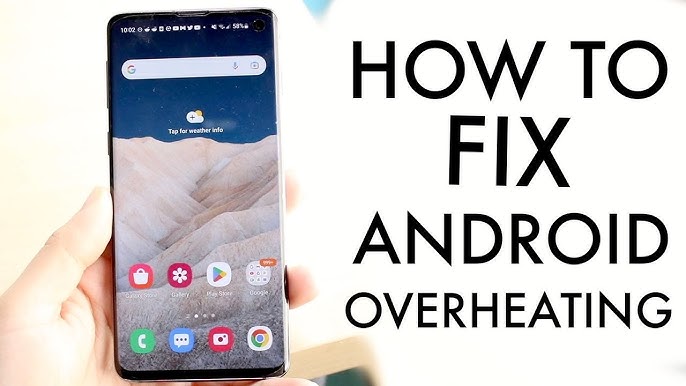
Android smartphones are powerful, yet overheating remains one of the most common issues users face today. When Android overheating problems occur frequently, they can affect performance, battery health, and even internal components. Therefore, understanding why your phone heats up and how experts fix it is essential for long-term device safety.
In this detailed guide, we explain Android overheating problems, their causes, warning signs, safe fixes, and professional repair solutions.
What Are Android Overheating Problems?
Android overheating problems occur when a phone’s internal temperature rises beyond safe operating limits. As a result, the device may slow down, shut off, or display temperature warnings. Although occasional warmth is normal, persistent overheating indicates a deeper issue.
Moreover, ignoring heat problems can permanently damage your smartphone.
Common Signs of Android Overheating Issues
Before major damage happens, your device usually gives clear warnings. Therefore, watch for these signs carefully.
Warning Symptoms of Android Overheating Problems
- Phone feels hot to touch
- Battery drains unusually fast
- Screen dims automatically
- Apps crash or lag frequently
- Device shuts down unexpectedly
Consequently, recurring symptoms should never be ignored.
Main Causes of Android Overheating Problems
There isn’t just one reason behind overheating. Instead, several factors contribute to Android overheating problems, especially when combined.
1. Heavy App Usage and Multitasking
Running multiple apps, gaming, or streaming for long periods increases CPU load. As a result, heat builds up quickly.
2. Charging While Using the Phone
Using your phone during charging generates extra heat. Therefore, it is a major contributor to Android overheating problems.
3. Faulty or Cheap Chargers
Low-quality chargers supply inconsistent power, which stresses internal circuits and causes overheating.
4. Software Bugs and Outdated OS
Poorly optimized apps or outdated Android versions force the processor to work harder.
5. Battery Degradation
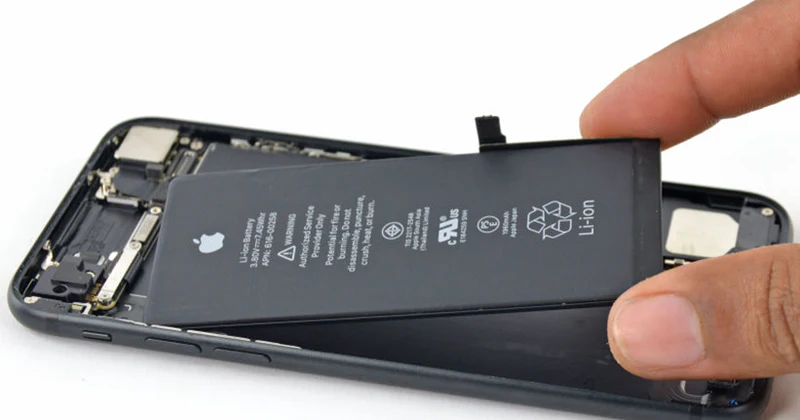
An aging or damaged battery generates excess heat, especially during charging or heavy use.
Environmental Factors That Cause Android Phones to Overheat
Sometimes, external conditions are the main culprit.
External Triggers of Android Overheating
- Direct sunlight exposure
- Hot weather conditions
- Phone kept inside cars
- Poor ventilation due to thick cases
As a result, even a healthy phone may overheat in extreme conditions.
Why Android Overheating Problems Are Dangerous
Although many users ignore heat warnings, overheating can cause serious long-term damage.
Risks of Ignoring Overheating
- Battery swelling or leakage
- Processor damage
- Screen discoloration
- Logic board failure
- Sudden data loss
Therefore, addressing Android overheating problems early is crucial.
How Android Protects Itself from Overheating
Modern Android devices have built-in safety mechanisms.
Android Heat Protection Features
- Automatic performance throttling
- Screen brightness reduction
- Forced shutdown to cool down
However, frequent activation of these features indicates an underlying issue.
Quick Fixes You Can Try at Home
If your phone feels warm, there are a few immediate steps you can take. However, these are temporary solutions.
Simple Cooling Steps
- Close unused background apps
- Remove the phone case
- Stop charging temporarily
- Move phone to a cooler place
Although these help, they do not permanently fix Android overheating problems.
Software Solutions for Android Overheating Problems
In many cases, overheating is linked to software inefficiencies.
Software Fixes That Reduce Overheating
- Update Android OS
- Remove battery-draining apps
- Disable unnecessary background services
- Perform factory reset (last option)
Nevertheless, if overheating continues, hardware inspection is necessary.
Hardware Issues That Cause Persistent Overheating
When software fixes fail, hardware components are often responsible.
Hardware-Related Overheating Causes
- Damaged battery cells
- Faulty charging port
- Power IC malfunction
- Short circuits on the motherboard
Consequently, professional repair becomes unavoidable.
When Should You Seek Professional Repair?
If Android overheating problems persist despite basic troubleshooting, expert repair is the safest option.
Signs You Need Expert Help
- Phone overheats even when idle
- Battery percentage drops rapidly
- Device shuts down repeatedly
- Charging causes extreme heat
Therefore, delaying repair may increase costs later.
How Experts Diagnose Android Overheating Problems
Professional technicians use advanced diagnostic tools.
Expert Diagnostic Process
- Battery health analysis
- Thermal sensor testing
- Charging circuit inspection
- Power IC voltage checks
- Software and firmware evaluation
As a result, technicians identify the exact source of overheating.
Milaaj Mobile Repair – Trusted Android Overheating Repair in Al Barsha
When dealing with Android overheating problems, choosing a reliable repair center matters. Milaaj mobiles and laptop repair Al Barsha provides expert solutions with advanced tools and experienced technicians.
Why Choose Milaaj Mobile Repair?
- Low-price and transparent repair options
- Fast diagnosis and speedy repairing
- High-quality and tested replacement parts
- Convenient walk-in service
- Reliable long-term repair solutions
Therefore, your device receives professional care without unnecessary delays.
Expert Repair Solutions for Android Overheating
Professional repair ensures safe and permanent results.
Common Professional Fixes
- Battery replacement using genuine parts
- Charging port and IC repair
- Motherboard short-circuit correction
- Internal cleaning and thermal optimization
As a result, the phone operates efficiently without overheating.
How to Prevent Android Overheating in the Future
Prevention is always better than repair. Therefore, adopting good habits can extend your phone’s lifespan.
Practical Prevention Tips
- Avoid gaming while charging
- Use original or certified chargers
- Keep software updated
- Remove unused apps
- Avoid exposing phone to heat
Consequently, you significantly reduce future Android overheating problems.
Frequently Asked Questions (FAQs)
❓ Is Android overheating normal?
Mild warmth is normal, but constant heat indicates Android overheating problems that need attention.
❓ Can overheating damage my Android phone permanently?
Yes. Prolonged overheating can damage the battery, processor, and motherboard.
❓ Does fast charging cause overheating?
Fast charging can increase heat, especially with poor-quality chargers or damaged batteries.
❓ Should I stop using my phone if it overheats?
Yes. Power it off and allow it to cool before further use.
❓ How long does overheating repair take?
Most repairs are completed within 24–48 hours, depending on the issue.
Final Thoughts
Android overheating problems should never be ignored. Although temporary fixes may help, persistent overheating requires expert diagnosis and professional repair. Therefore, acting early protects your phone’s performance, battery life, and data.
With the right care and expert repair, your Android device can return to safe, smooth, and reliable performance.
Other Services:
- Need other iPhone repairs? Check out Milaaj’s iPhone repair services in Dubai.
- Looking to upgrade? Learn about selling your used iPhone in Dubai.
- Data loss concerns? Visit Milaaj’s data recovery services.
- For Apple users, check Apple trade-in options in Dubai.
📍 Visit Any Milaaj Branch in Dubai
🔹 Bur Dubai
Milaaj Mobile and Laptop Repair Dubai
📞 055 258 8477
🔗 Google Maps
🔹 Al Barsha
Milaaj Mobiles and Laptop Repair Al Barsha
📞 052 596 2846
🔗 Google Maps
🔹 Al Barsha 3
Milaaj Mobiles and Gaming Store
📞 052 3405 814
🔗 Google Maps
🔹 Al Nuaimiya
Milaaj Mobiles and Laptops Ajman
📞 055 788 9654
🔗 Google Maps
Shop Locations: Al Barsha | Bur Dubai | Reef Mall, Salah Al Din | Al Nuaimiya, Ajman
Email: support@milaaj.com
Operating Hours: Monday – Sunday
Leave a Reply