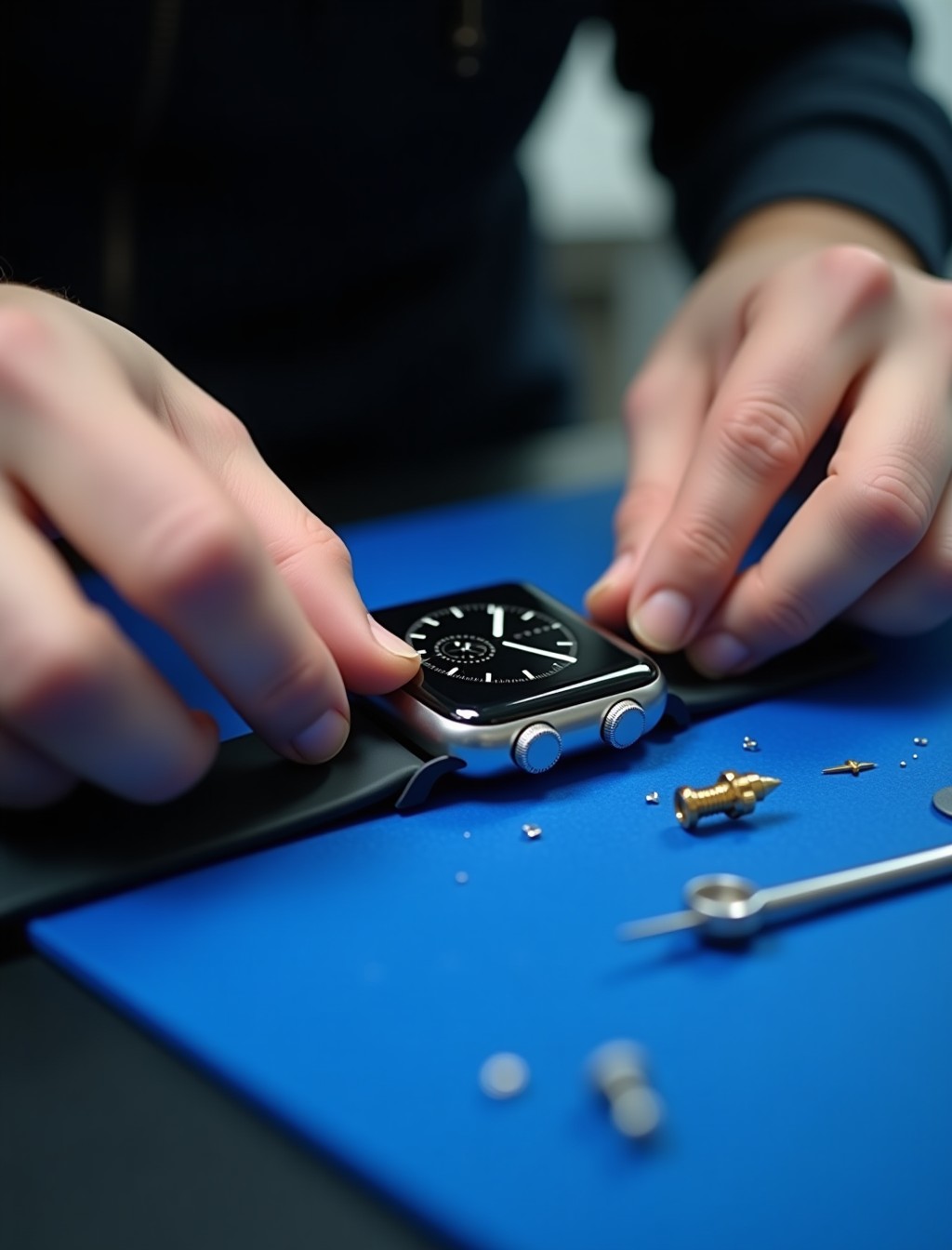
A Digital Crown that sticks, will not rotate smoothly, or does not click properly usually means dust, moisture, or mechanical wear has affected the mechanism rather than a software issue. The crown is one of the most used physical parts of the entire watch, turning and clicking dozens of times a day for scrolling, zooming, and navigating. That level of daily use means it takes more physical wear than almost any other control on the device. At Milaaj, our technicians identify exactly what is causing the fault before recommending a repair, since a Digital Crown issue and a side button issue are different problems with different fixes.
The Digital Crown and the side button sit right next to each other on the case, and it is easy to describe a fault with one as though it were the other. Getting the diagnosis right matters, since the repair and the part involved are different for each, and quoting the wrong one wastes time and money.
Whether the issue developed gradually from years of use, appeared after a drop, or showed up after water exposure, we can identify the cause before any work begins.
Signs Your Digital Crown or Side Button Needs Attention
These are the symptoms our technicians see most often across both the crown and the side button, and it is common for a customer to only notice one at first.
- Crown feels stiff, gritty, or does not rotate smoothly. This is one of the most common signs of dust or debris trapped inside the crown mechanism.
- Crown spins freely but does nothing on screen. This can point to a disconnected internal sensor rather than the crown mechanism itself.
- Crown does not click when pressed, or the click feels different than it used to. A worn or damaged click mechanism inside the crown assembly is the usual cause.
- Side button does not respond when pressed, or requires unusually firm pressure. This points to a mechanical fault in the button itself rather than the crown.
- Crown or button feels loose, wobbly, or slightly recessed compared to before. This is usually a sign of physical damage from a drop rather than debris.
- Haptic feedback from the crown feels weak or absent on models that support it. This can point to a fault in the Taptic Engine connection near the crown assembly.
Digital Crown or Side Button? What’s Actually Wrong
These two controls sit close together but are separate mechanisms, so it helps to know which one is actually causing the problem.
- If turning the crown feels stiff or gritty but pressing it still clicks normally, the fault is most likely limited to the rotating mechanism.
- If the crown spins normally but nothing happens on screen, the issue may be a sensor or connection fault rather than the crown itself.
- If the long, flat button on the opposite side is unresponsive or hard to press, that is the side button rather than the crown, and it uses a different repair.
- If both controls feel affected at the same time, this can point to a broader case level issue such as water exposure or impact damage.
Our technicians confirm exactly which control and which fault applies during the free diagnostic, so you are never paying for the wrong repair.
Common Causes of Digital Crown and Side Button Faults in Dubai
Understanding what caused the fault helps explain why some repairs are quick and others take more work, and helps you avoid the same issue happening again.
- Dust and debris buildup. The crown’s rotating mechanism is exposed to the environment every time it turns, and dust or lint can gradually restrict its movement.
- Sweat and moisture exposure. Regular workouts and daily wear expose the crown and button to sweat, which can corrode internal contacts over time.
- Physical damage from a drop. An impact near the case edge can bend or dislodge the crown or button mechanism even if the rest of the watch looks undamaged.
- Water damage affecting the seal. The crown has its own water resistant seal, and damage to this seal can let moisture reach the mechanism from the inside.
- Wear from years of daily use. The crown is one of the most physically used parts of the watch, and the rotating and clicking mechanism naturally wears down over years of regular use.
all series
Apple Watch Crown Repair for Every Series in Dubai
Digital Crown design has changed across the Apple Watch range, and repair parts are matched specifically to each generation and case size.
- Apple Watch Ultra 3, Ultra 2, and Ultra: a larger crown with a knurled edge designed for use with gloves, along with haptic feedback and Force Touch capability.
- Apple Watch Series 7 and later, including Series 11: haptic Digital Crown with Force Touch, providing tactile feedback when scrolling.
- Apple Watch Series 6 and earlier: a mechanical Digital Crown without haptic feedback, using an earlier generation crown assembly.
- Apple Watch SE 3 and SE 2: a standard Digital Crown without the haptic feedback found on Series and Ultra models.
- Regardless of series, the crown and side button are both matched precisely to your case size and series, since parts are not interchangeable across generations.
step by step process
Our Apple Watch Crown and Button Repair Process in Dubai
Every crown or button repair follows the same careful sequence to restore smooth, reliable operation.
1
Free diagnostic check. We confirm whether the fault sits in the crown, the side button, or a connected sensor before quoting anything.
2
Careful disassembly. The case is opened using tools built for the tight tolerances of Apple Watch hardware to access the affected mechanism.
3
Component repair or replacement. The crown assembly, side button, or affected internal connector is cleaned, repaired, or replaced with a genuine or premium grade part.
4
Seal and function testing. A fresh water resistant seal is fitted around the crown where needed, and rotation, click, and haptic response are all tested.
5
Final quality check. We confirm smooth, consistent operation under normal use before handing the watch back to you.
why milaaj
Why Choose Milaaj for Apple Watch Digital Crown Replacement in Dubai
A crown or button repair involves precise, small scale work, so experience with this specific mechanism matters more than with most other Apple Watch repairs.
- 35,000+ customers served across the UAE, with Apple Watch and iPhone repairs handled regularly.
- Certified technicians experienced with crown and button repair across every Apple Watch series, from mechanical to haptic Force Touch crowns.
- Genuine and premium grade parts used for every crown or button repair, never mismatched components.
- Up to 12 months parts and labor warranty on completed crown and button repairs.
- Free diagnostics with no obligation to proceed once you know what is actually wrong.
- Free pickup and delivery across Dubai, so a stuck crown does not mean a trip across the city.
- Data privacy practiced on every device, with no unnecessary access to your paired iPhone or accounts.
- 24/7 support available in Arabic, English, Urdu, Hindi, Malayalam, and Tamil.
Related Repairs
- Apple Watch Screen Replacement Dubai – The crown sits right at the screen edge and is often damaged in the same drop, making this a natural companion page.
- Apple Watch Water Damage Repair Dubai – A compromised crown seal is a common entry point for water damage, making this a relevant cross link.
- Apple Watch Software Repair Dubai – A crown that spins without effect can sometimes trace back to a software fault rather than hardware, making this a useful next step if hardware diagnosis comes back clear.
- Apple Watch Trade In / Buyback – Relevant for older Apple Watch models where crown repair cost approaches the value of the device itself.
FAQs
Frequently Asked Questions About Apple Watch Digital Crown Repair
Can a sticky Digital Crown be cleaned without replacing it?
Yes, in many cases a stiff or gritty crown can be cleaned and restored without a full replacement, provided the mechanism itself is not physically damaged. Diagnosis confirms which repair is actually needed before anything is quoted.
What is the difference between the Digital Crown and the side button?
The Digital Crown is the rotating dial used for scrolling and zooming, usually positioned at the top right of the case, while the side button is the long, flat button below it used for the app switcher and other functions. They are separate mechanisms with different repair paths.
How much does it cost to fix an Apple Watch Digital Crown?
Cost depends on whether the fix is a cleaning, a mechanism repair, or a full crown replacement, since more extensive damage naturally costs more to fix. We give a clear quote after a free diagnostic so there are no surprises before you decide whether to proceed.
Will my Apple Watch still be water resistant after a crown repair?
We refit the crown’s water resistant seal during every repair, and we recommend giving the seal time to cure before swimming or showering with the watch.
Does a crown repair affect the haptic feedback on newer Apple Watch models?
No, our technicians test haptic response as part of the repair process to confirm it is working correctly before the watch is handed back to you.
How long does a Digital Crown or side button repair take?
Most crown and button repairs are completed same day once the affected component and part are confirmed, though availability can vary for older or less common series where original parts are harder to source.
Can removing the protective film from a new Apple Watch fix a stiff Digital Crown?
Yes, on brand new watches a stiff crown is sometimes just an unremoved protective film around the base, and removing it often resolves the issue immediately. If the crown still feels stiff after checking for this, a diagnostic is the next step.
Digital Crown Stuck or Unresponsive?
A stuck, unresponsive, or wobbly crown does not need to slow you down. Book your Apple Watch Digital Crown repair in Dubai with Milaaj and our technicians will confirm exactly what is wrong before any work begins.
Contact us
Get Your Apple Watch Crown Working Smoothly Again
With free pickup across Dubai, genuine parts, and up to 12 months warranty on the repair, you can get back to smooth scrolling and reliable navigation without replacing the whole device. Get in touch and we will take care of the rest.