

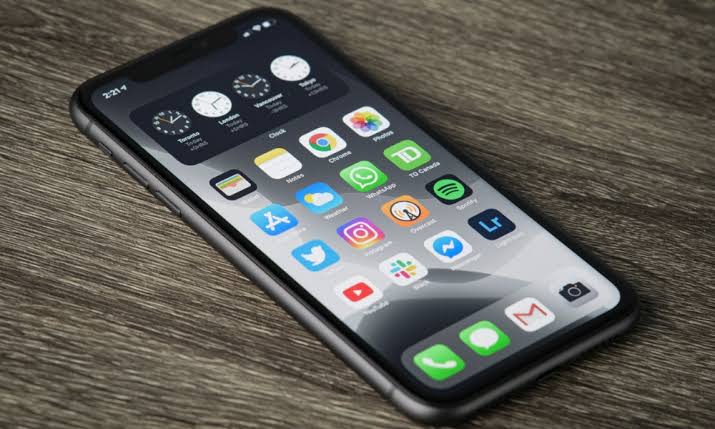
Software updates are supposed to improve your iPhone experience. They typically introduce new features, strengthen security, improve performance, and fix bugs. However, every major iOS release also brings a wave of unexpected issues for some users. Recently, discussions surrounding iOS 19 update bricking iPhones have started appearing across online forums, social media platforms, and tech communities.
Many users in the UAE have reported situations where their iPhone suddenly becomes unresponsive during or after the iOS 19 installation process. In some cases, the device gets stuck on the Apple logo. In others, the screen goes completely black and refuses to turn on. Naturally, this can be alarming, especially if your iPhone contains important personal files, business documents, photos, and contacts.
The good news is that a black screen after an update does not always mean permanent damage. In fact, many devices can be recovered through software troubleshooting or professional diagnostics. Therefore, understanding the causes, symptoms, and solutions can help you respond quickly and avoid unnecessary panic.
In this guide, we’ll explore why users are searching for information about iOS 19 update bricking iPhones, what may cause a black screen after updating, how to troubleshoot the issue safely, and when professional repair services may be necessary.
What Does “Bricking” Mean?
The term “bricking” refers to a device becoming unusable after a software or hardware failure.
When an iPhone becomes “bricked,” it may:
- Fail to boot normally
- Display a black screen
- Become stuck on the Apple logo
- Enter a restart loop
- Stop responding to touch inputs
- Fail to connect to a computer
Essentially, the phone behaves more like a brick than a functional smartphone.
Fortunately, not every case of iOS 19 update bricking iPhones results in permanent damage.
Therefore, accurate diagnosis is extremely important.
Why Some iPhones Experience Problems After Major iOS Updates
Large operating system updates affect nearly every component inside the device.
This includes:
- System files
- Storage management
- Battery optimization
- Security protocols
- Application compatibility
- Device firmware
Consequently, unexpected issues may occasionally occur during the installation process.
Interrupted Update Process
One of the most common causes of update-related failures is interruption.
Examples include:
- Battery depletion
- Poor internet connection
- Storage shortages
- Unexpected device shutdowns
As a result, essential system files may not install correctly.
Software Corruption
Corrupted installation files can prevent iOS from loading properly.
Therefore, some users experience black screens immediately after updating.
Existing Hardware Issues
In some cases, the update itself is not the true cause.
Instead, the update places additional stress on existing hardware problems such as:
- Aging batteries
- Storage failures
- Logic board issues
- Charging circuit faults
Consequently, previously hidden defects may become noticeable after installation.
Common Symptoms Associated with iOS 19 Update Bricking iPhones
Black Screen
The most frequently reported symptom is a completely black display.
Users often notice:
- No startup screen
- No Apple logo
- No response to touch
- No visible activity
Apple Logo Loop
Some iPhones repeatedly display the Apple logo before restarting.
This cycle can continue indefinitely.
Frozen Update Screen
The progress bar may stop moving for hours.
As a result, users often assume the update has failed.
Overheating
Some devices become unusually warm during failed update attempts.
Therefore, excessive heat should not be ignored.
Battery Drain
Unexpected battery depletion after updating may indicate software instability.
Which iPhones Are Most Likely to Experience Problems?
While newer devices generally handle updates well, certain conditions can increase risk.
Examples include:
- Limited storage space
- Aging batteries
- Previous repair history
- Existing software instability
- Unsupported third-party modifications
However, reports involving iOS 19 update bricking iPhones can affect various iPhone models under the right circumstances.
What to Do If Your iPhone Screen Goes Black
Stay Calm and Avoid Repeated Restart Attempts
Many users repeatedly press buttons hoping for a quick fix.
Unfortunately, excessive restart attempts can complicate troubleshooting.
Therefore, begin with a systematic approach.
Check Battery Status
Connect the device to a trusted charger.
Allow it to charge for at least 30 minutes.
In some situations, the issue may simply be a depleted battery.
Perform a Force Restart
A force restart can often recover devices that appear completely unresponsive.
Different iPhone models use different button combinations.
Therefore, verify the correct method for your specific device.
Connect to a Computer
If the iPhone remains unresponsive, connect it to a Mac or Windows PC.
The computer may still detect the device even when the screen remains black.
Consequently, software recovery options become available.
Using Recovery Mode
Recovery Mode allows users to reinstall iOS without immediately replacing hardware.
This process can help resolve:
- Corrupted updates
- Boot loops
- Failed installations
- Software crashes
However, Recovery Mode should be performed carefully to avoid data loss.
Therefore, backups remain extremely important.
Understanding DFU Mode
Device Firmware Update (DFU) Mode is a deeper recovery option.
Unlike standard Recovery Mode, DFU Mode communicates directly with the device firmware.
As a result, it can sometimes restore iPhones that appear completely dead.
Nevertheless, advanced troubleshooting should be approached cautiously.
When the Problem Is Actually Hardware-Related
Not every black screen originates from software.
In some cases, the update merely exposes an existing hardware problem.
Battery Failures
Older batteries may struggle during major software updates.
Consequently, devices may fail to boot successfully.
Display Issues
The phone may actually be running while the screen remains dark.
Therefore, display diagnostics are essential.
Logic Board Problems
Logic board defects can produce symptoms similar to software corruption.
Examples include:
- Black screens
- Boot loops
- Charging failures
- Random shutdowns
Storage Chip Issues
Modern iPhones rely heavily on internal storage health.
Therefore, storage failures can interrupt the boot process.
Why UAE Users Are Particularly Concerned
Heavy Daily Dependence
Many UAE residents rely on smartphones for:
- Banking
- Business communication
- Navigation
- Online payments
- Government services
Consequently, a non-functional iPhone creates significant inconvenience.
High Temperatures
Extreme heat can affect battery performance and device stability.
While heat alone rarely causes update failures, it may contribute to underlying hardware stress.
Business Continuity
For entrepreneurs and professionals, losing access to an iPhone can disrupt daily operations.
Therefore, rapid recovery becomes a priority.
How to Prevent Future Update Problems
Back Up Before Updating
Always create a backup before installing major iOS updates.
This protects:
- Photos
- Messages
- Documents
- Contacts
- Application data
Maintain Storage Space
Updates require adequate free storage.
Therefore, remove unnecessary files before installation.
Charge Fully Before Updating
A low battery increases installation risks.
Consequently, begin updates with sufficient charge.
Use Reliable Internet
Stable Wi-Fi helps ensure complete download integrity.
Avoid Beta Versions on Primary Devices
Beta software may contain unresolved issues.
Therefore, production devices should generally remain on stable releases.
Professional iPhone Repair Services in Dubai
If troubleshooting fails and your device remains unresponsive, professional diagnostics may be necessary. Milaaj mobile and laptop repair Al Barsha provides expert diagnostics and repair services for iPhones experiencing update-related problems, black screens, boot loops, charging issues, battery failures, and logic board faults.
Moreover, customers benefit from affordable pricing that helps reduce repair costs compared to device replacement. In addition, fast repair turnaround times minimize downtime for professionals, students, and business users. Furthermore, high-quality replacement parts help ensure long-term reliability and performance. Meanwhile, convenient service options make the repair process simple and stress-free. As a result, customers receive dependable repairs, experienced technical support, and excellent overall value.
Repair vs Replacement: Which Is Better?
Many users assume a black-screen iPhone must be replaced.
However, this is often unnecessary.
Professional diagnostics can identify whether the issue involves:
- Software corruption
- Battery failure
- Display malfunction
- Logic board damage
Consequently, many devices can be restored without purchasing a new iPhone.
Therefore, repair is frequently the most cost-effective solution.
Final Thoughts
Reports of iOS 19 update bricking iPhones have understandably caused concern among users in the UAE and around the world. While a black screen after updating can be alarming, it does not automatically mean your device is permanently damaged.
In many cases, force restarts, Recovery Mode, or firmware restoration can successfully restore functionality. Moreover, even when hardware problems exist, professional diagnostics often reveal repairable solutions.
Therefore, if your iPhone becomes unresponsive after installing iOS 19, avoid panic, follow proper troubleshooting steps, and seek professional assistance if necessary. Acting quickly can improve recovery chances, protect your data, and help you return to normal usage as soon as possible.
Frequently Asked Questions
1. What does iOS 19 update bricking iPhones mean?
It refers to situations where an iPhone becomes unusable, unresponsive, or stuck during or after the iOS 19 update process.
2. Can an iOS update cause a black screen?
Yes. Software corruption, interrupted updates, or underlying hardware issues can result in a black screen.
3. Is my data lost if my iPhone is bricked?
Not necessarily. Many devices can be recovered without permanent data loss.
4. What should I do first if my screen goes black?
Charge the device and perform the appropriate force restart procedure.
5. Can Recovery Mode fix update failures?
Yes. Recovery Mode often resolves software corruption and failed update installations.
6. What is DFU Mode?
DFU Mode is a deep firmware recovery method used for advanced troubleshooting.
7. Could the issue actually be hardware-related?
Yes. Batteries, displays, storage chips, and logic boards can create similar symptoms.
8. Is it safe to update iPhones immediately after release?
Most updates install successfully, but waiting for early bug reports can reduce risk.
9. Can a repair shop fix a black-screen iPhone?
In many cases, professional technicians can diagnose and repair the underlying issue.
10. How can I prevent future update problems?
Back up your data, maintain storage space, charge fully before updating, and use a reliable internet connection.
Other Services:
- Need other iPhone repairs? Check out Milaaj’s iPhone repair services in Dubai.
- Looking to upgrade? Learn about selling your used iPhone in Dubai.
- Data loss concerns? Visit Milaaj’s data recovery services.
- For Apple users, check Apple trade-in options in Dubai.
📍 Visit Any Milaaj Branch in Dubai
🔹 Bur Dubai
Milaaj Mobile and Laptop Repair Dubai
📞 055 258 8477
🔗 Google Maps
🔹 Al Barsha
Milaaj Mobiles and Laptop Repair Al Barsha
📞 052 596 2846
🔗 Google Maps
🔹 Al Barsha 3
Milaaj Mobiles and Gaming Store
📞 052 3405 814
🔗 Google Maps
🔹 Al Nuaimiya
Milaaj Mobiles and Laptops Ajman
📞 055 788 9654
🔗 Google Maps
Shop Locations: Al Barsha | Bur Dubai | Reef Mall, Salah Al Din | Al Nuaimiya, Ajman
Email: support@milaaj.com
Operating Hours: Monday – Sunday




Leave a Reply