

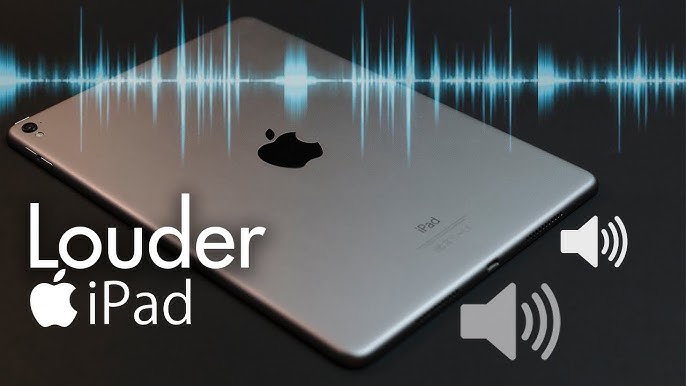
Is your iPad Air volume too low, even when the sound bar is set to maximum? You’re not alone. Many iPad Air users experience low volume issues after software updates, long-term use, or accidental exposure to dust and moisture. Although the iPad Air is known for its excellent audio quality, several factors can silently reduce its sound output over time.
Fortunately, iPad Air volume too low problems are often fixable without replacing the device. Therefore, understanding the causes and applying the right solutions can restore clear, loud audio. Most importantly, acting early helps prevent permanent speaker damage.
In this guide, we’ll explain why your iPad Air volume is too low, how to fix it effectively, and when professional repair becomes essential.
Why Is iPad Air Volume Too Low?
Before jumping into fixes, it’s important to understand the root causes. In many cases, low sound is not caused by a single issue but by a combination of software and hardware factors.
Common Causes of Low iPad Air Volume
- Dust or debris blocking speaker grills
- iOS software glitches or bugs
- Incorrect sound settings
- Bluetooth audio routing issues
- Worn or damaged speakers
- Water or moisture exposure
Therefore, identifying the cause helps you choose the most effective solution instead of guessing.
iPad Air Volume Too Low Due to Software Settings
Check iPad Sound Settings First
Surprisingly, incorrect settings are one of the most common reasons why iPad Air volume is too low.
What to do:
- Go to Settings → Sounds & Haptics
- Increase the Ringer and Alerts slider
- Disable Change with Buttons temporarily
- Turn off Reduce Loud Sounds
Additionally, check Settings → Accessibility → Audio/Visual and make sure:
- Mono Audio is OFF
- Balance slider is centered
As a result, audio output becomes more balanced and noticeably louder.
Bluetooth Causing iPad Air Volume Too Low
Sometimes, your iPad Air appears quiet because it’s still connected to a Bluetooth device.
How to Fix Bluetooth Audio Issues
- Go to Settings → Bluetooth
- Turn Bluetooth OFF
- Restart your iPad Air
Afterward, play audio again and check if the volume improves. In many cases, this simple step instantly fixes the iPad Air volume too low issue.
iOS Bugs That Reduce iPad Air Sound Output
Software Glitches After iOS Updates
Occasionally, iOS updates introduce temporary audio bugs. Therefore, if your iPad Air volume became too low after an update, software troubleshooting is essential.
Effective Solutions:
- Restart your iPad Air
- Update to the latest iOS version
- Reset all settings (Settings → General → Transfer or Reset → Reset All Settings)
Although this reset won’t delete data, it refreshes system sound configurations. Consequently, many users notice immediate improvement.
iPad Air Volume Too Low Because of Dust or Dirt
Speaker Grills Get Blocked Easily
Over time, dust and pocket lint can clog the speaker grills. As a result, sound becomes muffled and weak.
How to Clean iPad Air Speakers Safely
- Use a soft-bristled brush
- Gently clean the speaker openings
- Use compressed air at a safe distance
However, never use sharp objects or liquids. Otherwise, you may damage the speaker membranes.
If cleaning improves sound even slightly, then dirt was likely the cause of your iPad Air low volume problem.
Water Damage Can Make iPad Air Volume Too Low
Even Small Moisture Exposure Matters
Although the iPad Air has some resistance, it is not waterproof. Therefore, exposure to humidity, spills, or steam can damage internal speaker components.
Warning Signs of Water-Related Audio Issues:
- Crackling sound
- Distorted audio
- Volume dropping suddenly
In such cases, DIY fixes may worsen the damage. Most importantly, stop using the device and seek professional inspection.
Hardware Damage Causing Low iPad Air Volume
When Speakers Wear Out
Speakers naturally degrade over time. Therefore, if your iPad Air is older and consistently quiet, worn speakers may be the cause.
Symptoms of Speaker Damage:
- Low volume even with headphones unplugged
- Distortion at higher levels
- Sound only from one side
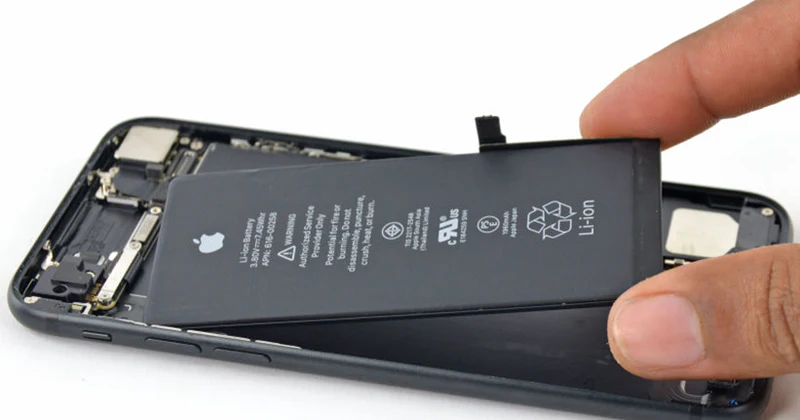
At this stage, speaker replacement becomes the only effective solution.
How Professionals Fix iPad Air Volume Too Low Issues
When basic fixes fail, expert diagnostics are necessary. Professional repair technicians test both software and hardware layers to pinpoint the problem.
Professional Repair Solutions Include:
- Internal speaker cleaning
- Speaker replacement
- Audio IC inspection
- Logic board diagnostics
As a result, sound quality is restored without unnecessary part replacements.
Why Choose Milaaj
Milaaj mobiles and laptop repair Al Barsha specializes in advanced iPad Air audio repairs using professional tools and tested repair methods.
What Makes Milaaj the Right Choice?
- Low-cost, transparent pricing
- Fast turnaround time
- High-quality replacement parts
- Experienced Apple repair technicians
- Convenient Al Barsha location
Most importantly, repairs focus on long-term reliability, not temporary fixes. Therefore, your iPad Air sound remains clear and loud after repair.
Preventing iPad Air Volume Problems in the Future
Although fixes are available, prevention is always better.
Tips to Maintain iPad Air Sound Quality
- Clean speaker grills regularly
- Avoid moisture exposure
- Update iOS consistently
- Use protective cases
- Avoid max volume for long periods
As a result, you reduce the risk of facing iPad Air volume too low issues again.
When Should You Seek Professional Help?
You should visit a repair center if:
- Volume remains low after software resets
- Sound is distorted or crackling
- One speaker stops working
- Water exposure occurred
Ignoring these signs can lead to permanent audio failure.
FAQs
1. Why is my iPad Air volume too low even at maximum level?
This usually happens due to incorrect sound settings, Bluetooth connections, iOS bugs, clogged speakers, or internal speaker damage. Therefore, checking both software and hardware factors is essential.
2. Can an iOS update cause iPad Air volume issues?
Yes, sometimes iOS updates introduce temporary audio bugs. As a result, the iPad Air volume may drop until the system is restarted, updated again, or reset properly.
3. How do I fix iPad Air volume too low after an update?
First, restart your device and disable Bluetooth. Then, check Sound & Haptics settings and update to the latest iOS version. If the problem continues, professional repair may be required.
4. Can dirt or dust reduce iPad Air speaker volume?
Absolutely. Over time, dust and debris block the speaker grills. Consequently, cleaning the speakers carefully with a soft brush or compressed air can restore normal sound.
5. Does water damage affect iPad Air sound quality?
Yes, even minor moisture exposure can damage internal speaker components. As a result, the volume may become weak, distorted, or completely silent.
Final Thoughts: Fix iPad Air Volume Too Low Effectively
An iPad Air volume too low problem can be frustrating, especially when it affects calls, videos, and music. However, most issues start small and are highly fixable when addressed early.
Although software tweaks and cleaning often help, hardware damage requires expert attention. Therefore, knowing when to switch from DIY fixes to professional repair is crucial.
With proper care and expert support when needed your iPad Air can deliver loud, clear sound once again without costly replacement.
Other Services:
- Need other iPad repairs? Check out Milaaj’s iPad repair services in Dubai.
- Looking to upgrade? Learn about selling your used iPad in Dubai.
- Data loss concerns? Visit Milaaj’s data recovery services.
- For Apple users, check Apple trade-in options in Dubai.
📍 Visit Any Milaaj Branch in Dubai
🔹 Bur Dubai
Milaaj Mobile and Laptop Repair Dubai
📞 055 258 8477
🔗 Google Maps
🔹 Al Barsha
Milaaj Mobiles and Laptop Repair Al Barsha
📞 052 596 2846
🔗 Google Maps
🔹 Al Barsha 3
Milaaj Mobiles and Gaming Store
📞 052 3405 814
🔗 Google Maps
🔹 Al Nuaimiya
Milaaj Mobiles and Laptops Ajman
📞 055 788 9654
🔗 Google Maps
Shop Locations: Al Barsha | Bur Dubai | Reef Mall, Salah Al Din | Al Nuaimiya, Ajman
Email: support@milaaj.com
Operating Hours: Monday – Sunday
Leave a Reply