

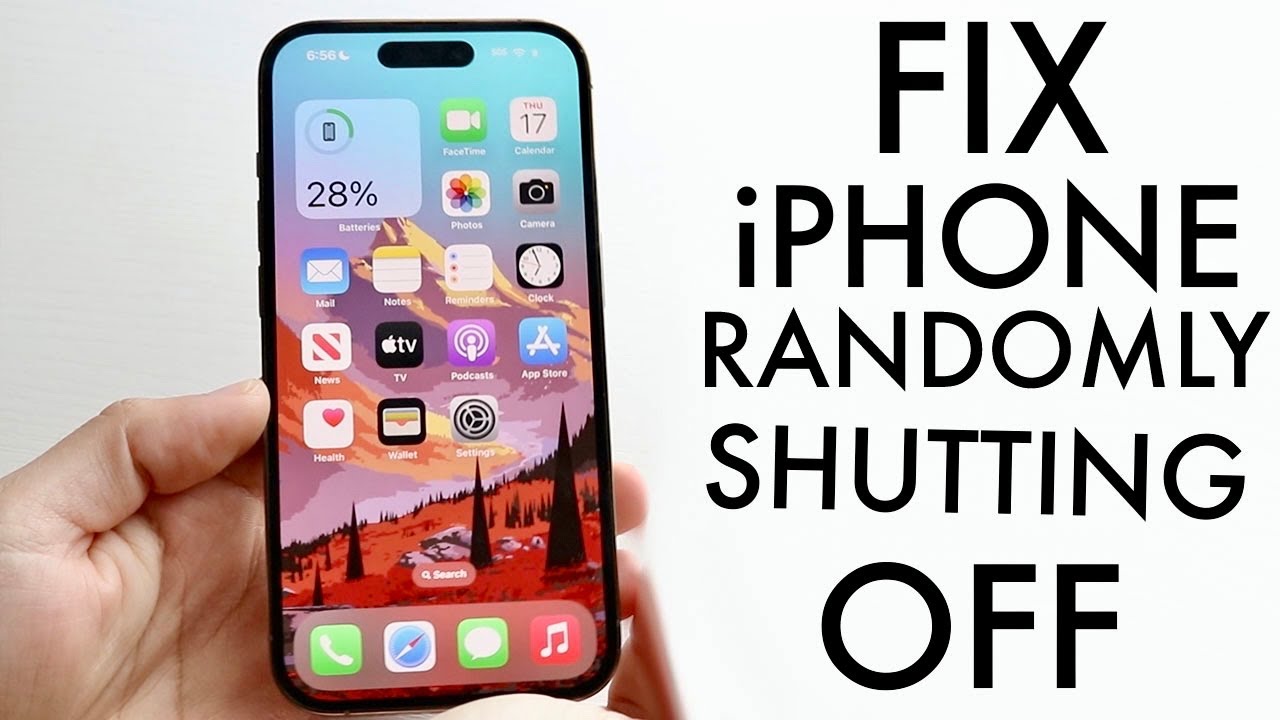
If your iPhone 13 keeps turning off suddenly, you’re not alone. Many users experience unexpected shutdowns where the phone powers off despite showing battery charge remaining. Sometimes the device restarts on its own, while in other cases it stays off until connected to a charger.
The problem can be caused by battery degradation, software bugs, overheating, charging issues, or internal hardware faults. The good news is that many sudden shutdown issues can be fixed without replacing the device.
This guide explains why your iPhone 13 keeps shutting down randomly, how to diagnose the cause, and the most effective solutions for iOS 17, iOS 18, and iOS 26 users.
Quick Answer
If your iPhone 13 keeps turning off suddenly, check battery health, update iOS, force restart the device, remove problematic apps, and recalibrate the battery. If shutdowns continue, the battery, charging circuit, or power management components may require professional diagnosis.
Key Takeaways
- Battery health below 80% commonly causes random shutdowns.
- iOS bugs and failed updates can trigger unexpected restarts.
- Overheating often forces the iPhone to shut down automatically.
- Battery calibration may help if percentages fluctuate.
- Persistent shutdowns may indicate battery, PMIC, or motherboard issues.
Why Does My iPhone 13 Keep Turning Off Suddenly?
Several factors can cause random shutdowns.
Battery Health Deterioration
The iPhone 13 uses a lithium-ion battery that naturally degrades over time.
As battery capacity drops:
- Power delivery becomes unstable
- Battery percentages become inaccurate
- Unexpected shutdowns become more common
iOS Software Problems
Software bugs occasionally affect power management.
Users have reported shutdown issues after:
- iOS 17 updates
- iOS 18 updates
- iOS 26 updates
- Failed system upgrades
- Corrupted software installations
Overheating
The iPhone may automatically shut down when internal temperatures become unsafe.
Common causes include:
- Gaming sessions
- Wireless charging
- Fast charging
- Direct sunlight
- Background app activity
Power Management IC Problems
The PMIC (Power Management Integrated Circuit) controls how power is distributed throughout the device.
A faulty PMIC may cause:
- Random shutdowns
- Boot loops
- Charging failures
- Sudden battery drops
Faulty Applications
Certain apps may:
- Consume excessive power
- Overload system resources
- Cause iOS crashes
This can sometimes appear as a sudden shutdown issue.
Which iPhone 13 Models Are Affected?
The issue can affect any device in the lineup:
iPhone 13 Keeps Turning Off Suddenly
The standard iPhone 13 most commonly experiences battery-related shutdowns as battery health declines.
iPhone 13 Mini Keeps Turning Off Suddenly
Due to its smaller battery, the iPhone 13 mini may experience faster battery degradation and power instability.
iPhone 13 Pro Keeps Turning Off Suddenly
Heavy camera use and ProMotion features can sometimes expose battery or software issues.
iPhone 13 Pro Max Keeps Turning Off Suddenly
Although it has the largest battery in the series, random shutdowns may still occur due to battery aging or hardware faults.
Signs the Battery Is Causing the Problem
Your battery may be responsible if:
- The phone shuts off above 20%
- Battery percentage jumps unexpectedly
- The device only works while charging
- Battery drains unusually fast
- Battery health is below 80%
Check:
Settings → Battery → Battery Health & Charging
How to Fix iPhone 13 Keeps Turning Off Suddenly
Force Restart the Device
A force restart clears temporary software glitches.
Steps:
- Press Volume Up.
- Press Volume Down.
- Hold the Side Button.
- Release when the Apple logo appears.
Check Battery Health
Navigate to:
Settings → Battery → Battery Health & Charging
Look for:
- Maximum Capacity
- Peak Performance Capability
If battery health is below 80%, replacement is usually recommended.
Update iOS
Software updates frequently fix power management bugs.
Go to:
Settings → General → Software Update
Install any available updates.
iOS 17 Fixes for iPhone 13 Random Shutdowns
Users on iOS 17 reported:
- Unexpected restarts
- Battery percentage inaccuracies
- Background process issues
Recommended fixes:
- Update to the latest iOS 17 release
- Reset all settings
- Remove problematic apps
- Recalibrate battery readings
iOS 18 Fixes for iPhone 13 Shutdown Problems
Some iOS 18 users experienced:
- Rapid battery drain
- Overheating
- Random shutdowns
Helpful solutions include:
- Disable unnecessary background refresh
- Check battery health
- Update all apps
- Install the latest iOS 18 patches
Turn Off Background App Refresh
Go to:
Settings → General → Background App Refresh
Disable unnecessary applications.
iOS 26 Fixes for iPhone 13 Power Issues
Although iOS 26 includes improved battery optimization, some users reported:
- Increased heat during updates
- Temporary battery recalibration issues
- Unexpected restarts after installation
If your iPhone started shutting down after installing iOS 26:
- Allow 48 hours for indexing and optimization.
- Install any follow-up updates.
- Restart the device regularly.
- Monitor battery health.
In many cases, the issue resolves once background optimization completes.
Calibrate the Battery
Battery calibration can help if percentages seem inaccurate.
Steps:
- Use the battery until the phone powers off.
- Charge uninterrupted to 100%.
- Leave charging for another hour.
- Restart the device.
Remove Problematic Apps
Check battery usage:
Settings → Battery
If an app is consuming unusually high power, uninstall it temporarily.
Reset All Settings
Corrupted system settings can sometimes trigger power-related issues.
Go to:
Settings → General → Transfer or Reset iPhone → Reset → Reset All Settings
This preserves your personal data.
Restore iPhone Through Finder or iTunes
For persistent software corruption:
- Back up your device.
- Connect to a Mac or PC.
- Open Finder or iTunes.
- Select Restore iPhone.
This reinstalls iOS completely.
When the Problem Is Hardware Related
If software troubleshooting fails, the issue may involve:
- Battery degradation
- Charging IC failure
- PMIC faults
- Logic board issues
- Battery connector damage
These issues require professional diagnostics.
If your device continues shutting down unexpectedly, professional iPhone repair services in Dubai can help identify the root cause through advanced testing.
How to Prevent Future Random Shutdowns
To maintain battery health:
- Avoid extreme temperatures
- Use certified chargers
- Keep iOS updated
- Avoid charging overnight every day
- Keep battery between 20% and 80% when possible
- Limit excessive fast charging
These habits help extend battery lifespan and improve power stability.
When Should You Replace the Battery?
Battery replacement should be considered if:
- Battery health is below 80%
- Shutdowns occur frequently
- Battery drains rapidly
- Device only works while charging
A fresh battery often resolves random shutdown issues completely.
Thinking About Upgrading?
If your iPhone 13 requires major repairs, has poor battery health, or you’re considering a newer model, you can also explore selling your phone in Dubai and put its value toward an upgrade.
FAQs
Why does my iPhone 13 keep turning off even with battery left?
This usually indicates battery degradation, inaccurate battery calibration, or power management issues.
Can iOS updates cause random shutdowns?
Yes. Some users experience temporary battery and power management issues after major updates such as iOS 17, iOS 18, or iOS 26.
How do I know if my battery needs replacement?
Check Battery Health. If Maximum Capacity is below 80%, replacement is recommended.
Can overheating cause my iPhone 13 to turn off?
Yes. Apple devices automatically shut down to protect internal components when temperatures become excessive.
Will resetting my iPhone fix random shutdowns?
If the issue is software-related, resetting settings or restoring iOS may resolve it.
Should I repair or replace my iPhone 13?
If the issue is limited to the battery, repair is usually more cost-effective. Severe motherboard faults may make upgrading a better option.
Final Thoughts
If your iPhone 13 keeps turning off suddenly, the issue is often related to battery health, software instability, overheating, or power management problems. Fortunately, many cases can be fixed through battery diagnostics, iOS updates, calibration, and system resets.
For persistent shutdowns that continue despite troubleshooting, Milaaj can help diagnose battery, charging, and motherboard issues to restore reliable performance and prevent future power failures.
📍 Visit Any Milaaj Branch in Dubai
🔹 Bur Dubai
Milaaj Mobile and Laptop Repair Dubai
📞 055 258 8477
🔗 Google Maps
🔹 Al Barsha
Milaaj Mobiles and Laptop Repair Al Barsha
📞 052 596 2846
🔗 Google Maps
🔹 Al Barsha 3
Milaaj Mobiles , Laptops and Watches Repair Service
📞 052 3405 814
🔗 Google Maps
🔹 Al Nuaimiya
Milaaj Mobiles and Laptops Ajman
📞 055 788 9654
🔗 Google Maps
Email: support@milaaj.com
Operating Hours: Monday Sunday


Leave a Reply