

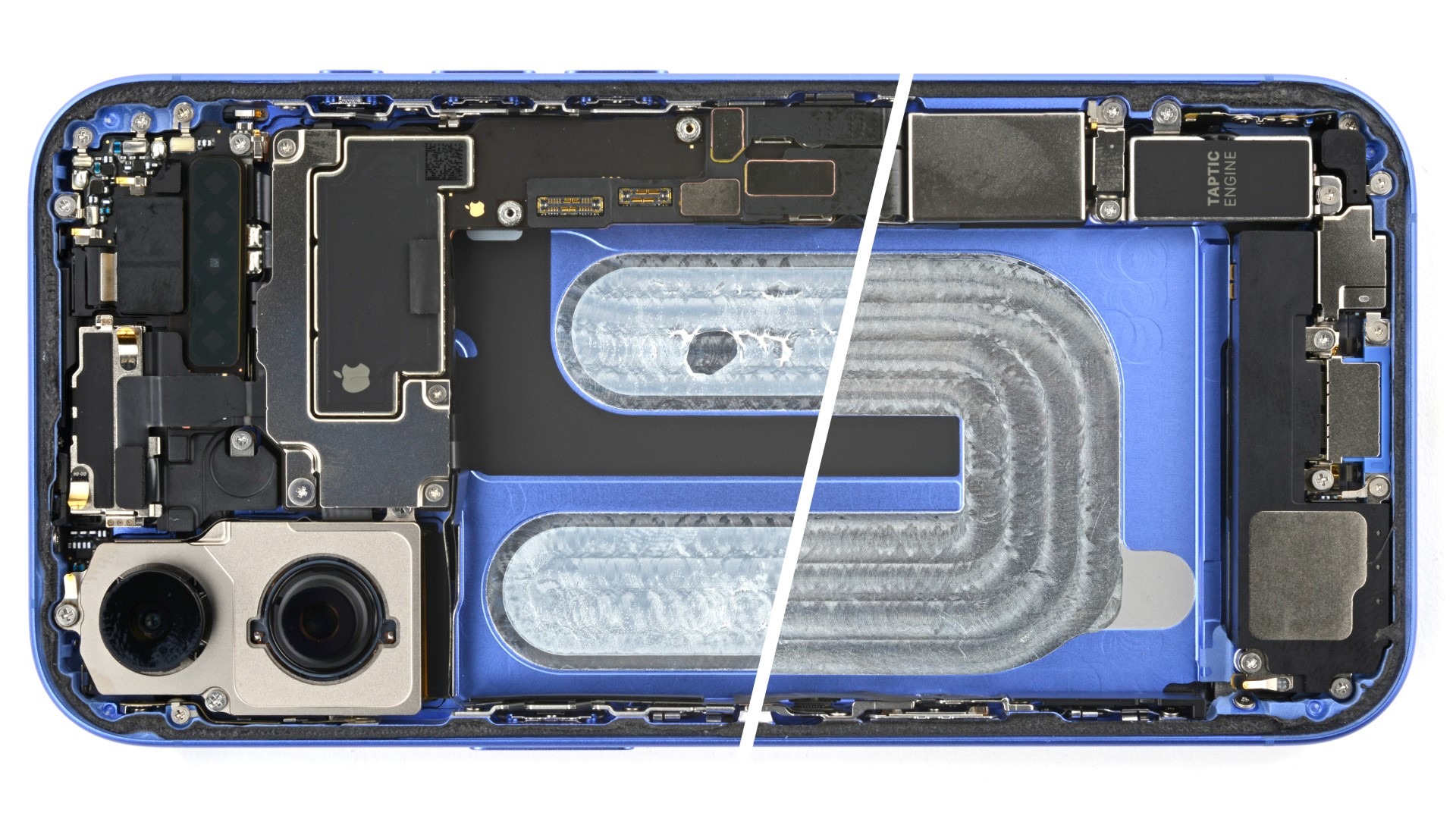
It happens in a heartbeat. A slip of the hand by the pool, a spilled glass of water during dinner, or that sudden Dubai downpour while you’re out in Al Barsha. You quickly grab your iPhone 16, wipe it off, and think, “It’s IP68 rated, it should be fine.” But then, a few hours later, the screen flickers. The charging port starts acting moody, or the speakers sound like they’re underwater. This is the moment panic sets in. You aren’t just dealing with a “wet phone” you are facing the beginning of iPhone 16 internal corrosion cleaning needs.
Despite the impressive water resistance of the latest Apple flagship, moisture is a persistent enemy. Once liquid breaches the internal seals, it triggers a chemical reaction that can permanently destroy your device’s logic board. In this guide, we’ll explore how corrosion works, why the “rice trick” is a myth, and how professional cleaning can save your tech.
What Exactly is iPhone Internal Corrosion?
To understand why iPhone 16 internal corrosion cleaning is so vital, we first need to understand the science of what happens inside that titanium frame. Corrosion isn’t just “wetness”; it’s a chemical transformation of the metal components inside your phone.
The Electrolysis Reaction for iPhone 16 internal corrosion cleaning
When water (which contains minerals and salts) meets a live electrical circuit, it creates a bridge between points that shouldn’t be connected. Because your iPhone 16 is always “on” (even when the screen is dark), electricity is flowing. This triggers electrolysis, a process that rapidly grows “fuzz” or crusty green oxidation on the copper and silver traces of the A18 Bionic chip and surrounding circuitry.
Why Salt Water and Chlorine are Worse
Living in Dubai, our iPhones often come into contact with the Arabian Gulf’s salt water or chlorinated swimming pools. These liquids are highly conductive and aggressive. Salt water, in particular, accelerates corrosion at an alarming rate, often eating through microscopic connectors in just a few hours.
The Danger of the “Wait and See” Approach
The most common mistake iPhone owners make is assuming that because the phone still turns on, it’s safe. This is known as “latent failure.” The moisture inside doesn’t just disappear; it sits in the tight crevices of the logic board, slowly rotting the components.
Don’t Reach for the Rice for iPhone 16 internal corrosion cleaning
We have to debunk this once and for all: Rice does not fix water damage. While rice is a desiccant, it cannot pull moisture out from the deep internal layers of a sealed iPhone 16. Instead, rice introduces fine starch dust into the charging port and speakers, which mixes with the water to create a corrosive sludge. Furthermore, by waiting for the rice to “work,” you are giving the corrosion more time to spread.
How Professional iPhone 16 Internal Corrosion Cleaning Works
If you want to save your device, you need more than a hairdryer and a prayer. Professional iPhone 16 internal corrosion cleaning involves a surgical approach to electronics repair.
1. Immediate Power Isolation
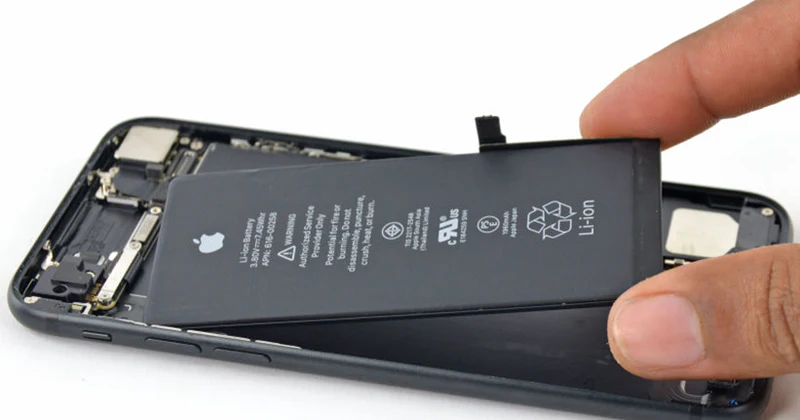
The first step a professional technician takes is opening the device and disconnecting the battery. This immediately stops the electrolysis process and prevents further short-circuiting.
2. Ultrasonic Cleaning for iPhone 16 internal corrosion cleaning
This is the gold standard for water damage recovery. The logic board is placed in an ultrasonic cleaner filled with a specialized chemical solution. The machine uses high-frequency sound waves to create microscopic bubbles that implode against the board, scrubbing away every speck of corrosion, salt, and minerals from under the tiny chips where brushes can’t reach.
3. Micro-Soldering and Component Replacement
Sometimes, the corrosion has already “blown” a tiny capacitor or eaten away a circuit trace. In these cases, a technician uses a microscope and high-precision soldering tools to replace the damaged parts and restore the electrical paths.
Milaaj Mobile and Laptop Repair Al Barsha: Your Water Damage Experts
When your high-end iPhone 16 takes an unexpected swim, you need a team that acts fast and knows Apple hardware inside and out. Milaaj mobile and laptop repair Al Barsha has built a reputation as Dubai’s premier destination for complex liquid damage recovery.
The Milaaj Advantage:
- Speed Repairing: Time is the biggest factor in water damage. We offer express diagnostics to get your phone into the ultrasonic bath as quickly as possible.
- Low Price & Transparency: Replacing an iPhone 16 logic board can cost a fortune. We focus on cleaning and repairing your original board, providing a low price alternative to buying a new phone.
- Ultimate Convenience: Located right in Al Barsha, we are easily accessible. We also offer free pickup and delivery throughout Dubai ideal if your phone dies while you’re at work or home.
- Unmatched Part Quality: If the liquid damage destroyed your screen or battery, we use only genuine-grade or OEM parts to ensure your phone feels and functions like new.
- Professional Resealing: Once the iPhone 16 internal corrosion cleaning is complete, we replace the internal waterproof gaskets to help restore your device’s protection against future spills.
FAQs a bout iPhone 16 internal corrosion cleaning
1. Is the iPhone 16 waterproof?
The iPhone 16 is water-resistant (IP68), not waterproof. This rating is based on fresh water in a controlled lab. Real-world factors like steam, salt water, and drops (which can weaken the seals) mean that liquid can still get inside.
2. How much does internal corrosion cleaning cost?
It is significantly cheaper than a full unit replacement. The cost depends on the extent of the oxidation, but we pride ourselves on offering a low price for professional-grade cleaning.
3. Can you recover my photos from a water-damaged iPhone 16?
Yes! In many cases, even if the phone won’t fully turn on, we can clean the board enough to perform a data extraction, saving your precious memories and important documents.
4. What should I do immediately after dropping my iPhone in water?
Turn it off immediately. Do not charge it. Do not shake it. Bring it to a professional for iPhone 16 internal corrosion cleaning as soon as possible.
5. Does Apple cover water damage under warranty?
Standard Apple warranties do not cover liquid damage. Even with the IP68 rating, if the internal liquid indicators are triggered, you will likely face a high “out-of-warranty” replacement fee at official centers.
Summary: iPhone 16 internal corrosion cleaning
Internal corrosion is a silent killer of electronics. By the time you see the symptoms, the damage is already underway. Seeking professional iPhone 16 internal corrosion cleaning is the only reliable way to stop the oxidation and restore your device to its full potential.
Don’t let a small accident turn into a permanent loss. Trust the experts who have the tools, the cleanroom environment, and the technical skill to handle Apple’s most advanced hardware.
Did your iPhone 16 get wet? Don’t wait for the corrosion to spread! Contact Milaaj today for an urgent diagnostic and professional cleaning!
Other Services:
- Need other iPhone repairs? Check out Milaaj’s iPhone repair services in Dubai.
- Looking to upgrade? Learn about selling your used iPhone in Dubai.
- Data loss concerns? Visit Milaaj’s data recovery services.
- For Apple users, check Apple trade-in options in Dubai.
📍 Visit Any Milaaj Branch in Dubai
🔹 Bur Dubai
Milaaj Mobile and Laptop Repair Dubai
📞 055 258 8477
🔗 Google Maps
🔹 Al Barsha
Milaaj Mobiles and Laptop Repair Al Barsha
📞 052 596 2846
🔗 Google Maps
🔹 Al Barsha 3
Milaaj Mobiles and Gaming Store
📞 052 3405 814
🔗 Google Maps
🔹 Al Nuaimiya
Milaaj Mobiles and Laptops Ajman
📞 055 788 9654
🔗 Google Maps
Shop Locations: Al Barsha | Bur Dubai | Reef Mall, Salah Al Din | Al Nuaimiya, Ajman
Email: support@milaaj.com
Operating Hours: Monday – Sunday
Leave a Reply