

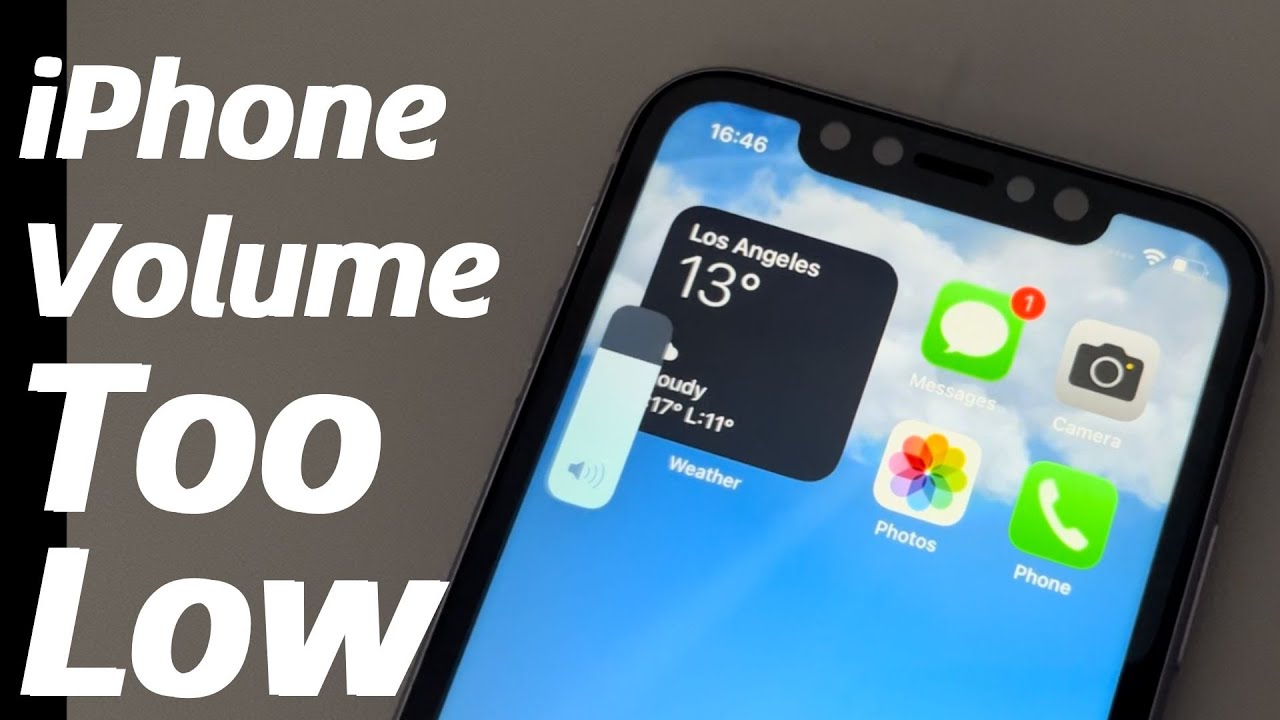
Apple’s latest iPhone 16 brings advanced audio technology, improved speakers, and smarter sound controls. However, many users report a frustrating issue soon after purchase or update iPhone 16 volume too low. Whether you are on calls, watching videos, listening to music, or using speaker mode, low sound can affect daily use significantly.
Although this issue is common, it is often misunderstood. Fortunately, most cases of iPhone 16 volume too low can be fixed with the right approach. In this guide, we explain why the problem occurs, what mistakes to avoid, and how professional repair solutions restore full sound performance safely and effectively.
Why Is iPhone 16 Volume Too Low?
The iPhone 16 volume too low issue can happen for multiple reasons. Sometimes it is software related, while other times it points to hardware damage.
Common Reasons for Low Volume on iPhone 16
- iOS settings limiting sound output
- Dust or debris blocking speakers
- Bluetooth interference
- Software bugs after iOS updates
- Water or moisture exposure
- Internal speaker damage
Moreover, identifying the real cause helps prevent unnecessary repairs.
iPhone 16 Volume Too Low After iOS Update
Many users notice the iPhone 16 volume too low problem right after installing a system update.
Why Updates Affect iPhone Audio
- Audio calibration resets
- New sound safety limits applied
- Software glitches affecting speaker output
As a result, volume levels may drop even when set to maximum.
Check Basic Settings When iPhone 16 Volume Is Too Low
Before assuming hardware damage, it is important to check basic settings.
Settings to Review Immediately
- Volume buttons set to maximum
- Sound & Haptics settings adjusted
- Reduce Loud Sounds disabled
- Bluetooth disconnected from devices
Additionally, restarting the phone can refresh audio services.
iPhone 16 Volume Too Low During Calls Only
Sometimes the iPhone 16 volume too low issue appears only during phone calls.
Possible Causes of Call Volume Issues
- Ear speaker blockage
- Call noise cancellation malfunction
- Microphone or receiver damage
Therefore, call specific tests help isolate the problem.
iPhone 16 Speaker Volume Too Low for Music and Videos
Low volume during media playback usually indicates a different issue.
Media Sound Problems Explained
- Bottom speaker partially blocked
- Software equalizer changes
- Speaker mesh clogged with dirt
However, ignoring these signs can lead to permanent speaker failure.
Can Water Cause iPhone 16 Volume Too Low?
Yes, even small moisture exposure can affect sound output.
How Water Impacts iPhone Speakers
- Speaker membranes weaken
- Corrosion affects internal circuits
- Sound distortion increases gradually
As a result, volume decreases over time instead of suddenly.
Why Cleaning the Speaker Often Helps
Dust buildup is a very common reason for iPhone 16 volume too low complaints.
Safe Speaker Cleaning Tips
- Use a soft brush
- Avoid sharp tools
- Never use liquids
However, improper cleaning may push debris further inside.
When Software Fixes Don’t Work
If volume remains low after basic checks, deeper issues may exist.
Signs You Need Professional Help
- Volume stays low even on max
- Sound distortion or crackling
- One speaker not working
- No improvement after reset
Therefore, professional diagnosis becomes essential.
iPhone 16 Volume Too Low Due to Hardware Damage
Hardware-related volume issues often worsen over time.
Common Hardware Causes
- Damaged speaker module
- Loose internal connections
- Impact or drop damage
- Manufacturing defects
Moreover, these problems cannot be fixed through software alone.
Risks of Ignoring iPhone 16 Volume Issues
Delaying repair may create bigger problems.
What Happens If You Ignore Low Volume?
- Complete speaker failure
- Microphone damage
- Reduced resale value
- Increased repair cost later
As a result, early repair saves time and money.
DIY Fixes That Can Make iPhone 16 Volume Worse
Many users try risky solutions found online.
DIY Mistakes to Avoid
- Blowing compressed air
- Using alcohol on speakers
- Opening the phone without tools
- Installing unknown apps
Therefore, professional repair remains the safest option.
Milaaj Mobile Repair: Trusted iPhone 16 Audio Solutions
Milaaj mobiles and laptop repair Al Barsha offers expert solutions for iPhone 16 sound issues, including cases where iPhone 16 sound is too low due to software or hardware problems.
Why Choose Professional iPhone Repair?
- Low-price repair solutions
- Fast repairing speed
- Convenient walk-in service
- High-quality replacement parts
- Experienced technicians
Moreover, repairs are performed using professional tools and strict safety standards.
Benefits of Professional iPhone 16 Volume Repair
Accurate Diagnosis
Experts identify whether the issue is software or hardware related.
High-Quality Speaker Replacement
Only tested, premium grade parts are used.
Fast Turnaround Time
Most volume issues are fixed the same day.
Data Safety Guaranteed
Your personal data remains protected.
How Long Does iPhone 16 Volume Repair Take?
Repair time depends on the cause.
Typical Repair Timeframes
- Software fixes: 30–60 minutes
- Speaker cleaning: Same day
- Speaker replacement: Few hours
Therefore, professional repair minimizes downtime.
How to Prevent iPhone 16 Volume Problems in the Future
Prevention is always better than repair.
Expert Prevention Tips
- Avoid water exposure
- Use protective cases
- Clean speakers gently
- Update iOS carefully
- Avoid extreme heat
As a result, your iPhone audio stays clear and loud.
Frequently Asked Questions
Is iPhone 16 volume too low a common issue?
Yes, many users experience it after updates or exposure to dust.
Can low volume be fixed without replacing parts?
In many cases, yes, especially when caused by software or debris.
Should I reset my iPhone for volume issues?
Only after backing up data and ruling out hardware damage.
Final Thoughts: iPhone 16 Volume Too Low Has Real Fixes
Experiencing iPhone 16 volume too low can be frustrating, but it is rarely permanent. With proper diagnosis, safe handling, and professional repair, your iPhone can regain full sound quality quickly and affordably.
Instead of risking further damage with DIY methods, choosing expert iPhone repair ensures long-lasting results, convenience, and peace of mind.
Other Services:
- Need other iPhone repairs? Check out Milaaj’s iPhone repair services in Dubai.
- Looking to upgrade? Learn about selling your used iPhone in Dubai.
- Data loss concerns? Visit Milaaj’s data recovery services.
- For Apple users, check Apple trade-in options in Dubai.
📍 Visit Any Milaaj Branch in Dubai
🔹 Bur Dubai
Milaaj Mobile and Laptop Repair Dubai
📞 055 258 8477
🔗 Google Maps
🔹 Al Barsha
Milaaj Mobiles and Laptop Repair Al Barsha
📞 052 596 2846
🔗 Google Maps
🔹 Al Barsha 3
Milaaj Mobiles and Gaming Store
📞 052 3405 814
🔗 Google Maps
🔹 Al Nuaimiya
Milaaj Mobiles and Laptops Ajman
📞 055 788 9654
🔗 Google Maps
Shop Locations: Al Barsha | Bur Dubai | Reef Mall, Salah Al Din | Al Nuaimiya, Ajman
Email: support@milaaj.com
Operating Hours: Monday – Sunday
Leave a Reply