

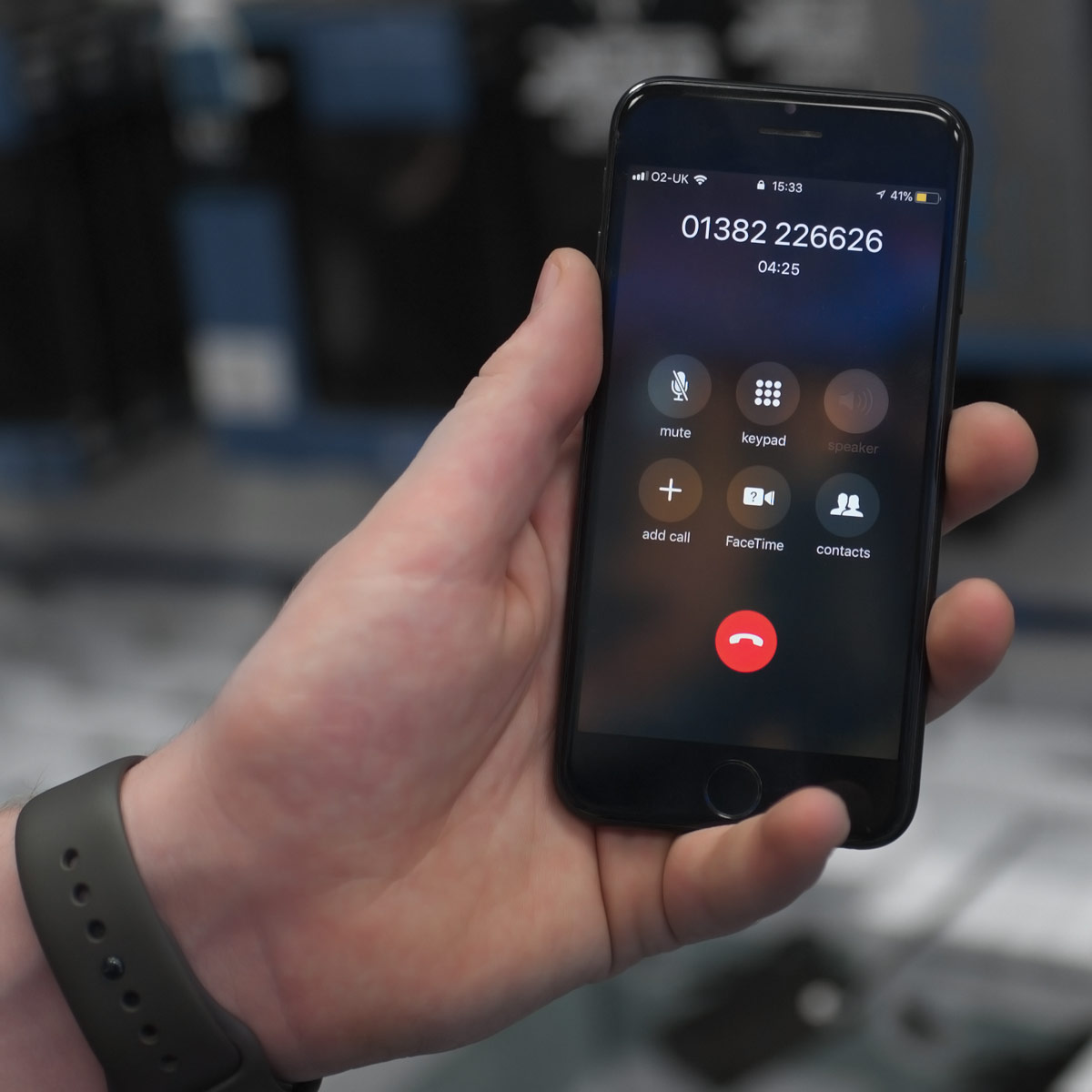
When your iPhone suddenly stops producing sound during calls, videos, or recordings, it can be both frustrating and confusing. Often, the culprit behind such issues is an iPhone Audio IC problem a hardware fault that affects the sound processing chip on your device. Understanding the iPhone Audio IC symptoms and how to confirm the issue is crucial before deciding on repairs.
In this detailed guide, we’ll explain what the Audio IC is, the common signs of failure, and the right steps to diagnose and fix the problem. If professional help is required, Milaaj Mobiles and Laptop Repair Al Barsha offers expert iPhone repair services with reliable diagnostics and trusted solutions.
What Is the iPhone Audio IC and Why It’s Important
The Audio IC (Integrated Circuit) is the tiny but essential chip responsible for managing sound functions in your iPhone from calls and voice recordings to speakers and microphone output. When it develops faults, your device might exhibit several confusing symptoms.
Typically, iPhone Audio IC symptoms appear after a hard drop or due to prolonged motherboard stress, especially in models like the iPhone 7, 7 Plus, 8, and X series. Over time, solder joints under the chip can loosen, disrupting the audio signal path.
Common iPhone Audio IC Symptoms You Should Know
Before jumping to conclusions, it’s essential to recognize the most frequent iPhone Audio IC symptoms. These help differentiate a software glitch from a genuine hardware problem.
- No Sound During Calls:
You can’t hear or be heard during phone or FaceTime calls, even after adjusting volume settings. - Greyed-Out Speaker Icon:
The speaker option becomes unavailable during calls, indicating the phone cannot communicate with the audio chip. - Voice Memos Not Recording:
When you open the Voice Memos app, it either crashes or shows an error message saying “Recording Failed.” - Microphone Not Working:
The microphone works inconsistently or stops functioning in apps like WhatsApp or Camera. - Boot Loop at Apple Logo:
Some iPhones with Audio IC failure get stuck during boot-up, restarting repeatedly before turning on completely.
These iPhone Audio IC symptoms often point toward a damaged or detached audio chip, which can only be fixed through micro-soldering by professionals.
Software vs Hardware: How to Confirm the iPhone Audio IC Issue
Before assuming your iPhone Audio IC symptoms are hardware-related, it’s vital to rule out software problems. Follow these steps carefully:
- Restart Your iPhone:
A simple restart can sometimes clear temporary system bugs that affect audio. - Update iOS:
Outdated firmware can interfere with audio drivers, so make sure your device runs the latest iOS version. - Reset All Settings:
Navigate to Settings → General → Reset → Reset All Settings. This won’t erase your data but will restore factory settings that might fix the issue. - Check Bluetooth Devices:
If your iPhone automatically connects to a Bluetooth headset, sound might be rerouted. Disconnect any paired devices and test again.
If the problem continues even after these steps, it’s likely a hardware-related iPhone Audio IC fault that requires deeper inspection.
Diagnosing the iPhone Audio IC Fault Professionally
Once you’ve ruled out software errors, it’s time to confirm whether your device truly suffers from an iPhone Audio IC problem. Skilled technicians use tools like a multimeter and microscope to check logic board continuity, solder points, and chip response.
At Milaaj, expert technicians carefully test the logic board to confirm whether the Audio IC chip needs reballing or replacement. This diagnostic approach helps ensure the problem is fixed at its root, rather than with temporary workarounds.
How the Audio IC Chip Fails
Understanding the cause behind iPhone Audio IC symptoms can help prevent future damage. Typically, the issue arises from:
- Repeated Dropping or Impact: Physical shocks loosen the solder joints beneath the chip.
- Overheating: Excessive heat during heavy use weakens motherboard solder points.
- Manufacturing Stress: Certain models have known board flex issues that strain the Audio IC.
- Water or Liquid Damage: Moisture can corrode internal connections around the sound circuit.
Each of these can lead to failure, resulting in persistent iPhone Audio IC symptoms like microphone errors, speaker failure, or boot loops.
Repairing the iPhone Audio IC: What to Expect
Once confirmed, repairing the iPhone Audio IC fault involves a delicate process called micro-soldering. Technicians remove the damaged chip, clean the board, and reball or replace the IC with precision equipment.
This type of repair requires specialized tools and should never be attempted at home. At Milaaj, certified experts handle the procedure using advanced soldering stations to ensure safe and permanent fixes.
Can Audio IC Problems Be Prevented?
Although not all iPhone Audio IC issues are avoidable, you can take precautions to reduce the risk:
- Use a sturdy case to protect against accidental drops.
- Avoid overheating by not overcharging or gaming for long sessions.
- Keep your device dry and away from moisture.
- Handle your phone gently to minimize internal stress.
With these preventive steps, you can reduce the likelihood of developing iPhone Audio IC symptoms in the future.
When to Seek Professional Repair
If your iPhone still shows symptoms after troubleshooting, professional intervention is necessary. Continuing to use a faulty device can lead to permanent motherboard damage.
That’s where Milaaj comes in their trained technicians can accurately diagnose and repair iPhone Audio IC faults using high-quality tools and genuine replacement components.
Why Choose Milaaj Mobiles and Laptop Repair Al Barsha
When dealing with sensitive hardware like the iPhone Audio IC, choosing an experienced repair center makes all the difference. Milaaj’s experts offer:
- Free diagnostic checks before repair.
- Transparent pricing with no hidden charges.
- Warranty on repaired components.
- Quick turnaround time for minimal downtime.
With their professionalism and expertise, you can trust your iPhone will be restored to perfect working condition.
Conclusion
Recognizing iPhone Audio IC symptoms and how to confirm the issue is essential for maintaining your device’s performance and avoiding costly replacements. By identifying signs early and seeking expert repair, you can save both time and money.
If your iPhone struggles with audio-related problems, don’t wait visit Milaaj Mobiles and Laptop Repair Al Barsha for expert diagnosis and lasting repair solutions.
Other Services:
- Need other iPhone repairs? Check out Milaaj’s iPhone repair services in Dubai.
- Looking to upgrade? Learn about selling your used iPhone in Dubai.
- Data loss concerns? Visit Milaaj’s data recovery services.
- For Apple users, check Apple trade-in options in Dubai.
📍 Visit Any Milaaj Branch in Dubai
🔹 Bur Dubai
Milaaj Mobile and Laptop Repair Dubai
📞 055 258 8477
🔗 Google Maps
🔹 Al Barsha
Milaaj Mobiles and Laptop Repair Al Barsha
📞 052 596 2846
🔗 Google Maps
🔹 Reef Mall (Salah Al Din)
Milaaj Service Center Reef Mall
📞 052 3405 814
📍 1st Floor, Shop 16, Deira
🔗 Google Maps
🔹 Al Nuaimiya
Milaaj Mobiles and Laptops Ajman
📞 055 788 9654
🔗 Google Maps
Shop Locations: Al Barsha | Bur Dubai | Reef Mall, Salah Al Din | Al Nuaimiya, Ajman
Email: support@milaaj.com
Operating Hours: Monday – Sunday
Leave a Reply