

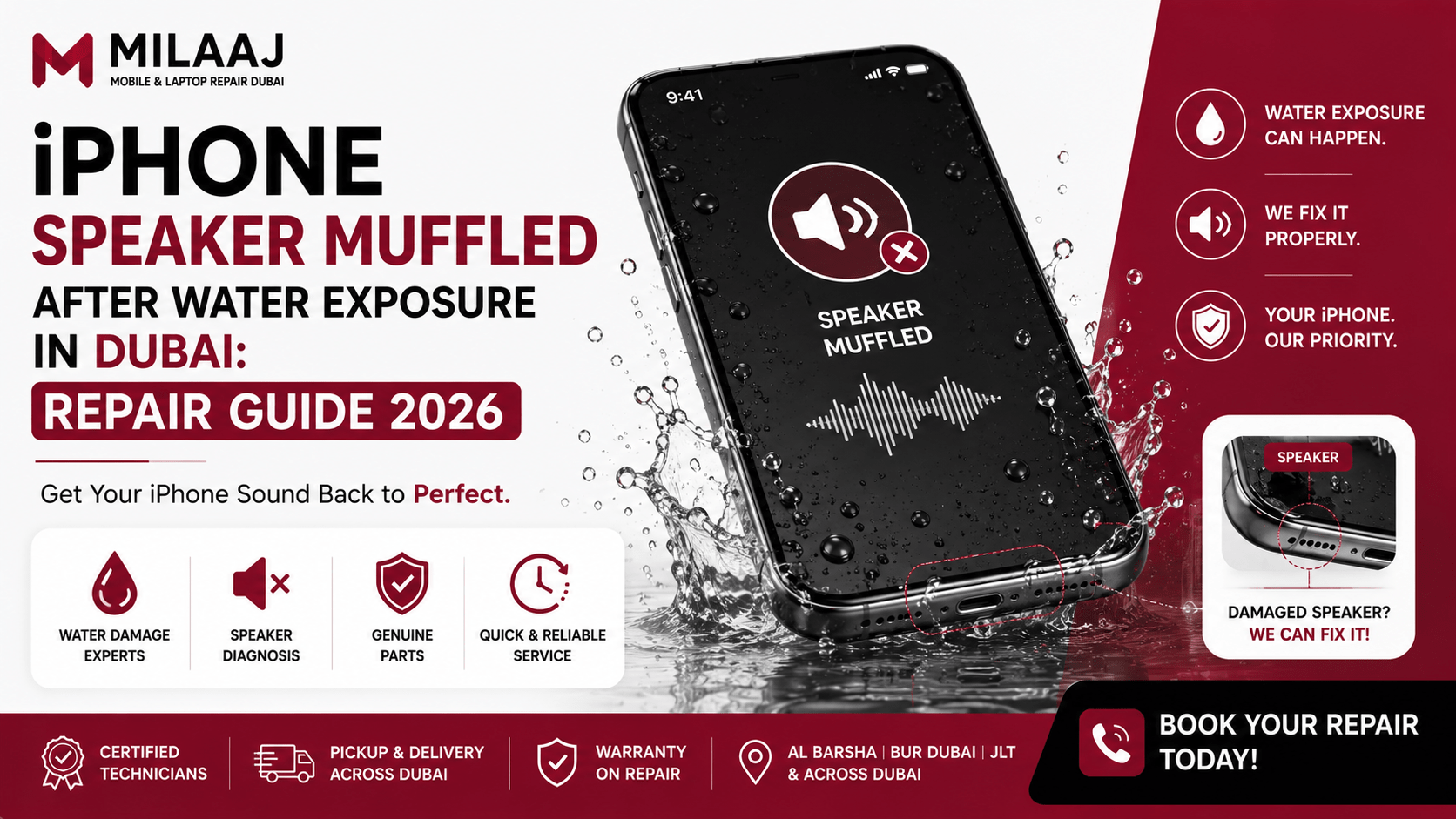
Accidents happen when you least expect them. Whether your phone slipped into a swimming pool during a hot weekend or took an unexpected splash at Jumeirah Beach, dealing with liquid damage is always stressful. You pick up your device, try to play a voice note, and immediately notice that the audio sounds tiny, crackly, or completely distant. Facing an iPhone speaker muffled after water exposure in Dubai repair guide 2026 scenario can feel overwhelming, especially when you need clear sound for daily work calls, navigation, and streaming.
Modern iPhones come with impressive IP68 water resistance ratings, but water resistance is never water proofing. Liquid drops trapped against the acoustic speaker mesh disrupt sound wave vibrations, making your audio sound muffled. Furthermore, local factors like high humidity and saltwater exposure accelerate internal corrosion if you do not act quickly. This updated 2026 repair handbook covers immediate emergency steps, safe water ejection techniques, common myths to avoid, and local professional repair solutions.
Close-up view of liquid droplets and fine debris trapped inside an iPhone lower speaker mesh. Source: Reddit
The Physics Behind Muffled iPhone Audio After Water Drops
To fix muffled audio, we first need to understand how your iPhone creates sound. The internal speaker cone relies on air movement to push crisp sound waves out through tiny laser-cut holes at the bottom of the phone frame.
When your device hits water, liquid surface tension locks water droplets directly inside these tiny mesh grilles. The trapped liquid acts like a heavy acoustic blanket, absorbing sound vibrations before they reach your ears. Additionally, salt from sea water or chlorine from swimming pools leaves behind sticky crystalline mineral deposits as the moisture evaporates. These hard deposits permanently stiffen the flexible speaker membrane, keeping your audio distorted even after the water completely dries up.
Immediate Emergency Actions: What to Do in the First 10 Minutes
The steps you take immediately after water exposure dictate whether your phone makes a full recovery or suffers permanent hardware failure. Follow this initial protocol as soon as you retrieve your phone from liquid.
+------------------------------------+---------------------------------------+
| Immediate Recommended Action       | Action You Must Absolutely Avoid      |
+------------------------------------+---------------------------------------+
| Turn off the device completely     | Do NOT plug in a lighting/USB-C cable |
| Wipe chassis with microfiber cloth | Do NOT insert cotton swabs or pins    |
| Angle speaker grilles downward     | Do NOT blow hair dryers into grilles  |
| Remove protective phone case       | Do NOT submerge in raw rice bags      |
+------------------------------------+---------------------------------------+
Step-by-Step DIY Guide to Clear Trapped Water
If your phone only suffered a brief splash, you can safely remove trapped moisture from the lower speaker cavity using sound wave frequency tricks and proper positioning.
1
Power Down and Wipe Exterior Moisture
Takes 30 Seconds
1.Power Down and Wipe Exterior Moisture:Takes 30 Seconds.
Immediately remove your phone from its case. Use a clean, lint-free microfiber cloth to dry the entire glass display, frame, charging port, and bottom speaker holes.
2
Position the Speaker Grille Downward
Takes 2 Minutes
2.Position the Speaker Grille Downward:Takes 2 Minutes.
Hold your phone vertically with the bottom speaker holes pointing toward the floor. Gently tap the top edge of the device against the palm of your hand to shake loose trapped surface droplets.
3
Run a Low-Frequency Sound Ejection Tool
Takes 5 Minutes
3.Run a Low-Frequency Sound Ejection Tool:Takes 5 Minutes.
Turn your phone back on and launch a sound ejection utility or browser tool that plays a 165Hz tone. These specific low-frequency sonic pulses vibrate the speaker diaphragm rapidly, pushing water droplets outward.
4
Let the Device Air Dry in a Ventilated Room
Takes 2 Hours
4.Let the Device Air Dry in a Ventilated Room:Takes 2 Hours.
Set your phone on a flat surface in a room with warm, dry airflow. Leave it undisturbed for at least two hours to let ambient airflow evaporate residual surface moisture naturally.
Popular Water Damage Myths You Should Ignore
Dangerous internet hacks often turn minor liquid exposure into permanent hardware failure. Avoid these common repair myths at all costs when dealing with an iPhone speaker muffled after water exposure in Dubai repair guide 2026 situation:
- The Uncooked Rice Trap: Burying your wet phone in a bowl of uncooked rice does not pull water out of sealed speaker cavities. Worse yet, tiny starch dust particles and small rice grains slip inside the charging port and speaker mesh, mixing with water to form a cement-like paste that ruins internal components.
- High-Heat Hair Dryers: Blowing hot air from a hair dryer directly into speaker vents melts delicate water-resistant rubber gaskets and warps internal adhesives, opening direct pathways for liquid to reach the main logic board.
- Inserting Metal Pins or Toothpicks: Poking sharp needles into muffled speaker grilles punctures the internal hydrophobic mesh barrier, destroying your phone’s factory water resistance completely.
Knowing When Your Speaker Requires Professional Hardware Service
Sometimes DIY sound ejection tones cannot clear mineral deposits left behind by pool chlorine, beverage spills, or saltwater. You should seek professional hardware repair if you experience any of the following persistent symptoms:
- The speaker produces high-pitched static or crackling noises at high volume levels.
- Audio output remains muffled or quiet even after 24 hours of drying.
- Your phone gets uncomfortably warm around the lower frame when playing audio files.
- The top earpiece speaker fails during normal phone calls, forcing you to use speakerphone mode continuously.
Ignoring these warning signs allows residual moisture to creep into the audio amplifier chip on your motherboard, leading to costly logic board repairs.
Expert iPhone Audio Restoration at Milaaj Al Barsha
When home drying methods fail to restore clear sound, professional technicians equipped with ultrasonic cleaning tanks can save your device. For residents and visitors across Dubai, Milaaj mobile and laptop repair Al Barsha provides trusted, fast, and comprehensive liquid damage restoration services.
Lightning-Fast Speed Repairing and Total Convenience
We know how crucial your smartphone is for managing daily schedules, navigating Dubai roads, and staying connected. Leaving your phone at a workshop for several days is inconvenient. Our service facility in Al Barsha offers rapid diagnostic checks and fast turnarounds, completing most speaker replacements and ultrasonic mesh cleanouts in under an hour while you wait.
Top Quality Parts and Ultrasonic Cleaning Technology
Clearing liquid damage requires specialized tools. Our repair lab uses advanced ultrasonic baths to clear corrosive mineral buildup from internal speaker components without damaging delicate micro-circuits. If your speaker membrane is permanently torn, we install high-grade OEM-spec replacement modules that restore original factory sound clarity and volume levels.
Unbeatable Low Price Guarantees
Unexpected hardware repairs should not break your budget. We maintain direct component supply channels across the region to offer competitive, low price structures for all iPhone models. You receive clear upfront estimates, honest technician guidance, and reliable service without hidden service charges.
Frequently Asked Questions (FAQ)
Can saltwater damage my iPhone speaker faster than fresh water?
Yes. Saltwater is highly conductive and corrosive. As saltwater dries inside the speaker housing, it forms tiny salt crystals that erode copper audio traces and tear flexible speaker membranes within hours. If exposed to sea water, seek professional cleaning immediately.
Will my iPhone retain its factory water resistance after a speaker replacement?
When opening an iPhone frame, technicians must cut the original water-resistant seals. Professional repair centers apply fresh die-cut adhesive seals during reassembly to protect your phone against daily dust and splashes, though full submersion should always be avoided afterward.
Why does my phone think headphones are plugged in after getting wet?
Liquid trapped inside the charging port or headphone jack can short-circuit detection pins, causing iOS to route audio to non-existent wired headphones. Cleaning and drying the port housing restores standard audio routing.
Is a muffled earpiece speaker fixed the same way as the bottom speaker?
Yes. Both the upper earpiece speaker and lower loudspeaker use similar hydrophobic mesh covers. However, the top earpiece assembly sits close to delicate Face ID sensors, so cleaning this area requires extra care to avoid damaging biometric cameras.
How much does it cost to fix a muffled iPhone speaker in Dubai?
Standard ultrasonic cleaning and moisture extraction usually ranges between AED 100 and AED 180. If the internal speaker driver requires a full physical module replacement, costs typically range from AED 180 to AED 280, depending on your specific iPhone model.
To see how professional technicians disassemble wet phone frames and clear trapped liquid using specialized lab equipment, check out this guide on How Professionals Clean and Restore Water Damaged Smartphone Speakers for a full visual breakdown.
Leave a Reply