

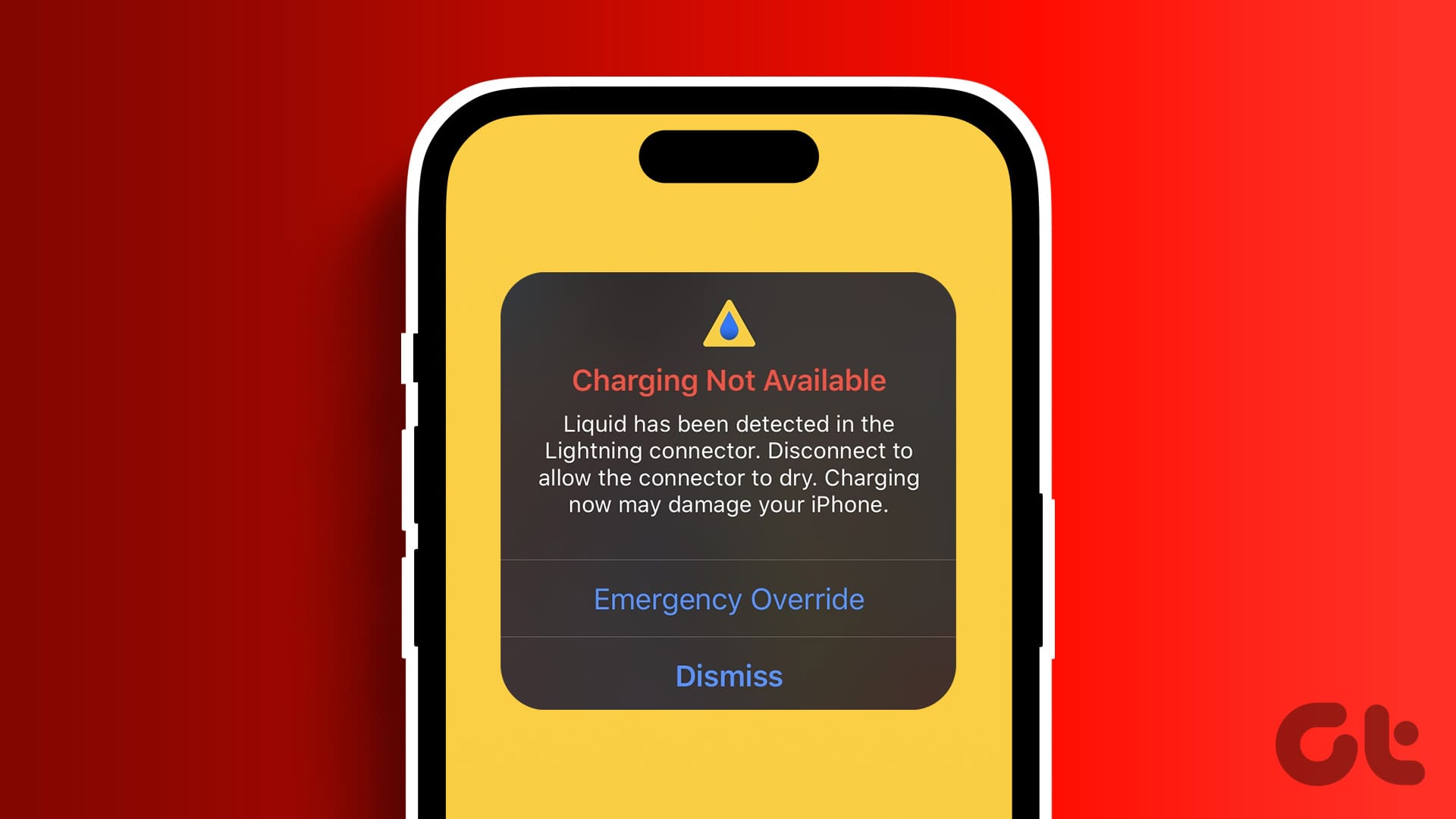
Apple devices are known for their premium build quality and long-lasting performance. However, many users unknowingly make everyday mistakes that lead to serious charging problems. One of the most common and costly issues is damage caused by mistakes that damage Apple charging ports. Over time, these errors can prevent proper charging, trigger warning messages, and even cause permanent hardware failure.
Although charging port damage may seem minor at first, it can quickly escalate into a frustrating problem. Therefore, understanding the mistakes that damage Apple charging ports is essential for protecting your iPhone, iPad, or MacBook. In this comprehensive guide, we explain the most common causes, the warning signs to watch for, and how professional repair solutions can restore your device safely and affordably.
Why Apple Charging Ports Are More Sensitive Than You Think
Apple charging ports are precision-engineered components designed to deliver stable power and data transfer. However, because they are exposed and frequently used, they are also highly vulnerable. Moreover, repeated stress, poor handling, and environmental factors can weaken internal connectors over time.
As a result, even small habits can turn into mistakes that damage Apple charging ports if left unchecked. Therefore, prevention and early action are key.
Common Mistakes That Damage Apple Charging Ports
Using Cheap or Non-Certified Chargers
First and foremost, using low-quality or non-certified chargers is one of the biggest mistakes that damage Apple charging ports. Cheap cables often deliver inconsistent voltage, which stresses the charging circuit and port pins.
Moreover, uncertified accessories may not meet Apple’s safety standards. Consequently, this can cause overheating, loose connections, and internal port damage.
Plugging and Unplugging Roughly
Another frequent mistake is inserting or removing the charging cable forcefully. Although it may seem harmless, repeated rough handling gradually loosens the port.
As a result, the cable may stop fitting securely. Over time, this becomes one of the most common mistakes that damage Apple charging ports, leading to intermittent charging or complete failure.
Charging While Using the Device
Using your iPhone or iPad heavily while it is charging puts constant pressure on the charging port. For example, gaming, scrolling, or video calls while plugged in can bend the connector internally.
Therefore, this habit significantly contributes to Apple charging port wear and tear, especially over long periods.
Ignoring Dirt, Dust, and Lint Buildup
Pocket lint and dust accumulation is often overlooked. However, this is one of the silent mistakes that damage Apple charging ports.
Gradually, debris blocks proper contact between the cable and port. As a result, users push the cable harder, unknowingly damaging the internal pins.
Exposure to Moisture and Humidity
Even small amounts of moisture can corrode charging port contacts. Charging your device with wet hands or using it in humid environments increases the risk significantly.
Consequently, water exposure remains one of the most dangerous mistakes that damage Apple charging ports, often requiring professional intervention.
Charging Overnight Repeatedly
Although Apple devices are designed to manage battery health, overnight charging still generates heat. Over time, this heat affects the charging port and nearby components.
Therefore, frequent overnight charging can indirectly contribute to Apple charging port damage, especially when combined with poor-quality cables.
Warning Signs of Apple Charging Port Damage
Recognizing early symptoms helps prevent complete failure. Common signs include:
- Charger only works at a specific angle
- Device disconnects randomly while charging
- Slow or inconsistent charging
- “Accessory not supported” warnings
- Visible debris or looseness in the port
If you notice these issues, they may already be linked to mistakes that damage Apple charging ports.
Mistakes to Avoid When Cleaning Apple Charging Ports
Using Sharp Objects
Many users attempt to clean ports with pins or needles. Unfortunately, this is one of the most harmful mistakes that damage Apple charging ports.
Sharp tools can scratch or break delicate connectors, leading to permanent damage.
Blowing Air from the Mouth
Although it seems harmless, blowing air introduces moisture into the port. Instead of cleaning, it increases corrosion risk.
Therefore, improper cleaning methods often worsen Apple charging port issues.
How Software Issues Can Mimic Charging Port Damage
Interestingly, not all charging problems are hardware-related. Sometimes, software glitches or outdated iOS versions can create charging errors.
However, misdiagnosing software issues as hardware problems may lead users to apply unnecessary force or change cables repeatedly ironically causing mistakes that damage Apple charging ports.
Professional Diagnosis vs DIY Troubleshooting
While basic checks are helpful, advanced charging port issues require expert tools. DIY attempts often cause more harm than good.
Therefore, choosing professional diagnosis ensures accurate identification of whether the problem is due to Apple charging port damage, battery issues, or software faults.
When Charging Port Repair Is Necessary
If cleaning and cable replacement do not help, charging port repair becomes essential. Ignoring the issue can result in:
- Battery damage
- Logic board failure
- Complete charging loss
Thus, timely repair prevents costly long-term damage caused by repeated mistakes that damage Apple charging ports.
Why Professional Repair Is Safer Than DIY Fixes
Professional technicians use precision tools and ESD-safe environments. Moreover, they ensure that internal connectors are repaired or replaced without affecting nearby components.
As a result, professional repair offers long-lasting solutions compared to temporary DIY fixes.
Milaaj Mobile Repair – Trusted Apple Charging Port Experts in Al Barsha
When it comes to fixing damage caused by mistakes that damage Apple charging ports, Milaaj mobiles and laptop repair Al Barsha provides reliable, professional solutions.
Why Choose Milaaj?
- Low Price, Transparent Pricing – Affordable repairs without hidden costs
- Fast Turnaround Time – Most charging port repairs completed the same day
- Convenience – Easy walk-in service and expert consultation
- Premium Part Quality – High-quality replacement parts for durability
- Skilled Technicians – Experienced in Apple charging port repairs
Moreover, Milaaj focuses on restoring full charging performance safely, ensuring your device works like new again.
Preventing Future Apple Charging Port Damage
To avoid repeating mistakes that damage Apple charging ports, follow these tips:
- Use certified charging accessories
- Clean ports professionally when needed
- Avoid using devices heavily while charging
- Keep devices dry and dust-free
- Disconnect chargers gently
By following these habits, you can significantly extend your device’s lifespan.
Final Thoughts
In conclusion, mistakes that damage Apple charging ports are more common than most users realize. From using low-quality chargers to improper cleaning methods, small habits can lead to major repair needs.
However, with awareness, careful usage, and professional support, charging port damage is both preventable and repairable. Most importantly, addressing issues early ensures safety, performance, and long-term reliability.
If your Apple device shows charging problems, avoid risky DIY fixes. Instead, choose expert repair for peace of mind, better performance, and lasting results.
Other Services:
- Need other iPhone repairs? Check out Milaaj’s iPhone repair services in Dubai.
- Looking to upgrade? Learn about selling your used iPhone in Dubai.
- Data loss concerns? Visit Milaaj’s data recovery services.
- For Apple users, check Apple trade-in options in Dubai.
📍 Visit Any Milaaj Branch in Dubai
🔹 Bur Dubai
Milaaj Mobile and Laptop Repair Dubai
📞 055 258 8477
🔗 Google Maps
🔹 Al Barsha
Milaaj Mobiles and Laptop Repair Al Barsha
📞 052 596 2846
🔗 Google Maps
🔹 Al Barsha 3
Milaaj Mobiles and Gaming Store
📞 052 3405 814
🔗 Google Maps
🔹 Al Nuaimiya
Milaaj Mobiles and Laptops Ajman
📞 055 788 9654
🔗 Google Maps
Shop Locations: Al Barsha | Bur Dubai | Reef Mall, Salah Al Din | Al Nuaimiya, Ajman
Email: support@milaaj.com
Operating Hours: Monday – Sunday
Leave a Reply