

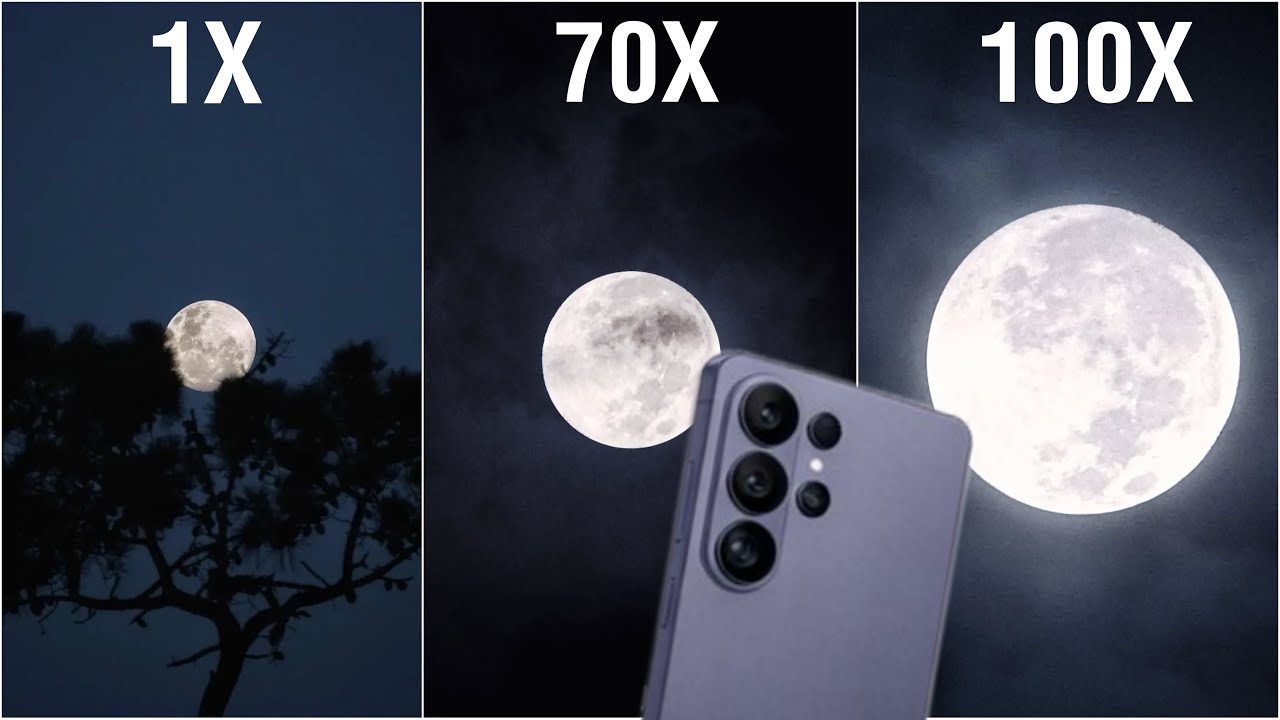
You bought the Samsung Galaxy S26 Ultra for one main reason: that powerful Space Zoom. In 2026, Samsung has taken smartphone photography to another level with a 200MP sensor and advanced periscope zoom system.
But it can be frustrating when your 100x zoom photos turn out blurry, shaky, or unclear. If your S26 Ultra camera doesn’t look as sharp as expected when zoomed in, you’re not alone. This is a common issue, especially with high magnification where even small problems become noticeable.
In this guide, you’ll learn why your Samsung Galaxy S26 Ultra 100x zoom looks blurry and how to fix it step by step.
Why the S26 Ultra Zoom Becomes Blurry
Before trying fixes, it’s important to understand what’s causing the issue. The S26 Ultra camera relies on a mix of hardware, AI processing, and stabilization. If any part doesn’t work properly, image quality drops.
1. Periscope Lens Misalignment
The 100x zoom uses a periscope-style lens system with multiple internal components. Even a small drop can shift these parts slightly, affecting focus and stability.
This often leads to:
- Blurry zoom photos
- Difficulty focusing at high zoom levels
- Slight camera shake even when still
2. AI Processing Delay or Glitches
Samsung uses advanced AI to enhance zoom images. If your phone is overloaded or the system cache is cluttered, the processing may lag.
This can cause:
- Smudged or soft images
- Delayed sharpening
- Inconsistent results at 30x to 100x zoom
3. Dust, Smudges, or Moisture
In places like Dubai, dust and humidity can affect camera performance over time.
Even minor issues like:
- Fingerprints on the lens
- Fine dust particles
- Internal fogging
can reduce clarity significantly at high zoom.
Step-by-Step: Fix S26 Ultra 100x Zoom Blur at Home
Before considering repairs, try these simple fixes.
Step 1: Clean the Camera Lens
Use a microfiber cloth to gently clean the lens. Avoid using rough materials or excessive liquid.
This alone can instantly improve image sharpness.
Step 2: Restart Your Phone
A quick restart helps clear temporary glitches affecting camera performance.
- Turn off your phone
- Wait 30 seconds
- Turn it back on
Step 3: Clear Camera Cache
- Go to Settings > Apps > Camera
- Tap Storage
- Select Clear Cache
This helps reset camera processing without deleting your data.
Step 4: Reset Camera Settings
- Open Camera
- Go to Settings
- Tap Reset Settings
This restores default focus and AI calibration.
Step 5: Stabilize Your Shot
At 100x zoom, even small movements affect clarity.
For better results:
- Use a tripod or stable surface
- Hold your phone steady
- Wait for the AI zoom stabilization to lock before capturing
Pro Tips for Sharper 100x Zoom Photos
Even when your phone is working perfectly, technique matters.
- Shoot in good lighting
- Avoid using 100x zoom in low light
- Use 30x to 50x for better clarity when possible
- Let the camera stabilize before taking the shot
When the Problem Needs Professional Repair
If your Samsung Galaxy S26 Ultra zoom is still blurry after trying these steps, the issue is likely hardware-related.
Common signs include:
- Camera shaking or vibrating
- Persistent blur even after cleaning
- Focus not locking at all
- Clicking sounds from the camera module
In such cases, professional repair is the safest option.
Professional Samsung Camera Repair in Dubai
If you’re dealing with a persistent zoom issue, getting expert help can save your device.
At Milaaj, we handle advanced camera problems including:
- Periscope lens alignment
- Camera module replacement
- Dust removal in sealed units
- OIS stabilization repair
If you’re looking for reliable mobile repair in Dubai, getting your camera checked early can prevent further damage and restore full performance.
Thinking of Upgrading Instead?
If your device has major hardware damage, repair may not always be the best option. In that case, you can consider options to sell your mobile in Dubai and upgrade to a newer model with improved camera technology.
FAQs About S26 Ultra 100x Zoom Blurry Issues
Is 100x zoom supposed to be perfectly clear?
No, it’s a hybrid zoom. It won’t be as sharp as normal photos, but it should still be clear enough to recognize details.
Why does my camera shake at high zoom?
This usually indicates an issue with optical image stabilization (OIS).
Can a lens protector affect zoom quality?
Yes. Poor-quality protectors can distort light and reduce clarity.
Does heat affect camera performance?
Yes. High temperatures can temporarily impact focus and image quality.
Can software updates fix camera blur?
In many cases, yes. Updates often improve AI processing and camera performance.
Final Thoughts
If you are still facing S26 Ultra 100x zoom blurry issue after trying these fixes, it’s likely more than a simple setting issue. Problems like lens misalignment or OIS faults usually need proper tools and expert handling.
Instead of risking further damage, it’s safer to get it checked by professionals who understand Samsung devices inside out. At Milaaj, we handle everything from camera calibration to full module repair, so your phone works the way it should again.
You can explore trusted Samsung repair in Dubai solutions or visit Milaaj repair services to get a quick diagnosis and fix without the hassle.
📍 Visit Any Milaaj Branch in Dubai
🔹 Bur Dubai
Milaaj Mobile and Laptop Repair Dubai
📞 055 258 8477
🔗 Google Maps
🔹 Al Barsha
Milaaj Mobiles and Laptop Repair Al Barsha
📞 052 596 2846
🔗 Google Maps
🔹 Al Barsha 3
Milaaj Mobiles , Laptops and Watches Repair Service
📞 052 3405 814
🔗 Google Maps
🔹 Al Nuaimiya
Milaaj Mobiles and Laptops Ajman
📞 055 788 9654
🔗 Google Maps
Email: support@milaaj.com
Operating Hours: Monday Sunday




Leave a Reply