

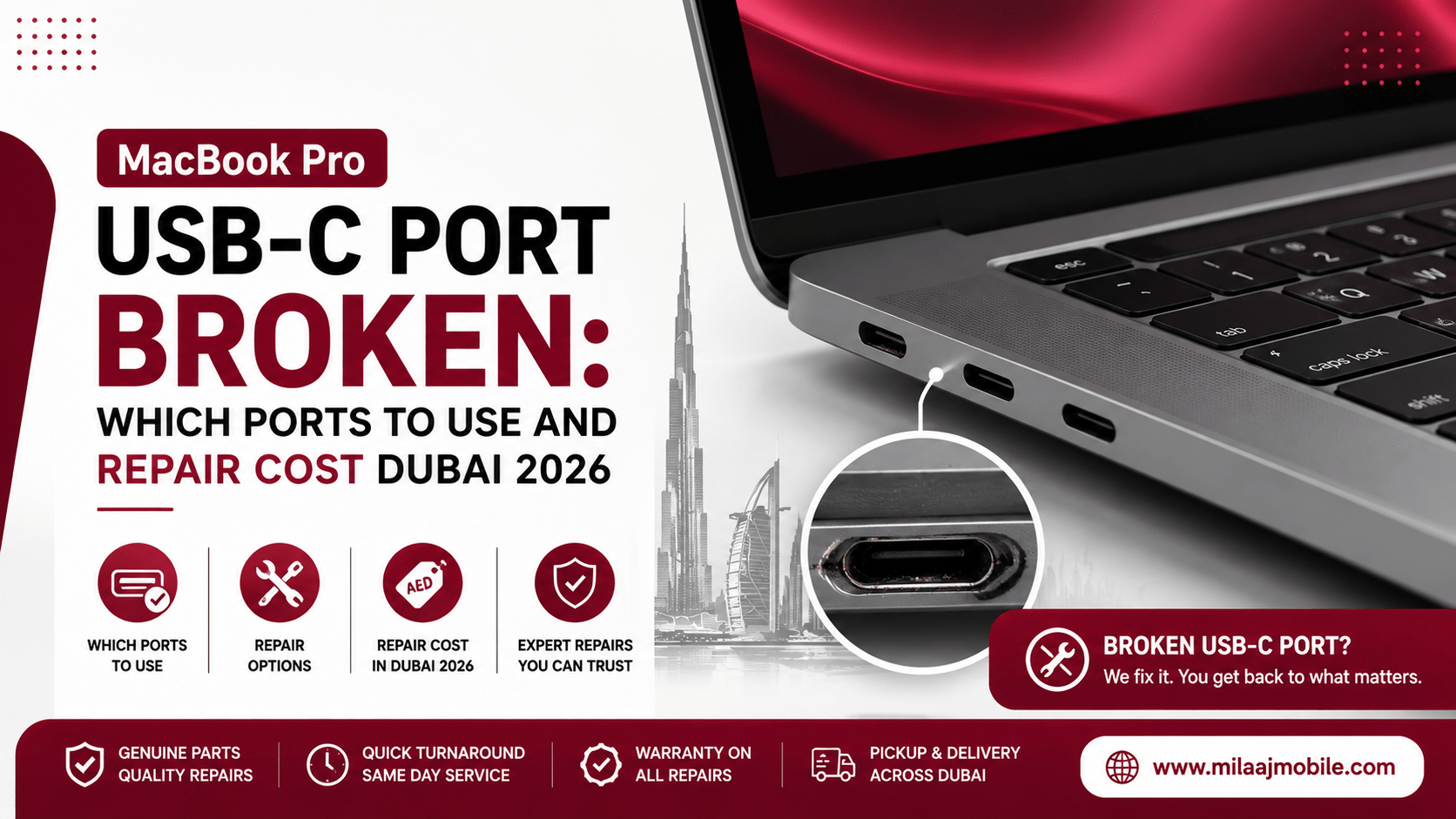
You plug in your charger or external SSD, expecting the familiar power chime or desktop drive icon, but nothing happens. You wiggle the connector, flip the cable around, and try a different wall outlet, yet the port remains completely dead.
When you find your MacBook Pro USB-C port broken: which ports to use and repair cost Dubai 2026 becomes an immediate priority, especially when you rely on your laptop for daily work, creative editing, or business operations across the UAE.
USB-C and Thunderbolt ports on Apple laptops undergo constant physical strain. From heavy dongles hanging off the side to accidental cable snags at a desk, hardware wear on these high-speed ports is exceptionally common. Fortunately, a single faulty port does not mean your entire laptop is ruined.
In this complete 2026 guide, we will explore why these ports fail, outline which alternative ports you can safely use in the interim, analyze chip-level micro-soldering versus component replacement, and provide an up-to-date breakdown of repair costs across Dubai.
Why Do MacBook Pro USB-C Ports Stop Working?
To understand how to deal with a broken port, it helps to understand what goes wrong inside the chassis. A Type-C connector on a modern MacBook Pro handles power delivery (up to 140W), high-speed data transfers (up to 40Gbps or 80Gbps on newer Thunderbolt standard specs), and DisplayPort video signals simultaneously.
1. Physical Pin Bending and Debris Accumulation
Inside every USB-C port sit microscopic gold-plated contacts. Over time, inserting cables at sharp angles bends these spring pins out of alignment. Additionally, fine dust and lint compressed into the back of the port prevent cables from seating flush, cutting off electrical contact.
2. Blown Power Delivery (PD) Controller Chips
Modern MacBooks rely on dedicated power delivery integrated circuits (like the Texas Instruments CD3215/CD3217 series or custom Apple Silicon controller chips). If you use a cheap, uncertified USB-C hub or a low-quality third-party wall adapter, a sudden voltage spike can instantly destroy the controller IC on the motherboard.
3. Short Circuits from Liquid Corrosion
Even a minor drop of water, coffee, or condensation near the side vents can travel straight into the high-voltage pins of a Thunderbolt port. Because charging rails carry up to 20V or 28V, liquid exposure creates rapid oxidation, blowing micro-fuses or burning out copper board traces.
Physical Connector Damage vs. Chip-Level Board Failure
Understanding whether your issue is mechanical or electronic helps you anticipate repair times and costs:
- Mechanical Damage: The cable feels loose, wiggles excessively, or fails to snap tightly into place. This usually points to physical wear inside the port housing or a cracked daughterboard connection.
- Chip-Level Electronic Failure: The cable plugs in firmly, but the system registers zero power flow and fails to recognize external drives. If neighboring ports also stop working at the same time, a burned power controller chip on the logic board is usually responsible.
What to Do Immediately When a Port Fails
Before booking a technical inspection, run these quick diagnostic steps at your desk:
- Perform a Forced Restart: Software glitches in macOS can occasionally freeze the USB daemon. Restart your Mac to reinitialize hardware controllers.
- Inspect and Clean the Port: Use a wooden toothpick or a plastic dental pick under a bright light to gently extract compressed lint. Never insert metal paperclips or tweezers, as metal tools short out live battery-fed pins.
- Check System Information: Hold the Option key, click the Apple Menu, and select System Information. Click on Thunderbolt/USB4 under the Hardware sidebar. If the controller is listed but no device appears when connected, the port hardware itself is compromised.
- Test an Alternate Cable and Power Adapter: Always verify that a damaged charging brick or faulty E-Marked cable is not mimicking a broken laptop port.
MacBook Pro USB-C Port Broken: Which Ports to Use as Alternatives
When managing a MacBook Pro USB-C port broken: which ports to use and repair cost Dubai 2026 situation, your immediate priority is keeping your machine powered up and connected so your workflow remains uninterrupted.
1. Shift Primary Power to the MagSafe 3 Port
If you own a modern 14-inch or 16-inch Apple Silicon MacBook Pro, switch your charging source directly to the dedicated MagSafe 3 port. MagSafe operates on an independent power circuit, allowing you to charge your laptop safely at maximum wattage without putting stress on a damaged USB-C power delivery rail.
2. Redirecting Power to Remaining USB-C / Thunderbolt Ports
Most MacBook Pro models feature two, three, or four Thunderbolt ports split across opposing sides. If one port fails on a twin-port bus, you can plug your charger or hub into a functional port on the opposite side.
However, exercise caution: if a shorted power controller chip caused the initial failure, plugging a charger into an adjacent port on the same side might trigger secondary power management shuts downs.
3. Native HDMI and SD Card Options
To avoid overloading your remaining working USB-C ports with multi-port dongles, utilize your laptop’s native built-in ports:
- HDMI 2.1 Port: Connect external 4K/8K displays directly without needing a USB-C video adapter.
- SDXC Card Slot: Transfer camera media straight to internal storage, keeping your remaining Type-C ports free for external SSDs or input peripherals.
How Apple Bus Controllers Manage Thunderbolt and Power Delivery
A critical technical detail regarding a MacBook Pro USB-C port broken: which ports to use and repair cost Dubai 2026 scenario is how Apple structures its internal bus architectures.
On many Apple Silicon laptops, two adjacent ports share a single Thunderbolt controller and power management channel. Consequently, if a physical short damages one port, the power controller IC may disable both ports on that side as a safety defense mechanism.
If both ports on the left side die simultaneously, shift your peripherals over to the right-side ports or MagSafe connector while seeking professional hardware service.
MacBook Pro USB-C Port Broken: Repair Cost in Dubai 2026
When evaluating options for a MacBook Pro USB-C port broken: which ports to use and repair cost Dubai 2026, pricing across the UAE depends on whether your model uses modular port boards or soldered motherboard connectors, as well as whether you choose authorized component replacements or chip-level board repairs.
Detailed 2026 Price Breakdown in Dubai (AED)
| MacBook Pro Model Generation | Repair Scope / Type | Estimated Cost Range (AED) | Turnaround Time |
| Intel & Early M1 Models (Modular Board) | Physical DC-In / Type-C Port Board Replacement | AED 250 – AED 450 | 1 – 2 Hours |
| Apple Silicon M1/M2/M3/M4/M5 (Soldered) | Micro-soldering / Replacement of Type-C Connector | AED 450 – AED 750 | Same-Day / 24 Hours |
| All Generations (Logic Board Issue) | Micro-soldering CD3215/CD3217 PD Controller ICs | AED 550 – AED 950 | 1 – 2 Business Days |
| Official Out-of-Warranty Swap | Full Logic Board Replacement (Main Dealer) | AED 1,800 – AED 3,500+ | 3 – 7 Business Days |
Note: Choosing independent specialized chip-level repair keeps your expenses toward the lower end of the spectrum while preserving your original logic board and data.
Component-Level Repair vs. Full Logic Board Replacement
Understanding the technical difference between repair approaches can save you thousands of dirhams when addressing a MacBook Pro USB-C port broken: which ports to use and repair cost Dubai 2026 problem.
  REPAIR PATH A: Chip-Level Micro-Soldering (Specialized Center)
  [Targeted Fix] --> Replaces only the broken connector or PD IC chip.
  [Cost Factor]  --> AED 450 - 850 (Saves original motherboard & data).

  REPAIR PATH B: Full Logic Board Replacement (Authorized Main Center)
  [Complete Swap]--> Replaces the entire motherboard assembly.
  [Cost Factor]  --> AED 1,800 - 3,500+ (High cost, data wiped).
Official manufacturer centers generally do not perform delicate micro-soldering on individual board chips. If a power controller IC burns out or a port pin breaks, their standard protocol calls for replacing the entire logic board.
In contrast, specialized local technicians use infrared heating stations and microscopes to desolder the damaged port or power controller IC, soldering a brand-new original component onto your existing board at a fraction of the cost.
Why Choose Milaaj Mobile and Laptop Repair Al Barsha?
When you require a fast, reliable, and affordable hardware fix, selecting an experienced local specialist is key. For top-tier Apple repair solutions, Milaaj mobile and laptop repair Al Barsha provides expert micro-soldering and hardware servicing tailored to your budget and timeline.
Low Price Guarantee with Transparent Quotes
We provide clear, honest estimates before opening your device. By focusing on chip-level micro-soldering rather than pushing whole-board swaps, we keep costs low and budget-friendly.
Rapid Express Speed Repairing
We know your MacBook Pro is essential for your professional work. Our speed repairing workflow prioritizes diagnostic inspections, completing most USB-C port replacements and chip repairs quickly to get you back to work with minimal disruption.
Maximum Convenience Across Dubai
Located conveniently in Al Barsha near Mall of the Emirates, our service center is easy to reach. If you are busy, take advantage of our free collection and delivery service—we collect your laptop from your home or office anywhere in Dubai and return it fully tested.
Superior Part Quality & Warranty Protection
We utilize high-precision microscopic soldering rigs, thermal cameras, and original OEM-spec replacement components. Every completed repair comes backed by a comprehensive warranty for your complete peace of mind.
Step-by-Step Professional USB-C Repair Process
Knowing what happens on the workbench gives you confidence when handing over your laptop:
- Initial Diagnostic & Voltage Metering: Technicians connect inline USB-C voltmeters to measure voltage negotiate states (5V vs 20V) across all individual ports.
- Internal Board Inspection: The bottom chassis cover is removed, and the logic board is inspected under a high-power microscope and thermal camera to locate burnt traces or shorted ICs.
- Micro-Soldering Rework: Using precision hot-air rework tools, the damaged Type-C connector housing or blown power controller IC is carefully desoldered from the board.
- Pad Restoration & Component Replacement: Board pads are cleaned, fresh solder is applied, and an original OEM connector or controller chip is soldered into place.
- Full Stress Testing: The laptop undergoes complete power delivery testing across all ports, verifying fast charging, external display connections, and high-speed data transfers.
Best Practices to Prevent Future USB-C Port Damage
Adopting a few simple physical and charging habits helps protect your MacBook’s ports from premature wear:
- Avoid Using Laptops on Soft Surfaces with Cables Plugged In: Using your Mac on a bed or couch puts pressure on side cables, bending internal port pins.
- Invest in Quality Magnetic Dongles or Braided Cables: Flexible, high-quality cables reduce mechanical strain on laptop connectors.
- Avoid Uncertified USB-C Hubs: Use reputable, power-delivery-certified hubs with built-in surge protection to prevent power controller IC burnouts.
- Disconnect Cables Before Transporting: Always unplug all dongles, drives, and power cables before packing your MacBook into a sleeve or backpack.
Frequently Asked Questions (FAQs)
Can a broken USB-C port damage my MacBook Pro battery?
A physically damaged port itself will not harm your battery, but a shorted power controller IC can cause inconsistent charging voltages, which may lead to thermal throttling or improper battery charging cycles.
How long does a MacBook Pro USB-C port replacement take?
Modular port board swaps typically take 1 to 2 hours. If the port is soldered directly to the logic board or requires chip-level micro-soldering, repairs are usually completed within 24 hours.
Will replacing my USB-C port delete my personal files?
No! Repairing physical ports or micro-soldering power controller chips does not affect your onboard SSD storage or personal data. However, making regular Time Machine backups is always recommended before any hardware service.
Why does my MacBook charge only when the cable is plugged in one specific direction?
This behavior indicates that pins on one side of the USB-C port housing or internal connector have bent, worn out, or suffered micro-fractures, cutting off half of the data/power contacts.
Final Verdict: Restoring Your MacBook Pro Functionality
Experiencing a MacBook Pro USB-C port broken: which ports to use and repair cost Dubai 2026 issue can be frustrating. However, you may not need a new laptop. Instead, you can use MagSafe 3 as an alternative charging method. Additionally, specialized chip-level repair technicians can restore damaged USB-C ports.
If your port is loose, not charging, or completely unreadable, get a professional diagnostic inspection. Furthermore, a proper repair can restore your MacBook Pro’s connectivity quickly and affordably. As a result, you can avoid unnecessary replacement costs and get back to work sooner.
Other Services:
- Need other AirPods repairs? Check out Milaaj’s macbook repair services in Dubai.
- Looking to upgrade? Learn about selling your used device in Dubai.
- For Apple users, check Apple trade-in options in Dubai.
📍 Visit Any Milaaj Branch in Dubai
🔹 Bur Dubai
Milaaj Mobile and Laptop Repair Dubai
📞 055 258 8477
🔗 Google Maps
🔹 Al Barsha
Milaaj Mobiles and Laptop Repair Al Barsha
📞 052 596 2846
🔗 Google Maps
🔹 Al Barsha 3
Milaaj Mobiles and Gaming Store
📞 052 3405 814
🔗 Google Maps
🔹 Al Nuaimiya
Milaaj Mobiles and Laptops Ajman
📞 055 788 9654
🔗 Google Maps
Shop Locations: Al Barsha | Bur Dubai | Reef Mall, Salah Al Din | Al Nuaimiya, Ajman
Email: support@milaaj.com
Operating Hours: Monday – Sunday

Leave a Reply