

Quick Answer
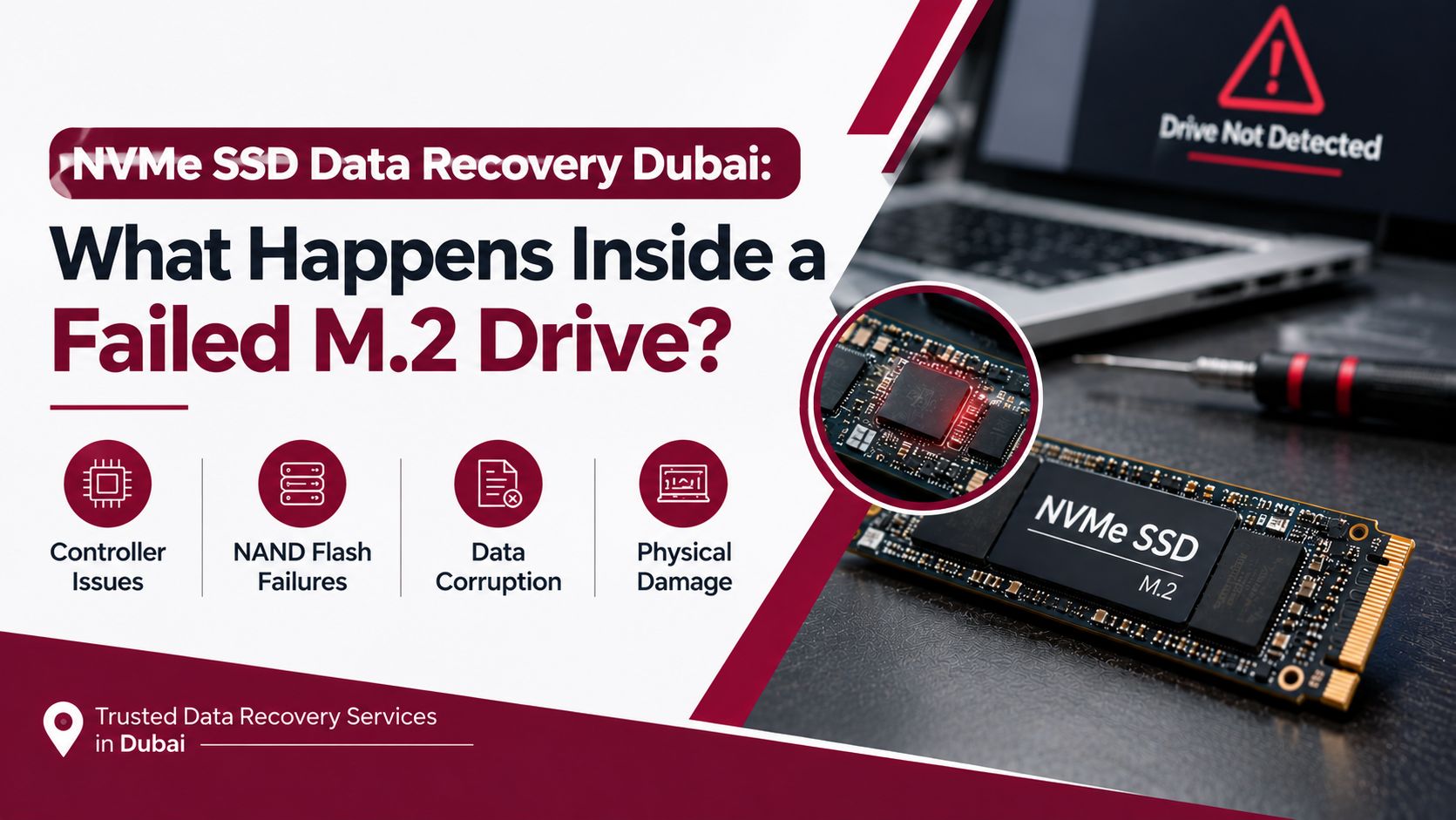
When an NVMe M.2 drive fails, your data usually isn’t actually gone, it’s just inaccessible due to controller failure, firmware corruption, or physical damage to the NAND flash chips. Professional NVMe SSD data recovery Dubai services use specialized tools to bypass the damaged controller and read data directly from the memory chips, recovering files that seem permanently lost. Success rates are generally high, provided the drive hasn’t suffered severe physical destruction.
Key Takeaways
- NVMe SSDs store data differently than traditional hard drives, so recovery requires completely different tools and techniques.
- Most failures stem from controller chip issues, firmware corruption, or power surges, not the NAND memory itself.
- Continuing to power on a failing drive repeatedly can worsen the damage and reduce recovery chances.
- Professional recovery can often retrieve data even when the drive isn’t detected by your computer at all.
- Physical damage, like a cracked PCB or burned components, requires chip-off recovery performed in controlled conditions.
If your laptop suddenly refuses to boot, or your computer simply stops recognizing your M.2 drive altogether, panic is a natural first reaction, especially if that drive held years of photos, work files, or irreplaceable documents. However, before assuming everything is lost, it genuinely helps to understand what’s actually happening inside that tiny chip. This guide breaks down NVMe SSD data recovery Dubai from the inside out, covering why these drives fail, what recovery actually involves, and what you can realistically expect.
What Makes NVMe SSDs Different From Traditional Drives
NVMe (Non-Volatile Memory Express) M.2 drives represent a completely different storage architecture compared to older SATA SSDs or traditional spinning hard drives. Instead of mechanical platters or even a standard SATA interface, NVMe drives connect directly to your system’s PCIe lanes, communicating at dramatically faster speeds. Consequently, this performance advantage comes with a tradeoff, since NVMe drives rely on more complex controller chips and firmware to manage how data gets written and read across multiple NAND flash memory chips simultaneously.
Therefore, when something goes wrong inside an NVMe drive, the failure often looks and behaves very differently compared to a traditional hard drive crash, which means the recovery approach must be equally different.
What’s Actually Inside an M.2 NVMe Drive?
The NAND Flash Memory Chips
At its core, your data physically lives across several NAND flash memory chips. These chips store information in tiny electrical cells, organized into pages and blocks, without any moving parts whatsoever.
The Controller Chip
The controller acts as the brain of the drive, managing how data gets distributed across the NAND chips, handling wear leveling, and translating your computer’s read and write requests into actual physical memory locations.
The Firmware
Firmware is essentially the drive’s operating instructions, a small program embedded within the controller that governs how everything communicates and functions together. Even a tiny firmware corruption can render an otherwise healthy drive completely inaccessible.
The DRAM Cache (On Some Models)
Many higher-end NVMe drives include a small amount of DRAM memory, used as a fast cache to temporarily store mapping information before it’s written to the NAND chips, improving overall performance.
Why Do NVMe SSDs Fail in the First Place?
Controller Chip Failure
Surprisingly often, the actual NAND memory holding your data remains completely intact, while the controller chip responsible for accessing it simply stops functioning. This is genuinely one of the most common and, thankfully, most recoverable types of NVMe failure.
Firmware Corruption
Sometimes, a sudden power loss during a write operation, or a failed firmware update, corrupts the drive’s internal instructions. As a result, your computer can no longer properly communicate with the drive, even though the underlying data remains physically present.
Power Surges and Electrical Damage
Since NVMe drives contain delicate electronic components, sudden power surges, particularly common during unstable electricity supply, can damage the controller or supporting circuitry on the printed circuit board.
Physical Damage to the PCB
Bent connectors, cracked circuit boards, or burned components from electrical faults can physically disrupt the pathways needed to access stored data, requiring more advanced recovery techniques.
NAND Wear and Cell Degradation
Over time, NAND flash cells naturally degrade through repeated write cycles. While modern drives manage this well through wear leveling, severely worn cells can eventually become unreadable.
Overheating
Since NVMe drives run considerably hotter than traditional SSDs due to their faster data transfer speeds, inadequate cooling in laptops or compact systems can gradually stress internal components, contributing to premature failure.
Signs Your NVMe SSD Is Failing
Drive Not Detected by BIOS or Operating System
If your computer’s BIOS doesn’t even recognize the drive exists, this often points to controller or firmware-level failure rather than data corruption alone.
Frequent Blue Screens or System Crashes
Random crashes, particularly during file transfers or heavy read/write operations, can indicate the drive is struggling to reliably access stored data.
Extremely Slow Read and Write Speeds
If your once-fast NVMe drive suddenly feels sluggish, this can signal failing NAND cells or controller instability.
Files Becoming Corrupted or Inaccessible
Sometimes, specific files or folders become unreadable while the rest of the drive still functions, often indicating localized NAND cell degradation.
What Happens During Professional NVMe Data Recovery
Step 1: Initial Diagnosis
First, a technician connects the failed drive to specialized recovery equipment to determine whether the issue lies with the controller, firmware, or physical damage to the PCB itself.
Step 2: Creating a Safe Working Environment
Since further powering on a failing drive can worsen damage, technicians work in controlled conditions, often creating a sector-by-sector image of accessible data before attempting deeper recovery.
Step 3: Controller Bypass Techniques
If the controller chip has failed but the NAND memory remains intact, specialists use advanced tools to bypass the damaged controller and communicate directly with the memory chips.
Step 4: Chip-Off Recovery for Severe Cases
In cases involving severe physical damage, technicians may need to physically remove the NAND chips from the circuit board and read them using specialized adapters, a delicate process requiring genuine precision and experience.
Step 5: Data Reconstruction
Once raw data is extracted from the NAND chips, specialized software reconstructs the original file system, piecing together your files, folders, and directory structure.
Step 6: Verification and Transfer
Finally, recovered data is verified for integrity and transferred to a new, healthy storage device for you to access safely.
Is NVMe Data Recovery Always Possible?
Honestly, it depends on the severity of the failure. Controller and firmware issues generally offer excellent recovery success rates, since the underlying NAND memory typically remains undamaged. However, severe physical destruction, like fire damage, extreme water exposure, or crushed chips, significantly reduces recovery chances, though even these cases sometimes yield partial results through chip-off techniques.
Therefore, the sooner you stop using a failing drive and seek professional help, the better your chances of a full, successful recovery.
What You Should Never Do With a Failing NVMe Drive
- Avoid repeatedly restarting your computer hoping the drive will magically reappear.
- Don’t attempt DIY firmware flashing or recovery software downloads on a physically failing drive.
- Never open the drive casing yourself unless you have proper anti-static equipment and genuine experience.
- Avoid exposing a water-damaged drive to heat sources like hairdryers, which can cause further internal corrosion.
- Stop using the affected system immediately once you suspect drive failure, to prevent further data overwriting.
Why Professional Recovery Matters for NVMe Drives
Given how technically complex NVMe architecture is, attempting DIY recovery genuinely risks permanent data loss. Since these drives require specialized hardware interfaces and deep technical understanding of controller behavior, trusting experienced professionals significantly increases your chances of successfully recovering your files.
A Quick Word From Milaaj Mobile and Laptop Repair Al Barsha
If you’re dealing with a failed NVMe SSD or M.2 drive, Milaaj Mobile and Laptop Repair Al Barsha offers reliable, professional data recovery services you can genuinely trust. Their technical expertise extends well beyond standard mobile and laptop repairs, covering complex storage recovery cases as well.
Here’s why customers across Al Barsha consistently choose Milaaj:
- Low Price: Transparent, budget-friendly pricing with absolutely no hidden charges.
- Speed Repairing: Fast turnaround times, so you’re not left waiting indefinitely for your data.
- Convenience: Simple walk-in service with flexible scheduling options.
- Part Quality: Only genuine, high-quality replacement components and tools are used throughout the recovery process.
- Skilled Technicians: Experienced professionals who handle delicate NAND-level recovery with genuine precision.
Whether it’s a failed NVMe drive, a cracked phone screen, or a slow-performing laptop, Milaaj Mobile and Laptop Repair Al Barsha ensures every device receives expert-level care and attention.
Final Thoughts
At the end of the day, a failed NVMe SSD doesn’t automatically mean your data is permanently gone. Whether it’s a damaged controller, corrupted firmware, or physical PCB damage, professional recovery techniques can often retrieve files that seem lost forever. So, if your M.2 drive has stopped working, resist the urge to keep restarting your system, and instead book proper NVMe SSD data recovery Dubai service to give your files the best possible chance of coming back safely.
Frequently Asked Questions (FAQs)
1. Can data be recovered if my NVMe drive isn’t detected at all?
Yes, in many cases. If the NAND memory remains physically intact, technicians can often bypass a failed controller to access and recover your data.
2. How long does NVMe SSD data recovery usually take?
This varies depending on failure severity, but straightforward controller or firmware issues can often be resolved within a day, while physical damage cases may take longer.
3. Does repeatedly restarting my computer damage a failing NVMe drive further?
Yes, continued power cycling can worsen underlying issues, especially with firmware corruption or unstable controller chips, so it’s best to stop immediately.
4. Is chip-off recovery always necessary for NVMe drives?
No, chip-off recovery is typically reserved for severe physical damage cases. Many failures can be resolved through controller bypass techniques alone.
5. Can water-damaged NVMe drives be recovered?
Often, yes, provided the drive is handled correctly immediately after exposure and brought to professionals quickly, without attempting to power it on or dry it with heat.
Other Services:
- Need other laptop repairs? Check out Milaaj’s laptop repair services in Dubai.
- Overheating issues? Explore MacBook repair in Dubai for similar cooling solutions.
- Looking to upgrade? Learn about selling your used laptop in Dubai.
- Data loss concerns? Visit Milaaj’s data recovery services.
- For Apple users, check Apple trade-in options in Dubai.
📍 Visit Any Milaaj Branch in Dubai
🔹 Bur Dubai
Milaaj Mobile and Laptop Repair Dubai
📞 055 258 8477
🔗 Google Maps
🔹 Al Barsha
Milaaj Mobiles and Laptop Repair Al Barsha
📞 052 596 2846
🔗 Google Maps
🔹 Reef Mall (Salah Al Din)
Milaaj Service Center Reef Mall
📞 052 3405 814
📍 1st Floor, Shop 16, Deira
🔗 Google Maps
🔹 Al Nuaimiya
Milaaj Mobiles and Laptops Ajman
📞 055 788 9654
🔗 Google Maps
Shop Locations: Al Barsha | Bur Dubai | Reef Mall, Salah Al Din | Al Nuaimiya, Ajman
Email: support@milaaj.com
Operating Hours: Monday – Sunday

Leave a Reply