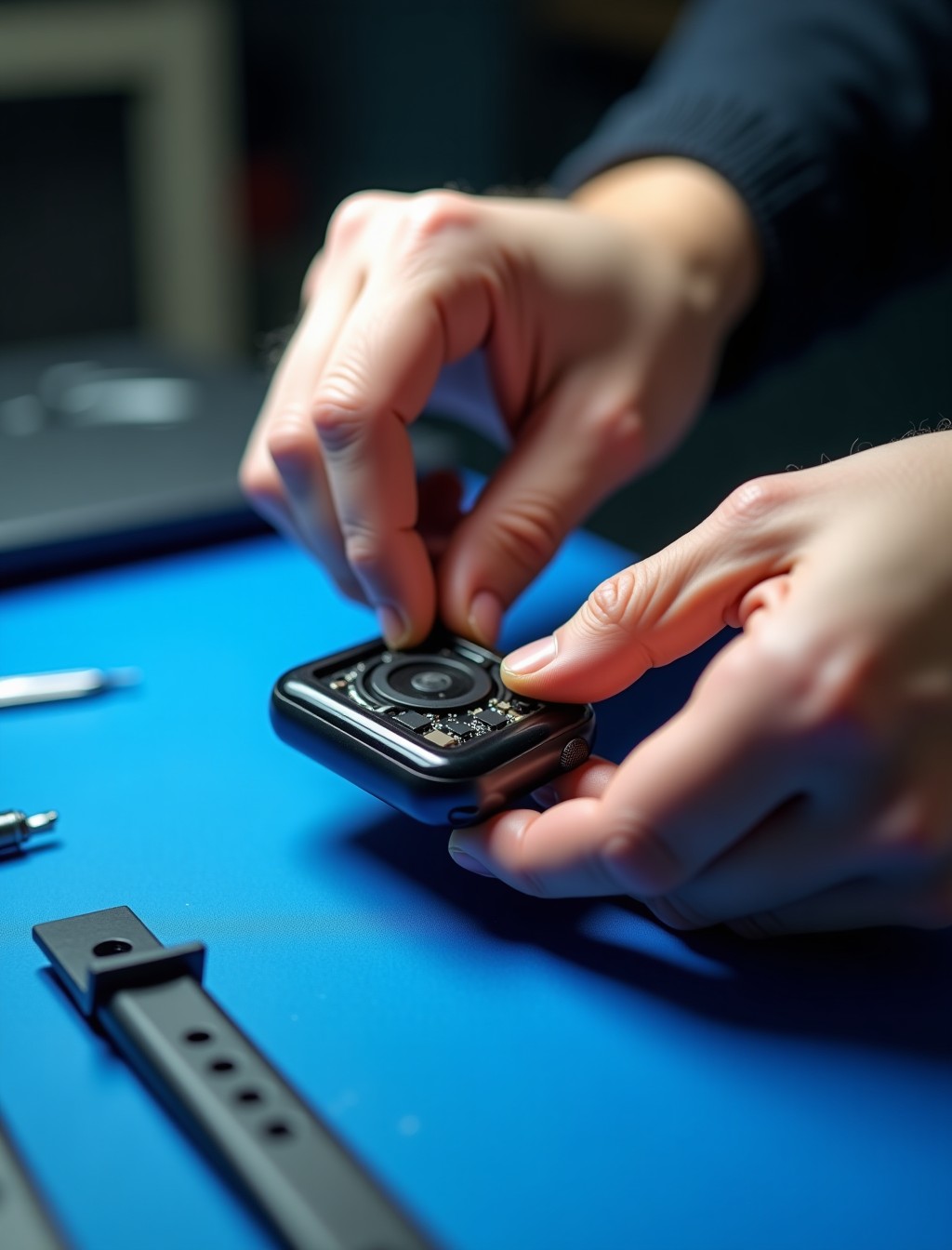
A muffled call, notifications you can barely hear, or a speaker that has gone completely silent usually points to a hardware fault rather than a setting buried in the Watch app. The speaker sits in a small grille on the case edge, exposed to sweat, dust, and the occasional splash, which makes it one of the more vulnerable components on the watch. Because it is so exposed, it is often the first audio component to show wear even when the rest of the watch is in good condition. At Milaaj, our technicians confirm whether the speaker itself, the microphone, or something else entirely is causing the problem before recommending a repair.
Speaker and microphone faults often get confused with each other, since both affect how well you can hear or be heard during calls. Getting the diagnosis right matters, since the fix for one is different from the fix for the other, and quoting the wrong one wastes time and money.
Whether the issue developed gradually, appeared after a workout or swim, or showed up after a drop, we can identify the cause before any work begins.
Signs Your Apple Watch Speaker Needs Attention
These are the symptoms our technicians see most often when the speaker hardware, rather than a setting, is genuinely at fault.
- No sound at all from notifications, calls, or Siri responses. This is the clearest sign of a failed speaker driver or a disconnected speaker component.
- Sound that is muffled or noticeably quieter than it used to be. Dust or debris blocking the speaker grille is one of the most common and easily fixed causes.
- Crackling, distorted, or static sound during calls or playback. This often points to physical damage inside the speaker itself, sometimes from moisture exposure.
- Sound working intermittently, cutting in and out unpredictably. A loose internal connection can cause this kind of inconsistent behavior.
- Watch feels normal in every other way but audio never comes through. This helps rule out a broader hardware issue and points specifically at the speaker.
Quick Checks Before Booking a Repair
A few simple checks can rule out the most common non-hardware causes before assuming a repair is needed.
- Check Silent Mode and Do Not Disturb. It sounds obvious, but an accidentally enabled Silent Mode is one of the most common reasons for a watch that seems to have no sound at all..
- Make sure watchOS is up to date. Apple has occasionally addressed sound related bugs through software updates, so an outdated version can sometimes be the actual cause..
- Clean the speaker grille gently. A soft, dry brush or cloth can remove surface dust without pushing debris further into the housing..
- Use the Water Lock feature to eject trapped moisture. Turning the Digital Crown while Water Lock is active runs a tone that can help clear water from the speaker after a swim or shower..
- Restart the watch and re-pair it with your iPhone if needed. This can resolve a software level audio routing issue that only looks like a hardware fault..
If none of these steps restore normal sound, the fault is more likely to be hardware related, and a proper diagnostic is the next step.
Speaker or Microphone? What’s Actually Wrong
These two components are separate, and it helps to know which one is actually causing the problem before booking a repair.
- If you cannot hear notifications, calls, or Siri, but the other person on a call says they can hear you fine, the speaker is the likely cause.
- If the other person on a call cannot hear you clearly, but you can hear everything fine on your end, the microphone is more likely the issue rather than the speaker.
- If both sides of a call sound affected, this can point to a broader case level issue such as water exposure affecting multiple components at once.
Our technicians confirm which component is actually at fault during the free diagnostic, so you are not paying for a speaker repair when the microphone was the real problem.
Common Causes of Apple Watch Speaker and Microphone Faults
Understanding what caused the fault helps explain why some repairs are quick fixes and others need more work.
- Dust and debris buildup in the speaker grille. The speaker sits exposed to the environment, and dust or lint can gradually block sound output.
- Sweat and moisture exposure. Regular workouts and daily wear expose the speaker to sweat, which can affect sound quality over time even without full submersion.
- Water damage affecting internal components. Liquid that gets past the case seal can reach the speaker and cause muffled or distorted sound, sometimes days after the original exposure.
- Physical damage from a drop. An impact near the case edge can dislodge or damage the speaker unit even if the rest of the watch looks fine.
- Wear on the speaker driver from years of use. Like any mechanical component, the speaker driver can degrade gradually after years of regular use.
all series
Apple Watch Speaker Replacement for Every Series in Dubai
Speaker design and audio capability have improved across the Apple Watch range, and repair parts are matched specifically to each series.
- Apple Watch Ultra 3, Ultra 2, and Ultra: a more powerful speaker built for outdoor use, designed to be audible over wind and ambient noise.
- Apple Watch Series 10 and Series 11: an updated speaker capable of media playback through the watch itself, in addition to calls and notifications.
- Apple Watch Series 9 and earlier, including Series 7 and 8: a standard speaker suited to calls, Siri, and notification sounds.
- Apple Watch SE 3 and SE 2: a standard speaker configuration similar to the entry level Series models.
- Regardless of series, speaker parts are matched to the exact model and case size, since components are not interchangeable across generations.
step by step process
Our Apple Watch Audio Repair Process in Dubai
Every speaker or microphone repair follows the same careful sequence to restore clear, reliable sound.
1
Free diagnostic check. We confirm whether the fault sits in the speaker, the microphone, or elsewhere before quoting anything.
2
Careful disassembly. The case is opened using tools built for the tight tolerances of Apple Watch hardware to access the affected component.
3
Component repair or replacement. The speaker or microphone unit is cleaned, repaired, or replaced with a genuine or premium grade part matched to your exact series.
4
Seal and sound testing. A fresh water resistant seal is fitted where needed, and audio is tested across calls, notifications, and playback before reassembly is finished.
5
Final quality check. We confirm clear, consistent sound under normal use before handing the watch back to you.
why milaaj
Why Choose Milaaj for Apple Watch Sound Repair in Dubai
Sound faults are easy to misdiagnose between speaker and microphone, so getting it right the first time matters.
- 35,000+ customers served across the UAE, with Apple Watch and iPhone audio repairs handled regularly.
- Certified technicians experienced with speaker and microphone repair across every Apple Watch series.
- Genuine and premium grade parts used for every repair, never mismatched components.
- Up to 12 months parts and labor warranty on completed speaker and microphone repairs.
- Free diagnostics with no obligation to proceed once you know what is actually wrong.
- Free pickup and delivery across Dubai, so a silent watch does not mean a trip across the city.
- Data privacy practiced on every device, with no unnecessary access to your paired iPhone or accounts.
- 24/7 support available in Arabic, English, Urdu, Hindi, Malayalam, and Tamil.
Related Repairs
- Apple Watch Water Damage Repair Dubai – Muffled or distorted sound is one of the earliest signs of water damage, making this a natural companion page.
- Apple Watch Digital Crown Repair Dubai – The crown sits close to the speaker, and both can be affected by the same water exposure or impact, making this a relevant cross link.
- Apple Watch Software Repair Dubai – Some sound issues trace back to a software glitch rather than hardware, making this a useful next step if hardware diagnosis comes back clear.
- Apple Watch Trade In / Buyback – Relevant for older Apple Watch models where speaker repair cost approaches the value of the device itself.
FAQs
Frequently Asked Questions About Apple Watch Speaker Repair
Can a muffled Apple Watch speaker be fixed by cleaning it, or does it always need a repair?
In many cases a muffled speaker is simply blocked by dust or trapped moisture and can be resolved without a repair. If cleaning and the Water Lock cycle do not help, a diagnostic can confirm whether hardware repair is genuinely needed before anything is quoted.
How do I know if it’s my speaker or my microphone that’s not working?
The clearest way to tell is by paying attention to which side of a call is affected. If you cannot hear the other person, the speaker is likely at fault, and if they cannot hear you, the microphone is more likely the cause.
How much does it cost to fix an Apple Watch speaker?
Cost depends on which component is affected and which series you have, since more advanced speaker configurations on newer models can cost more to replace. We give a clear quote after a free diagnostic so there are no surprises before you decide whether to proceed.
Will my Apple Watch still be water resistant after a speaker repair?
We refit the seal during every repair where the case needs to be opened, and we recommend giving the seal time to cure before swimming or showering with the watch.
Does a speaker repair affect my Apple Watch’s ability to play music or podcasts?
No, on models that support media playback through the speaker, our repair restores full functionality, and we test playback specifically as part of the process.
How long does an Apple Watch speaker repair take?
Most speaker and microphone repairs are completed same day once the affected component and part are confirmed, though availability can vary for older or less common series where original parts are harder to source.
Can the Water Lock feature damage my Apple Watch speaker if I use it too often?
No, Water Lock is designed specifically to safely eject water from the speaker and is safe to use as often as needed after exposure to water or sweat.
Apple Watch Silent or Sound Muffled?
A silent or muffled watch does not need to stay that way. Book your Apple Watch speaker repair in Dubai with Milaaj and our technicians will confirm exactly what is wrong before any work begins.
Contact us
Get Your Apple Watch Sound Working Again
With free pickup across Dubai, genuine parts, and up to 12 months warranty on the repair, you can get back to clear calls and notifications without replacing the whole device. Get in touch and we will take care of the rest.