

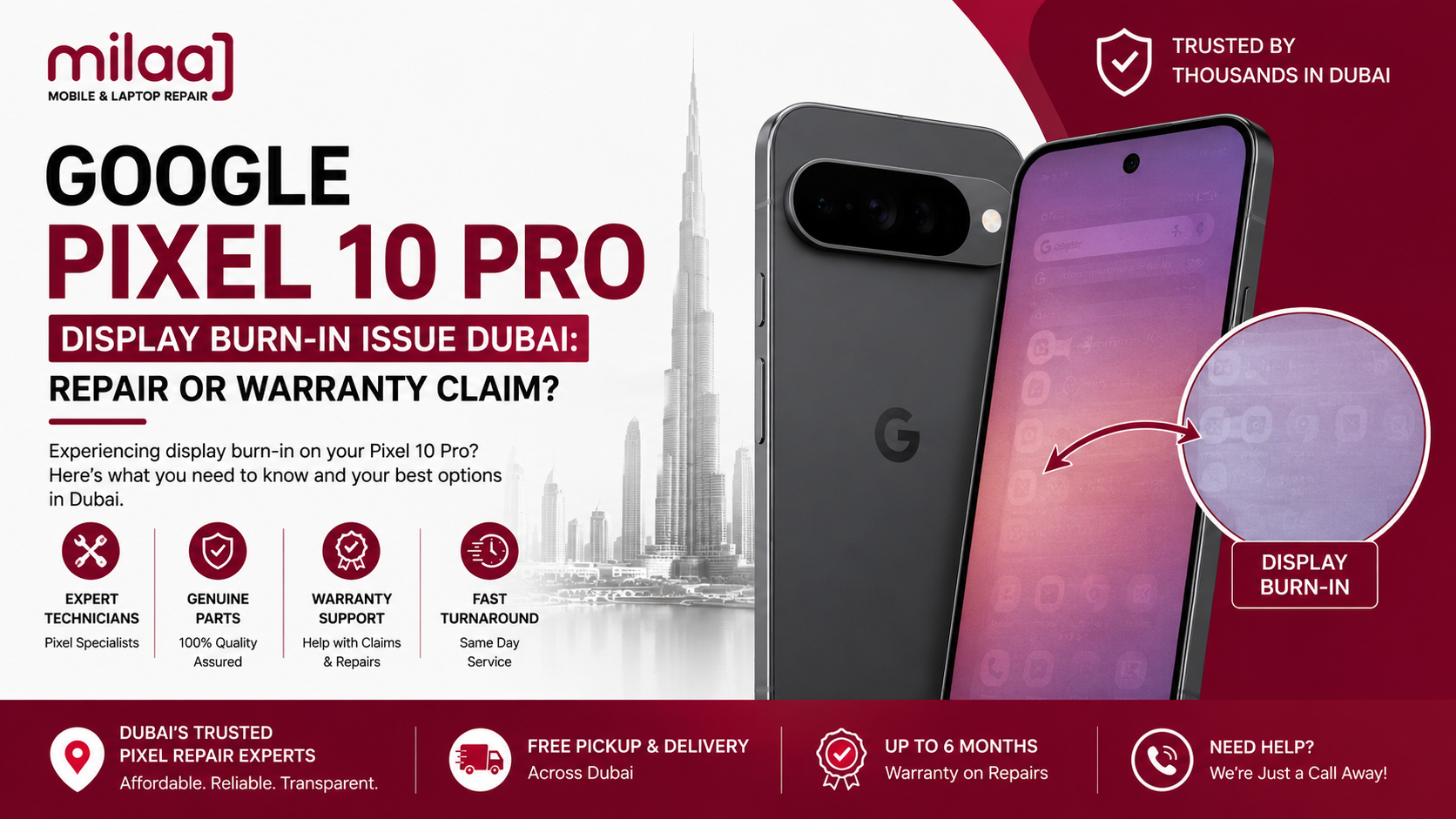
You pick up your device to check Google Maps while navigating Sheikh Zayed Road or scroll through photos in your Dubai Marina apartment. Suddenly, you notice faint, ghostly outlines lingering on the screen. For example, status bar icons, battery percentages, or navigation buttons may remain visible in the background. Even when you switch to a full-screen video or open a blank page, these marks may still appear.
As a result, dealing with a Google Pixel 10 Pro display burn-in issue Dubai: repair or warranty claim? dilemma can be frustrating. However, understanding the cause can make the next step easier. First, you need to determine whether the problem is temporary image retention or permanent burn-in. Then, you can decide whether an official warranty claim or a professional local repair is the better option. This approach can save both time and unnecessary repair costs.
The Google Pixel 10 Pro features an advanced LTPO OLED Super Actua display designed for excellent brightness and outdoor visibility. Therefore, using the screen at very high brightness for extended periods can place additional stress on organic OLED subpixels. Moreover, continuous Always-On Display (AOD) use and static interface elements may contribute to uneven pixel wear over time. Consequently, some users may notice persistent ghost images or other display abnormalities.
In this guide, we will explore the common causes of Pixel display burn-in and explain how to perform a quick diagnostic test at home. Additionally, we will discuss UAE warranty considerations, local repair options, estimated repair costs, and professional diagnostic services. Finally, you will understand how to compare a warranty claim with a local repair and choose the most practical solution for your Pixel 10 Pro.
What Causes OLED Display Burn-In on the Pixel 10 Pro?
Understanding display degradation helps you differentiate permanent subpixel damage from temporary image retention.
1. High Ambient Heat and Peak Brightness Thermal Load
When using your Pixel 10 Pro outdoors in Dubai, adaptive brightness pushes the OLED panel up to its 3,300-nit peak threshold. High brightness combined with direct summer heat accelerates organic light-emitting diode wear, especially along static screen elements.
2. Static UI Elements and Navigation Bars
Interface elements like status bar icons, Wi-Fi symbols, clock numbers, and fixed navigation buttons stay illuminated in the exact same screen position for hours daily. Over months of use, these specific pixels dim faster than surrounding ones, leaving persistent outline shadows.
3. Always-On Display (AOD)
Although Android 16 includes pixel-shifting software to move static clock elements slightly, leaving Always-On Display active at high ambient brightness can still cause localized subpixel fatigue over time.
Image Retention vs. Permanent OLED Burn-In: The 15-Minute Test
Before starting a warranty claim or booking a screen swap, verify if your display has permanent burn-in or temporary image retention.
  TEST STEP 1: OPEN A FULL-SCREEN SOLID GRAY BACKGROUND
  [Action] --> Set your display brightness to 50% and display a uniform gray image.
  [Result] --> Inspect status bar and lock screen areas for faint ghost outlines.

  TEST STEP 2: POWER OFF THE SCREEN FOR 15 MINUTES
  [Action] --> Turn off the device completely and let the panel cool down.
  [Result] --> If marks fade, it was image retention. If shadows persist, it is true burn-in.
If the faint outlines disappear after letting the panel rest, your device experienced temporary image retention. If the ghost images remain clearly visible across full-screen gray, white, or red backgrounds, the organic subpixels are permanently degraded and require screen replacement.
Dubai Warranty Claim vs. Third-Party Local Repair: What Are Your Options?
Deciding whether to submit a manufacturer warranty claim or visit an independent local repair center depends on where you purchased your device and how quickly you need it fixed.
1. Navigating Official Google Warranty Claims in the UAE
Google does not operate a direct physical flagship retail store in Dubai, meaning warranty claims are handled through authorized regional distributors or overseas RMA channels.
- Coverage Scope: Standard manufacturer warranties cover display defects like dead pixels, premature panel failure, or manufacturing flaws. However, burn-in caused by prolonged static image display at high brightness can sometimes be categorized as normal wear-and-tear or misuse, potentially voiding claim coverage.
- Turnaround Time: Shipping an international or gray-market Pixel unit back to its country of origin or an overseas service hub typically takes 2 to 4 weeks, leaving you without your primary phone.
2. Choosing Professional Local Third-Party Repair
If your warranty claim is denied, your device was imported without local agency coverage, or you cannot wait weeks for overseas shipping, visiting a reputable local repair workshop provides an immediate solution. Local repair specialists can swap your damaged panel with a original LTPO OLED display assembly in a single afternoon.
Google Pixel 10 Pro Display Replacement Cost in Dubai
Understanding local service charges across Dubai workshops helps you budget effectively.
When addressing a Google Pixel 10 Pro display burn-in issue Dubai: repair or warranty claim? scenario, replacing the entire LTPO OLED panel ranges between AED 650 and AED 950, depending on part availability and biometric sensor recalibration requirements.
Service Method Comparison Table
| Service Option | Target Failure Point | Estimated Cost (AED) | Service Time | Biometrics Retained |
| Official Warranty RMA | Factory defect / covered screen failure | Free (If approved) | 14 – 30 Days | 100% Calibrated |
| OEM Screen Replacement | Permanent OLED burn-in or glass cracks | AED 650 – AED 950 | 1 – 2 Hours | 100% Calibrated |
| Glass Refurbishment | Cracked top glass only (OLED 100% fine) | AED 350 – AED 520 | 3 – 5 Hours | 100% Retained |
| Display Ribbon Repair | Loose connection or flickering display flex | AED 250 – AED 400 | 1 – 2 Hours | 100% Retained |
Step-by-Step Professional Screen Replacement Workflow
Replacing a curved LTPO OLED panel on a flagship device requires controlled heating, dust-free environments, and careful sensor handling.
Step 1: Thermal Frame Separation
Technicians place the Pixel 10 Pro onto a digital heating plate set to 75°C to soften the factory perimeter adhesive, allowing safe removal of the display module without damaging internal components.
Step 2: Component Disconnection and Cleaning
The battery flex is disconnected to isolate system power. Technicians clean residual adhesive and dust off the aluminum mid-frame using specialized solvents.
Step 3: OEM Panel Lamination and Biometric Calibration
The replacement LTPO OLED panel is connected, and the under-display ultrasonic fingerprint reader is aligned and re-calibrated using software tools.
Step 4: Re-Sealing and Final Testing
Fresh pre-cut water-resistant gaskets are fitted around the frame, and the device undergoes full diagnostic testing across color spectra, touch accuracy, dynamic refresh rates, and brightness levels.
Milaaj Mobile Repair Section
When evaluating a Google Pixel 10 Pro display burn-in issue Dubai: repair or warranty claim? choice, selecting an experienced technical team guarantees clean, reliable repairs. Milaaj mobile and laptop repair Al Barsha provides specialized hardware repair services for flagship Google Pixel smartphones.
Low Price Guarantee with Transparent Quotes
We offer affordable screen replacement options for flagship Pixel devices. Our technicians inspect your display condition upfront, providing clear pricing for OLED screen replacements without hidden costs.
Express Speed Repairing Workflows
We realize how critical your smartphone is for daily navigation, communication, and business tasks across Dubai. Our workshop stocks OEM display assemblies locally, allowing us to complete most screen swaps in under 2 hours.
Maximum Customer Convenience Across Dubai
Located conveniently in Al Barsha, our workshop is easy to visit. If your busy schedule leaves no time for an in-person visit, our free courier pickup and delivery service collects your device from your home or office anywhere in Dubai and returns it fully restored.
Premium OEM Part Quality
We use factory-spec LTPO OLED panels featuring 120Hz dynamic refresh rates, true color reproduction, and full peak brightness capability. Every screen replacement includes warranty coverage for your complete peace of mind.
How to Prevent OLED Display Burn-In on Your Pixel 10 Pro
Adopting a few software habits helps protect your display and prolong subpixel lifespan:
- Enable Adaptive Brightness: Let Android 16 adjust screen brightness dynamically instead of keeping it locked at maximum levels indoors.
- Reduce Screen Timeout Duration: Set display timeout to 30 seconds or 1 minute to prevent static screens from idling unnecessarily.
- Switch to Gesture Navigation: Replace fixed bottom navigation buttons with swipe gestures to eliminate static white UI elements.
- Use Dark Mode System-Wide: Enabling System Dark Theme turns off black background pixels completely, lowering thermal load and saving battery life.
Frequently Asked Questions (FAQs)
Is OLED screen burn-in covered under Google’s standard warranty?
Standard manufacturer warranties cover display defects like dead pixels or unexpected controller failure. However, screen burn-in caused by static app usage at high brightness levels may be treated as normal wear and tear on a case-by-case basis.
Will replacing my Pixel 10 Pro screen disable the under-display fingerprint reader?
No. When installed with original LTPO OLED modules and calibrated properly using optical tools, the under-display ultrasonic fingerprint scanner operates with original speed and accuracy.
Can software updates or burn-in fixer apps repair permanent OLED burn-in?
No. While software updates can fix temporary image retention, physical subpixel degradation is permanent and can only be resolved by replacing the OLED screen assembly.
How long does a Google Pixel 10 Pro screen replacement take in Dubai?
A complete screen replacement at an experienced repair workshop typically takes 1 to 2 hours.
Final Thoughts: Restoring Flagship Visual Quality
Weighing a Google Pixel 10 Pro display burn-in issue Dubai: repair or warranty claim? decision starts with comparing warranty claim timelines, coverage, and the convenience of local repair. First, a quick diagnostic test can help distinguish temporary image retention from permanent burn-in. Then, you can choose the most suitable repair option with greater confidence. Additionally, checking the display, touch response, and other related symptoms can help prevent unnecessary repair costs.
If your Pixel display shows permanent ghost images, flickering, unusual lines, black spots, or touch issues, don’t wait for the problem to worsen. Instead, contact a certified repair specialist and book a fast diagnostic inspection. This way, you can determine the actual cause, compare repair versus warranty options, and get your Pixel 10 Pro back in reliable working condition.
Other Services:
- Need other iPhone repairs? Check out Milaaj’s iPhone repair services in Dubai.
- Looking to upgrade? Learn about selling your used iPhone in Dubai.
- Data loss concerns? Visit Milaaj’s data recovery services.
- For Apple users, check Apple trade-in options in Dubai.
📍 Visit Any Milaaj Branch in Dubai
🔹 Bur Dubai
Milaaj Mobile and Laptop Repair Dubai
📞 055 258 8477
🔗 Google Maps
🔹 Al Barsha
Milaaj Mobiles and Laptop Repair Al Barsha
📞 052 596 2846
🔗 Google Maps
🔹 Al Barsha 3
Milaaj Mobiles and Gaming Store
📞 052 3405 814
🔗 Google Maps
🔹 Al Nuaimiya
Milaaj Mobiles and Laptops Ajman
📞 055 788 9654
🔗 Google Maps
Shop Locations: Al Barsha | Bur Dubai | Reef Mall, Salah Al Din | Al Nuaimiya, Ajman
Email: support@milaaj.com
Operating Hours: Monday – Sunday

Leave a Reply