

Quick Answer
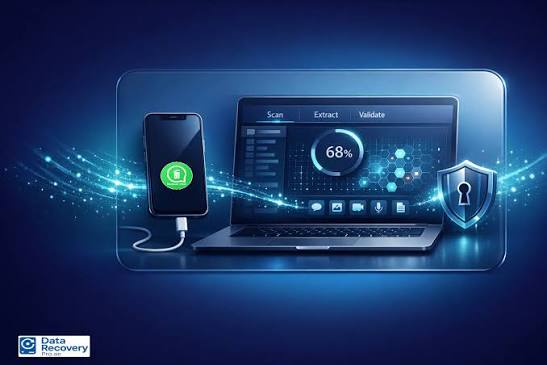
Yes, you can often recover WhatsApp chats after a factory reset, but only if a backup exists. WhatsApp doesn’t store your chat history on its servers, so recovery depends on your Google Drive backup, iCloud backup, or a local backup file on your phone. If you reinstall WhatsApp with the same phone number and a backup is available, the app offers to restore it. If no backup exists, recovery becomes very limited, and no tool can honestly promise otherwise. This guide covers WhatsApp data recovery after factory reset Dubai step by step.
Key Takeaways
- WhatsApp chats live on your device and in your backups, not on WhatsApp’s servers, so the backup is the key to recovery.
- Android users can restore from Google Drive or a local backup, while iPhone users restore from iCloud.
- You must use the same phone number, and the same Google or Apple account, to restore a backup.
- End-to-end encrypted backups need your password or 64-digit key, so don’t lose it.
- Without any backup, chances are slim, and anyone promising guaranteed recovery deserves some skepticism.
- Stop using the phone heavily after a reset if you’re hoping to find leftover local files, since new data can overwrite them.
Factory resets happen for all sorts of reasons. Maybe your phone froze beyond repair, maybe you were selling it, or maybe a software bug forced your hand. Then comes the sinking realization that years of WhatsApp chats, voice notes, and photos just vanished. Before you panic, take a breath. This guide walks you through WhatsApp data recovery after factory reset Dubai in plain, practical steps, including what’s realistically possible and what isn’t.
Why WhatsApp Chats Disappear After a Factory Reset
A factory reset wipes everything stored on your phone, including apps, photos, and app data. WhatsApp keeps your chat history locally on your device rather than on a central server. Consequently, once the phone is wiped, those chats are gone from the device itself. However, if you had backups enabled, copies may still exist in the cloud or in a file you saved earlier. That backup is your lifeline, so the whole recovery process revolves around finding it.
Check What Kind of Backup You Might Have
Google Drive Backup (Android)
Many Android users enable automatic WhatsApp backups to Google Drive, daily, weekly, or monthly. If yours was active, a copy of your chats probably sits in your Google account right now.
iCloud Backup (iPhone)
On iPhone, WhatsApp backs up to iCloud when you turn on Chat Backup in settings. Your iCloud storage also needs enough free space to hold the backup, so a full iCloud account sometimes means backups quietly stopped working.
Local Backup on Your Android Phone
Android phones also create local backup files automatically, typically every night. These sit in the WhatsApp folder on your device storage. Unfortunately, a factory reset usually erases this folder too, unless you copied it somewhere else beforehand.
Backups Saved on a Computer or Memory Card
If you ever copied your WhatsApp folder to a laptop or SD card, check there first. That copy can save the day.
Step-by-Step: Recover WhatsApp on Android After a Factory Reset
Step 1: Sign In to the Same Google Account
First, set up your phone and sign in with the same Google account that holds your WhatsApp backup. Using a different account means the backup won’t appear.
Step 2: Install WhatsApp and Verify Your Number
Next, download WhatsApp and verify your phone number. It must be the exact same number you used for the backup, since WhatsApp links backups to your number.
Step 3: Tap Restore When Prompted
WhatsApp detects your Google Drive backup automatically and asks if you want to restore it. Tap Restore, then wait while your chats come back.
Step 4: Let Media Download
After the chats restore, your photos and videos continue downloading in the background. Be patient, since this can take a while with large backups.
Step-by-Step: Recover WhatsApp on iPhone After a Factory Reset
Step 1: Sign In With the Same Apple ID
Start by signing in with the Apple ID tied to your iCloud backup. Again, the account must match.
Step 2: Confirm the Backup Exists
Before reinstalling, you can check Settings, then Chats, then Chat Backup inside WhatsApp on any device logged into the same account, or look for the last backup date after installing.
Step 3: Reinstall WhatsApp and Verify Your Number
Download WhatsApp and verify the same phone number you used before.
Step 4: Tap Restore Chat History
When WhatsApp finds the iCloud backup, tap Restore Chat History and wait for the process to finish without interrupting your connection.
What If You Used an End-to-End Encrypted Backup?
WhatsApp offers end-to-end encrypted backups, which protect your chat history with a password or a 64-digit encryption key. Therefore, restoring one requires that exact password or key. If you forgot it, WhatsApp can’t recover it for you, and the backup stays locked. So, if you suspect you enabled this feature, hunt down that password before attempting a restore.
What If You Have No Backup at All?
Honestly, this is the hardest scenario. Without a backup, WhatsApp itself can’t bring your chats back, because it doesn’t hold them on its servers. A few partial options still exist, though.
Ask Your Contacts for Shared Content
Friends and family members still have their side of the conversations. They can export a chat or forward photos, documents, and voice notes you shared. It isn’t a full recovery, but it rescues the important pieces.
Check Other Devices Still Logged In
If you use WhatsApp on a second phone, tablet, or computer, those linked devices might still hold recent messages. Check them quickly before they sync with the reset phone.
Be Careful With “Recovery” Software
Plenty of apps claim they can recover deleted WhatsApp chats after a factory reset. In reality, a properly completed reset on a modern phone usually makes recovery extremely unlikely, since modern phones encrypt storage and discard the keys during a reset. Many of these tools overpromise, and some are risky to install. Treat guarantees with suspicion.
Common Mistakes That Make Recovery Harder
- Using a different phone number when setting up WhatsApp again, which prevents the backup from appearing.
- Signing in with the wrong Google or Apple account, so the backup never shows up.
- Skipping the restore prompt, since WhatsApp usually offers restoration only during first setup.
- Forgetting the encryption password on an end-to-end encrypted backup.
- Heavily using the phone first, which can overwrite leftover local files you might have been able to find.
- Deleting your Google Drive or iCloud backup while cleaning storage, thinking it was unnecessary.
How to Avoid This Problem Next Time
Preventing data loss takes about two minutes and saves enormous stress later. Turn on automatic WhatsApp backups, choose a frequency that suits you, and confirm the last backup date from time to time. Additionally, make sure your cloud storage has enough free space, because a full account silently blocks backups. Before any factory reset, run a fresh manual backup, and double-check it finished successfully. Finally, if you use encrypted backups, store the password somewhere safe, like a password manager.
When Professional Help Makes Sense
If your phone is dead, stuck in a boot loop, or won’t let you reach the setup screen, you might not be able to follow these steps on your own. In those cases, a technician can sometimes get the phone working again, or retrieve a backup you didn’t realize existed. Therefore, professional diagnosis is worth considering before you give up, especially when the chats matter for work or legal reasons.
A Quick Word From Milaaj Mobile and Laptop Repair Al Barsha
If you’re stuck during WhatsApp data recovery after factory reset Dubai, or your phone won’t start properly, Milaaj Mobile and Laptop Repair Al Barsha can help diagnose the problem and get your device ready for a clean restore. Their experience with phone repairs and software troubleshooting makes the process far less stressful.
Here’s why customers across Al Barsha consistently choose Milaaj:
- Low Price: Transparent, budget-friendly pricing with no hidden charges.
- Speed Repairing: Fast turnaround, so you’re not left without your phone for days.
- Convenience: Simple walk-in service with flexible scheduling.
- Part Quality: Genuine, high-quality components for any hardware fixes your phone needs.
- Skilled Technicians: Experienced professionals who handle software and hardware issues with care.
Whether it’s a phone stuck on a reset loop, a cracked screen, or a slow laptop, Milaaj Mobile and Laptop Repair Al Barsha treats every device with expert attention.
Final Thoughts
At the end of the day, recovering WhatsApp after a factory reset comes down to one question: did a backup exist? If it did, restoring is usually quick and painless, provided you use the same number and account. If it didn’t, your options shrink, though your contacts and linked devices can still rescue some content. So, whether you’re doing WhatsApp data recovery after factory reset Dubai for personal photos or important work chats, act early, avoid unproven tools, and set up proper backups so you never face this situation again.
Frequently Asked Questions (FAQs)
1. Can I recover WhatsApp chats after a factory reset without a backup?
Rarely. WhatsApp doesn’t keep your chats on its servers, so without a backup, you can only recover pieces from contacts or other linked devices.
2. Do I need the same phone number to restore my WhatsApp backup?
Yes. WhatsApp ties backups to your phone number, so you must verify the same number to see and restore the backup.
3. Can I restore a WhatsApp backup from Android to iPhone?
Not directly through standard backups, since Google Drive and iCloud backups aren’t compatible. WhatsApp offers separate chat transfer tools for moving between platforms.
4. What if I forgot my end-to-end encrypted backup password?
Unfortunately, WhatsApp can’t reset or recover it, so the encrypted backup stays inaccessible without the correct password or 64-digit key.
5. Do third-party WhatsApp recovery apps really work after a factory reset?
Usually not. After a proper reset on a modern phone, recovery is extremely unlikely, so be cautious about tools that promise guaranteed results.
Other Services:
- Need other laptop repairs? Check out Milaaj’s laptop repair services in Dubai.
- Overheating issues? Explore MacBook repair in Dubai for similar cooling solutions.
- Looking to upgrade? Learn about selling your used laptop in Dubai.
- Data loss concerns? Visit Milaaj’s data recovery services.
- For Apple users, check Apple trade-in options in Dubai.
📍 Visit Any Milaaj Branch in Dubai
🔹 Bur Dubai
Milaaj Mobile and Laptop Repair Dubai
📞 055 258 8477
🔗 Google Maps
🔹 Al Barsha
Milaaj Mobiles and Laptop Repair Al Barsha
📞 052 596 2846
🔗 Google Maps
🔹 Reef Mall (Salah Al Din)
Milaaj Service Center Reef Mall
📞 052 3405 814
📍 1st Floor, Shop 16, Deira
🔗 Google Maps
🔹 Al Nuaimiya
Milaaj Mobiles and Laptops Ajman
📞 055 788 9654
🔗 Google Maps
Shop Locations: Al Barsha | Bur Dubai | Reef Mall, Salah Al Din | Al Nuaimiya, Ajman
Email: support@milaaj.com
Operating Hours: Monday – Sunday

Leave a Reply