

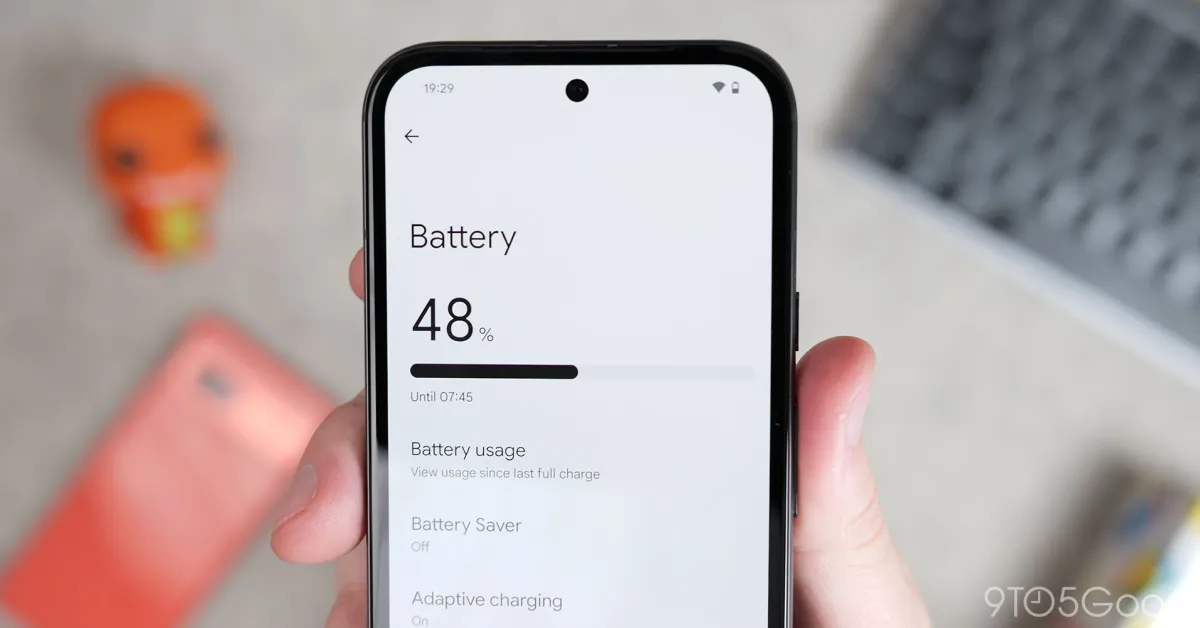
If you’ve noticed your screen time dropping or your phone getting uncomfortably warm, the culprit is likely one of these common mistakes. Many people don’t realise there are certain habits killing phone battery life. Modern Lithium-Ion batteries are resilient, but they are not invincible. Actually, the way you charge and store your device today dictates how long it will last two years from now. Let’s break down these silent killers so you can stop the drain.
1. The “100% Obsession” and Deep Discharges
Many of us feel a sense of security when that little lightning bolt reaches 100%. However, keeping your battery at its maximum capacity for extended periods is one of the quickest ways to degrade it. Modern batteries are under high “voltage stress” when they are fully charged. Instead, the “sweet spot” for battery health is maintaining a charge between 20% and 80%.
Similarly, letting your phone die completely (0%) is equally damaging. Specifically, deep discharges can cause chemical instability within the battery cells. Think of your battery like a muscle; it performs best when it isn’t overstretched or completely exhausted.
2. Using Cheap, Uncertified Charging Cables
We’ve all been there you’re at a convenience store and grab the cheapest USB-C or Lightning cable on the shelf. Indeed, while it may save you a few dirhams now, it could cost you a motherboard repair later. Low-quality cables often lack the necessary safety chips to regulate voltage. Consequently, inconsistent power delivery can overheat your battery and wear out the charging port. Always look for MFi-certified or reputable brand-name chargers to ensure your phone receives a clean, steady flow of power.
3. Excessive Use of Fast Charging for habits killing phone battery life
Fast charging is a lifesaver in 2026, especially in a fast-paced city like Dubai. But, convenience comes at a thermal cost. High-wattage charging generates significant heat, which is the ultimate enemy of battery longevity. Furthermore, if you habitually fast-charge every single night, you are subjecting your battery to unnecessary heat cycles. Ideally, you should save the ultra-fast charger for emergencies and use a standard 5W or 10W brick for overnight charging to keep things cool.
4. Gaming or Streaming While Plugged In
This is known as a “parasitic load.” When you play a heavy game or stream high-definition video while charging, your phone is working twice as hard. It has to power the intensive hardware and charge the battery simultaneously. As a result, the internal temperature skyrockets. Indeed, heat accelerates the chemical aging of the battery cells. If your phone feels hot enough to cook an egg, it’s time to unplug or take a break.
5. Ignoring Extreme Temperatures and Sunlight
Living in a climate like ours means heat is everywhere. Leaving your phone on a car dashboard in the afternoon sun or under a pillow while charging is a silent death sentence for the battery. Furthermore, cold temperatures are just as bad, causing the battery to lose its ability to hold a charge temporarily. Always keep your device in a well-ventilated area and avoid direct sunlight whenever possible.
Milaaj Mobile and Laptop Repair Al Barsha: Your Battery Experts for habits killing phone battery life
Sometimes, despite your best efforts, a battery simply reaches the end of its natural life. If your phone is swelling, shutting down unexpectedly, or draining in minutes, you need professional intervention. At Milaaj mobile and laptop repair Al Barsha, we are the leading destination for swift and reliable power solutions.
Our service center in Al Barsha First is designed to give you peace of mind with:
- Low Price Guarantee: We provide premium services without the premium price tag, ensuring the best value in Dubai.
- Speed Repairing: Most battery replacements for iPhone, Samsung, and Huawei are completed in less than 60 minutes.
- Convenience: Located at The Iridium, we offer free parking and a comfortable waiting area while our technicians work their magic.
- Part Quality: We use only original or high-grade OEM parts, backed by a comprehensive warranty to ensure your phone stays “healthy” for longer.
Simple Tips for Better Battery Longevity for habits killing phone battery life
Instead of stressing over every percentage point, follow these quick 2026 best practices:
- Enable Optimized Charging: Both iOS and Android now have “Smart Charging” features that pause the charge at 80% overnight.
- Dim the Screen: High brightness is the #1 day-to-day power consumer.
- Audit Background Apps: If an app is tracking your location 24/7, it’s killing your battery. Turn off “Background App Refresh” for non-essential tools.
- Stay Updated: Manufacturers often release software patches that improve power management efficiency.
FAQ: habits killing phone battery life
1. Is it bad to charge my phone overnight?
Actually, modern phones are smart enough to stop drawing power once full. However, the “trickle charge” needed to keep it at 100% all night still creates some heat. Using “Optimized Battery Charging” settings solves this problem by waiting to finish the charge right before you wake up.
2. Should I always use a dark theme?
Specifically, if your phone has an OLED or AMOLED screen, yes! These screens turn off individual pixels to show black, which saves a significant amount of energy compared to displaying white or bright colors.
3. Does wireless charging damage the battery?
Technically, wireless charging generates more waste heat than wired charging because of the induction process. Consequently, while it is safe for occasional use, wired charging remains the cooler, healthier choice for your battery’s long-term life.
4. How do I know if my battery is “dead”?
Indeed, check your settings. On an iPhone, look at “Battery Health.” On Android, use “Device Care.” If your “Maximum Capacity” is below 80%, you will likely experience performance throttling and should consider a replacement.
5. Can a software update fix a draining battery?
Furthermore, yes. Sometimes “bugs” in an old OS version cause the CPU to run at high speeds for no reason. Updating to the latest version can often optimize these processes and reclaim your battery life.
Final Thoughts: habits killing phone battery life
In conclusion, your smartphone’s battery life isn’t just about the hardware; it’s about your habits. By avoiding extreme heat, using quality chargers, and keeping your charge between 20% and 80%, you can ensure your device stays fast and reliable. As a result of these small changes, you’ll spend less time looking for a charger and more time enjoying your device.
Other Services:
- Need other iPhone repairs? Check out Milaaj’s iPhone repair services in Dubai.
- Looking to upgrade? Learn about selling your used iPhone in Dubai.
- Data loss concerns? Visit Milaaj’s data recovery services.
- For Apple users, check Apple trade-in options in Dubai.
📍 Visit Any Milaaj Branch in Dubai
🔹 Bur Dubai
Milaaj Mobile and Laptop Repair Dubai
📞 055 258 8477
🔗 Google Maps
🔹 Al Barsha
Milaaj Mobiles and Laptop Repair Al Barsha
📞 052 596 2846
🔗 Google Maps
🔹 Al Barsha 3
Milaaj Mobiles and Gaming Store
📞 052 3405 814
🔗 Google Maps
🔹 Al Nuaimiya
Milaaj Mobiles and Laptops Ajman
📞 055 788 9654
🔗 Google Maps
Shop Locations: Al Barsha | Bur Dubai | Reef Mall, Salah Al Din | Al Nuaimiya, Ajman
Email: support@milaaj.com
Operating Hours: Monday – Sunday


Leave a Reply