

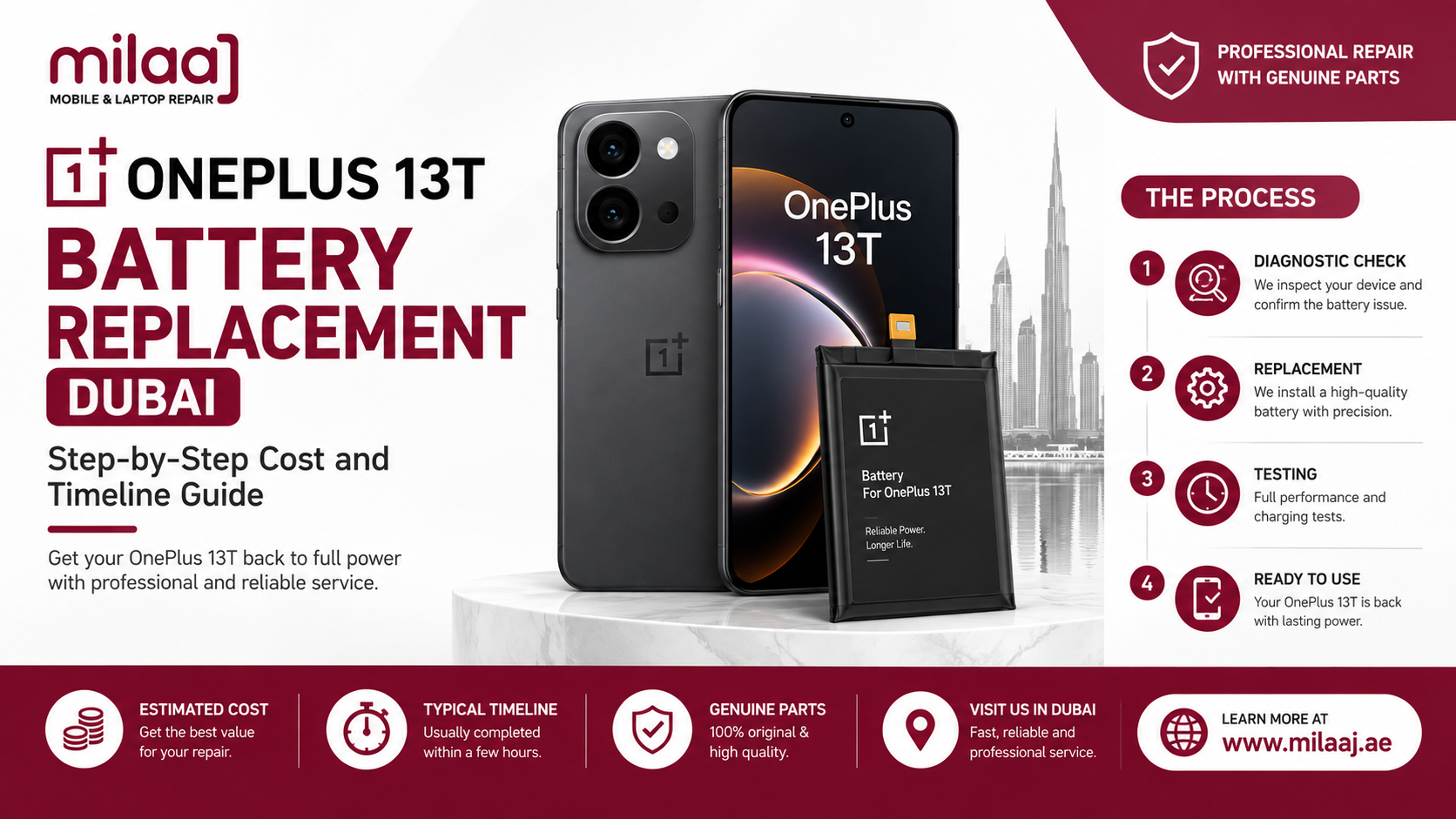
You rely heavily on your smartphone while navigating high-energy workdays, outdoor meetings in Downtown Dubai, or evening drives along the Dubai Marina skyline. The flagship OnePlus 13T built its reputation around blazing-fast performance and an impressive 6,260 mAh Silicon-Carbon Glacier battery. However, after constant heavy usage, exposure to heat, and hundreds of rapid charging cycles, even the most durable power cell naturally loses its endurance.
If your device suddenly shuts down during an important call, overheats while fast-charging, or requires multiple top-ups a day, you need a quick hardware reset. Understanding this OnePlus 13T battery replacement Dubai: step-by-step cost and timeline guide gives you total clarity on diagnostic steps, expected expenses, and how fast you can get your device restored.
Why Smartphone Batteries Degrade Rapidly in Dubai
Lithium-ion and high-density Silicon-Carbon batteries store energy through chemical reactions that gradually weaken over time. In the UAE, environmental conditions and extreme fast-charging habits speed up this chemical aging process noticeably
1. High Thermal Load and Summer Heat
Leaving your phone inside a parked car in Dubai during summer pushes internal temperatures beyond safe operating limits. Excess heat breaks down electrolyte fluid inside the cell, causing permanent capacity loss and internal resistance spikes.
2. High-Wattage Charging Stress
While 80W SUPERVOOC wired charging powers up your phone in roughly 35 minutes, pushing high current repeatedly builds localized internal heat. Over 12 to 18 months, this frequent thermal cycle reduces your overall battery health percentage.
3. Intensive Workloads and Maximum Brightness
Running demanding applications under high brightness stresses the Snapdragon 8 Elite processor. Constant high discharge rates cause subpixel draw and thermal stress, leading to shortened battery life per charge.
Recognizing the Signs Your Battery Needs Replacement
Before booking a service appointment, check for these clear symptoms of battery failure:
- Rapid Voltage Drops: Your phone drops abruptly from 30% to 5% within minutes.
- Overheating During Standby: The rear casing feels warm to the touch even when no apps are running.
- Physical Swelling: A swollen battery pushes against the back glass panel, breaking the water-resistant perimeter seal.
- Random System Restarts: The processor requests peak voltage under heavy app loads, causing the degraded cell to trigger an auto-shutdown.
Step-by-Step Timeline of a Professional Battery Replacement
Knowing what happens inside a professional workshop helps you understand why proper repair procedures take time. Here is the standard repair procedure used by certified technicians:
Step 1: Initial Diagnostics and Safety Discharge
Technicians perform an initial current check using an inline USB tester to confirm board power management. The original power cell is safely discharged below 25% to minimize thermal risk during removal.
Step 2: Heated Rear Cover Separation
The smartphone is placed on a digital heating plate calibrated to 70°C for 5 minutes. This softens the factory adhesive around the rear glass, allowing a thin prying tool to separate the cover cleanly.
Step 3: Safe Battery Extraction
After unscrewing the interior motherboard shield and disconnecting the main battery flex cable, the technician pulls the release tabs. They avoid using sharp metal tools to prevent puncturing the outer cell casing.
Step 4: OEM Battery Installation
A genuine replacement cell is positioned inside the housing using pre-cut double-sided adhesive strips. The battery connector is snapped into place to ensure a snug fit.
Step 5: Waterproof Seal and Post-Repair Quality Check
Fresh perimeter gaskets are applied to restore dust and water resistance. The device undergoes a rapid-charging test, thermals are monitored, and a full power cycle verifies stable power delivery.
OnePlus 13T Battery Replacement Cost Breakdown in Dubai
Repair charges vary based on component quality, workshop location, technician experience, and warranty coverage.
When checking this OnePlus 13T battery replacement Dubai: step-by-step cost and timeline guide, expect complete out-of-warranty service costs to range between AED 180 and AED 320, depending on whether you choose an authentic OEM unit or an aftermarket alternative.
Service Comparison Matrix
| Option | Estimated Cost (AED) | Total Time | Water Seal Restored? | Warranty Offered |
| Official Out-of-Warranty | AED 220 – AED 350 | 3 – 7 Days | Yes | 90 Days |
| Third-Party Service Shop | AED 180 – AED 280 | 1 – 2 Hours | Yes | 180 Days |
| DIY Home Repair Kit | AED 100 – AED 140 | 2 – 3 Hours | Unlikely | None |
DIY vs. Professional Repair: Is It Worth the Risk?
Attempting a DIY battery swap at home without specialized tools often leads to complications.
Modern high-density batteries use strong frame adhesives. Puncturing a battery with improper tools can trigger chemical combustion or short out the motherboard. Furthermore, replacing the back glass requires specialized clamping tools to maintain factory water-resistance ratings. Paying a trained technician ensures your safety and keeps your device in top condition.
Milaaj Mobile Repair Section
When you need an accurate, reliable OnePlus 13T battery replacement Dubai: step-by-step cost and timeline guide implementation, picking a skilled workshop ensures long-lasting results. Milaaj mobile and laptop repair Al Barsha provides specialized hardware repair solutions tailored for high-performance smartphones.
Low Price Guarantee on Every Service
We provide clear, upfront pricing for flagship battery replacements. Our technicians examine your device’s overall power circuit and deliver accurate estimates before beginning any work.
Rapid Speed Repairing Workflows
We understand how essential your phone is for business and daily life across the UAE. Our Al Barsha hub keeps genuine battery inventory on hand, enabling us to swap out degraded cells in 45 minutes or less.
Unmatched Convenience for Dubai Residents
Located centrally in Al Barsha, our repair center is convenient to visit. If your schedule is tight, take advantage of our free pickup and delivery service across Dubai. We collect your device, complete the repair, and return it directly to your home or office.
Premium Part Quality Assured
We install grade-A, factory-tested replacement cells designed to handle high discharge demands and high-wattage fast charging safely. Every replacement includes complete warranty coverage for added confidence.
Tips to Extend Your New Battery’s Health
Once your new battery is installed, follow these habits to keep it healthy for years:
- Maintain the 20%-80% Charge Window: Avoid letting your phone drain down to 0% or leaving it plugged in at 100% overnight.
- Avoid High Heat: Keep your device out of direct sunlight and off hot car dashboards.
- Remove Thick Cases While Charging: Heavy phone cases trap thermal energy during 80W fast charging.
- Use Original Chargers: Use certified power adapters to prevent voltage spikes from damaging power IC chips.
Frequently Asked Questions (FAQs)
How long does a battery replacement take in Dubai?
A standard battery replacement takes 45 minutes to 1.5 hours at a specialized workshop with on-site parts inventory.
Will my device retain fast charging support after a battery replacement?
Yes. Installing a high-grade OEM-spec battery retains full support for high-wattage fast-charging protocols.
What should I do before handing my phone in for repair?
Back up your personal data to cloud storage, remove your SIM card, and disable lock screen passwords if diagnostic testing requires access.
Does a battery replacement wipe my personal data?
No. Standard battery replacements affect hardware components only and do not alter stored photos, applications, or personal files.
Final Thoughts on Smartphone Battery Maintenance
Reading this OnePlus 13T battery replacement Dubai: step-by-step cost and timeline guide gives you a clear path forward when managing battery degradation. Spotting early signs of wear, choosing genuine replacement parts, and relying on qualified technicians will keep your device running like new.
If your smartphone struggles to hold a charge, contact a local repair specialist today to restore its battery life!
Other Services:
- Need other iPhone repairs? Check out Milaaj’s iPhone repair services in Dubai.
- Looking to upgrade? Learn about selling your used iPhone in Dubai.
- Data loss concerns? Visit Milaaj’s data recovery services.
- For Apple users, check Apple trade-in options in Dubai.
📍 Visit Any Milaaj Branch in Dubai
🔹 Bur Dubai
Milaaj Mobile and Laptop Repair Dubai
📞 055 258 8477
🔗 Google Maps
🔹 Al Barsha
Milaaj Mobiles and Laptop Repair Al Barsha
📞 052 596 2846
🔗 Google Maps
🔹 Al Barsha 3
Milaaj Mobiles and Gaming Store
📞 052 3405 814
🔗 Google Maps
🔹 Al Nuaimiya
Milaaj Mobiles and Laptops Ajman
📞 055 788 9654
🔗 Google Maps
Shop Locations: Al Barsha | Bur Dubai | Reef Mall, Salah Al Din | Al Nuaimiya, Ajman
Email: support@milaaj.com
Operating Hours: Monday – Sunday

Leave a Reply