

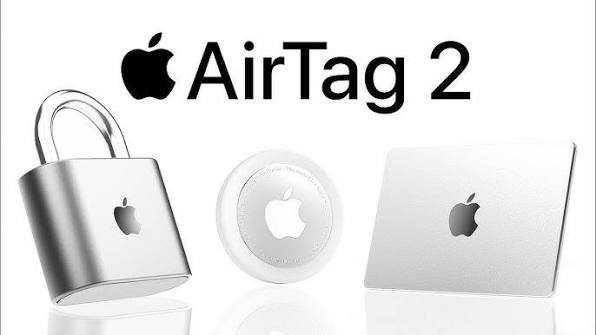
Navigating the bustling streets, expansive shopping malls, and busy transit hubs of Dubai requires keeping a close eye on your personal belongings. Thankfully, Apple introduced its second-generation smart tracker earlier this year. The New AirTag 2 lost item tracking in Dubai has completely transformed how residents and tourists safeguard their keys, luggage, wallets, and backpacks. Packed with a second-generation Ultra Wideband chip, a 50% louder built-in speaker, and up to 1.5 times the precision finding range, this updated tracking device offers incredible peace of mind.
However, tech is never entirely foolproof. What happens if you are strolling through the Mall of the Emirates or catching a flight at Dubai International Airport and your tracker completely drops off the grid? If your smart tracker stops updating, fails to connect, or refuses to play a sound, you do not need to panic. This comprehensive troubleshooting guide will walk you through exactly what to do when your tracking device stops working in the UAE.
Understanding the New AirTag 2 Tracking Technology in Dubai
Before diving into troubleshooting, it helps to understand how the new hardware functions in a sprawling urban environment like Dubai. The second-generation model relies heavily on the global Find My network. It transmits secure, encrypted Bluetooth signals to nearby Apple devices, which then relay the physical location back to your iCloud account.
Because Dubai has an exceptionally high density of iPhone, iPad, and Apple Watch users, the New AirTag 2 lost item tracking in Dubai is usually incredibly fast and precise. The updated Ultra Wideband hardware allows your phone to point you toward your lost property from much farther away than the original model. If your item goes missing in a crowded space, the tracker uses its enhanced signal stability to cut through heavy wireless interference.
Why Has Your AirTag 2 Stopped Working? Common Culprits
When a smart tracker suddenly stops updating its physical location or disappears entirely from your Find My app, the issue usually stems from a few specific technical glitches. Understanding these common culprits will help you identify the root cause much faster.
1. Battery Drain and Connection Failures
Even though the updated smart tracker features an efficient design, it still relies on a standard CR2032 coin cell battery. Extreme heat can accelerate battery drain. If your keys are frequently exposed to the intense summer temperatures of Dubai, the battery life might drop much faster than the expected one-year average.
2. Signal Interference in High-Rise Areas
Dubai is famous for its massive concrete structures, metallic architectural marvels, and extensive underground parking garages. Heavy concrete walls, solid metal plating, and dense electronic environments can temporarily block the Bluetooth and Ultra Wideband radio signals, leading to delayed location updates.
3. Firmware and iOS Compatibility Issues
The second-generation smart tracker requires modern system software to function correctly. Your paired iPhone or iPad must be running the latest version of iOS 26 or newer. If your smartphone software is outdated, the Find My app will struggle to utilize advanced features like expanded Precision Finding.
Step-by-Step Guide: What to Do If Your AirTag 2 Stops Working
If you open your Find My app and notice that your tracking device is completely unresponsive, follow these sequential troubleshooting steps to restore your connection.
1.Check Your iPhone Wireless Settings:Step 1.
Open your iPhone settings and verify that Bluetooth, Wi-Fi, and Cellular Data are fully enabled. Because the tracking system relies on nearby Apple devices uploading location data to iCloud, your phone needs an active internet connection to receive those coordinate updates.
2.Verify Location Services and Privacy Settings:Step 2.
Navigate to Settings > Privacy & Security > Location Services. Ensure that Location Services is turned on, and verify that the Find My app has permission to use “Precise Location.” Without this permission, your phone cannot display directional arrows or distance metrics.
3.Restart Your Apple Device:Step 3.
Sometimes a temporary operating system glitch prevents the Find My app from communicating with your smart tracker. Perform a hard restart on your iPhone or Apple Watch to clear out any conflicting cache files and refresh your wireless radios.
4.Remove and Reinsert the CR2032 Battery:Step 4.
Press down firmly on the stainless steel back cover of the tracker and rotate it counterclockwise to remove the lid. Take out the CR2032 coin cell battery, wait roughly thirty seconds, and slide it back in. If you hear a clear, distinctive startup chime, your tracker has successfully rebooted.
5.Reset the Tracker to Factory Settings:Step 5.
If the connection remains dead, remove the tracker from your Apple Account via the Find My app. Then, press down on the battery until you hear a chime, release it, and repeat this process five consecutive times. The fifth chime sounds distinct, indicating a successful factory reset. You can now pair it as a brand-new device.
When to Seek Professional Hardware Repair in Dubai
If you have completed a full factory reset, replaced the coin cell battery, and updated your iPhone software, yet the New AirTag 2 lost item tracking in Dubai still refuses to work, you are likely dealing with an internal hardware failure. While the device features an IP67 water and dust resistance rating, accidental drops onto hard marble floors, severe crushing forces, or prolonged exposure to extreme desert heat can permanently damage the internal logic board or break the logic traces of the internal Bluetooth antenna.
When delicate internal micro-components suffer physical damage, standard software troubleshooting will not save them. Instead of throwing away an expensive piece of tracking tech, your best option is to take your faulty gadget to an experienced hardware specialist who handles micro-soldering and smartphone logic boards.
Trust Milaaj Mobile and Laptop Repair Al Barsha for Your Tech Fixes
When your essential tracking devices, smartphones, or computers start acting up, you need a dependable, trustworthy repair partner who understands advanced Apple architecture. That is exactly where Milaaj mobile and laptop repair Al Barsha comes into play. Situated in the heart of Dubai, this premier service hub specializes in diagnosing and fixing complex hardware issues across all modern smart devices.
Milaaj Mobile and Laptop Repair Al Barsha
Location: Al Barsha, Dubai, UAE
Specialty: Smart Tracker Diagnostics, iPhone Screen & Battery Replacement, Logic Board Micro-Soldering
Choosing a local independent specialist offers unmatched advantages when compared to waiting weeks for factory service turnarounds:
- Convenience Beyond Measure: Located right in Al Barsha, the service center is incredibly easy to access for residents and commuters across Dubai. You can easily drop off your malfunctioning tracking device or smartphone and pick it up without disrupting your entire day.
- Speed Repairing Services: Time is money, and being without your primary phone or asset tracking system is highly stressful. The technicians prioritize rapid diagnostics, often completing vital component repairs on the very same day.
- Premium Part Quality: Whether repairing an internal antenna connection or replacing a damaged smartphone screen, the workshop strictly utilizes top-tier, high-grade replacement components. This ensures your devices retain their original performance standards and structural integrity.
- Unbeatable Low Price Points: Professional tech repair does not have to cost an absolute fortune. You will receive transparent, honest cost estimates upfront, allowing you to enjoy elite technical craftsmanship at a highly competitive, budget-friendly rate.
Proactive Tips to Keep Your AirTag 2 Working Perfectly in the UAE
To maximize the lifespan of your smart tracking devices and avoid unexpected tracking dropouts while exploring the UAE, keep these helpful maintenance tips in mind:
Avoid Excessive Heat Exposure: Do not leave your tracked items sitting on your car dashboard under direct sunlight. High temperatures can severely degrade the battery cell and warp internal adhesive seals.
- Use Protective Enclosures: Invest in high-quality silicone or rugged leather keychains and cases. These accessories absorb shock from accidental drops, shielding the internal Ultra Wideband antenna from fracturing.
- Clean the Battery Contacts regularly: Moisture, sweat, and fine desert dust can occasionally seep under the battery cap over time. Wipe down the battery compartment with a dry microfiber cloth during battery swaps to maintain a strong electrical connection.
- Monitor Battery Alerts closely: Do not ignore low-battery notifications on your iPhone screen. Replace the coin cell immediately to ensure your valuable belongings never go offline when you need to locate them most.
Frequently Asked Questions (FAQs)
What is the maximum range for the New AirTag 2 lost item tracking in Dubai?
The second-generation model features an upgraded Ultra Wideband chip that expands nearby Precision Finding range up to 1.5 times farther than the original version. For long-distance tracking across the city, there is no technical limit, as long as your tracker can securely ping any nearby iPhone or Apple device connected to the global Find My network.
Is the second-generation smart tracker fully waterproof?
The device carries an official IP67 rating, meaning it is dust-tight and can survive being submerged in fresh water up to a maximum depth of 1 meter for up to 30 minutes. However, it is not designed to withstand high-pressure water sports or prolonged saltwater exposure at Dubai beaches.
Can I share my lost item’s physical location with other people?
Yes! Built into the modern Find My app ecosystem is a seamless location sharing feature. You can easily share tracking access with up to five trusted contacts for communal items like car keys, or temporarily share an item’s location history with major airline partners if your luggage goes missing at the airport.
Why is my tracking device not playing a chime sound when requested?
If your phone states the item is nearby but no sound plays, the internal speaker may be damaged, or the battery might be too weak to drive the audio hardware. If a fresh battery swap does not resolve the issue, bring your device to Milaaj for an immediate physical assessment.
📍 Visit Any Milaaj Branch in Dubai
🔹 Bur Dubai
Milaaj Mobile and Laptop Repair Dubai
📞 055 258 8477
🔗 Google Maps
🔹 Al Barsha
Milaaj Mobiles and Laptop Repair Al Barsha
📞 052 596 2846
🔗 Google Maps
🔹 Al Barsha 3
Milaaj Mobiles , Laptops and Watches Repair Service
📞 052 3405 814
🔗 Google Maps
🔹 Al Nuaimiya
Milaaj Mobiles and Laptops Ajman
📞 055 788 9654
🔗 Google Maps
Email: support@milaaj.com
Operating Hours: Monday Sunday
Leave a Reply