

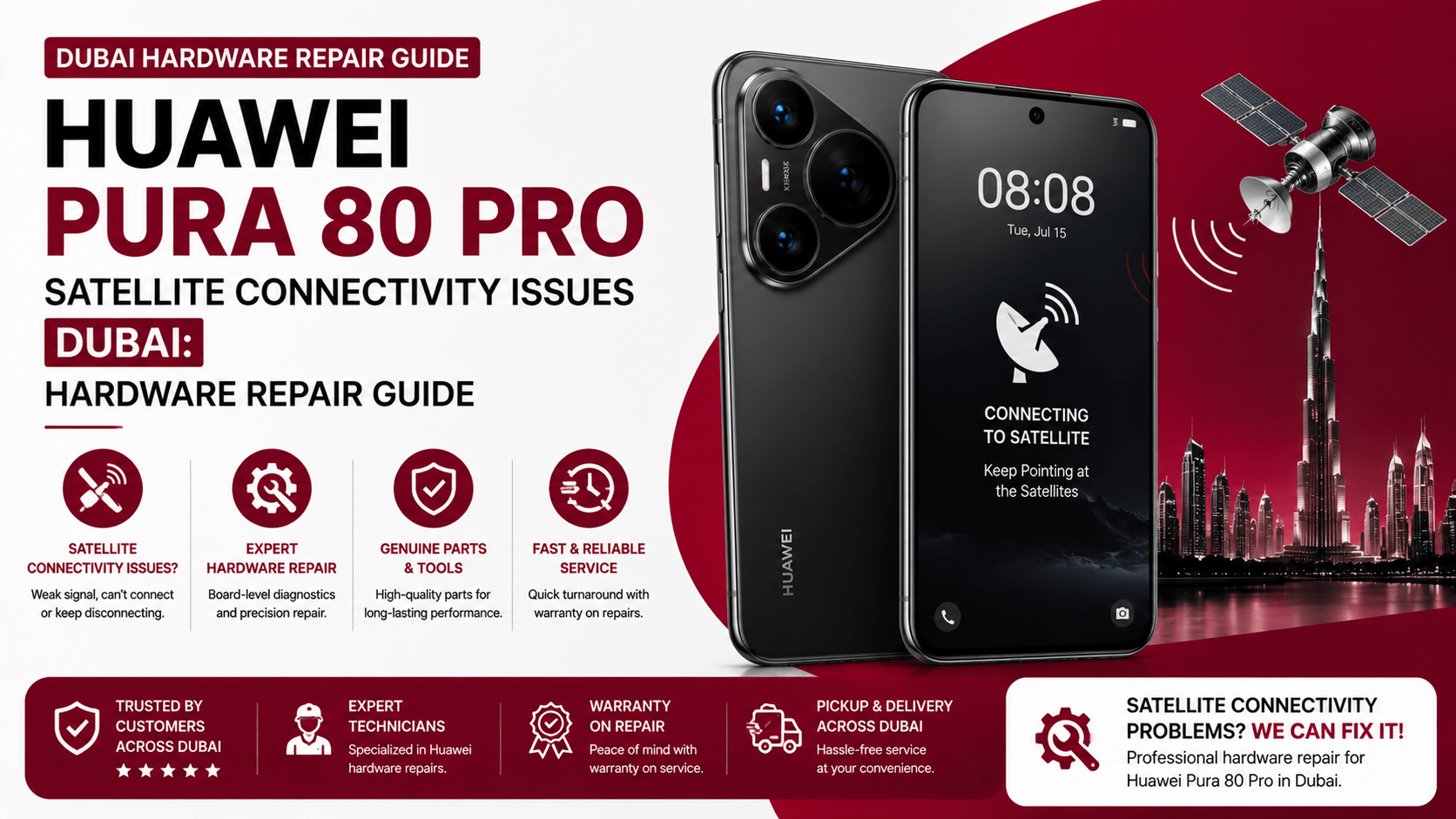
Imagine stepping away from Dubai’s busy streets and heading into an area where cellular coverage becomes unreliable. You pull out your Huawei Pura 80 Pro expecting its advanced connectivity features to keep you connected. Instead, satellite-related functions fail to respond, signal reception becomes inconsistent, or the phone struggles to establish a connection.
At first, the problem may look like a software glitch. However, persistent connectivity failures can sometimes point toward antenna, RF, connector, or motherboard-level hardware problems. That is why understanding Huawei Pura 80 Pro satellite connectivity issues Dubai can help you distinguish a simple configuration problem from a repair that needs professional attention.
The Huawei Pura 80 Pro is a premium smartphone built around the Kirin 9020 platform, a 6.8-inch LTPO OLED display, and advanced wireless connectivity hardware. Huawei’s UAE specifications list LTE connectivity, Wi-Fi 7-class wireless networking, Bluetooth 5.2, GPS, GLONASS, BeiDou, Galileo, QZSS, and NavIC.
However, there is an important point that UAE buyers should understand before assuming a hardware fault: satellite functionality varies significantly by model and market. Independent hardware analysis of a Chinese-market Pura 80 Pro found that this model did not support Tiantong satellite messaging or two-way BeiDou satellite messaging. Therefore, a connectivity complaint should first be checked against the exact model number and regional specification.
This guide explains the possible causes of Huawei Pura 80 Pro satellite connectivity issues Dubai, how technicians diagnose them, which hardware components may be involved, and what you should consider before paying for a repair.
Does the Huawei Pura 80 Pro Support Satellite Connectivity?
Before opening your phone, it is essential to establish whether the specific device actually supports the satellite function you are trying to use.
This matters because Huawei produces different regional variants. Features can also depend on hardware configuration, firmware, carrier support, and local service availability.
For example, Huawei’s UAE specification page identifies the Pura 80 Pro model as LMR-LX9 and lists extensive cellular and positioning support. It also notes that network functions depend on the live network and related service deployment.
Consequently, a phone that cannot establish a satellite connection is not automatically defective.
Check the Exact Model Number
Start by checking:
- Model number
- Region of purchase
- Firmware version
- Available connectivity features
- Carrier compatibility
- Satellite service availability
- Whether the feature is supported in your market
This simple check can prevent an unnecessary hardware repair.
Common Huawei Pura 80 Pro Satellite Connectivity Issues Dubai Users May Notice
When satellite-related connectivity does not work, the symptoms can vary. Therefore, technicians should look beyond the message displayed on the screen.
1. Satellite Connection Fails Completely
The most obvious symptom is an inability to establish a satellite connection.
You may see repeated connection attempts without success. However, this does not necessarily mean the antenna is damaged.
The problem could instead involve unsupported regional hardware, unavailable satellite services, environmental obstruction, or a software configuration issue.
2. Weak or Unstable Signal
Another common symptom is inconsistent signal reception.
For example, the phone may detect a signal briefly and then lose it. Alternatively, the connection may remain unstable even when you are in a location with a relatively clear view of the sky.
In these situations, a technician may inspect the antenna path, RF components, connectors, and motherboard circuitry.
3. Cellular Connectivity Also Becomes Weak
This symptom deserves particular attention.
If satellite-related functions fail while normal cellular reception remains excellent, the issue may be feature-specific. However, if cellular reception, GPS performance, Wi-Fi, and other wireless functions also become unreliable, physical damage becomes more plausible.
A damaged antenna connection or RF section can affect multiple communication functions.
4. Connectivity Problems After a Drop
Physical impact is another major warning sign.
A phone can appear perfectly normal after falling onto a hard surface. Nevertheless, internal connectors can become loose or microscopic solder joints can develop cracks.
Therefore, if your Huawei Pura 80 Pro developed connectivity problems immediately after a drop, professional hardware diagnostics are recommended.
What Causes Huawei Pura 80 Pro Satellite Connectivity Issues?
Understanding the hardware makes troubleshooting much easier.
Antenna Damage
Smartphones contain several antenna structures positioned around the internal frame.
These components communicate with RF circuitry on the motherboard. If an antenna contact becomes damaged, bent, contaminated, or disconnected, wireless performance can deteriorate.
Consequently, Huawei Pura 80 Pro satellite connectivity issues Dubai may sometimes originate from a physical antenna problem rather than the main chipset.
Antenna Flex or Contact Failure
Antenna flex cables and spring contacts can experience physical stress after an impact.
A technician can inspect these connections under magnification and test signal performance before deciding whether replacement is necessary.
RF Circuit Problems
The radio-frequency section is responsible for processing wireless signals.
If an RF component develops a fault, the phone may show poor reception or fail to establish certain connections.
RF-related repairs can be more complex than replacing a standard component. They may require board-level diagnostics, thermal inspection, schematic analysis, and micro-soldering.
Therefore, choosing a technician experienced with motherboard repairs is particularly important.
Motherboard Damage
The motherboard contains critical communication circuitry.
A strong impact, liquid exposure, corrosion, or electrical fault can damage tiny components surrounding the communication system.
In some cases, the phone may continue working normally except for connectivity. That can make motherboard damage difficult to identify without professional equipment.
Liquid and Corrosion Damage
Dubai’s environment can expose smartphones to humidity, condensation, accidental spills, and other sources of moisture.
Once liquid enters a phone, corrosion can develop around connectors and microscopic components.
Importantly, corrosion does not always cause an immediate failure. Instead, connectivity may gradually become unstable.
How Technicians Diagnose Huawei Pura 80 Pro Satellite Connectivity Issues
A proper diagnosis should happen before any expensive component replacement.
Step 1: Check the Software and Regional Configuration
First, technicians should confirm the model number and supported features.
They can then check firmware, network settings, system behavior, and available connectivity services.
This step is important because a hardware repair cannot enable a feature that the specific regional model does not support.
Step 2: Inspect the Antenna System
Next, the technician checks antenna contacts, flex cables, connectors, and visible signs of physical damage.
They may also inspect the internal frame for deformation.
Step 3: Test Wireless Performance
The phone can then undergo controlled connectivity tests.
Technicians may compare cellular reception, Wi-Fi, Bluetooth, GPS, and other wireless functions.
This comparison helps isolate the faulty section.
Step 4: Perform Board-Level Diagnostics
If external components appear healthy, the technician can inspect the motherboard.
A professional repair laboratory may use:
- Microscope inspection
- Multimeter testing
- DC power supply
- Thermal diagnostics
- Board-level measurement
- RF testing equipment
- Micro-soldering tools
This process helps identify damaged components without immediately replacing the entire motherboard.
Can Huawei Pura 80 Pro Satellite Hardware Be Repaired?
In some cases, yes. However, the answer depends on the actual failure.
If the problem involves an antenna contact or replaceable flex component, the repair can be relatively straightforward.
On the other hand, an RF IC or motherboard fault requires considerably more expertise.
Component-Level Repair
Component-level repair focuses on the damaged part rather than replacing the entire motherboard.
This approach can be useful when a technician can identify the exact failed component.
As a result, customers may avoid the high cost of complete board replacement.
Micro-Soldering Repair
Micro-soldering involves working with extremely small components and solder joints.
A skilled technician can potentially repair damaged board traces, connectors, or selected components.
However, this type of work should only be performed by a technician with appropriate equipment and experience.
Why You Should Avoid DIY Motherboard Repairs
It may be tempting to open the phone after watching an online repair video.
However, the Pura 80 Pro contains tightly integrated components. Huawei’s specifications also state that the battery is non-removable and advise visiting an authorized service center for battery replacement or repair.
Using excessive heat, incorrect tools, or poor-quality replacement parts can create additional damage.
Therefore, avoid:
- Heating the motherboard with a household heat gun
- Prying internal connectors with metal objects
- Applying liquid cleaners directly to the board
- Replacing RF components without testing
- Using incompatible antenna parts
- Flashing unofficial firmware to solve hardware problems
Instead, obtain a proper diagnostic report first.
How Much Does Huawei Pura 80 Pro Connectivity Repair Cost in Dubai?
The final price depends heavily on the failed component.
For example, an antenna contact repair can cost significantly less than motherboard-level RF work.
Likewise, a simple connector replacement may require less labor than micro-soldering.
When requesting a quote, ask the repair center to separate:
- Diagnostic charges
- Replacement part cost
- Labor cost
- Micro-soldering charges
- Warranty coverage
- Expected turnaround time
Avoid choosing a repair service based only on the lowest advertised price.
A cheap repair using poor-quality components can create additional connectivity problems later.
Why Choose Milaaj Mobile and Laptop Repair Al Barsha?
If you need professional assistance with Huawei Pura 80 Pro satellite connectivity issues Dubai, Milaaj Mobiles and Laptop Repair Al Barsha offers a convenient local repair option in Al Barsha.
A good repair experience should begin with proper diagnostics rather than immediately replacing expensive components.
Low Repair Cost
Component-level diagnosis can help identify the actual source of the problem. Therefore, you may avoid paying for unnecessary motherboard replacement.
Speed Repairing
Connectivity problems can interrupt calls, navigation, messaging, and everyday work. A repair center with appropriate diagnostic tools can help reduce unnecessary waiting time.
Convenient Service
For Dubai customers, choosing a repair shop in Al Barsha can make drop-off and collection easier, particularly when the device is needed for work or travel.
Better Part Quality
Quality replacement components matter. Low-grade antenna parts or incompatible components may produce unreliable results.
Professional Diagnostics
A proper inspection should identify whether the problem involves the antenna, connector, RF section, motherboard, software, or regional feature limitations.
How to Prevent Future Connectivity Problems
Once your phone is repaired, a few habits can reduce the risk of further hardware problems.
Use Quality Accessories
Avoid questionable chargers and accessories.
Huawei lists support for up to 100W SuperCharge and specifies compatible charging configurations on its UAE product page.
Protect the Phone From Drops
A protective case can reduce impact forces.
Additionally, avoid carrying the phone without protection when working in environments where drops are likely.
Keep Liquid Away
Even premium smartphones should not be treated as completely waterproof.
Moisture can create corrosion that appears days or weeks later.
Don’t Ignore Early Symptoms
If signal reception suddenly becomes weak, Bluetooth repeatedly disconnects, or GPS becomes unreliable, arrange a diagnostic inspection.
Early intervention may prevent a small connector or component problem from becoming a larger motherboard repair.
Dealing with Huawei Pura 80 Pro satellite connectivity issues Dubai starts with understanding whether the feature is actually supported by your particular model and region. That step is especially important because satellite capabilities can vary between Huawei variants.
Final Thoughts
If the feature is supported but suddenly stops working, investigate the hardware systematically. Antenna contacts, flex cables, RF circuitry, connectors, and motherboard components can all contribute to connectivity failures.
Most importantly, don’t approve an expensive motherboard replacement without a proper diagnosis. A qualified technician should first identify the faulty section and explain the repair options, part quality, cost, and warranty.
With the right approach, you can avoid unnecessary expenses and give your Huawei Pura 80 Pro the best chance of returning to reliable performance.
FAQs
1. Why is my Huawei Pura 80 Pro not connecting to satellite services?
First, check whether your exact model and region support the satellite feature. Huawei devices can have different connectivity capabilities depending on the market and model variant.
2. Can a damaged antenna cause satellite connectivity problems?
Yes. A damaged antenna, connector, or antenna contact can affect wireless signal reception. A professional diagnostic test can help identify the affected component.
3. Can a drop cause Huawei Pura 80 Pro connectivity failure?
Yes. A strong impact can damage antenna contacts, flex connections, RF components, or motherboard solder joints. Connectivity problems that appear immediately after a drop deserve a hardware inspection.
4. Is Huawei Pura 80 Pro motherboard repair possible?
Some motherboard faults can be repaired at component level. However, the feasibility depends on the specific damaged component and the condition of the board.
5. How much does Huawei Pura 80 Pro hardware repair cost in Dubai?
There is no single price because repair costs depend on the failed component, part availability, labor, and whether micro-soldering is required. Request a diagnostic assessment and itemized quotation before approving the repair.
6. Should I replace the entire motherboard?
Not necessarily. If a technician can identify and repair a specific faulty component, component-level repair may be a more economical option.
7. Can software updates fix satellite connectivity problems?
Sometimes software or configuration problems can affect connectivity. However, updates cannot repair physically damaged antennas, connectors, RF components, or motherboard circuits.
8. Where can I get Huawei Pura 80 Pro connectivity problems checked in Dubai?
A specialist mobile repair center in Al Barsha can inspect the phone and determine whether the issue is software-related, region-related, or caused by hardware damage.
📍 Visit Any Milaaj Branch in Dubai
🔹 Bur Dubai
Milaaj Mobile and Laptop Repair Dubai
📞 055 258 8477
🔗 Google Maps
🔹 Al Barsha
Milaaj Mobiles and Laptop Repair Al Barsha
📞 052 596 2846
🔗 Google Maps
🔹 Reef Mall (Salah Al Din)
Milaaj Service Center Reef Mall
📞 052 3405 814
📍 1st Floor, Shop 16, Deira
🔗 Google Maps
🔹 Al Nuaimiya
Milaaj Mobiles and Laptops Ajman
📞 055 788 9654
🔗 Google Maps
Shop Locations: Al Barsha | Bur Dubai | Reef Mall, Salah Al Din | Al Nuaimiya, Ajman
Email: support@milaaj.com
Operating Hours: Monday – Sunday

Leave a Reply